Tallyfy helps you fix your processes first. Move your SOPs, flowcharts and checklists into…
Tickets vs. processes
How do ticket-driven workflows operate?
Section titled “How do ticket-driven workflows operate?”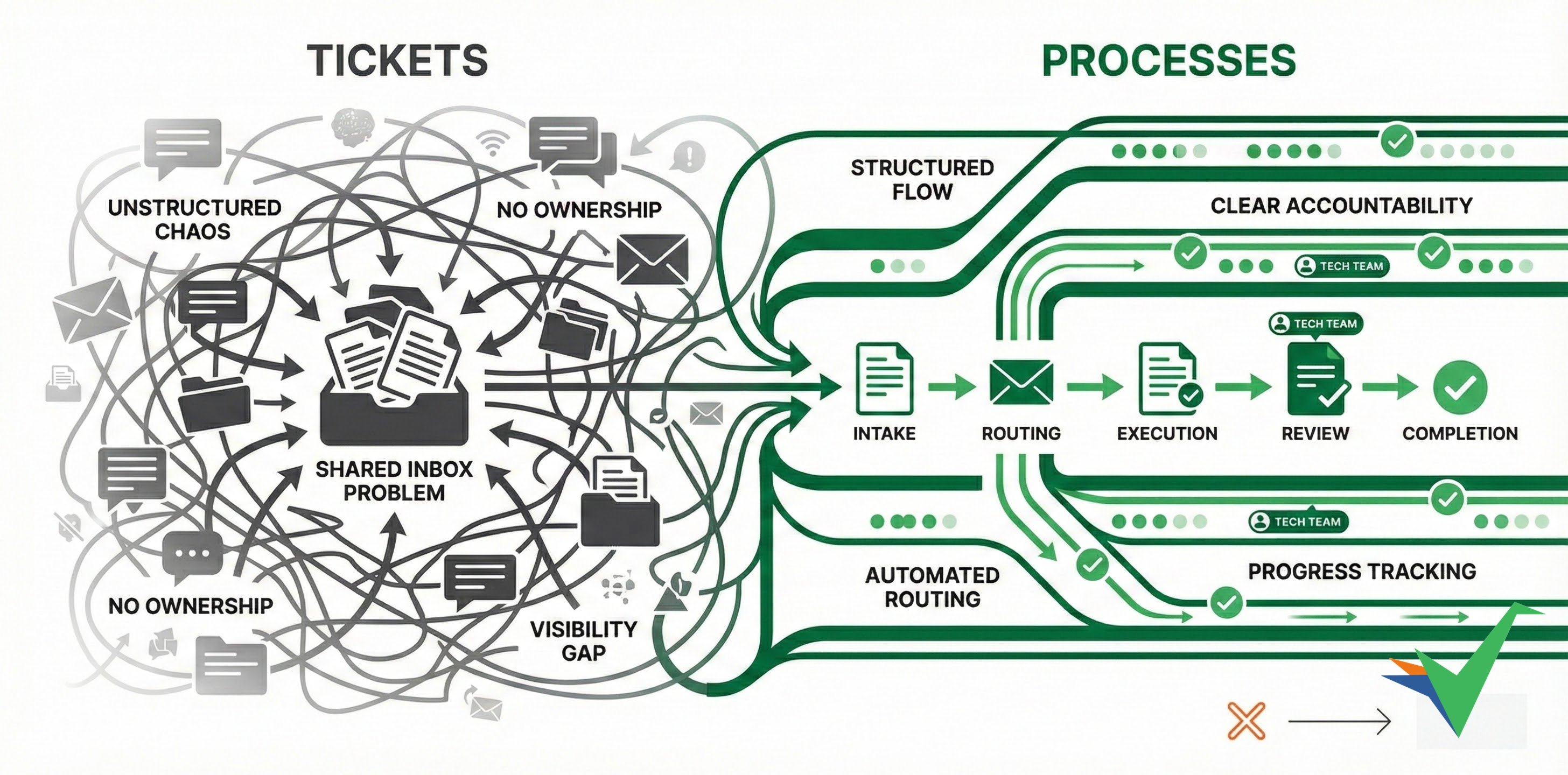
Ticket-driven workflows work like separate conversations started through different channels:
- Email to a specific address for formal requests
- Social media for public inquiries
- Phone calls for urgent matters
- Chat messages on a website or app for quick help
The shared inbox problem
A shared inbox works like a ticket queue. Teams send requests to it and wait for someone to pick each one up. In practice:
- Request details end up buried in long email threads.
- Nobody owns a request, so it’s unclear who’ll reply or when.
- You can’t tell whether anyone’s working on it.
- Each person handles requests their own way.
- The same problems keep coming back, because there’s no process to improve.
Both tickets and shared inboxes open a request and close it, with little structure in between.
The typical ticket workflow follows this sequence:
- Managing the queue: An incoming request waits to be processed in order.
- Initial check: An agent decides if they can handle it or if it needs a specialist.
- Gathering information: Collecting more details if the initial info isn’t enough.
- Solving the issue: Responding with a solution and closing the ticket.
- Optional root cause check: Looking into underlying problems that might need fixing.
- Optional feature consideration: Deciding if the issue suggests product improvements.
- Optional help docs update: Checking if documentation needs updating.
Where this model falls short:
- Teams often skip steps 5-7 due to time constraints or lack of enforcement.
- Service quality depends on whichever agent handles the ticket.
How do process-driven workflows improve operations?
Section titled “How do process-driven workflows improve operations?”Each type of request becomes a Tallyfy template. Every new request launches a process from that template, so it follows the same steps, with an owner and a deadline on each one.
- Structured intake: A kick-off form collects the request details and its category before work starts.
- Routing before review: An automation assigns each step to the right person or group based on a form answer, such as the request type.
- Shared answers: Standard replies and help doc links live in snippets that any member can insert. Edit a snippet once and every place that uses it updates.
- Involving other teams: An automation shows another department’s step only when a form answer calls for it.
- Linking to improvement processes: When a task is completed, Tallyfy can launch a separate process from another template, such as a product improvement review.
Follow-up, tracking and improvement
Section titled “Follow-up, tracking and improvement”- Follow-up: Digest emails remind assignees about tasks that are due soon or overdue. You can also send an instant reminder on any active task.
- Progress tracking: The tracker view shows every running process and how far along each one is.
- Customer visibility: You can share a read-only public link to a running process, so a customer can follow its progress without a Tallyfy account.
- Improvement cycles: People report issues on the task where they happen, and you can filter the tracker for processes with unresolved issues.
- Help docs: Add a step that asks whether the help docs need an update, so the check happens on every request.
Related articles
Section titled “Related articles”Process Improvement > Understand process flow without flowcharts
Tallyfy replaces static flowcharts with live templates where each step has clear assignments and…
Tallyfy turns form submissions into the first step of a structured workflow. Data flows…
How To > Improve processes effectively
Tallyfy enables ongoing process improvement by letting teams capture feedback directly on tasks…
About Tallyfy