Triggers > Launch via a schedule
Auto-launch Tallyfy processes on recurring schedules using middleware platforms like Zapier or…
You can auto-launch Tallyfy processes on a recurring schedule using middleware tools like Zapier, Make, or Power Automate. Connect a schedule trigger to Tallyfy’s Launch Process action, and they’ll run hands-free.
This guide uses Zapier as an example - the steps are similar in other middleware platforms.
Create a new Zap. For the trigger, search for and select Schedule by Zapier.
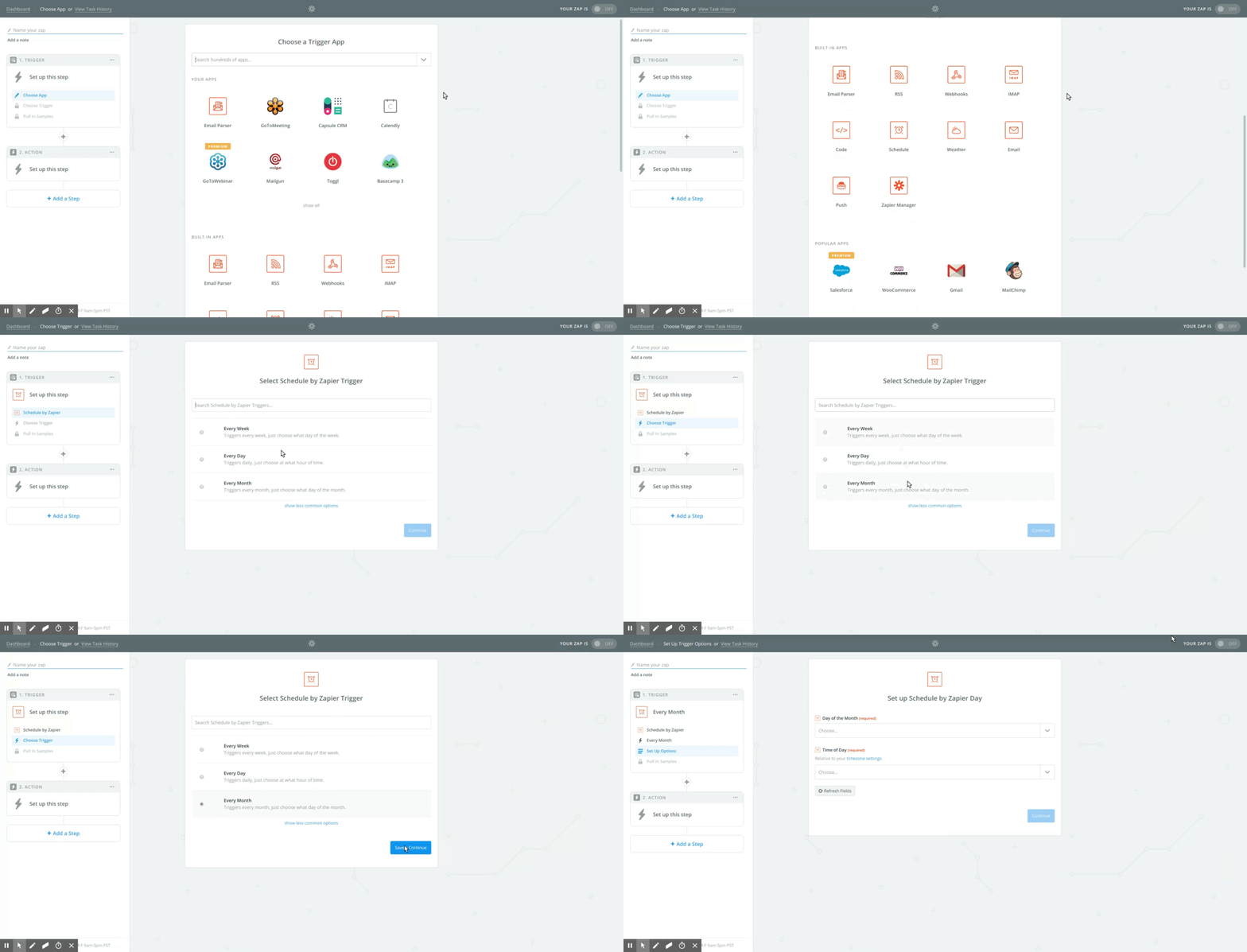
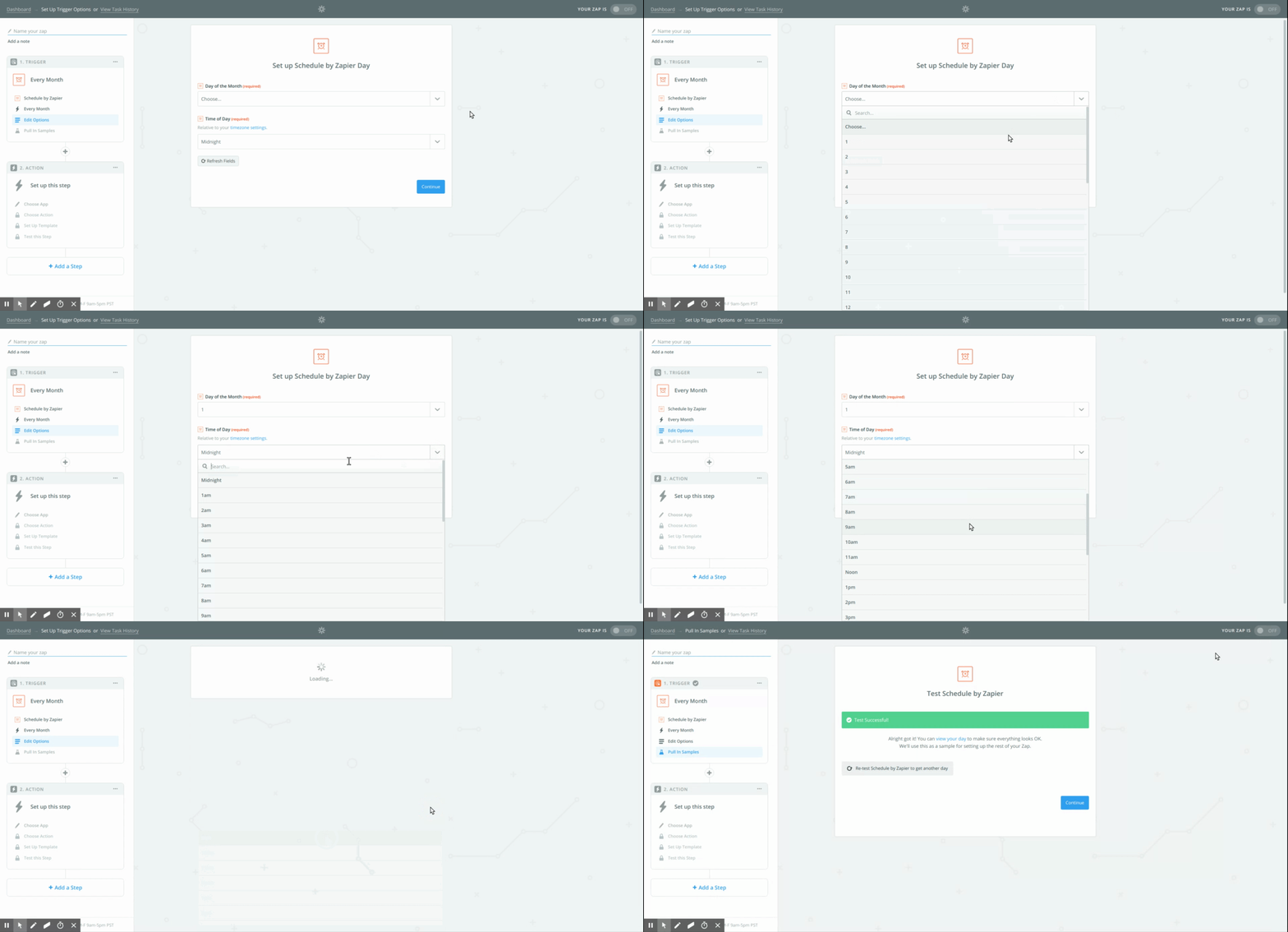
Configure when the process should launch:
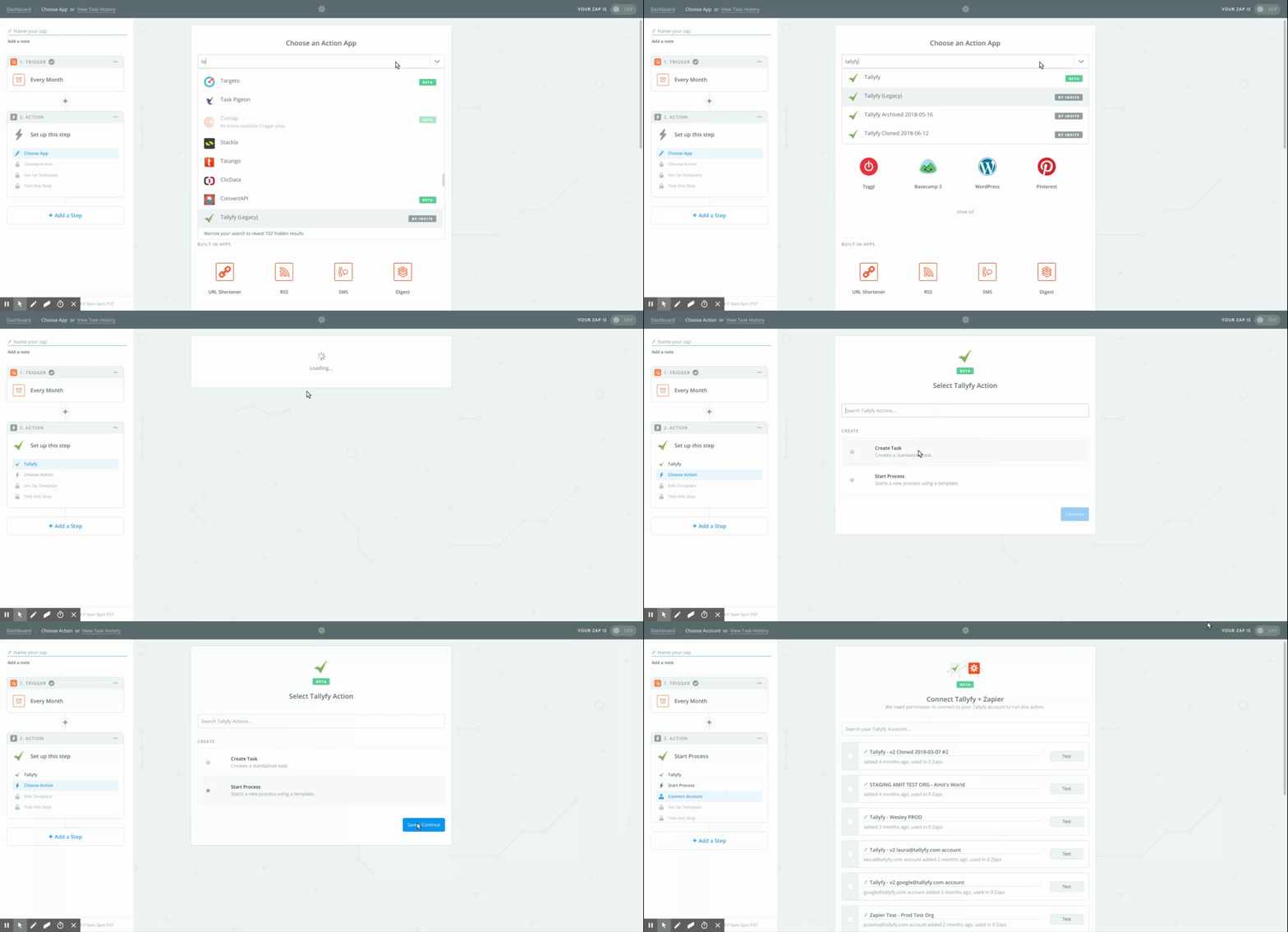
For the action step, pick the Tallyfy app and choose Launch Process.
Set which process to launch and how:
{{zap_meta_human_now}}”). Zapier’s {{zap_meta_human_now}} variable inserts the current date/time.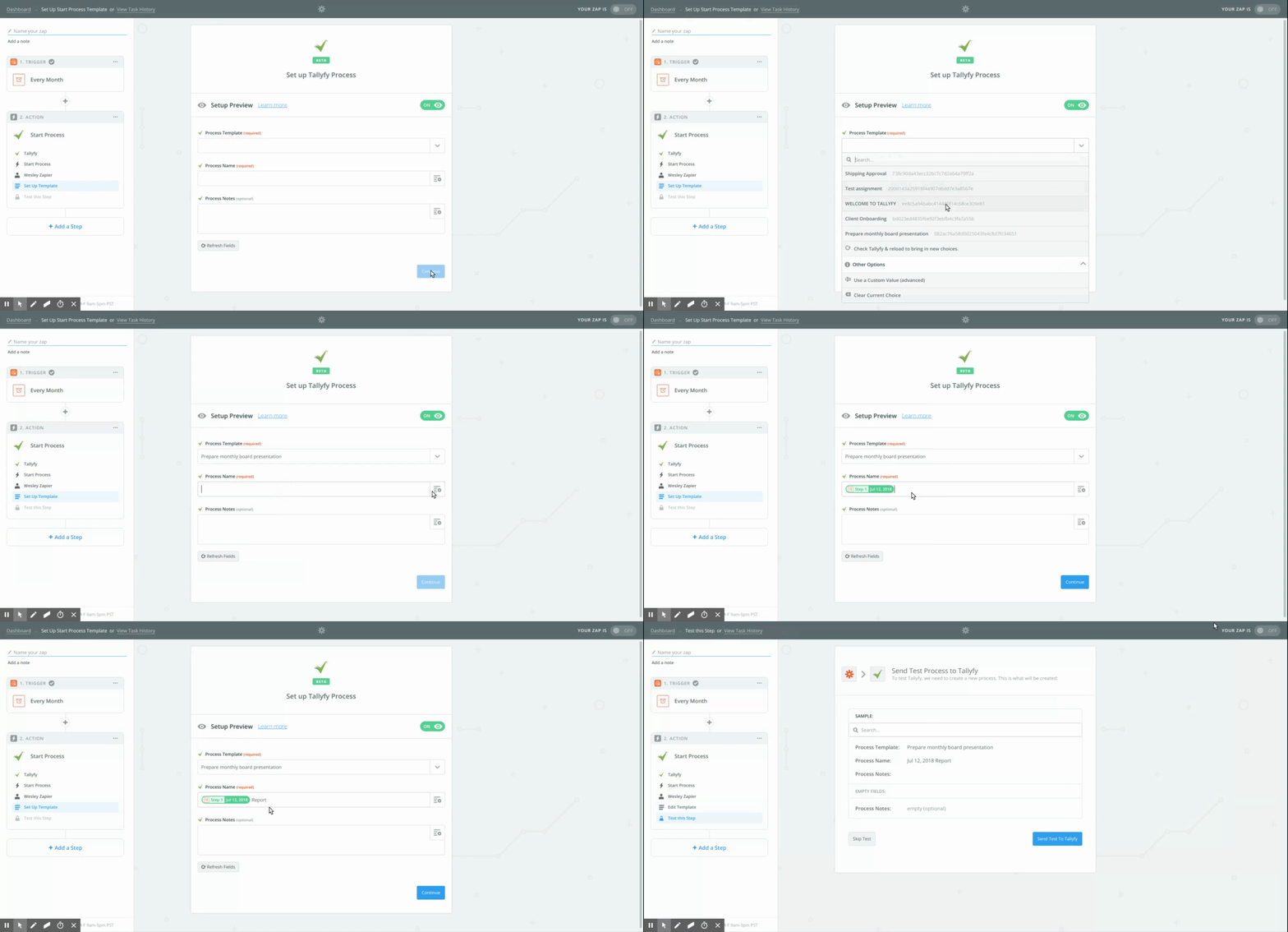
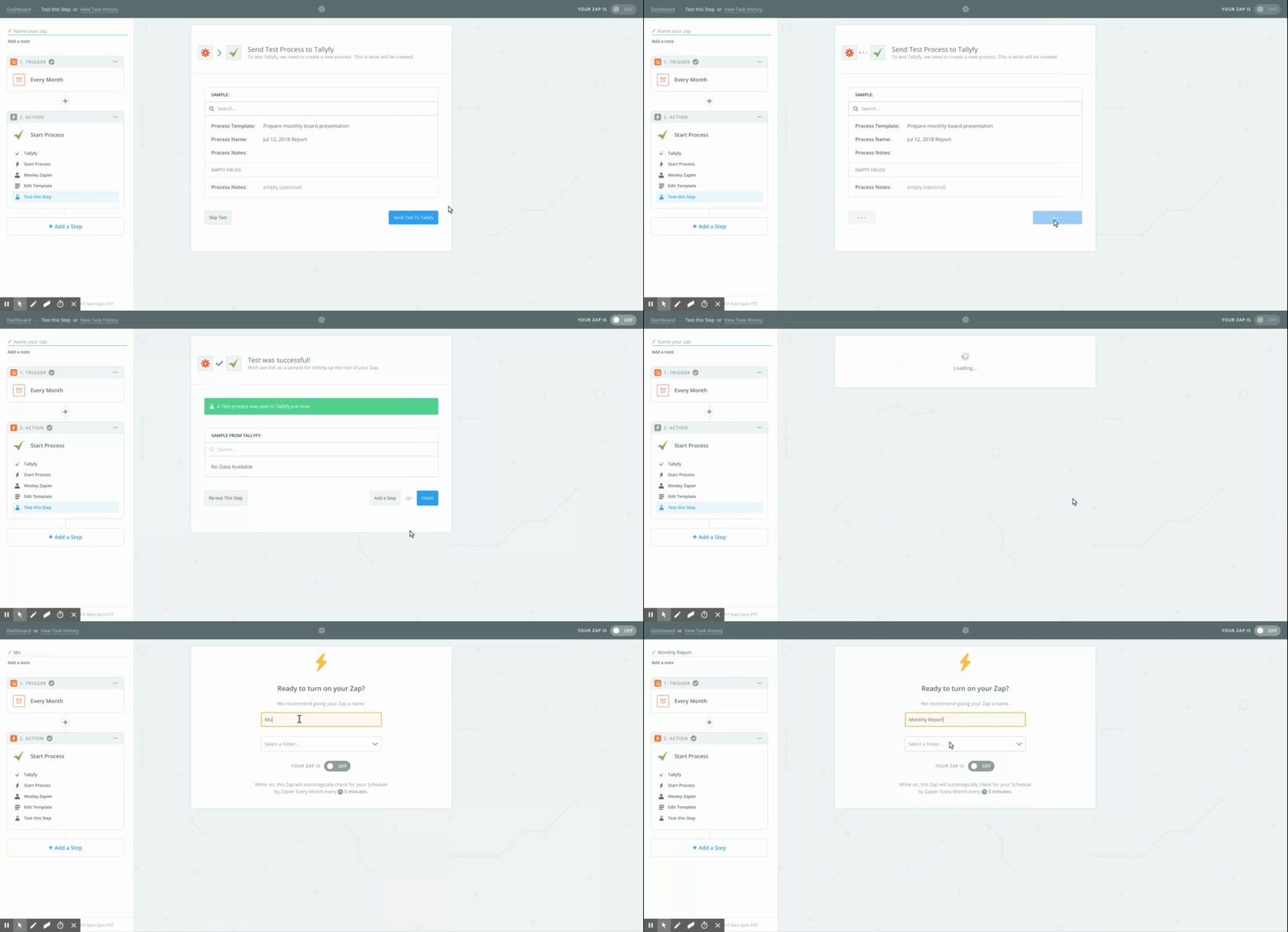
Test your Zap to confirm it’s launching the process correctly in Tallyfy. Name your Zap and turn it on.
Triggers > Launch via a schedule
Zapier > Automate monthly process launch with Zapier
Triggers > Launch via middleware