
How e-commerce automation saves your online store
E-commerce automation removes repetitive tasks using trigger-condition-action logic so your team can focus on growth. Tallyfy covers 13 proven automation methods for online stores.
Summary
- All e-commerce automation runs on TCA logic - Trigger, Condition, Action drives everything from free shipping thresholds to fraud detection, replacing manual button-pressing with self-running workflows
- Four warning signs your store needs automation now - Operations team drowning in order volume, shipping takes hours across multiple systems, moving data between platforms eats 1+ hour per person daily, inventory updates are slow and full of errors
- 13 practical automation processes that transform operations - From personalized incentives and real-time inventory tracking to fraud detection, churn reduction, and lead allocation based on performance data
- The future is AI-built integrations, not per-zap billing - Traditional middleware charges you per connection. Describe what you want in plain language and AI builds the integration. See how Tallyfy automates e-commerce workflows
Here’s what basically happens to every growing online store. Sales go up. Orders pile in. And suddenly the systems that worked fine at 50 orders a day are choking at 500.
Your team starts drowning. Urgent fires pop up everywhere. People who should be thinking about growth are instead copying data from one spreadsheet to another.
I’ve watched this pattern play out hundreds of times. Mid-market companies represent about 55% of our conversations at Tallyfy, and the ones running e-commerce operations hit this wall faster than anyone.
So what do you do about it?
Three options, really. You can run your existing team into the ground with tasks that shouldn’t be manual. You can hire expensive new people to do boring repetitive work. Or you can automate the boring stuff and let humans do human things.
If you want to see how workflow automation works in practice, here’s how Tallyfy approaches it.
Workflow Automation Software Made Easy & Simple
How to use this guide
- What e-commerce automation is and why the TCA model makes it dead simple
- Signs your store needs automation with honest self-assessment criteria
- 13 ways to automate your business with step-by-step breakdowns
- How to pick the right platform without getting locked into per-zap pricing traps
What’s e-commerce automation
At its core, e-commerce automation is any tool that converts manual, repetitive tasks into self-running ones. Inventory management, lead generation, marketing, internal communications - all the stuff your team spends hours on that follows predictable patterns.
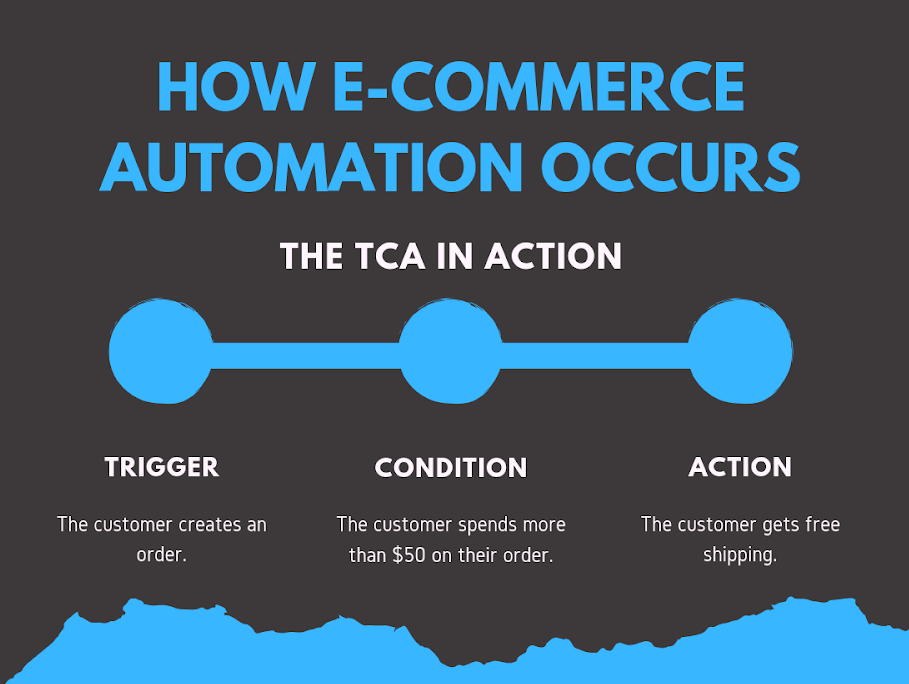
But how does it work? Almost every automation follows what I call the TCA model - Trigger, Condition, Action.
Quick example. You want anyone who spends over $50 on a single order to get free shipping.
- Trigger: Someone places an order.
- Condition: The order total exceeds $50.
- Action: Free shipping applies automatically.
That’s it. Once you set the trigger, condition, and action, that process runs itself. Forever. Well, not literally forever. No one pressing buttons, no one checking spreadsheets, no one forgetting on a busy Friday afternoon.

The TCA pattern covers almost anything - from simple notifications to complex multi-step workflows. One thing that surprised us about online gift retailers is how they used workflow automation for new product launches, inventory audits, and metrics reviews - and spotted bottlenecks that helped them launch 4 new products in weeks.
Signs your store needs automation
The reasoning’s straightforward. Automate repetitive work so your team has time for work that requires actual thinking - creative decisions, relationship building, strategy.
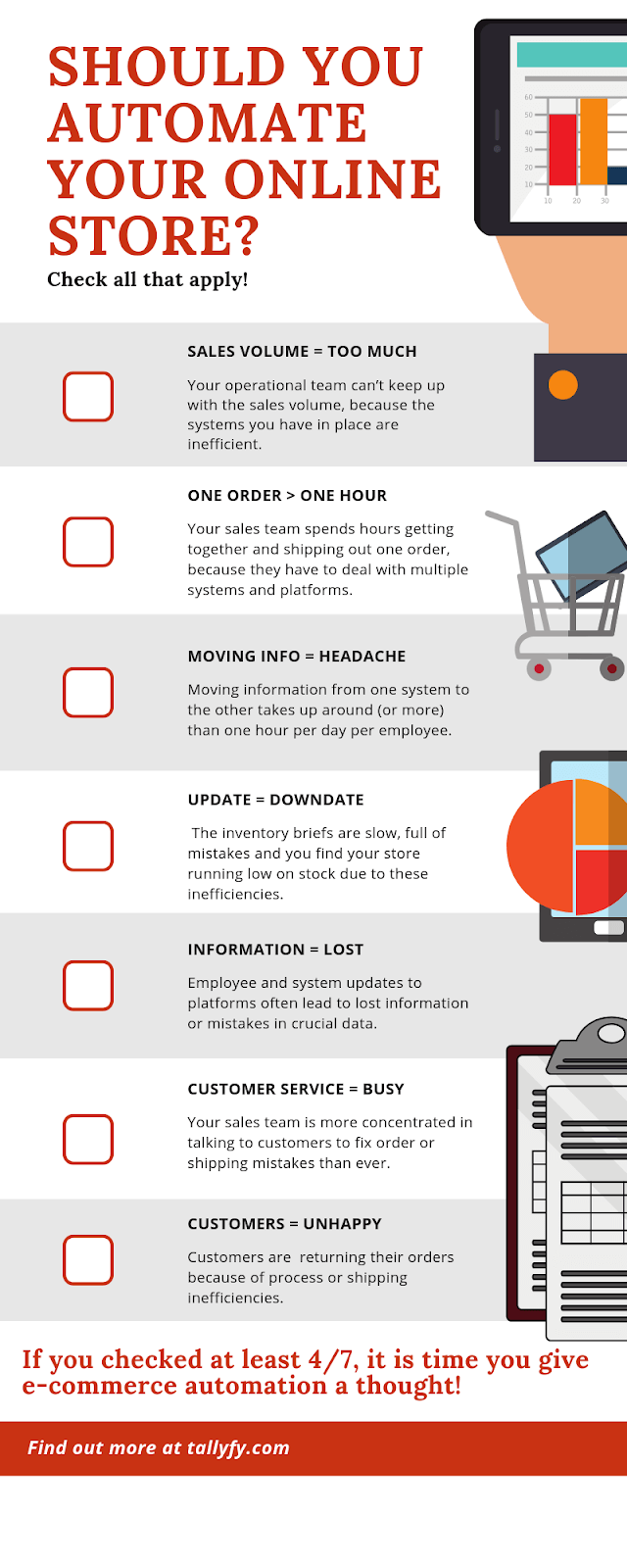
But is it worth the cost and effort? Check how many of these hit home:
- Your operations team can’t keep up with sales volume because your systems are inefficient. They’re overwhelmed and losing motivation.
- Shipping one order takes hours because your team juggles multiple disconnected systems.
- Moving data between platforms burns an hour or more per person per day.
- Inventory updates are slow, full of mistakes, and you keep running low on stock.
- Platform updates regularly cause lost information or errors in critical data.
- Your sales team spends more time fixing order mistakes than selling.
- People are returning orders because of shipping or process failures - not product quality.
Four or more? You need automation. Honestly, even two should concern you.
And here’s what I think people miss - even if none of these apply today, they will. Something we learned the hard way is that growth creates complexity faster than you expect. Complexity creates bottlenecks. Automation prevents the mess before it starts.
13 e-commerce automation processes
Now the practical stuff. Thirteen TCAs you can set up to transform your operations. Pick whichever ones match your biggest headaches.
Creating targeted incentives
People love feeling valued. That’s hardly controversial. Any personal touch - however small - signals that there’s a real company behind the screen.
Three automation ideas:
-
Birthday gifts. Ask for date of birth at signup, then auto-send a unique discount code or free sample on their birthday. Simple TCA. Massive goodwill.
-
Location-based promotions. Turn on geo-targeting and create promotions tied to national holidays or local events. “Happy Independence Day, Greece! 10% off with code INDPNDCDAY1 - available only from Greek IP addresses.”
-
Local currency display. Show prices in the buyer’s currency and let them pay in it. Removes friction and you can build in a small margin on the exchange rate.
Personalizing the shopping experience
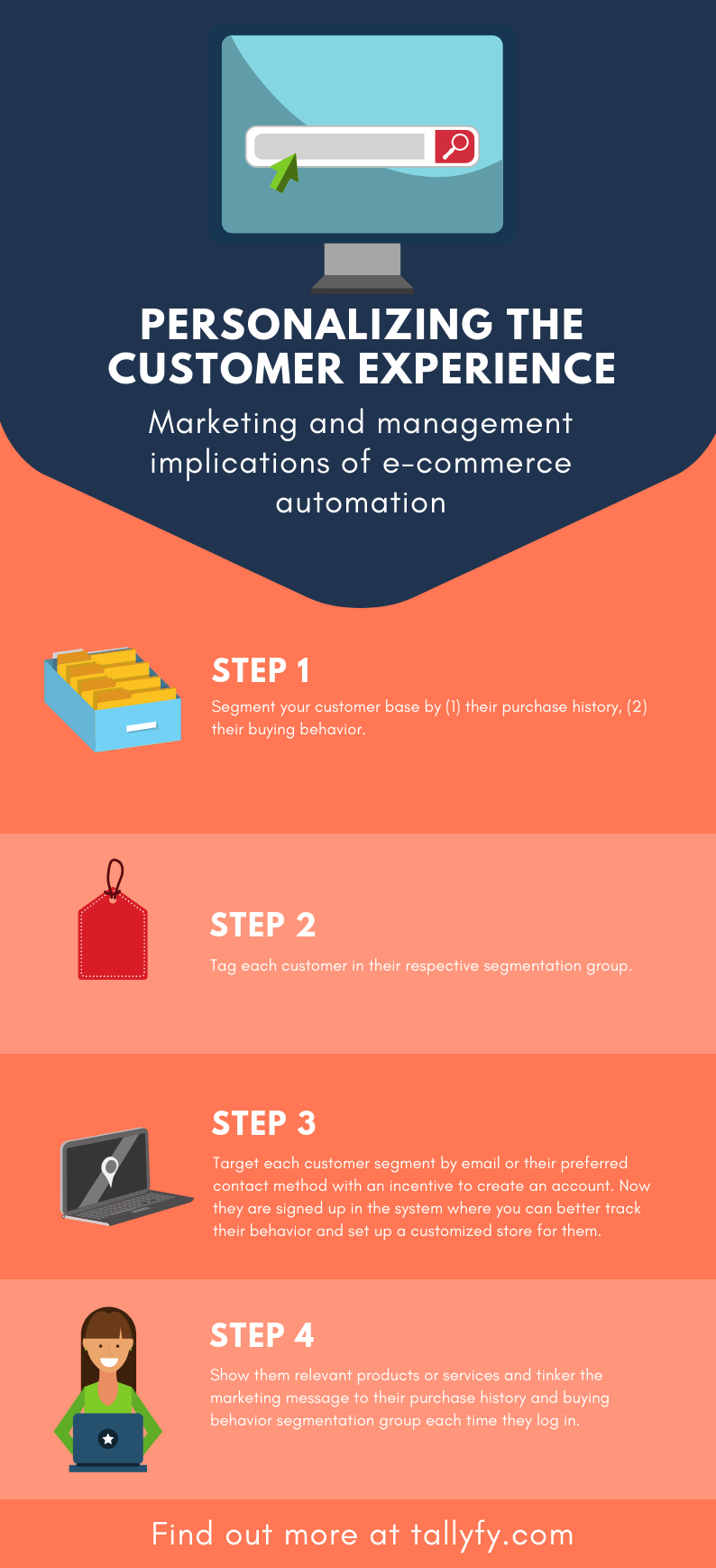
Automation lets you tailor your store to each individual without anyone manually adjusting anything.
Step 1: Segment your buyer base by purchase history and browsing behavior.
Step 2: Tag each person into their segment.
Step 3: Target each segment with an incentive to create an account - email, SMS, whatever works.
Step 4: Once they’re in your system, show them relevant products and adjust marketing messages based on their segment every time they log in.
Keeping inventory in check in real time
Over-stocking wastes money. Under-stocking loses sales. Both are fixable. Does fixing this require a massive overhaul? No.
Step 1: Tag inventory items when stock drops below a threshold or hits zero.
Step 2: Notify buyers when items are running low and hide sold-out products entirely.
Step 3: Let people opt in for restock notifications.
Turns out, this doesn’t just keep stock levels healthy - it tells you which products are in highest demand. Useful data for purchasing decisions.
E-commerce workflow templates
Responding to negative reviews
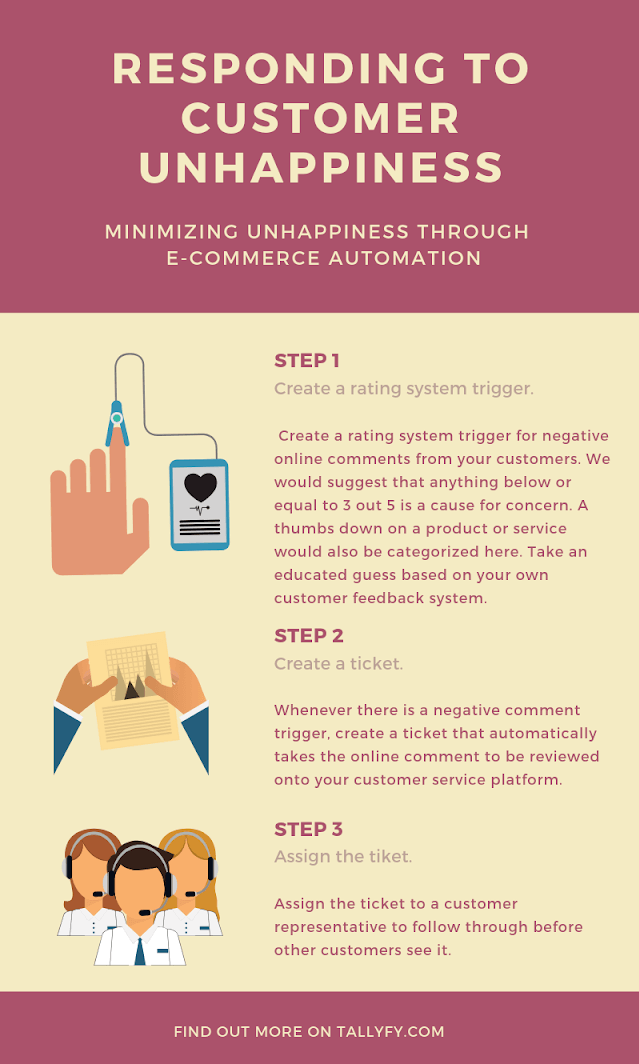
Your buyers are your revenue. When some of them are unhappy and vocal about it through public comments, reviews carry weight.
Step 1: Create a trigger for negative ratings - anything at or below 3 out of 5, or a thumbs-down.
Step 2: Auto-generate a ticket on your service platform when a negative review appears.
Step 3: Assign the ticket to a rep who can respond before the review snowballs.
Speed matters here. The faster you respond, the less damage spreads.
Making wish lists work harder
For years, people have been adding products to wish lists and forgetting about them. That’s a goldmine of intent data sitting unused.
Give incentives - loyalty points, personalized recommendations - for adding items. Then follow up with notifications when wish-listed items go on sale. This pulls people back to your site repeatedly.
Using discount codes with conditions
Discount codes are more powerful with conditions attached. Free shipping if they increase their cart value. Third item free for students. Buy-two-get-one for new account holders.
Always tie discounts to your monthly goals and buyer segments. Let your marketing team get creative, but make sure every code serves a strategic purpose.
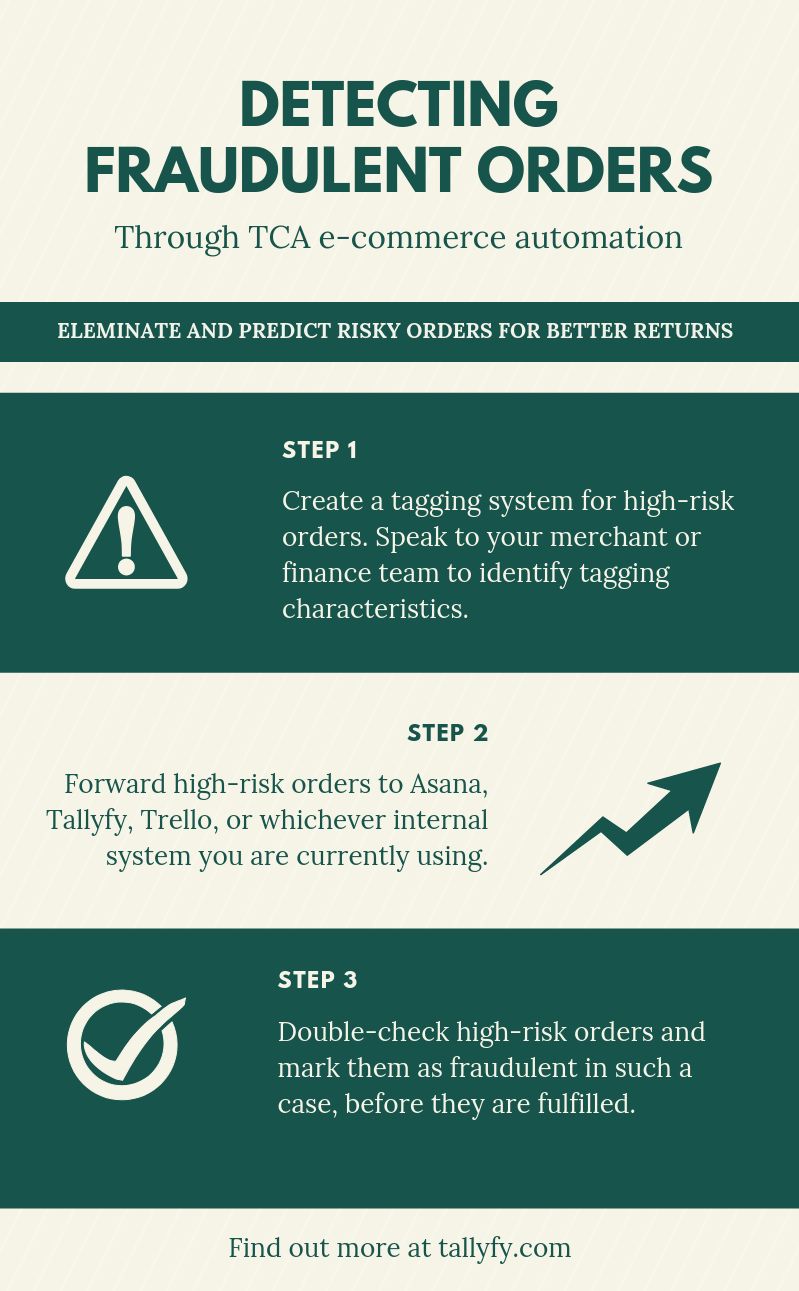
Detecting fraudulent orders
Fraud protection through TCA is straightforward.
Step 1: Define proper tagging rules for high-risk orders. Work with your finance team on the criteria.
Step 2: Forward flagged orders to a task management tool like Tallyfy or whatever internal system you’re using.
Step 3: Review and confirm before fulfillment. If it’s fraud, your bank gets notified and the order gets canceled automatically.
Catching bad orders early protects your bottom line directly. You’d be surprised how many stores skip this.
Predicting demand through search tracking
We kept hearing the same blind spot from store operators we talked to - most of them miss this entirely. Track what people search for on your site that returns zero results.
Those failed searches are demand signals. If 200 people searched for “organic dog treats” last month and got nothing - that’s a product gap you can fill before competitors notice.
Boosting average order value
People respond to customization and incentives. Use both.
Step 1: Set an order value threshold based on your averages and targets.
Step 2: When someone’s cart approaches that threshold, trigger a discount code, free gift, loyalty points, or free shipping to push them over.
This raises your average order value and revenue without acquiring a single new buyer. Not bad for a few minutes of setup.
Minimizing churn
Churn - people who stop buying - is expensive, and there are many ways to reduce it, but automation makes one method ridiculously easy. A question that keeps coming up is why teams who know exactly which buyers are drifting away still don’t have a system to act on it fast enough. Start by defining at-risk criteria - time since last login, time since last purchase, declining order frequency. Then identify who matches those criteria across your buyer base. Once you’ve got that list, auto-send them a win-back incentive - discount code, promotional pricing, a “we miss you” message with a perk attached. The whole sequence runs itself after you set it up once. Retention’s almost always cheaper than acquisition, and automation keeps you from losing people you’ve already won. The difference between stores that retain buyers and stores that bleed them is usually just this one workflow running in the background.
Suggesting consistent merchandise
Positive past experience is one of the strongest purchase drivers. Through automation, you can offer each person continuous product discovery based on what they’ve already bought and browsed.
Show them similar items. Notify them when favorites restock. Surface new arrivals that match their taste profile. It’s not creepy - it’s useful.
Allocating leads smarter
Lead management gets better with data. Tag orders by acquisition source - Google ads, email campaigns, sales team outreach. Then identify which channels bring the highest-value orders and shift resources accordingly.
Stop guessing which channels work. Let the data tell you.
Enhancing employee productivity
This one’s indirect but massive. When you automate the painful tasks that eat up hours - data entry, status updates, manual notifications - your team gets that time back for creative work and strategic thinking.
Based on feedback we’ve received from operations teams using Tallyfy, people who previously described their manual handoffs as time-consuming busywork ended up saving roughly 3 hours per person per week once they automated status tracking and approval chasing. Morale went up too. Nobody wants to spend their day copying numbers between spreadsheets.
How to pick the right automation platform
What I’ve covered here is just a fraction of what’s possible. The right platform unlocks far more.
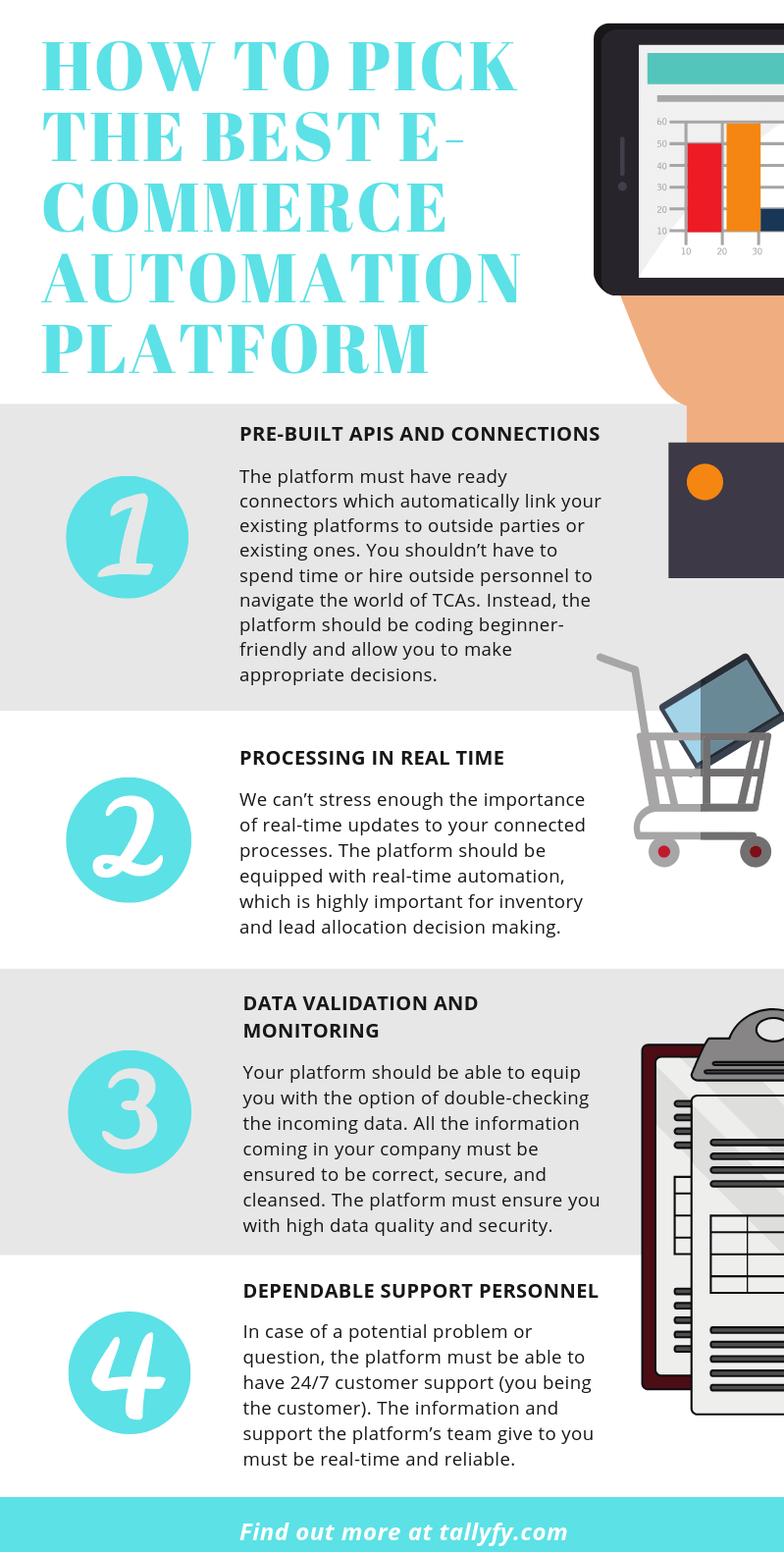
But before you commit, here’s what matters:
Pre-built connections that work
The platform needs ready-made connectors that link your existing systems without hiring developers. You shouldn’t need to write code to connect your store to your shipping provider. Here’s an example from Tallyfy’s API documentation.
Real-time processing
Inventory decisions, fraud flagging, lead routing - these can’t wait for batch processing. Your platform needs to act in real time.
Data validation and security
All incoming data must be correct, secure, and verified. If your platform doesn’t offer built-in validation and monitoring, you’re building on sand.
Reliable support
When something breaks at 2 AM on a Saturday before your biggest sale, you need help. 24/7 support isn’t a nice-to-have. It’s a requirement. Does every platform offer this? Not even close.
Don’t compromise on these four. Extra features are great, but these are the foundation.
Here’s what I think is the bigger shift happening though. Traditional middleware - Wade Foster’s Zapier, Make, the per-zap pricing model - is dying. Why are we still paying per-connection when AI can write the integration? That’s where integration platforms are heading, and it’s why we’re building Tallyfy’s roadmap around natural language integration descriptions rather than drag-and-drop connector marketplaces.
Where this is all heading
Your e-commerce business needs every edge it can get. Competitors multiply fast. Buyer expectations keep rising. The teams that win are the ones who automate the boring stuff and redirect human energy toward decisions that matter.
E-commerce automation isn’t magic. But it’s close.
If you’re ready to see what automation looks like in practice - not theoretical slide decks but actual running workflows - give Tallyfy a try. Start with your most painful manual process, perfect it, and expand from there. That approach, based on what we’ve seen in hundreds of implementations, works far better than trying to automate everything at once.
About the Author
Amit is the CEO of Tallyfy. He is a workflow expert and specializes in process automation and the next generation of business process management in the post-flowchart age. He has decades of consulting experience in task and workflow automation, continuous improvement (all the flavors) and AI-driven workflows for small and large companies. Amit did a Computer Science degree at the University of Bath and moved from the UK to St. Louis, MO in 2014. He loves watching American robins and their nesting behaviors!
Follow Amit on his website, LinkedIn, Facebook, Reddit, X (Twitter) or YouTube.

Automate your workflows with Tallyfy
Stop chasing status updates. Track and automate your processes in one place.