
Best workflow software for growing teams
Most workflow software purchases fail because teams never adopt them. Gartner reports 60-80% BPM project failure rates. Here are 18 tools ranked by what matters most for daily use.
Summary
- Most workflow purchases end in failure - BPM projects fail 60-80% of the time, and only 15% of firms report satisfaction with their implementation. Companies buy impressive demos, then everyone goes back to email. Building Tallyfy taught me exactly why.
- Most review sites are useless - They list 40 tools with identical descriptions. “Intuitive interface.” “Powerful features.” Nobody tells you which one to buy or warns you about the traps. This guide does.
- Workflow software isn’t project management - Monday.com and Asana are great at what they do. They solve a different problem. Projects end. Workflows repeat forever. Using one for the other wastes months. See the difference
- AI agents are changing everything - The weak spot is never the AI. It’s the process vacuum it operates in. Without structured process patterns, AI agents are just chatbots. That gap matters more than any feature list.
The best workflow software is the one your team won’t abandon after two weeks. That’s it. Every other consideration - features, price, integrations - comes second to whether people will use the thing. I’ve spent over a decade building Tallyfy, and I’ve watched hundreds of companies buy workflow software. The pattern’s depressingly predictable. Company has process problems. Company evaluates six vendors. Company picks the one with the flashiest demo. Six months later, everyone’s back on email and spreadsheets. Why? Most of these tools solve problems you don’t have. And the ones that could help often get rejected because they look “too simple.” Here’s where it gets interesting. We’re entering an era where AI agents need structured workflows to do anything useful. You can double the model size and still get nowhere without a workflow. That changes how you should think about picking workflow software entirely.
Let me save you the expensive education I got.
Quick comparison
Before diving into each tool, here’s what you need to know. I’ve tested most of these myself. I’m being blunt about the tradeoffs because nobody else will.
| Tool | Best for | Price range | Learning curve | G2 Rating | My honest take |
|---|---|---|---|---|---|
| Tallyfy | Growing companies, client-facing workflows | $$$ | 30 minutes | 4.6/5 | Built this one. Biased, but it works. |
| Process Street | Simple checklists | $$ | 1 hour | 4.6/5 | Good concept, dated interface |
| Kissflow | Companies wanting everything in one | $$$ | Days | 4.3/5 | Tries to do too much |
| Pipefy | Kanban fans wanting automation | $$ | Hours | 4.6/5 | Templates rarely fit real processes |
| Monday.com | Project management | $$$$ | Hours | 4.7/5 | Wrong tool for workflows |
| Asana | Task tracking | $$$ | Hours | 4.4/5 | No real automation |
| ClickUp | Feature maximalists | $$ | Days to weeks | 4.7/5 | Overwhelming |
| Wrike | Enterprise projects | $$$$ | Weeks | 4.2/5 | Overkill |
| Smartsheet | Spreadsheet lovers | $$$ | Days | 4.4/5 | Spreadsheets with extra steps |
| Trello | Very simple boards | $ | 15 minutes | 4.4/5 | Too simple for real workflows |
| Nintex | SharePoint shops | $$$$$ | Months | 4.2/5 | Enterprise complexity, enterprise price |
| Power Automate | IT-controlled automation | ”Free” with M365 | Weeks | 4.5/5 | Business users can’t use it |
| ServiceNow | IT service desks | $$$$$ | Months | 4.3/5 | ITSM disguised as workflow |
| Appian | Serious enterprises | $$$$$ | Months | 4.5/5 | Real but requires commitment |
| Zapier | Connecting apps | $$ | Hours | 4.5/5 | Integration, not workflow |
| n8n | Tech-savvy self-hosters | Free/$ | Days | 4.8/5 | Developer tool |
| ProcessMaker | Open source fans | $/$$$ | Days | 4.3/5 | Gap between free and enterprise |
| Flokzu | Spanish-speaking markets | $$ | Hours | 4.6/5 | Solid but limited reach |
If you want to understand what workflow management software should do for your business, here’s the core value in plain terms:
Workflow Made Easy
Now let me tell you what really matters.
My evaluation criteria
Running Tallyfy for over a decade means I’ve evaluated dozens of workflow tools and worked with operations teams across many industries. Forget feature lists. Every vendor claims integrations, automation, and beautiful interfaces. Here’s what predicts whether workflow software works:
Will your least technical employee use it?
This matters more than anything. Companies buy sophisticated platforms that only IT can configure. The business users who need to run workflows? They go back to email. Gone. Money wasted.
The real test: can your operations manager build a workflow during a coffee break? If not, it’s too complicated for your reality.
Does it eliminate work or just move it?
Good workflow software handles task routing automatically. When step 3 finishes, step 4’s owner gets notified. Reminders go out. Escalations happen. You shouldn’t need to chase people.
Bad workflow software just moves busywork to a different screen.
Can you connect it today?
Not “on the roadmap.” Not “with professional services.” Does it connect to your CRM, email, and document storage right now through middleware like Zapier or Make? Every vendor claims integrations. Few deliver without IT involvement.
And here’s the thing - stop paying per-zap. The future is describing what you want and having AI build the integration. Traditional middleware creates brittle connections that break when APIs change. That model’s dying.
What happens in month three?
The demo’s always impressive. Honestly, month three is where reality hits. Are people still using it? Can you modify workflows yourself or does every change need a ticket? This is where most purchases fail.
Tools worth considering
I’m not going to pretend I’m neutral. I built Tallyfy, so I think it’s the best choice. But I’ll tell you exactly why - and where it falls short - so you can decide for yourself.
Tallyfy - what I spent a decade building
After watching companies struggle with overcomplicated BPM tools, I built something different. No flowcharts. No BPMN notation. No consultants required.
In 99% of cases it’s a solution in search of a problem, peddled by an expensive consultant.
You describe your process as steps. Plain language. The system handles the automation.
What works:
The external guest feature solves a problem nobody else touches. When you need people outside your company to complete tasks, they get one permanent link. No accounts. No passwords to forget. No “can you resend the invitation?” emails. This alone saves hours every week for teams doing client onboarding, vendor management, or any process involving external stakeholders.
AI template creation works surprisingly well. Upload an existing document or describe what you need. The system creates a usable starting point. Whether converting a full procedures library takes hours or days depends on complexity, but the technology genuinely works.
Real-time tracking eliminates the “where does this stand?” meetings. You see what’s waiting on whom. Bottlenecks surface immediately instead of hiding for weeks.
Conditional logic means the right steps appear for the right situations. Not everyone needs every step. Smart forms collect the information needed to route work properly.
Fair pricing based on your country’s economy means global teams don’t get priced out.
Where it falls short:
I won’t pretend it’s perfect. If you need complex BPMN diagrams, process mining, or enterprise-scale orchestration, we’re not built for that. We deliberately chose simplicity over sophistication. That tradeoff isn’t right for everyone.
Implementation is fast - hours, not months - but that also means we don’t have the extensive professional services some enterprises expect. No desktop app. Mobile works but wasn’t our primary focus. If your team works mostly from phones, test carefully.
Reality check:
Best for companies with 50-500 employees who need to standardize operations without hiring consultants. If you’re running approval workflows, managing onboarding, or ensuring compliance, it works well. If you’re orchestrating complex technical systems, look elsewhere.
See what Tallyfy workflows look like
Process Street - good bones, aging interface
Process Street had the right idea: workflow as checklists. Simple mental model. Easy to understand.
The problem? Execution hasn’t kept up.
What works:
The core concept is solid. Create a checklist template. Run it for each instance. Track completion. For basic SOPs and recurring procedures, this works fine. Zapier integration is decent.
What doesn’t:
Users report on G2 that conditional logic can break when updating templates. The gap between what you can do in workflows versus forms creates confusion. The interface feels like it’s stuck in 2018.
More complex processes with parallel tasks or multiple approval paths? It probably struggles. Support can be slow and updates sometimes break existing workflows.
Reality check:
Good for teams that primarily need to ensure steps get completed in order. Onboarding checklists. Audit procedures. Quality control checks. Anything more sophisticated gets frustrating fast.
- Limited features
- Full features
- Priority support
Kissflow - the everything platform that isn’t
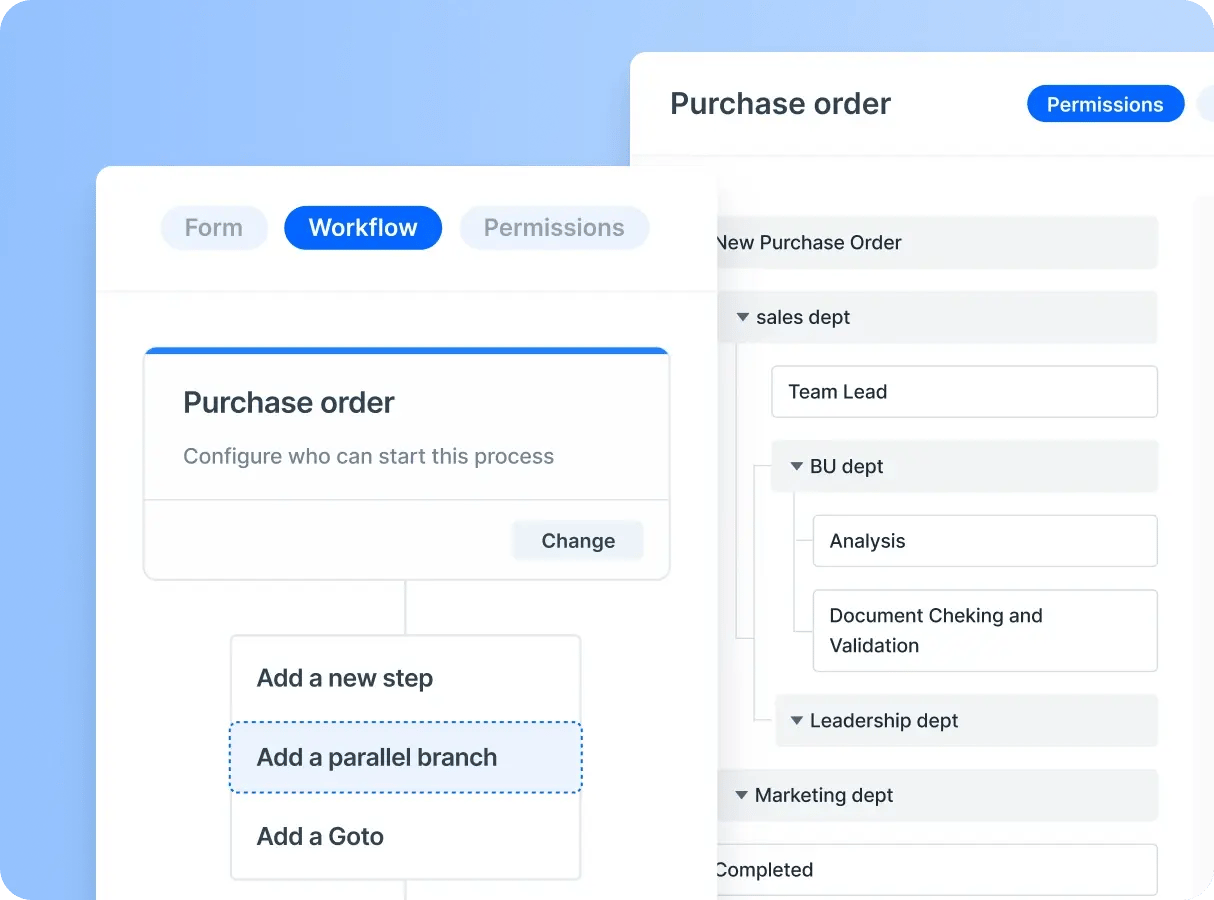
Kissflow wants to be workflows, projects, cases, collaboration, and probably your coffee maker too. All in one.
I’m skeptical of tools that try to do everything.
The pitch:
One platform for multiple purposes. No-code forms. Workflow automation. Project tracking. They’ve got decent marketing and strong presence in certain industries.
The reality:
When software tries to do everything, it does nothing exceptionally well. That’s just how it goes. Users report pricing increases after initial commitment that catch them off guard. The platform changes frequently, breaking established habits.
The “low-code” label? Sometimes requires more technical knowledge than expected. Teams frequently find that what should take days ends up taking months.
Reality check:
If your organization genuinely needs one platform for multiple purposes and you’re willing to accept mediocrity in each area, Kissflow might work. If you need excellent workflow software specifically, look elsewhere.
- Small teams
- Internal users only
- External users
- Private clusters
Pipefy - Trello for processes
Pipefy uses a card-based system similar to Trello but oriented toward processes. Familiar interface for anyone who’s used Kanban boards.
What appeals:
The visual card-based approach feels intuitive. Good template library. Simpler approval flows work fine.
What frustrates:
Templates look helpful but rarely match your real processes. You’ll spend more time customizing than you expected. In our experience working with operations teams, customization beyond templates requires developer-level knowledge.
The card-based system makes complex multi-step workflows hard to track. Mobile experience? Limited.
Reddit discussions about Pipefy suggest pricing scales steeply as you add users.
Reality check:
Teams already comfortable with Kanban-style tools who want to add basic process automation. Don’t expect it to replace a proper workflow solution for anything complex.
- Up to 10 users
- 5 processes
- Unlimited users
- Advanced automation
- Unlimited processes
Tools that solve the wrong problem
These are genuinely good products. They just solve a different problem than workflow automation. Getting that distinction wrong is the single most expensive mistake I see companies make - and I wrote about why it matters in more detail.
Monday.com - project management done well
I like Roy Mann’s Monday.com. The colorful boards are pleasant. Timeline views work well. Collaboration features are solid. It’s excellent project management software.
The problem:
Projects end. Workflows repeat. Monday.com was designed for the former.
Try using it for repeating processes and you hit walls fast. Creating new instances of the same workflow requires duplicating boards. Tracking where things stand across hundreds of running processes becomes chaos. The tool fights you because it wasn’t built for this.
Companies often spend painful months trying to make project management tools work for repeating workflows before realizing the category mismatch. That wasted time could’ve been spent automating everything in a weekend with the right tool.
The pricing also catches people off guard. What looks affordable for a small team scales steeply as you add users.
Genuinely good for projects:
Fair credit where it’s due. For project management - marketing campaigns, product launches, construction projects, event planning - Monday.com works beautifully. The visual interface makes status obvious. Timeline features help manage dependencies.
Use it for:
Anything with a start date, end date, and unique milestones. Projects that don’t repeat in the same form.
Avoid it for:
Employee onboarding. Invoice processing. Compliance procedures. Anything you do the same way repeatedly. That’s not project management - that’s workflow automation, and you need different tools.
- Up to 2 users
- 3 boards
- Minimum 3 seats
- Timeline view
- Automations
- 25,000 automations/month
- Advanced security
- SSO
Asana - task management done right
Clean interface. Well-designed product. Helps teams track tasks and collaborate on projects.
Not workflow software.
Asana tracks tasks. It doesn’t automate sequences. When someone finishes their task, you still need to manually assign the next one. You still send the reminders. You still check status manually.
With workflow software, the system handles routing automatically. Asana requires you to do that work yourself.
Use it for:
Team task management. Goal tracking. Project coordination.
Avoid it for:
Processes where tasks should flow from person to person without manual intervention.
- Up to 10 teammates
- Timeline view
- Workflow builder
- Goals
- 25K automations/month
- SAML SSO
- Priority support
ClickUp - feature explosion
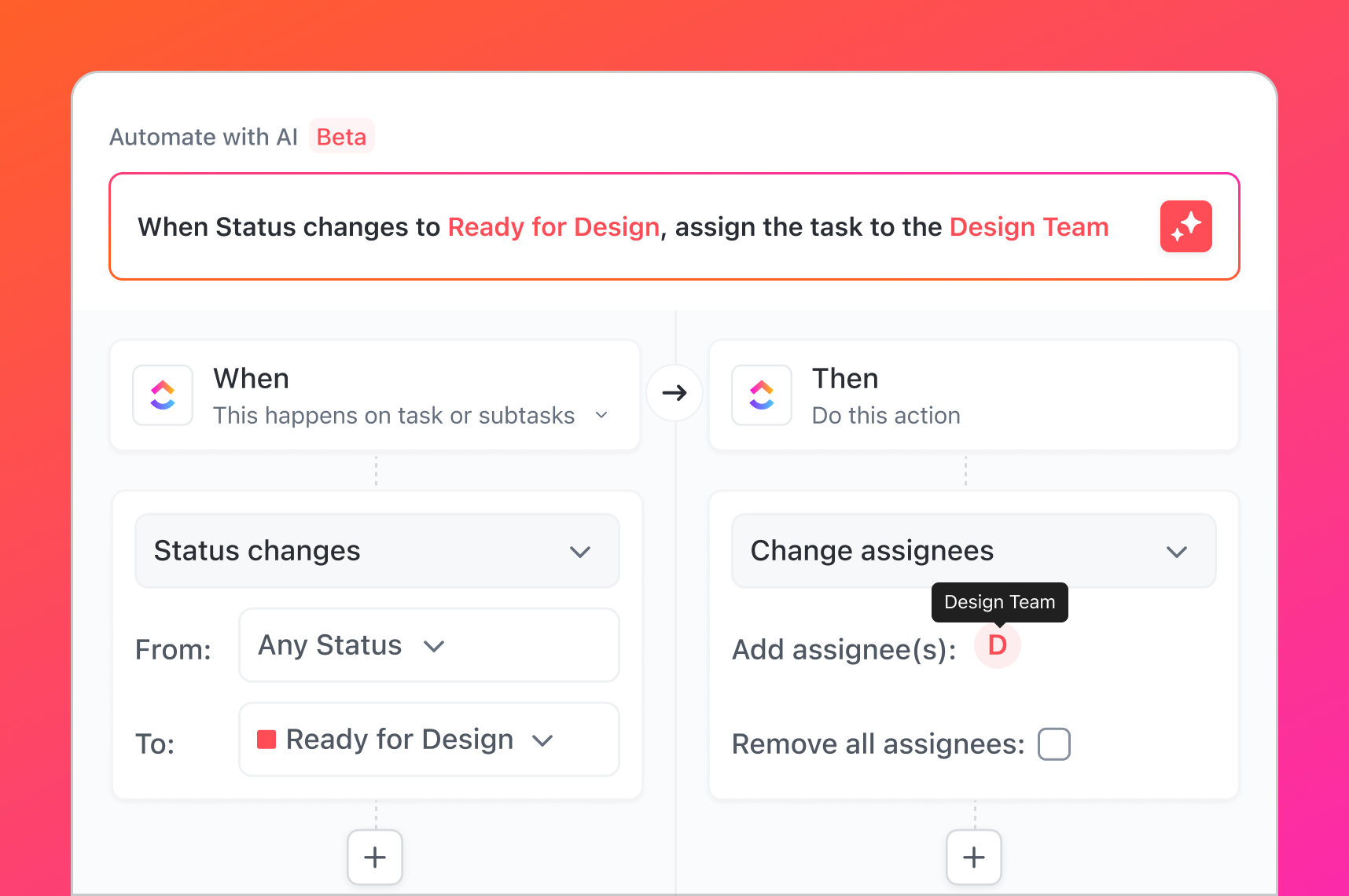
Zeb Evans’ ClickUp has absorbed nearly every productivity feature imaginable. Tasks. Docs. Goals. Time tracking. Whiteboards. Chat. Mind maps. Database. Form builder. Automation. Probably more by the time you read this.
Genuinely impressive how much they’ve built.
Also genuinely overwhelming.
Complexity kills adoption. ClickUp’s endless features create endless configuration. Teams spend weeks setting it up, then struggle to remember how their custom setup works. Some organizations hire dedicated ClickUp administrators just to maintain their configuration.
For workflow software, simplicity is a no-brainer. The tool should fade into the background while work flows. ClickUp demands attention.
The feature bloat problem:
More isn’t better. When your operations team needs to run an onboarding process, they don’t want to wade through 47 menu options first. They want to click “start” and have things happen.
Some Reddit threads describe spending months customizing ClickUp only to find the automations don’t quite work as expected for repeating processes.
Use it for:
Teams that genuinely need all-in-one functionality and have the patience to configure it. Technical teams who enjoy customization. Organizations with dedicated administrators.
Avoid it for:
Teams that want to start automating workflows this week, not this quarter. Business users who just want things to work.
- 100MB storage
- Unlimited tasks
- Unlimited storage
- Unlimited teams
- Custom permissions
- SSO
- HIPAA compliance
Wrike - enterprise muscle
Wrike serves large enterprises with complex project portfolios. Extensive feature set. Deep customization. Impressive capabilities.
Also impressive complexity.
Implementation typically requires consultants or dedicated administrators. For most workflow automation needs, this is bringing a tank to a knife fight.
Reality check:
If you have a dedicated administrator, enterprise budget, and patience for a months-long implementation, Wrike might work. If you’re a mid-market company that needs workflow automation without a six-month project, look elsewhere.
- Unlimited users
- 2GB storage
- 2-15 users
- Gantt charts
- 5-200 users
- 5GB per user
- SSO
- Advanced admin
Smartsheet - spreadsheets evolved
Some people love spreadsheets. Really love them. Smartsheet gives them workflow-like features without leaving the familiar grid.
The trap:
You end up with sophisticated spreadsheets rather than proper workflow automation. The mental model is still cells and formulas. Works for certain use cases. Creates maintenance nightmares for others.
- 1 user
- 2 editors
- Up to 10 editors
- 250 automations/month
- Unlimited editors
- Unlimited automations
- SSO
- AI features
Trello - beautiful simplicity
Trello’s wonderful for what it is: simple Kanban boards. Easy to learn. Pleasant to use. Free tier is generous.
Not workflow software.
No automation. No conditional logic. No task routing. It’s a nice board, nothing more. Fine for personal task tracking. Not enough for business process automation.
- Up to 10 boards
- Unlimited Power-Ups
- Unlimited boards
- Advanced checklists
- Calendar/Timeline views
- AI features
- Minimum 50 users
- SSO included
Enterprise platforms
These tools exist for a reason. Large organizations with dedicated process teams, substantial budgets, and long implementation timelines need serious platforms.
Most companies reading this aren’t that.
Nintex - SharePoint’s complicated friend
Nintex emerged from the SharePoint ecosystem. If your organization runs on Microsoft infrastructure and has the budget, it’s capable software.
The reality:
Six-figure implementations are common. You’ll need dedicated administrators. ROI takes years to materialize - if the project survives that long.
G2 reviews mention steep learning curves and complex licensing.
Who should consider it:
Large enterprises with existing Microsoft infrastructure, dedicated IT teams, and patience for long implementations.
Who shouldn’t:
If you’re reading this article to choose workflow software for a mid-market company, Nintex probably isn’t for you. The complexity-to-value ratio only makes sense at genuine enterprise scale.
Expect sales calls and unpredictable costs. Hard to budget or compare.
See Tallyfy's transparent pricing insteadPower Automate - the “free” trap
Power Automate comes bundled with Microsoft 365. It’s right there. It’s “free.”
It’s not free.
The interface was designed by engineers for engineers. Simple workflows become complex flowcharts. Error messages require Google searches to understand. Business users can’t realistically build workflows themselves.
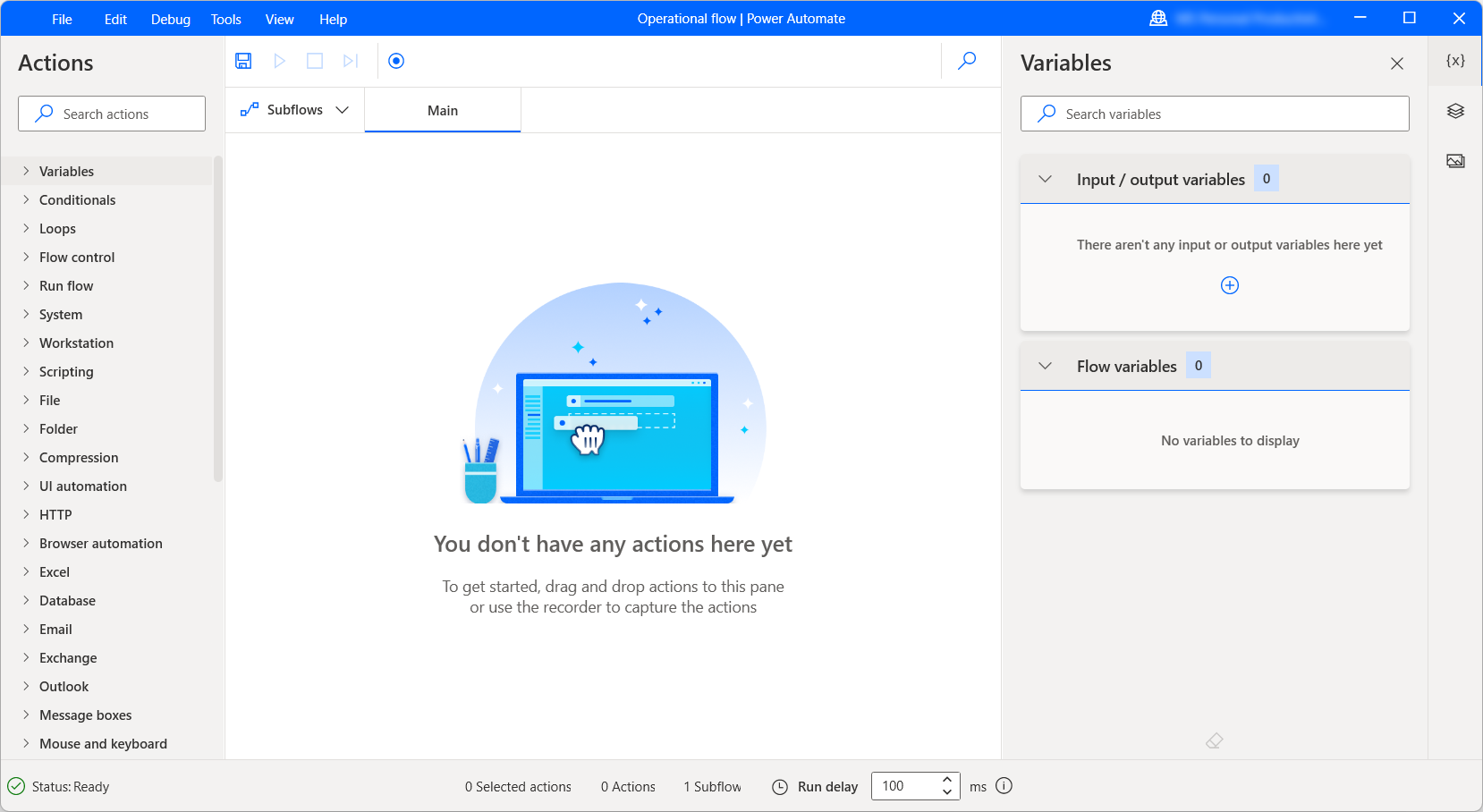
The real costs: IT administration time. Training programs. Productivity lost to a complicated interface. Every automation request becomes an IT ticket.
Who it works for:
Organizations with dedicated IT teams who can build and maintain automations for business users. Companies already deep in the Microsoft ecosystem who want to automate specific technical tasks.
Who it frustrates:
Business users who expected “self-service” automation. Operations teams without coding skills. Anyone who thought “included with M365” meant “easy to use.”
- 30 days
- Cloud flows
- Attended desktop flows
- Unattended automation
- Azure-hosted VM included
ServiceNow - the IT service desk that spread
Fred Luddy’s ServiceNow started as IT service management. Then it expanded. Now it’s positioned as enterprise workflow automation.
The ITSM roots still show. The platform thinks in tickets and incidents. That mental model doesn’t always translate to business process thinking.
Works for:
Organizations already using ServiceNow for IT operations who want to extend workflow automation to other departments. Companies with dedicated ServiceNow administrators.
Struggles for:
Business processes that don’t fit the ticket model. Organizations without existing ServiceNow investment. Mid-market companies.
Expect sales calls and unpredictable costs. Hard to budget or compare.
See Tallyfy's transparent pricing insteadAppian - the real enterprise platform
I’ll give Appian credit: it’s genuine enterprise software. The AI capabilities are real, not marketing. The platform handles complex scenarios that simpler tools can’t.
Also genuinely complex.
Pricing is enterprise-scale. Implementation requires their professional services or certified partners. The “low-code” label still assumes technical users. Does that make it accessible? Not really.
Mid-market companies rarely have the resources to implement successfully.
- Up to 15 users
- Testing only
- Limited access
- Full automation
- Advanced capabilities
Integration tools
These tools connect things. They’re useful. They’re not workflow software.
Zapier - the connector king
Wade Foster’s Zapier connects apps. When something happens in one tool, trigger an action in another. Extremely useful for integration.
Not workflow software.
No task assignment. No deadline tracking. No approval routing. No process visibility. Zapier moves data between systems. That’s valuable but different.
Here’s my honest take on where this whole category is headed: stop paying per-zap. Describe what you want. AI builds it. Traditional middleware creates brittle point-to-point connections that snap when APIs change. The per-trigger pricing model feels increasingly antiquated when AI can write integrations from a plain-language description.
Use it to:
Enhance your workflow software. Connect your CRM to your email. Sync data between tools.
Don’t use it as:
Your primary workflow solution. It doesn’t manage processes - it just connects the tools that do.
- 100 tasks/month
- 2-step Zaps only
- 750 tasks/month
- Multi-step Zaps
- 2,000 tasks/month
- Shared workspaces
- Custom tasks
- Governance tools
n8n - for the technical crowd
Open source automation. Self-hostable. Powerful if you have developers.
The catch:
You need developers. Business users can’t configure this. Fine for technical teams building integrations. Not a solution for operations teams managing business processes.
For developers who want depth: We’ve written a guide to n8n covering pricing advantages over Make.com, debugging pitfalls that waste hours, AI agent configuration, and compliance considerations. If your team has developers, Zapier and Make are leaving money on the table - n8n charges per workflow execution, not per operation.
- Unlimited workflows
- You host
- 2,500 executions/month
- Cloud hosted
- 10,000 executions/month
- SSO, audit logs, compliance
ProcessMaker - open source option
Both open source and commercial versions. BPMN support. Self-hosted option.
The gap:
Open source requires technical capability to implement and maintain. The commercial version competes at enterprise pricing. The distance between free functionality and enterprise features is significant.
Expect sales calls and unpredictable costs. Hard to budget or compare.
See Tallyfy's transparent pricing insteadFlokzu - regional player
Solid workflow tool. Strong in Spanish-speaking markets. Reasonable pricing.
Limited reach:
Smaller ecosystem. Fewer integrations. Less community support. Fine if it fits your needs, but the alternatives have larger communities.
- Simple process automation
- Advanced modeling
- On-premise option
The total cost reality
Software pricing is just the beginning. Here’s what matters for your total spend.
Is the status quo free?
Are you hearing this at work? That's busywork
Enter between 1 and 150,000
Enter between 0.5 and 40
Enter between $10 and $1,000
Based on $30/hr x 4 hrs/wk
Your loss and waste is:
every week
What you are losing
Cash burned on busywork
per week in wasted wages
What you could have gained
160 extra hours could create:
per week in real and compounding value
Total cumulative impact over time (real cost + missed opportunities)
You are bleeding cash, annoying every employee and killing dreams.
It's a no brainer - improve your workflows
Implementation time - Enterprise tools take months. Modern cloud tools take days. Those months have real costs in employee time, delayed benefits, and consultant fees.
Training - Complex tools require training programs. Simple tools require documentation and maybe a webinar. The difference is massive.
Administration - Some tools need dedicated administrators. Others run themselves. Factor in partial or full FTE costs for ongoing management.
Change management - Every process modification in complex systems requires skilled resources. In simple systems, business users handle changes themselves.
Opportunity cost - Benefits you’re not getting during a 12-month implementation add up. A tool that works in two weeks delivers 10 months more value in the first year.
When comparing a $20/user “simple” tool against a $15/user “enterprise” tool, the enterprise tool often costs 3-5x more when you factor in everything else. Which is nuts, when you think about it.
How to pick the right one
Forget feature comparisons. Answer these questions:
Question one: repeating or one-time?
Do you need to track the same process happening over and over - employee onboarding, invoice approval, vendor requests? That’s workflow software territory.
Do you need to manage unique projects with their own milestones? That’s project management.
Get this wrong and you’ll waste months trying to force a tool to do something it wasn’t designed for.
Question two: who’s building the workflows?
If IT builds everything and business users just use it: enterprise tools can work.
If business users need to create and modify workflows themselves: complexity kills you. Test this during trials. Can your operations manager build a real workflow in 30 minutes? If not, adoption will fail.
Question three: internal or external?
Do workflows only involve employees? Most tools handle this fine.
Do workflows involve external stakeholders? Many tools fail here. Asking external parties to create accounts, remember passwords, and find their way around your internal system creates friction that kills adoption.
This is exactly why we built the one-link approach in Tallyfy. External guests get a single permanent link. No accounts. No passwords. No excuses.
Question four: AI readiness?
This one’s new but increasingly important. Gartner predicts that by the end of this year, 40% of enterprise applications will include task-specific AI agents. Your workflow software needs to support structured patterns - sequential, parallel, evaluation loops - so AI agents can follow them.
Turns out, without a solid process, AI just automates your mistakes. If your workflows aren’t well-defined, throwing AI agents at them just creates faster chaos. Process definition is the prerequisite for AI adoption, and your workflow tool needs to handle that.
Red flags during evaluation
After watching hundreds of workflow software purchases, certain warning signs predict failure:
“You’ll need our professional services to implement”
Translation: the software is too complicated for your team. If vendors assume you need paid consultants before you’ve even started, imagine what happens after purchase. Every change becomes a budget request.
The consultant dependency is real. Some organizations spend more on implementation partners than on the software itself. Then those consultants leave, and nobody internal understands what was built. This cycle repeats for years.
Features that exist only in demos
Ask to see real implementations. Not curated case studies - screenshots of how people use the product day to day. The demo instance is always perfect. Reality reveals the truth.
Pricing that requires a “custom quote”
Opacity usually hides unpleasant surprises. If a vendor won’t publish pricing, they’re either embarrassed by it or planning to charge whatever they think you’ll pay.
Simple, transparent pricing correlates with simple, transparent software. Not a perfect rule but it’s held true more often than not.
Three-year contracts
Why would a confident vendor need to lock you in? Good software retains people through value, not legal obligation.
Be skeptical of discounts offered only with multi-year commitments. They’re betting you’ll be stuck paying for something you’ve stopped using.
The adoption trap
Here’s what nobody wants to talk about: most workflow software implementations fail.
Not because the technology is bad. People just don’t use it. Can training fix this? Rarely.
The pattern repeats constantly. Company buys sophisticated workflow software. IT spends months configuring it. Training sessions happen. Business users find it too complicated. They go back to email and spreadsheets. The software sits unused. The company blames the vendor and considers starting over.
The solution isn’t better training. It’s simpler tools. At Tallyfy, we’ve seen this pattern so many times that it shaped our entire product philosophy: if someone needs training to use workflow software, the software is too complicated.
Simple tools used daily beat powerful tools ignored.
When evaluating workflow software, test with your most skeptical employee. If they won’t use it during the trial, they won’t use it after purchase. No amount of management pressure changes this.
The complexity cascade
It starts innocently. You buy sophisticated software because you might need those advanced features someday. To justify the purchase, you try to use all the features. Configuration becomes complex. Training takes longer. Users get confused. Workarounds emerge. The workarounds break.
By month six, you’re managing the workflow software more than managing workflows.
The biggest lesson from our own journey is boring but it works: pick tools that do less, but do it simply. Expand later if you genuinely need more capability.
What success looks like
When workflow software works, you notice the absence of problems more than the presence of features.
The status meeting disappears
Nobody asks “where does this stand?” because everyone can see status in real-time. I think that’s the biggest win. No more Monday morning check-ins just to discover what happened over the weekend.
Exceptions become visible
That request stuck in approvals for two weeks? The system flags it. Bottlenecks surface before they become crises. You manage by exception rather than managing everything.
Onboarding accelerates
New employees follow existing workflows instead of learning through tribal knowledge. The process exists in the system, not in someone’s head. They contribute faster. Knowledge doesn’t walk out the door when people leave.
External stakeholders notice
People outside your company experience consistency. Every interaction follows the same professional process. Deliverables arrive predictably. Communication happens at the right moments. They don’t know it’s automated. They just know your company has its act together.
You stop building spreadsheets
The monthly “where does everything stand” spreadsheet that someone manually updates? Gone. The tracker someone cobbled together because the real system was too complicated? Unnecessary. The system becomes the system.
None of this requires heroic effort
Good workflow software fades into the background. People do their work. The system handles routing and tracking. Nobody thinks about the software. They just think about the work.
That’s what success looks like. Not impressive demos. Not sophisticated features. Quiet productivity where processes just work.
Frequently asked questions
What’s the difference between workflow software and project management?
Workflow software automates repeating business processes - the same sequence of steps executed multiple times with different data. Employee onboarding. Invoice processing. Compliance checks. You do these the same way every time.
Project management software tracks one-time initiatives with unique milestones and end dates. Building a product. Launching a campaign. Planning an event. These are unique.
Using project management for workflows forces you to duplicate boards for each instance. It works but creates administrative chaos. Different tools for different jobs. Understanding this distinction prevents the most common software selection mistake.
Can business users build workflows without IT?
With modern no-code tools, yes. That’s the whole point.
The test: can your operations manager create a working workflow during a trial without asking IT for help? If yes, you’ve found a tool that matches your reality. If no, you’ll end up with IT as a bottleneck for every change.
Legacy BPM systems require IT involvement. Modern workflow software shouldn’t.
What’s the biggest mistake in choosing workflow software?
Buying complexity you can’t implement.
Companies see impressive demos, imagine the possibilities, and purchase sophisticated platforms. Then reality hits. Configuration takes months. Training is extensive. Business users find it overwhelming.
Start simpler than you think you need. Expand from there.
OK, that’s a bit simplistic. A tool that handles 80% of your needs with 20% of the complexity beats a tool that handles 100% of your needs but gets used by 10% of your team.
How long until we see results?
With modern cloud workflow tools: first workflow running in hours or days. Meaningful improvement within weeks.
With enterprise platforms: initial deployment in months. First significant value in 6-12 months. Full implementation might take years.
Match your expectations to your choice.
Can workflow software integrate with our existing tools?
Good ones do, through middleware platforms like Zapier or Make.
The question isn’t whether integration is possible. It’s whether integration works without IT involvement.
Ask vendors: “Can a business user configure an integration with our CRM?” If the answer involves developers, tickets, or professional services, the integration isn’t self-service.
How do we get employees to use workflow software?
Pick simpler tools. The number one adoption killer is complexity. Always has been.
Beyond that: start with one process that causes obvious pain. Automate that first. Show the win. Expand from there.
Involve the people who’ll use it in selection. If they pick the tool, they’re more likely to use it.
Don’t over-engineer initial workflows. Start simple. Add sophistication only when you need it.
Kill the alternatives. If email approvals still work, people will use email. Make the new system the only path.
How do we handle processes involving external people?
Most workflow software assumes everyone has an account. That assumption breaks for any process that involves outsiders.
Requiring external stakeholders to create accounts creates friction. Passwords get forgotten. Invitations expire. “I never got the email” becomes a daily occurrence.
Look for tools that handle external participants without account requirements. Tallyfy’s guest links work this way - one permanent URL that doesn’t expire, no password needed.
What security features should workflow software have?
Basic requirements: SOC 2 compliance, data encryption, role-based access controls. These should be standard.
Beyond basics, consider:
Audit trails - Can you see who did what and when? Critical for compliance-driven processes.
SSO integration - Single sign-on reduces password fatigue and security risks. Most enterprise tools support it. Some charge extra.
Data residency - Where does your data live? Matters for regulated industries or international operations.
Permissions granularity - Can you control who sees which workflows? Who can create versus who can only run?
Don’t accept vague security claims. Ask for compliance certifications. Review security documentation. Check Tallyfy’s security measures as an example of what transparency looks like.
About the Author
Amit is the CEO of Tallyfy. He is a workflow expert and specializes in process automation and the next generation of business process management in the post-flowchart age. He has decades of consulting experience in task and workflow automation, continuous improvement (all the flavors) and AI-driven workflows for small and large companies. Amit did a Computer Science degree at the University of Bath and moved from the UK to St. Louis, MO in 2014. He loves watching American robins and their nesting behaviors!
Follow Amit on his website, LinkedIn, Facebook, Reddit, X (Twitter) or YouTube.

Automate your workflows with Tallyfy
Stop chasing status updates. Track and automate your processes in one place.