
Can a standard member watch an admin member?
The Tallyfy permission matrix for watchers turned out simpler than expected. If you can edit an object, you can edit its watchers. That single rule drove most of the design decisions behind three watch ownership types.
Permission design shapes who can track workflow progress. Here’s how we approach workflow management.
Workflow Made Easy
Summary
- Workflow watch permission design - this is our personal, candid experience building it at Tallyfy. Not theory. The permission matrix debates, the edit-rights principle, and the complexity of guest visibility constraints
- Edit rights control watcher rights - If you can edit an object, you can also edit who watches it. This single rule drove most permission decisions
- Three watch ownership types - Member-owned, Guest-owned, and System-owned watches each have different management rules
- Guests have hard boundaries - A guest can only remove themselves from watching something, not other guests or other members
- Member watching is the exception - You cannot remove someone from watching you. They control that watch
This reflects our experience at a specific point in time. Some details may have evolved since, and we’ve omitted certain private aspects that made the story equally interesting.
The question came up during implementation of our watching system: can a standard member update or delete the watching of an admin member?
Our developer framed it specifically:
“Let say we have an admin member and they are watching an object of type checklist. Can a standard member remove this watch for the admin? Can the standard member also add a new watch for the admin e.g. a standard member adds a new watch that the admin should watch process_A?”
This gets at a fundamental question in permission system design: should organizational hierarchy affect feature access?
The core rule
My answer was brief:
“If you are able to edit an object - you are also able to edit watchers for it.”
One sentence. Turns out, that was the entire permission model.
If you have edit rights on an object, you can manage who watches it. Standard member, admin member, doesn’t matter. Edit access implies watcher management access.
The thinking was basically straightforward: why create a separate permission dimension for watchers when edit access already grants full control over an object? Adding watcher management complexity on top would require maintaining two parallel permission systems that could conflict.
Three types of watch ownership
Early in the design, we realized not all watches are created equal. The permission model distinguishes who created the watch:
“There’s 3 types of watches: Member-owned, Guest-owned, System-owned - our system created it as a default and it cannot be deleted.”
Member-owned - a member created it - and another member can turn it on/off, or delete the watch, subject to conditions.
Guest-owned - a guest created it - and either a member or a guest can turn it on/off, or delete the watch.
System-owned - our system created it as a default and it can’t be deleted, but it can be turned on/off.
System-owned watches came from migrating existing notification preferences. You can’t delete your “email me when I am assigned to something” notification. But you can turn it off.

Groups list sketch: the foundation for understanding who can watch what. Note the member counts and delete controls
Why we avoided role-based complexity
At Tallyfy, we’ve seen permission complexity become the primary barrier to adoption in discussions with operations teams over the years. One legal firm told us their previous system had so many permission settings that they needed a two-page reference guide just to remember who could do what.
The alternative would’ve been a matrix. Admins can do X. Standard members can do Y. Guests can do Z. Cross those with four object types and three watch operations and you get a messy 36-cell table that nobody remembers.
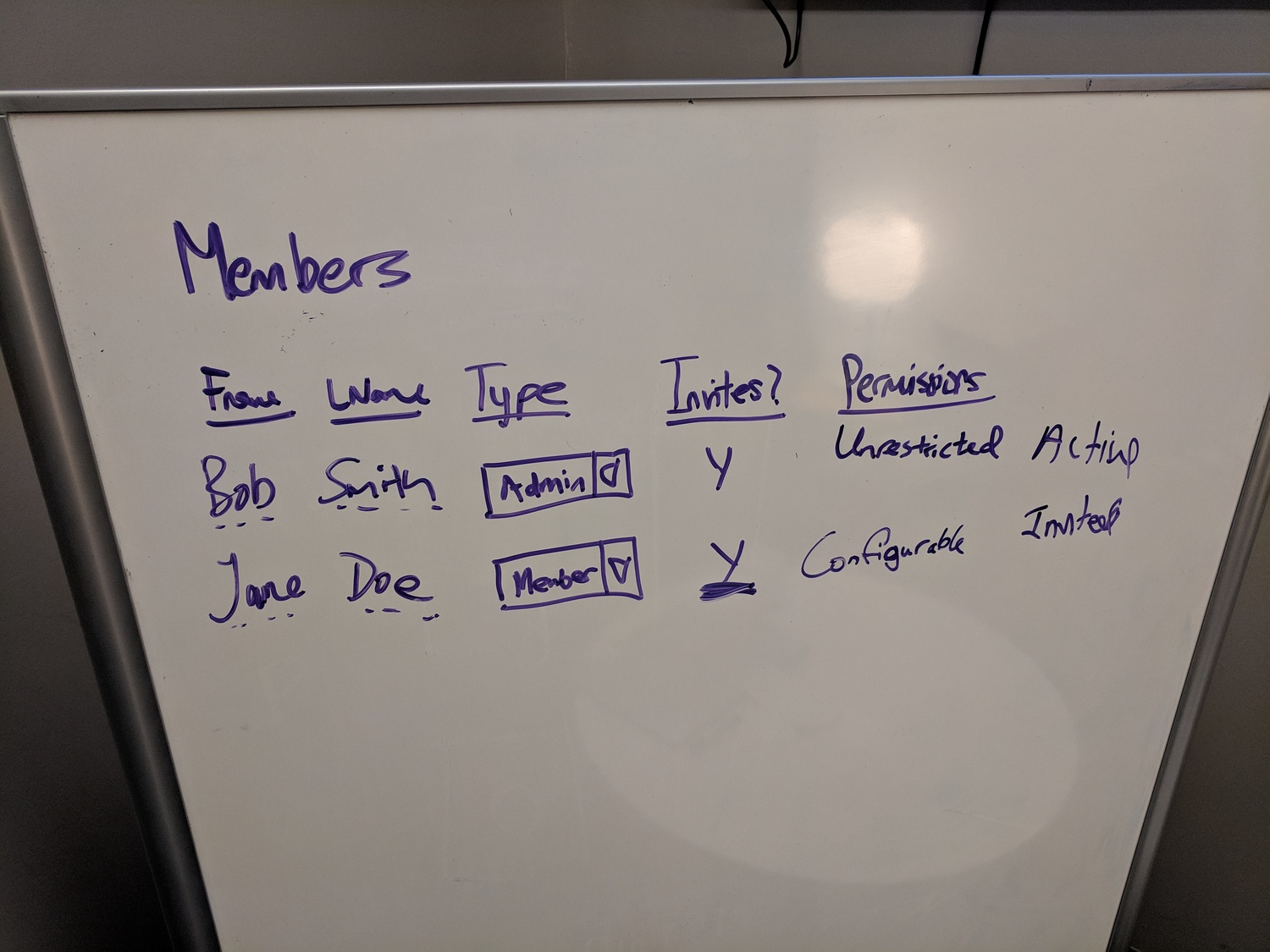
Early whiteboard: member types and permission categories. The complexity we were trying to avoid
We’d already been through permission complexity elsewhere. Blueprints have three questions: Who can view? Who can edit? Who can launch? Processes ask similar questions. Adding another dimension for watchers would compound the confusion.
The documentation for managing members already explains these member types. The watching system needed to fit naturally.
The guest boundary
Guests are different. Our developer asked for explicit True/False answers:
“A guest can not add a watch for other members and guests. He can add/remove his own watch only.”
True.
“A guest can not watch any member (standard/admin).”
True.
“A guest cannot watch any kind of blueprint.”
True.
The expanded explanation:
“A guest can only remove themselves from watching something but not other guests or other members.”
Guests have a self-service boundary. They manage their own watches. Members with edit access manage everyone else.
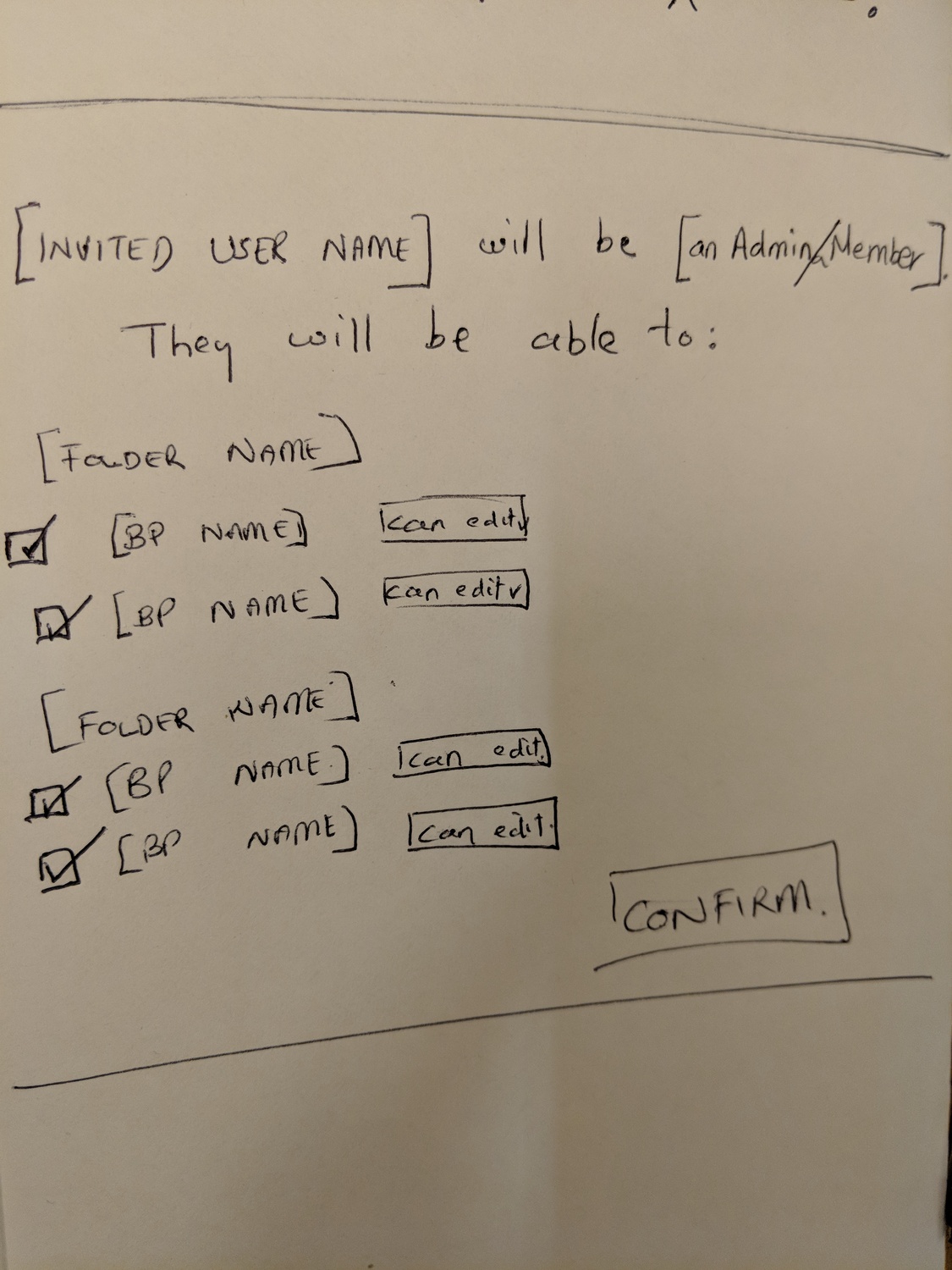
Permission UI sketch: checkbox + can edit pattern. Simple binary choices instead of role matrices
The filtered visibility problem
Here’s where it got interesting. What happens when a guest watches a process but can only see some tasks within it?
“If a guest watches process_A which contains task_A - the guest will only get updates from tasks visible to the guest.”
I expanded on this in the discussion:
“To clarify further - if a guest watches process_A which contains task_A (the only task the guest is assigned to) - the guest will only get updates from tasks visible to the guest i.e. task_A. If a guest is assigned task_A, task_B and task_C in process_A then watching the process gives the guest updates over all three tasks they are assigned to.”
Watching a process as a guest is filtered. You get updates only for tasks you can see. The watching system doesn’t override task-level visibility - it works within it.
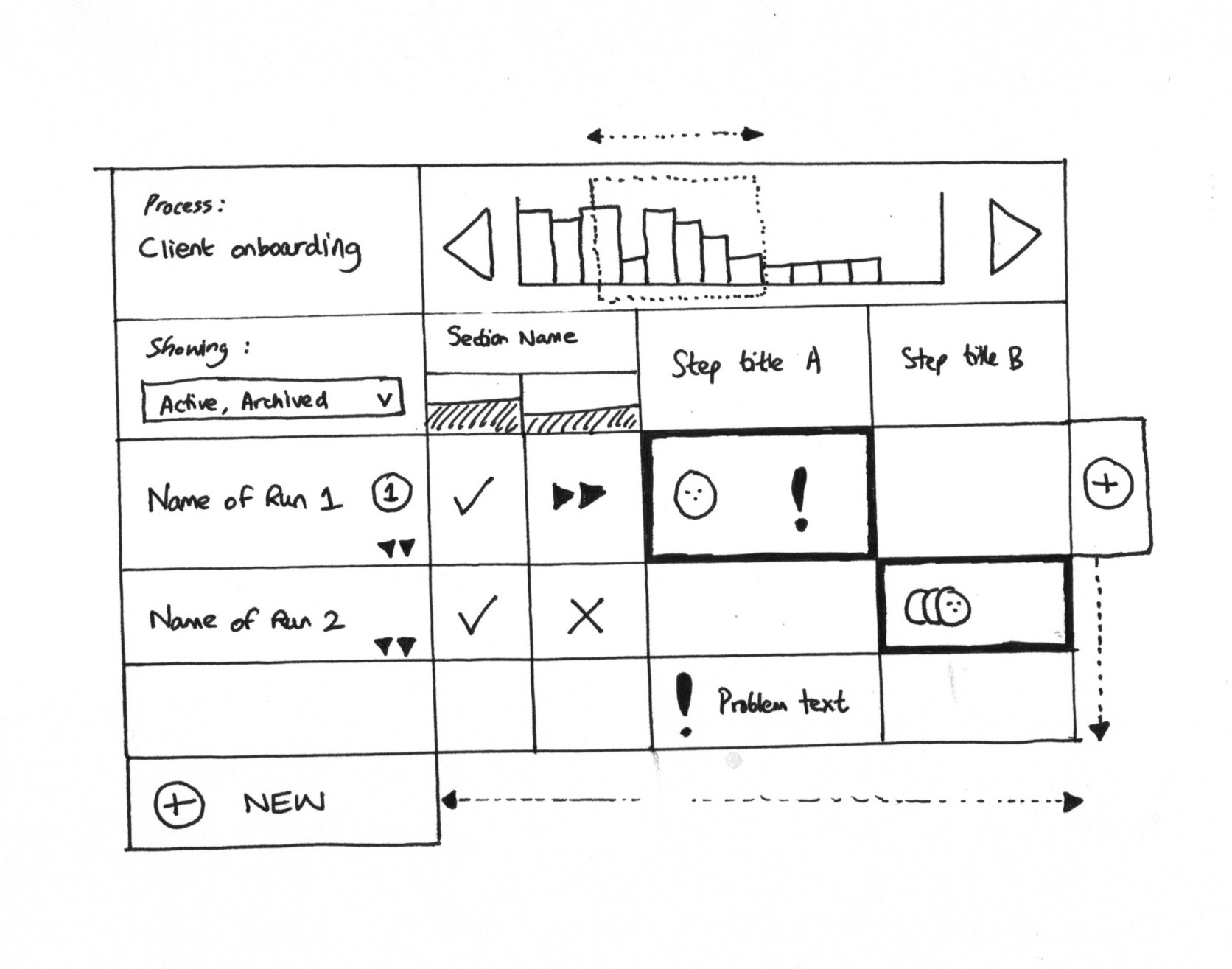
Grid view sketch: showing how user visibility maps to cells. A cell with a black border expresses user assignment
The top secret exception
We had another complication: top secret tasks. From the issue discussion:
“When top_secret = true, only assignees and admin users can see the task.”
This creates a visibility layer that watching must respect. If you’re watching a process that contains a top secret task you aren’t assigned to, you don’t get updates about that task. The watching system honors the underlying visibility model.
The member watching exception
There’s one place where the standard rule breaks:
“The exception to this is member watching - you cannot remove someone from watching you - they control that watch.”
If a colleague watches you, you can’t stop them. They see your activity across the organization. You’ve got no control over their decision to observe.
This felt like a no-brainer for transparency. In a business context, colleagues should be able to follow each other’s work without requiring permission from the watched person.
The edit rights chain
For member-owned watches, the rule is consistent:
“For member-owned watches - anyone with edit rights over that object can add/remove other members on the watch list.”
The examples:
- If another member set me as watching a blueprint - I can remove myself from watching it
- If I set another member as watching a process - that member can remove themselves from watching it
Notice the symmetry. Someone can add you as a watcher. You can remove yourself. Nobody is trapped.
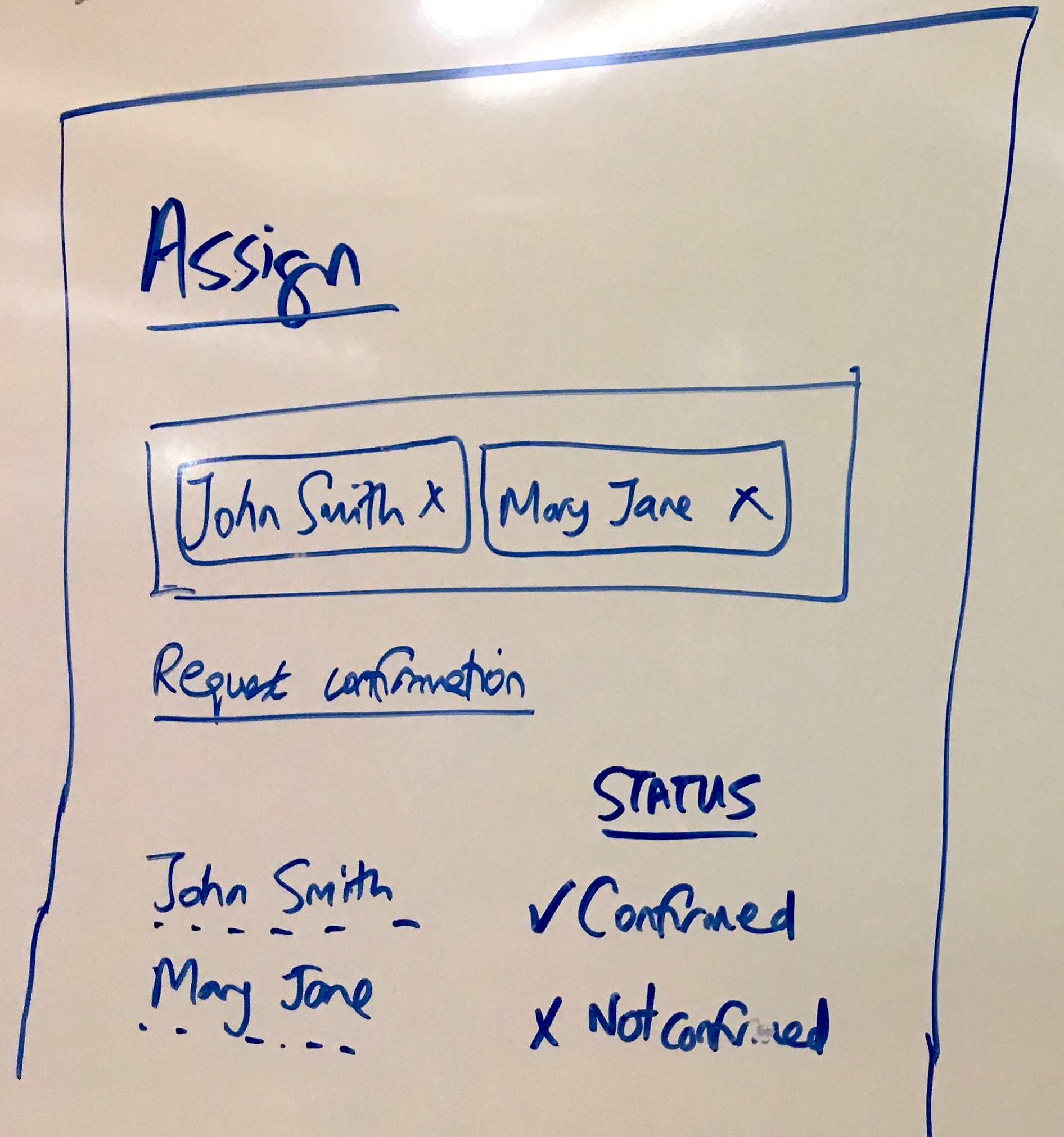
Assignment confirmation sketch: the same pattern applies to watching. People should confirm they want to be involved
The detailed Q&A
During implementation, we went through explicit scenarios. The developer asked for True/False:
“Standard members can watch admin members.”
True.
This confirms the core rule. Admin status doesn’t create a watching shield. Any member can watch any other member.
The questions continued:
“If a guest has been assigned task_A then he can add only his watch on this task_A as well as on the relevant process.”
True.
Guests can watch what they can see. If assigned to a task, they can watch that task and its containing process.
The tracking and tasks documentation explains more about task assignment and visibility.
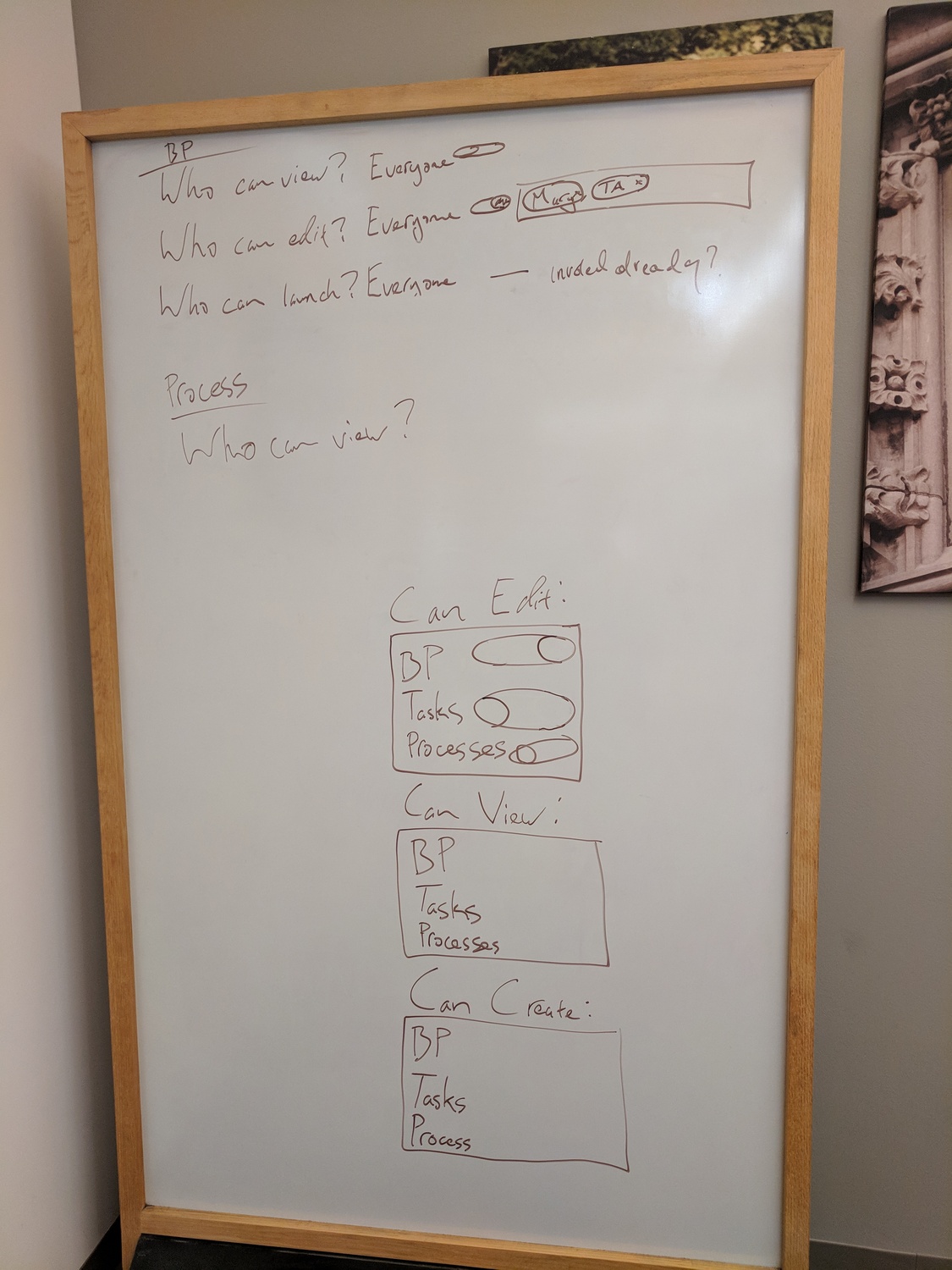
Blueprint permission questions: view, edit, launch. The watching system had to fit this existing model
The consensus requirement
An interesting case came up from our designer Pravina:
“As a single user who just joined, I need to be able to get consensus over a step from others involved.”
This is about assignment confirmation, not watching - but it shows the pattern. New users need visibility into what others are doing. The watching system enables this: you can watch someone to see their activity, even if you just joined and have no edit rights over them.
The debate we avoided
We could’ve built role escalation into watching. Would that have been smarter? Probably not. Maybe only admins can add watchers to blueprints. Maybe standard members can’t watch other members without approval.
Every additional rule would require:
- Documentation explaining when it applies
- UI that shows the rule is being enforced
- Error messages when someone hits the boundary
- Edge case handling when roles change
The simpler model - edit access implies watcher access - required none of that.
What we left out
We explicitly blocked guests from watching members - a guest has no business watching member activity across the organization, and they see only what they’re assigned to. Guests watching blueprints got the same treatment because blueprints are organizational assets and guests work on specific tasks within processes. Cross-organization watching was never even considered since organizations are isolated by design. We didn’t add role-specific watch restrictions either - no limits based on admin vs standard status, because the permission system treats watching as orthogonal to organizational hierarchy. There’s no “request to watch” approval workflow; if you can watch something, you can watch it immediately. We thought about watch quotas for system load reasons but never implemented them. And hierarchical watch inheritance doesn’t exist - watching a folder doesn’t automatically watch everything in it, because each object is watched independently. Every one of these decisions came back to the same principle: keep the model small enough that you can hold it in your head without a reference doc. Which, honestly, is harder than it sounds.
The resulting matrix
The final permission model fits in a small table:
| Who | Can Watch | Can Manage Others’ Watches |
|---|---|---|
| Admin | Everything | Yes, if has edit access to object |
| Standard member | Everything except guests watching them | Yes, if has edit access to object |
| Guest | Tasks/processes they are assigned to | No, only themselves |
OK, that’s a slight oversimplification. Three rows. Three columns. Anyone can understand it.
The guest row captures all the restrictions: no watching members, no watching blueprints, no managing other people’s watches. Members - whether admin or standard - have equivalent watching capabilities.
Why this matters for workflow design
Based on hundreds of implementations, we’ve observed that permission complexity is the hidden cost that kills adoption. The pattern we keep running into, teams spend 3-4x more time on permission troubleshooting than they budget for. Every rule you add requires:
- User education
- Support documentation
- Edge case handling
- Testing across combinations
The watching permission model demonstrates that simpler rules often handle real-world scenarios better than complex matrices. “If you can edit it, you can manage its watchers” covers almost every legitimate use case. Does it handle every edge case? No, but it handles the real ones.
The few exceptions - guests can’t watch members, you can’t stop someone from watching you - are explicit and memorable. They don’t require a lookup table.
Related questions
Can I watch something I can’t edit?
Yes. View access is sufficient to watch. The edit-implies-watcher-management rule applies to managing other people’s watches, not creating your own.
What happens when someone’s role changes?
Existing watches remain. If a member gets demoted to guest status, their member-owned watches become guest-owned with the associated restrictions. They can still remove themselves from watching but can’t manage others.
Can I see who is watching something?
Members with edit access to an object can see its watcher list. Guests can only see that they themselves are watching something, not who else is.
What about watching notifications - do permissions affect those?
No. Once you’re watching something, you receive notifications according to your frequency preference (electric, mindful, or chilled). The permission system only affects who can add or remove watchers, not the notification delivery itself.
Does this work with nested permissions?
The watching system doesn’t consider nested permissions. Watching a folder doesn’t watch its contents. Watching a blueprint doesn’t watch processes launched from it. Each watchable object is independent.
About the Author
Amit is the CEO of Tallyfy. He is a workflow expert and specializes in process automation and the next generation of business process management in the post-flowchart age. He has decades of consulting experience in task and workflow automation, continuous improvement (all the flavors) and AI-driven workflows for small and large companies. Amit did a Computer Science degree at the University of Bath and moved from the UK to St. Louis, MO in 2014. He loves watching American robins and their nesting behaviors!
Follow Amit on his website, LinkedIn, Facebook, Reddit, X (Twitter) or YouTube.

Automate your workflows with Tallyfy
Stop chasing status updates. Track and automate your processes in one place.