
Assignment rules that adapt to form answers
How Tallyfy built dynamic task assignment rules based on form field values from 2017 through 2019. The Nashville problem, the guest email question, and why Assign and Assign Only became two different operations.
Summary
- Two assignment patterns emerged - Fixed assignment (if Location equals Morocco, assign Yassin) and value-based assignment (assign whoever is named in a text field). Both were necessary.
- The Nashville example drove the design - “If form-text-box value is Nashville then re-assign task to set of people” became our reference case for years.
- Assign versus Assign Only - Adding people without removing existing assignees turned out to be fundamentally different from replacing the assignee list entirely.
- Guest email assignment was the breakthrough - When people asked to auto-assign someone based on an email they enter in a form field, it forced us to think about assignments as data, not just user selections.
Dynamic task assignment - this is our personal, candid experience building it at Tallyfy. This reflects our experience at a specific point in time. Some details may have evolved since, and we have omitted certain private aspects that made the story equally interesting. This post shares actual quotes from our internal discussions, feature requests, and the messy process of figuring out what “smart assignment” really means in practice. The thread runs from late 2017 through 2019, when most of these decisions got made.
Assignment rules are a core part of workflow automation - routing work to the right people based on form inputs. Here’s how we approach it.
Workflow Automation Software Made Easy & Simple
Assignment rules are one of the four rule types in Tallyfy’s Sherlock rules engine. This post focuses specifically on how we made task assignment respond dynamically to form answers.
The groups versus individuals philosophy
Early on, we had to decide: should people assign tasks to individuals or to groups? The answer shaped everything that followed.
I wrote this in December 2017:
“You should use groups, not individuals. You can also select an entire group as assignee.”
This wasn’t just a UI preference. It was a philosophy. Individual assignment creates brittleness - what happens when Sarah goes on vacation? Who handles Mike’s tasks when he leaves the company? Groups absorb change. They flex when the organization shifts.
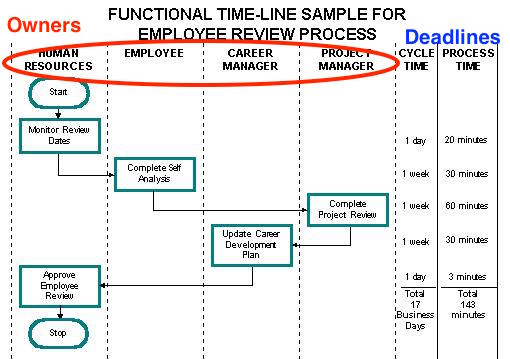 Swimlanes represent WHO owns each lane. The timeline represents WHEN. Assignment rules bridge these two dimensions.
But we couldn’t ignore the reality: sometimes you genuinely need a specific person. A compliance officer who must personally sign off. A VP who needs to approve budget over a threshold. The regional manager in Phoenix.
Can you avoid individual assignment entirely? No. So we built both. Groups as the default mental model. Individuals when specifically required. The groups documentation explains how to set this up.
May 2018: The Phoenix problem
The question that kept coming up looked like this:
“If an employee location is say, Phoenix (Arizona) - then a specific task must be re-assigned to the local person there in Phoenix.”
Location-based routing. A form field contains a city name. That city determines who handles the work. Not rocket science conceptually, but surprisingly painful to build well.
In our conversations with commercial real estate companies managing 10,000+ employees across global offices, this pattern came up constantly. They needed consistent client service delivery regardless of office location - and that meant tasks had to route to the right regional team automatically based on form input, not manual selection.
Actually, that oversimplifies it a bit. The core issue: assignment needed to react to data, not just predefined rules. We weren’t saying “assign to the Phoenix team” as a static rule. We were saying “read this field, figure out what it means, assign accordingly.”
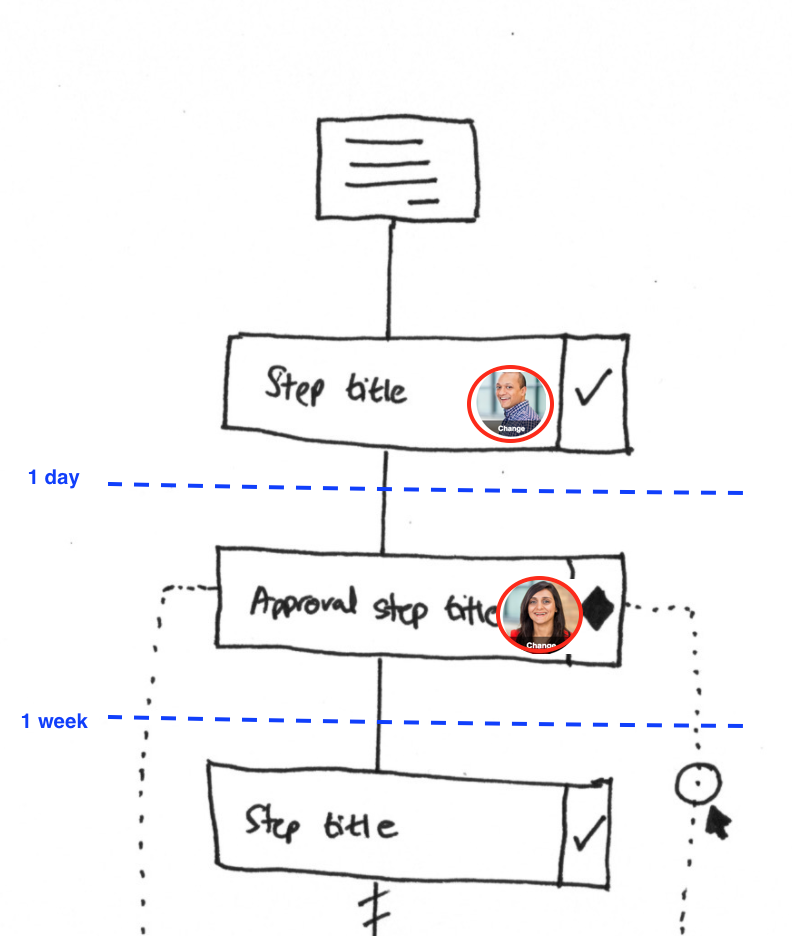 Early sketch of how assignment (who) and deadline (when) would display alongside the workflow structure.
April 2018: The Nashville example
When we sketched out Sherlock’s MVP conditions, assignment rules appeared alongside visibility rules from the start:
“If (form-text-box) value is ‘Nashville’ then re-assign task (select another task) to (set of people)”
Turns out, this example became canonical. Every design discussion about assignment rules referenced Nashville. It captured the core pattern: a text field value determines who gets assigned to a related task.
The use case behind it was straightforward. A customer’s location determines which regional team handles their work. Rather than manually routing tasks, the form itself drives the assignment.
The unknown assignee problem
Here’s something nobody talks about: what happens when nobody is assigned?
In January 2018, I wrote:
“It’s possible that we create a bot user called ‘Unknown’ to which all such tasks get assigned.”
The scenario: a rule fires, but there is no matching assignee. Maybe the Phoenix office closed. Maybe the form field contains garbage data. The task exists, but who owns it?
We considered a few approaches:
- Fail loudly and force someone to fix it
- Default to a manager or administrator
- Create a literal “Unknown” placeholder
- Leave it unassigned and hope someone notices
Honestly, none of these are great. After watching hundreds of teams try this, we learned that silent failures cause more confusion than loud ones, so we eventually settled on explicit error handling - the rule would either succeed with a valid assignee or the task would remain with its existing assignment. No phantom bot users.
The customer question that defined our approach
A question from an enterprise customer crystallized what we needed:
“Is it possible to assign next step to the one who submitted the kick-off form?”
Simple question. Complex answer.
Our developer explained:
“If you mean literally selecting who submits a form as assignee in the action rules then unfortunately it is not supported, because we currently use the ‘values’ from a selected kickoff form which is different. However, I think we currently have the user who submits kickoff forms as the same user who launches the process, so automatically we already support assigning the process starter as Steps assignee.”
Two different things: “who launched the process” versus “what value appears in a field.” We handled the first case by default - the process starter was known. The second case required building something new.
The guest email breakthrough
A consulting company pushed us further with this request:
“I’m trying to use variables in recipient address the email, not the content of the email. E.g. we fill out a guest email in a form field and then use that variable as the sendto:email/recipient in a later email. Right now, it looks like we have to enter it manually for guests I think.”
I translated this into a design requirement:
“Basically, imagine a short text field called ‘Enter your email’ either in a KO form or elsewhere in a step. A user enters an email address in there - and when that value is stored/entered, we want that email to be auto-assigned as a guest on another task.”
The formula I wrote:
“IF < FIELD > < HAS VALUE > THEN ASSIGN < VALUE > TO THIS TASK”
Field value becomes assignee. Not a dropdown selection from a list of users. Not a predefined group. The literal text entered in a form field gets treated as an assignment target.
This was the breakthrough. The task assignment guide covers how this works in practice.
August 2019: Guest assignment comes together
From our support team:
“I’ve answered multiple tickets where users have asked how to assign a guest to a task.”
The demand was real. People needed external collaborators - contractors, customers, partners - assigned to specific tasks based on form input. Not pre-registered users. Just an email address someone types in.
Feedback we received from property management companies managing thousands of units reinforced this. Their field staff needed mobile access to workflows, and tenant applicants, contractors, and property owners all needed visibility into relevant tasks without creating accounts. The guest email assignment pattern solved both problems at once.
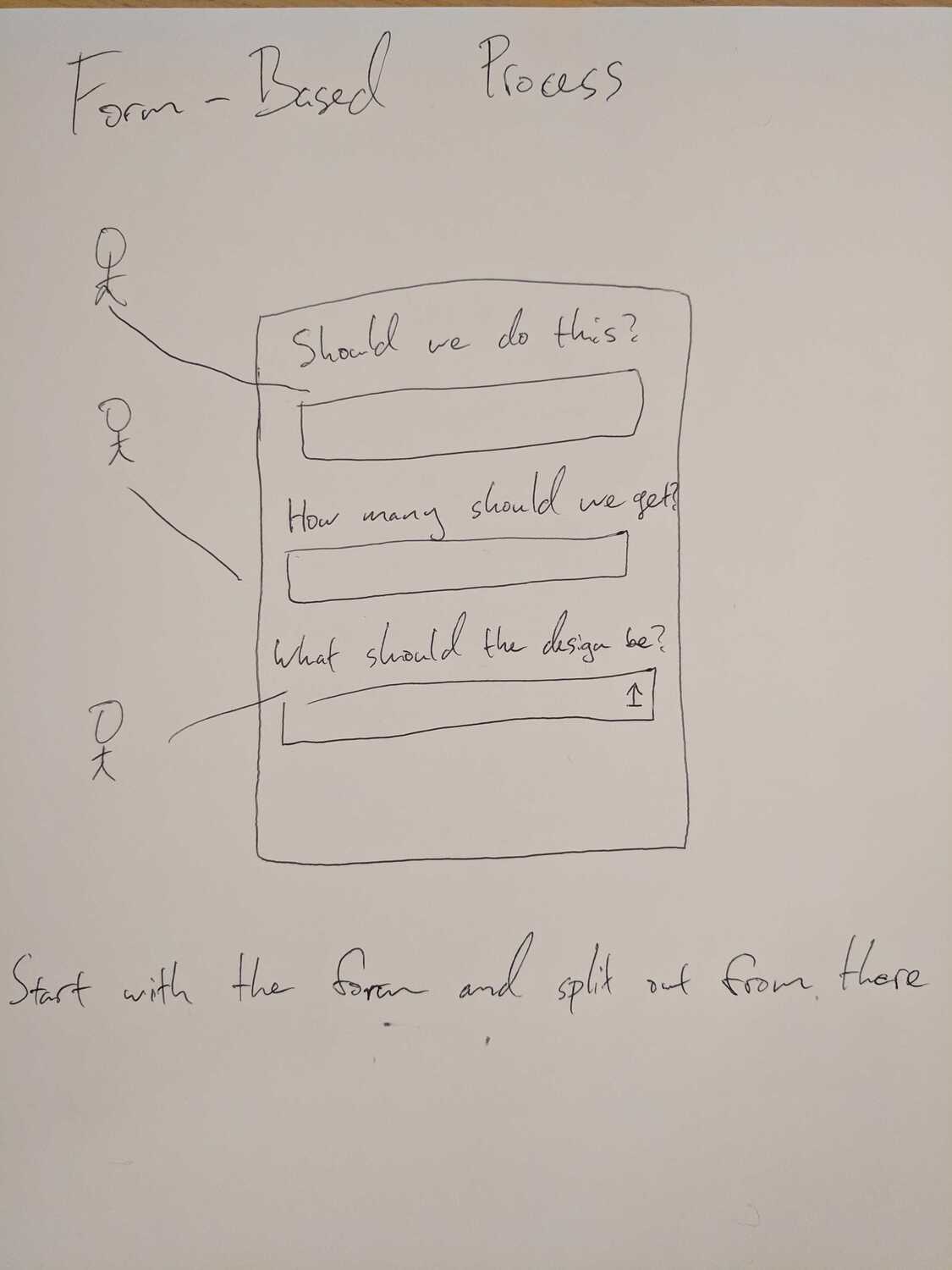 Whiteboard sketch of how form fields drive assignment decisions. The email field became central to guest assignment.
Two patterns for assignment rules
As we designed the system, two distinct patterns emerged. I documented them:
“This rule type - assignment rules can take two forms:
- IF THIS THEN ASSIGN - where ‘THIS’ criteria assigns a fixed member, group or guest e.g. If (Location = Morocco) then assign (the regional manager)
- IF VALUE-EXISTS THEN ASSIGN - where the actual people picked via the new form field type (value-exists) are assigned to a given task, which enables you to pick people in TaskA but assign them to TaskB”
Pattern one: static assignment. The rule says “when X is true, assign Y.” Y is defined when you build the rule.
Pattern two: dynamic assignment. The rule says “when this field has a value, assign whatever that value is.” The assignee is basically determined at runtime by form input.
Our developer confirmed:
“Yes, we will be able to handle both cases for assignment rule.”
Both patterns shipped. The same rule engine handles “assign this specific person” and “assign whoever is named in that field.”
The Assign versus Assign Only distinction
One debate that took longer to resolve: what happens to existing assignees when a rule fires?
The final implementation had two modes:
“ASSIGN = The configured name/s will be added to the target task once the automation is triggered along with the current assignees of that task.”
“ASSIGN ONLY = The configured name/s will be added and replace the current assignees of the target task once the automation is triggered.”
Assign adds. Assign Only replaces.
The difference matters operationally. If a manager is already assigned to review a task, and a rule fires that adds a regional specialist, you probably want both people assigned. That’s Assign.
But if a form answer changes who should own the work entirely - maybe routing from the US team to the UK team based on a region dropdown - you want to replace, not accumulate. That’s Assign Only.
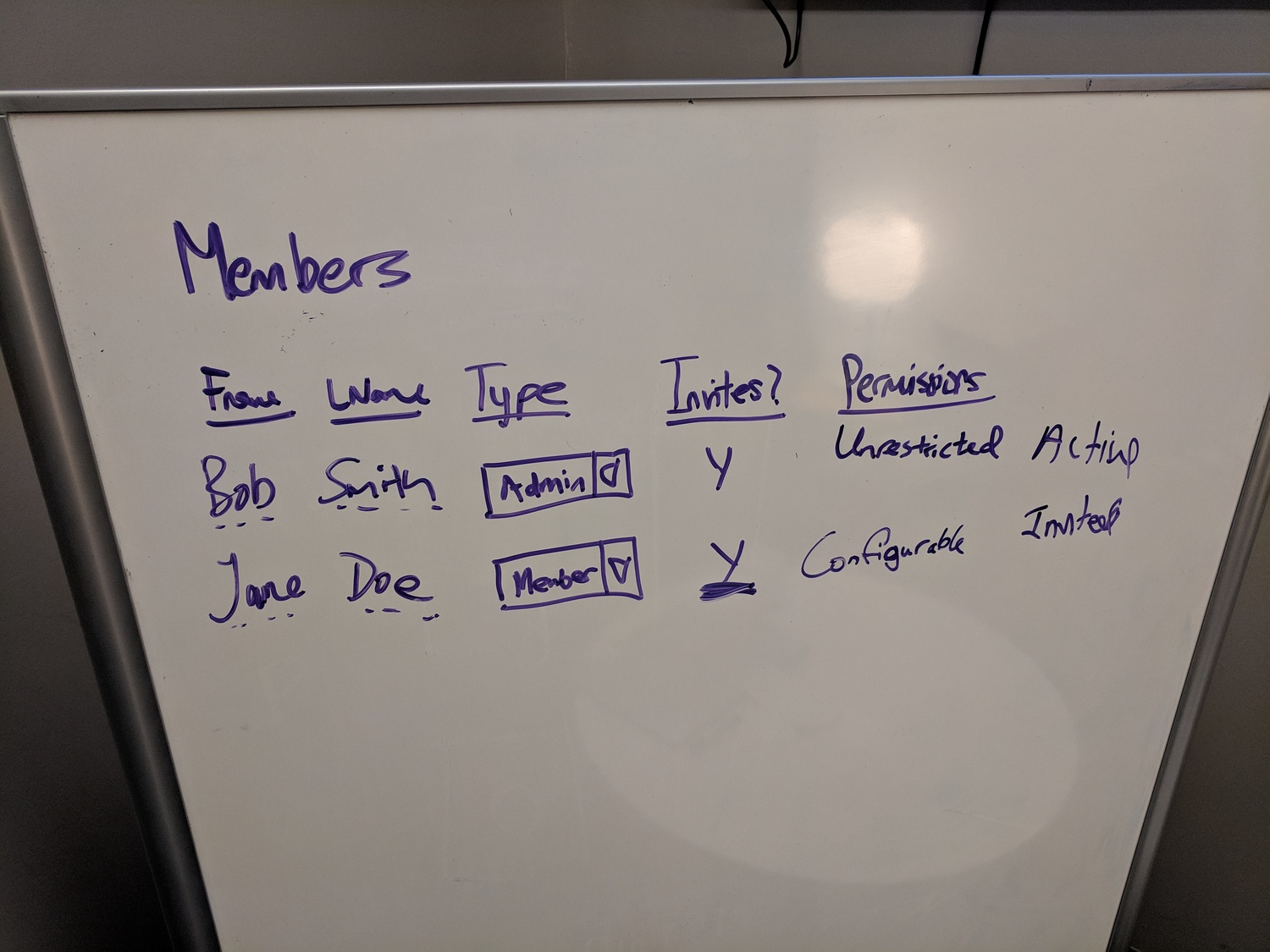 Assignment connects to permissions. Who can be assigned? Who can assign others? These questions interlock.
What assignment rules can target
I clarified the scope of what “assign” means:
“When we say ‘assign’ - we mean assign just like a task does today - so any guests, any members and any groups - not just any email address (which would only be for guests).”
Assignment rules work with:
- Members - internal users with accounts
- Groups - organizational units like “Sales” or “HR”
- Guests - external email addresses without accounts
A single rule can assign any combination. “If Priority equals Urgent, assign the Escalation group and the VP of Operations.” Both a group and an individual member from one rule.
The validation question
Dynamic assignment raised a validation problem. If someone types an email address in a form field and that becomes an assignment, what happens when they type something that isn’t an email?
Our developer noted:
“Client side should add a form field setting of ‘Must contain an email?’ similar to the ‘Must contain numbers?’ here.”
We added email validation at the form field level. Before a value can become an assignment, the field enforces that it looks like an email address. Not perfect - you can still typo a domain - but it catches obvious errors before they affect assignments.
Blueprint-level assignment rules
Early implementations had assignment rules attached to individual steps. This created a problem:
“The Step that has the automated actions is always the target of those actions. So we cannot create an automated action that controls multiple steps with the same set of conditions.”
I agreed with moving to blueprint-level rules:
“The benefits of moving automated actions from step scope to blueprint scope are first - one rule can operate on many steps, not just one. Second - one IF can operate many rule types, on many steps.”
One assignment rule can now target multiple steps. “If Region equals EMEA, assign the EMEA team to steps 5, 7, and 12.” Same condition, multiple targets, one rule definition.
Process managers - a different kind of assignment
Early on, I studied how other products approached bulk assignment:
“The concept of a process manager is interesting - instead of specifically assigning one user at a time for each step, I believe it is a bulk-assignment of people that enables those people to have all permissions over any step in that process.”
The insight was about scope. A process manager is not assigned to individual tasks - they have authority over everything. That architectural distinction mattered for how we later built assignment rules versus process-level permissions.
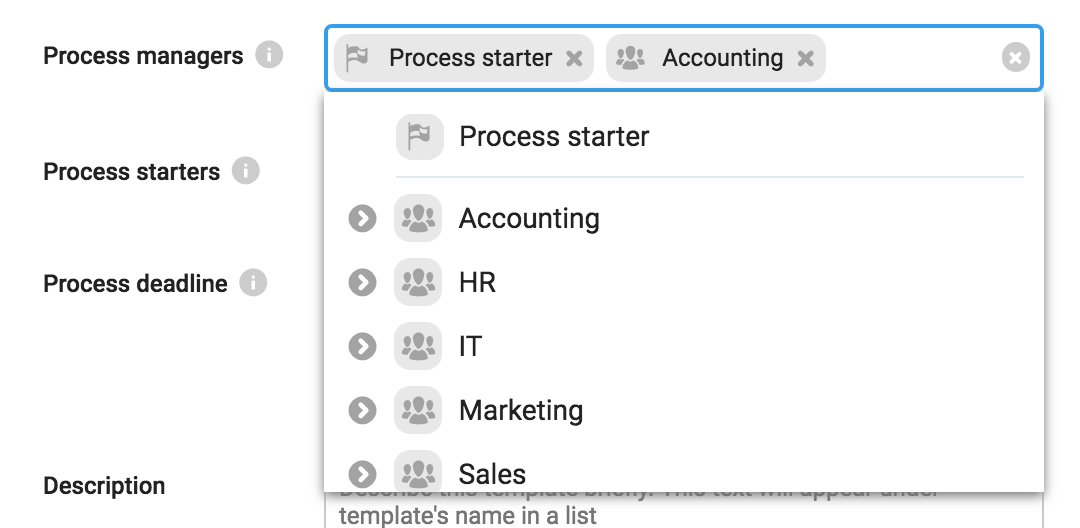 Process managers have authority across the entire process, not just individual steps. This is different from task-level assignment.
The predefined groups concept also influenced our thinking:
“On assigning an owner to a step, some pre-set groups already exist e.g. HR, Sales, etc. and it turns out that all users belong to all groups (until you remove them). This helps make the concept of how assignment should work clear from the outset - you should use groups, not individuals.”
Groups as the default. Individuals as the exception. We didn’t implement it exactly this way, but the principle shaped our model: assignments should flex based on organizational structure, not just specific people.
What we left out
The launcher assignment problem - “assign whoever launched the process” - eventually got its own solution separate from form-based assignment. It required tracking who started the process and making that identity available to rules, not just reading form field values.
We also didn’t build the full “pick assignees in one step, use them in another” workflow that some people wanted. You can enter an email and auto-assign it, but the more complex case of a multi-select people picker whose values cascade through assignment rules remains partially implemented.
The handoff to guests - “I enter my client’s email, they get assigned to review this task” - works. But the reverse - “let the guest pick who from our team should be involved” - has edge cases we haven’t fully addressed.
How it connects to the four rule types
Assignment rules run independently of visibility rules, deadline rules, and status rules. This matters more than it sounds. If a visibility rule hides a step but an assignment rule fires, the assignment still happens. The step exists even when hidden. The assignee will see the task when the visibility condition changes. If a deadline rule updates the due date while an assignment rule adds new people, both changes apply simultaneously. No waiting for one rule type to complete before another evaluates. The four rule types architecture ensured assignment rules could operate without blocking or being blocked by other rule types. Independence between rule types was a deliberate design constraint, not an accident. That saved us a lot of headaches.
The result
Assignment rules handle:
- Fixed assignment based on conditions (Nashville routes to Southern team)
- Dynamic assignment based on form values (email field becomes guest assignee)
- Additive assignment (keep existing, add new)
- Replacement assignment (remove existing, set new)
- Multi-target assignment (one rule, many steps)
The Nashville example from 2018 became production features used across thousands of workflows. Form answers route work to the right people without manual intervention.
About the Author
Amit is the CEO of Tallyfy. He is a workflow expert and specializes in process automation and the next generation of business process management in the post-flowchart age. He has decades of consulting experience in task and workflow automation, continuous improvement (all the flavors) and AI-driven workflows for small and large companies. Amit did a Computer Science degree at the University of Bath and moved from the UK to St. Louis, MO in 2014. He loves watching American robins and their nesting behaviors!
Follow Amit on his website, LinkedIn, Facebook, Reddit, X (Twitter) or YouTube.

Automate your workflows with Tallyfy
Stop chasing status updates. Track and automate your processes in one place.