
Working hours that actually work in deadline calculations
How Tallyfy engineered deadline calculations that respect business hours, weekends, and timezones. The 2-hour default disaster, the Friday 4:30pm problem, and why user-level working hours had to wait.
Deadline calculations that respect business hours are critical for realistic workflow management. Here is how we approach automation.
Workflow Automation Software Made Easy & Simple
Summary
- Working hours deadline calculation - this is our personal, candid experience at Tallyfy. A migration bug that set defaults to 2 hours instead of 5 days nearly broke our reminder system for hundreds of organizations.
- The Friday 4:30pm problem - a 1-hour deadline assigned at 4:30pm Friday shouldn’t be overdue by 2 days on Monday morning. It should show 30 minutes remaining.
- Organization hours came first, user hours later - supporting an employee who only works Tuesday through Thursday 12pm to 3pm meant handling timezone conflicts across global teams. We deferred that complexity deliberately.
- Hidden steps break everything - when a task start date is in the future, the step shouldn’t appear at all. Otherwise you’re showing people work they can’t touch yet.
This reflects our experience at a specific point in time. Some details may have evolved since, and we’ve omitted certain private aspects that made the story equally interesting.
Working hours deadline calculation - this post documents what happened when a database migration went wrong, and the months of discussion that shaped how Tallyfy handles business hours in workflow deadlines.
The 2-hour default disaster
In 2022, we shipped a migration that seemed routine. Update some default values for deadline calculations. Standard stuff.
Except we got one number catastrophically wrong.
The bug report came in while we were working on Slack-style onboarding homepage design for new users:
“Start times default to just 2 hours before the deadline.”
The reporter had done the math on what this meant for their organization:
“If this toggle is set to YES, no reminder emails will ever show up until it is two hours before the deadline, effectively making the reminder system useless.”
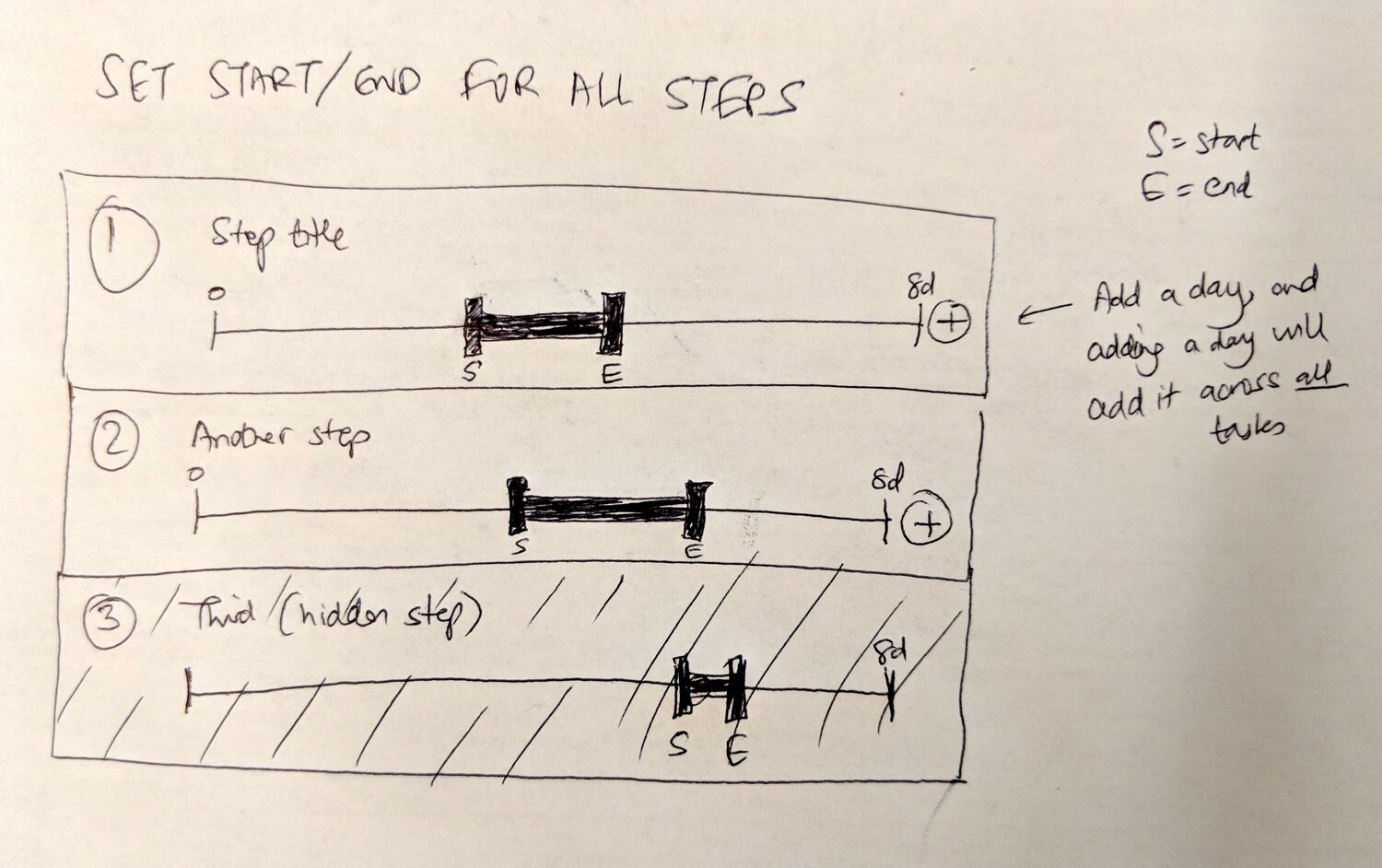
Two hours. We’d basically changed the default from 5 days to 2 hours. For every organization. For every workflow. For every deadline that depended on that value.
The reminder system - the thing that tells people “hey, this task is coming up” - was now firing at 2 hours before due. For processes that took days or weeks, that meant no warning at all.
I honestly still remember reading that issue. The sinking feeling of realizing a one-character mistake in a migration had affected hundreds of organizations.
Why defaults matter more than features
There’s a lesson here that took me years to internalize. The thing is, the default value is the feature for most users. They will never open the settings. Never tweak the configuration. Whatever ships as the default is what 90% of organizations will run with forever.
When we changed that default from 5 days to 2 hours, we weren’t just changing a number. We were changing the fundamental behavior of deadline notifications across our entire user base.
The fix was straightforward once we identified the problem. But the damage was done. Some organizations had been running with broken reminders for weeks before anyone noticed.
Our automations documentation now explicitly covers these defaults. But documentation doesn’t undo the emails that never sent.
The Friday 4:30pm problem
The 2-hour bug was a symptom of a deeper question we’d been avoiding: what does a deadline actually mean?
In early design discussions, our product team - specifically Pravina - laid out a scenario that became our reference case:
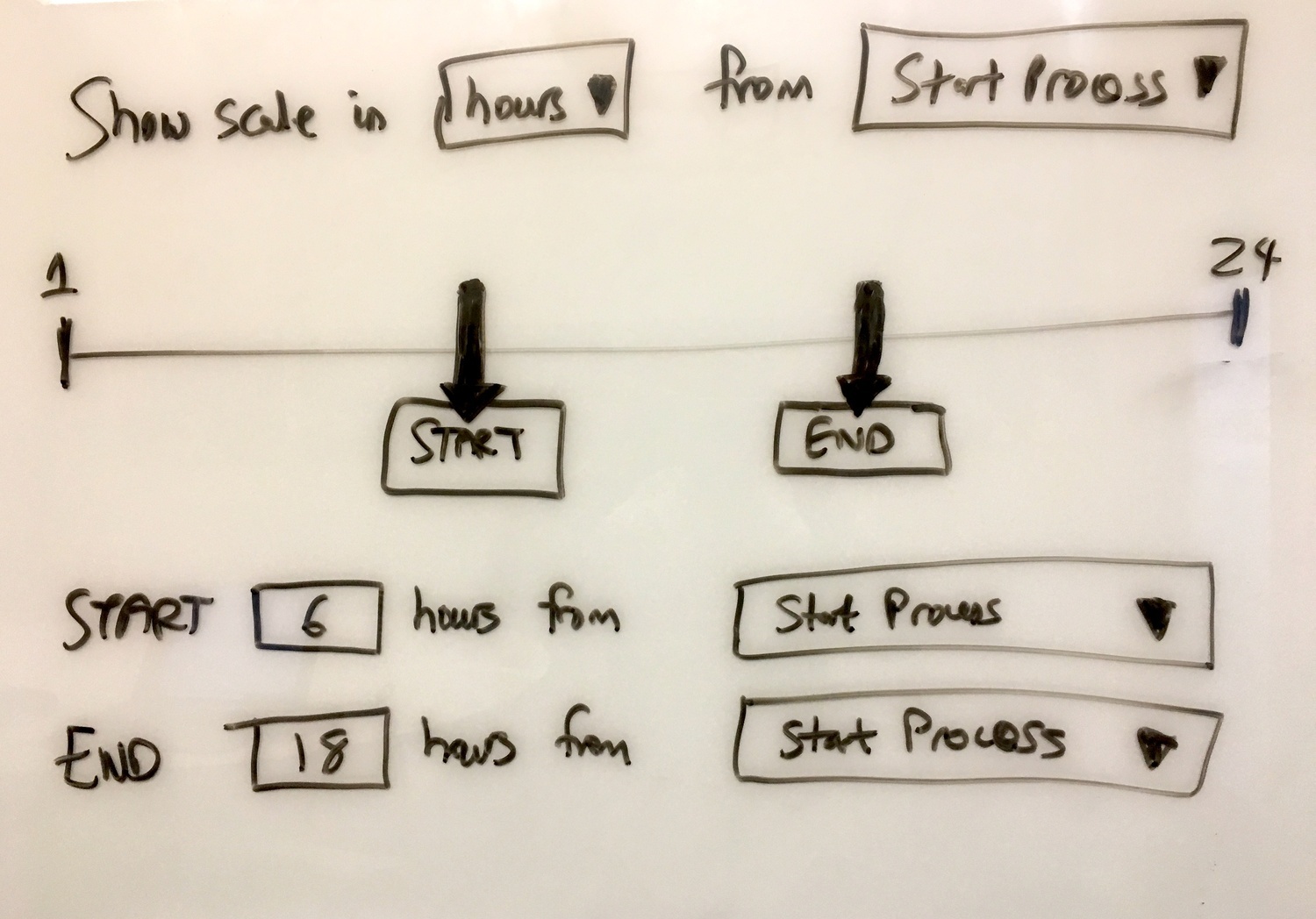
“Company X has working hours Mon-Fri 9-5pm. The employee leaves work Friday at 5pm and returns Monday at 9am. In V1, he would see step 1 is overdue by 2 days. In V2, he should see 30 minutes.”
Read that again. Same deadline. Two completely different interpretations. In V1, the system counted calendar time - Friday 5pm to Monday 9am is roughly 64 hours, so a 1-hour deadline is massively overdue. In V2, the system counted working hours - the employee still has their 30 minutes.
Which interpretation is correct depends entirely on what you are trying to measure. Calendar time or work time.
The full scenario from our internal documentation:
“Company X has working hours of Mon-Fri 9-5pm. The manager builds this process: Step 1 - Call client - Deadline 1 hr from run start time. Step 2 - Email proposal - Deadline within 24 hr from Step 1 being done.”
And then:
“The manager starts the run at 4.30pm on Friday. The employee gets assigned all the steps at 4.30pm on Friday. The employee leaves work on Friday at 5pm and returns on Monday at 9am.”
The expected behavior was crystal clear in our spec:
“Issue: In V1, he would see that step 1 in the process is overdue by over 2 days. What should happen: In V2, he should see that he has 30 minutes to do step 1.”
This is not an edge case. This is every Friday afternoon for every company with standard business hours. And we hadn’t solved it.
Organization hours versus user hours
When we started designing the solution, an immediate question emerged: whose working hours?
In discussions we’ve had about global operations, this complexity surfaces immediately. One property management firm in Dubai with 51-200 employees had team members across three continents handling tenant requests. A maintenance request submitted Friday evening in Dubai was assigned to someone in London who was already home. The deadline calculation had to account for both time zones.
The company says 9-5 Monday through Friday. But an employee only works Tuesday through Thursday, 12pm to 3pm. Does a deadline set in company hours apply to that employee differently?
From our design discussions, this edge case came up explicitly:
“An employee only works Tue-Thurs 12pm-3pm.”
That is nine hours a week. A “1 day” deadline for an employee on that schedule means something completely different than for someone working 40 hours.
Our CTO was direct about the complexity:
“Let us only do company working hours first. User working hours will be much more complicated, particularly where several users in different time zones are working with the same run/org. We can revisit user working hours post v2.2.”
That “particularly” clause hid a world of pain. Imagine a workflow where:
- The company is headquartered in New York (EST)
- Step 1 is assigned to someone in London (GMT)
- Step 2 is assigned to someone in Tokyo (JST)
- Each person has different working hours
A “1 business day” deadline could mean wildly different things depending on whose calendar you’re measuring against. And if the deadline applies to the task rather than the person, you need to decide: which timezone wins?
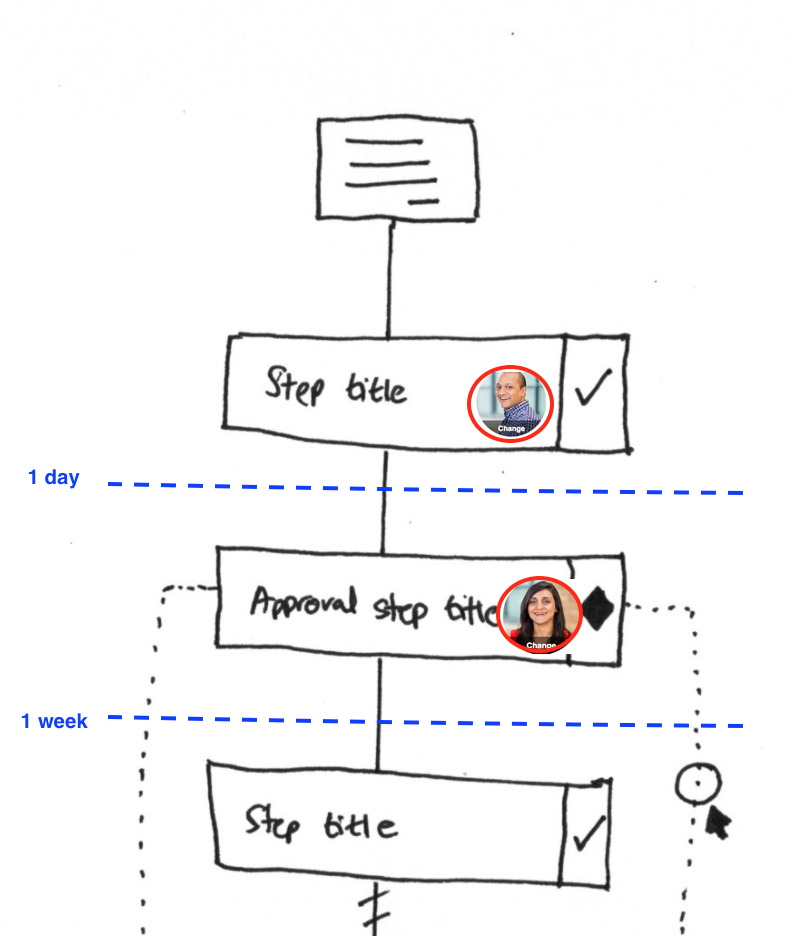
We punted. Organization-level working hours first. User-level hours would wait.
The default working hours
For organization hours, we needed a sensible starting point. From our internal documentation:
“Default value: 9am-5pm.”
Simple. Standard. Wrong for about 40% of organizations, but at least it’s the wrong that most people expect.
The more interesting design choice was what to show users:
“Deadline dates on the tracker will include the actual date with time and then show either of the words: During working hours, or Outside working hours.”
This was our compromise. Calculate deadlines using working hours, but be transparent about it. If you see “Outside working hours” next to a deadline, you know the system isn’t counting that time against you.
The implementation required tracking two things:
- When does this organization work?
- When is this specific deadline, and does it fall within those hours?
Simple in theory. Tricky in practice because of timezones, daylight saving time, and edge cases we hadn’t anticipated.
Hidden steps and future start dates
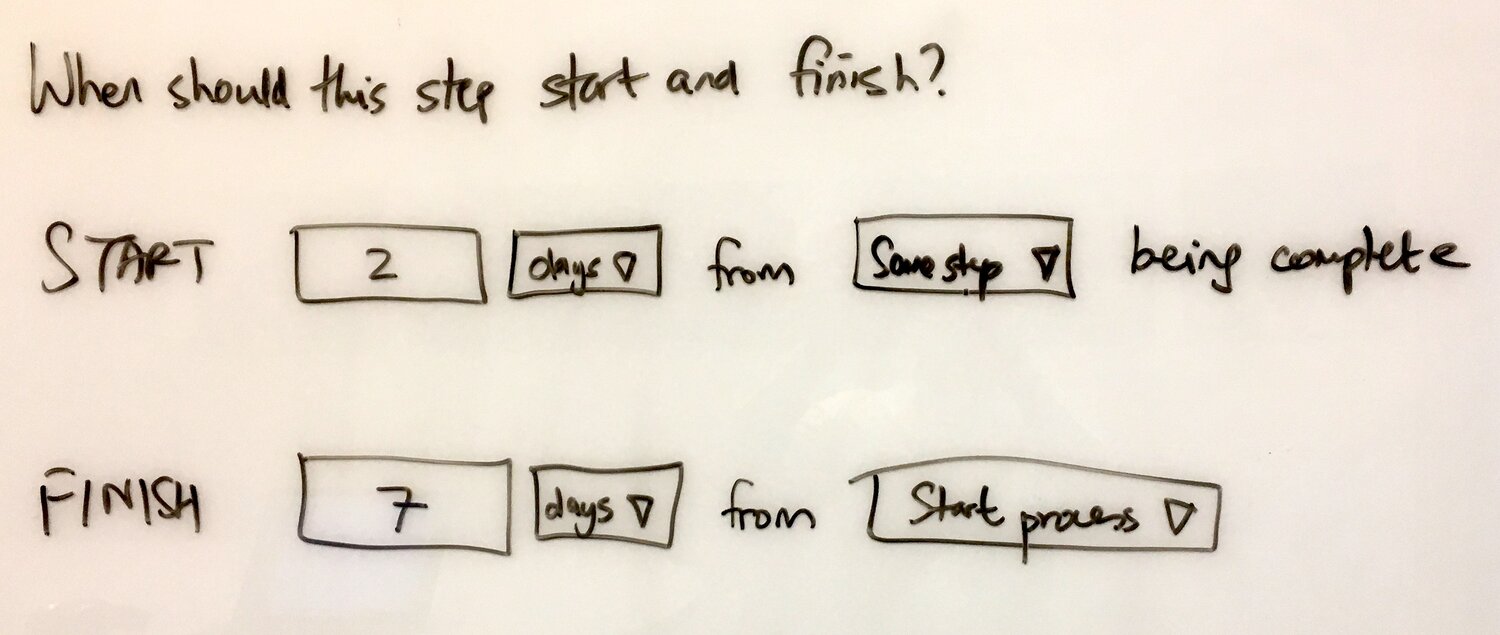
There was a related problem we hadn’t fully solved. What happens when a step has a start date in the future?
The naive implementation would show the step but with a message like “available in 3 days.” But this creates annoying cognitive load. You see work you can’t act on. Every time you check your task list, there’s that step staring at you, taunting you with its unavailability.
Our CTO captured this in a comment that I still think about:
“It is a very primitive thing, but not having a start and end date is a pretty big failure.”
The solution was to hide steps entirely until their start date arrives. If you can’t work on it yet, you shouldn’t see it yet. Does that solve everything? No. This intersects with working hours in subtle ways - a step that “starts tomorrow” at 9am should appear at 9am, not midnight.
Our tracking and tasks documentation covers how this works from the user perspective. But the engineering was surprisingly complex. You’re essentially maintaining two different views of the workflow: what exists (for reporting and audit trails) and what you can see right now (for doing work).
The millisecond sorting problem
There was another bug that surfaced around this time - while we were working on displaying Removed Member label for disabled coworkers - that seemed unrelated but turned out to be connected to our 5-day work week logic.
Deadlines that looked identical in the UI were sorting differently. Two tasks both due “Monday at 9am” would appear in inconsistent order when you refreshed the page.
The culprit was millisecond precision. When we calculated deadlines, we stored timestamps down to the millisecond. Two tasks created one millisecond apart had different deadlines, even though they displayed identically.
Turns out, the issue was tangled up with our 5-day work week logic. As the bug report noted, tasks were sorting based on creation milliseconds rather than logical deadline order.
This became a problem specifically with working hours calculations. Add “8 hours” to Friday 4pm and you get Monday 12pm. But add “8 hours” to Friday 4:00:01pm and you get Monday 12:00:01pm. Visually identical. Different millisecond timestamps. Inconsistent sort order.
The fix was normalizing to minute precision for deadline displays while keeping millisecond precision for internal calculations. But finding that bug took weeks of investigation because the symptoms were so sporadic.
What we shipped
By the time we released working hours support, here’s what organizations could configure:
- Working days - which days of the week count as work days
- Working hours - start and end time for each working day
- Timezone - which timezone those hours apply in
Deadlines would then be calculated in working hours. A “1 day” deadline starting Friday at 4pm would be due Monday at 4pm, not Saturday at 4pm.
The implementation required:
- A working hours configuration per organization
- Deadline calculation that could convert between calendar time and working time
- UI that showed both the absolute deadline and whether it was during working hours
- Background jobs that recalculated deadlines when working hours changed
That last point was painful. If you change your working hours from 9-5 to 8-4, every existing deadline in every running workflow needs to be recalculated. Which is nuts, when you think about it. We had organizations with thousands of active processes. That’s a lot of deadlines to update.
What we left out
Several features didn’t make the cut for the initial release:
User-level working hours - as discussed, the timezone complexity was too high. We still haven’t shipped this.
Holiday calendars - knowing that December 25 isn’t a working day requires maintaining holiday calendars per country, per region, sometimes per organization. As one of our early product discussions noted:
“Holidays vary by country, state, and even company policy. Supporting them properly is a separate feature.”
We deferred.
Partial days - if you work 9am to 1pm on Fridays, you have a partial working day. Our system assumed all working days have the same hours. Another deferral.
Automatic timezone detection - we ask organizations to set their timezone explicitly. Detecting it from user browsers creates problems when users travel.
Each of these would have been useful. Each would have added months to the release. We shipped something that worked for 80% of cases and documented the limitations clearly.
The lesson from working hours
Feedback we’ve received suggests that deadline miscalculations cause more support tickets than any other feature. A law firm tracking 9-month probate timelines with critical court filing deadlines can’t afford to show tasks as overdue when they aren’t. Their attorneys were making decisions based on incorrect overdue counts.
Building deadline calculations that respect working hours taught me something about software complexity. The problem is not hard in isolation. Adding working hours to a deadline is basic arithmetic. Actually, calling it basic arithmetic is a bit misleading. What nobody warned us about is how hard it gets in combination. Working hours plus timezones plus user preferences plus organization settings plus edge cases like daylight saving time transitions plus the need to recalculate when anything changes plus the need to display results clearly plus the need to not break existing workflows. Each layer of complexity multiplies with every other layer. A feature that seems simple - “respect business hours” - becomes months of engineering when you account for all the ways it interacts with everything else. We still get bug reports about deadline calculations. A user in Australia working with a US-based organization. A process that spans a timezone change. A deadline that falls exactly on the boundary between working and non-working hours.
The 2-hour default bug was fixed in a day. Understanding working hours took years.
About the Author
Amit is the CEO of Tallyfy. He is a workflow expert and specializes in process automation and the next generation of business process management in the post-flowchart age. He has decades of consulting experience in task and workflow automation, continuous improvement (all the flavors) and AI-driven workflows for small and large companies. Amit did a Computer Science degree at the University of Bath and moved from the UK to St. Louis, MO in 2014. He loves watching American robins and their nesting behaviors!
Follow Amit on his website, LinkedIn, Facebook, Reddit, X (Twitter) or YouTube.

Automate your workflows with Tallyfy
Stop chasing status updates. Track and automate your processes in one place.