
Why we merged webhook subscriptions into the watching system
At Tallyfy, we started building a separate EPIC for webhook subscriptions, letting users subscribe to specific events via API endpoints. Then we realized it overlapped with the watching system. The notification target became just another channel: email, webhook, or chat.
Webhook integration extends workflow automation beyond the application boundary. Here’s how we approach it.
Workflow Automation Software Made Easy & Simple
Summary
- Workflow webhook subscription design - This is our personal, candid experience building it at Tallyfy. Not theory. The debate between platform-level subscriptions vs object-level watching, and the performance lessons we learned the hard way
- The “subscriptions vs watching” debate - We started building two separate systems until someone asked the obvious question. Platform-level subscriptions created too much noise. Object-level watching gave users control
- Webhook flooding nearly killed our Zapier integration - 10,000+ webhook calls in rapid succession when guests were added. We had to implement batching and rate limiting to survive
- The target became a channel choice - Email, webhook, or chat. The event subscription logic was identical. Only the delivery mechanism changed. See our webhooks documentation for how it works today
This reflects our experience at a specific point in time. Some details may have evolved since, and we’ve omitted certain private aspects that made the story equally interesting.
We got this wrong at first. We had two parallel efforts running. One team was building the watching system, converting favorites into a notification framework. Another was building webhook subscriptions, letting users subscribe to specific events and receive HTTP callbacks. Then someone asked the obvious question: are these the same thing?
The original webhook subscription design
The webhook subscription EPIC defined a standalone system:
In order for users to decide exactly when they want to get a webhook, we need endpoints to enable users to subscribe to specific events that happen in our API. Such an endpoint should live under the API under /subscriptions/webhook/*
The subscription object would contain:
Creator - user who created it. Date of creation - when it was created. Last invoked - the last date when a webhook was fired for this subscription. Name - a free text name of the subscription (user created). Webhook URL - where the user wants a webhook to fire, if there is a matching event. Subscription Events - an array of all the events that this subscription is listening to.
The check would happen after every API response:
When any event is emitted on Tallyfy - which is essentially all events - our code must also check (in a non-blocking way, after response): Is there anyone in this org who has subscribed to this event? Find all subscriptions for this org, for this event. Emit webhooks for each subscription.
This made sense on paper. But as we dug deeper, turns out the overlap was obvious.
Why platform-level subscriptions create too much noise
The first warning sign came from a simple realization about scale. I wrote in one of our planning discussions:
Watching absolutely every checklist, every process, etc. is not useful at all and far too much noise.
Platform-level subscriptions meant subscribing to event types across an entire organization. Every task completion. Every process launch. Every field change. The developer working on the implementation agreed:
Subscription works at the platform level. If you have subscribed to a webhook for a checklist, then the admin user will get notifications for each and every checklist.
And then the performance concern:
We really do not need to watch each and every object of the organization. It will affect app performance as well.
This was the moment the merger started to make sense. Why build infrastructure that’d create problems we’d then need to solve?
The watching EPIC had the same structure
The watching system was already designing notification targets:
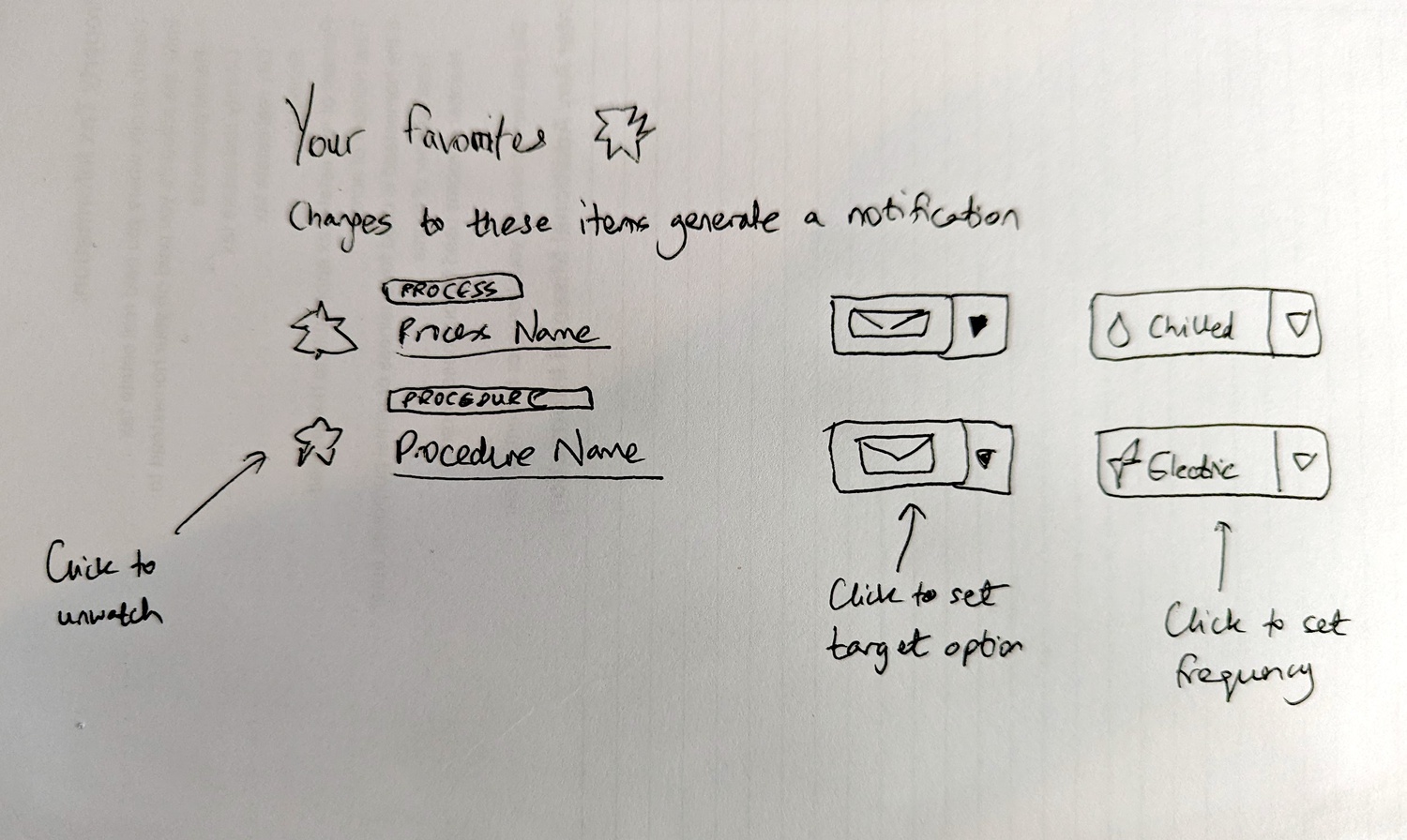
Early sketch from January 2022: the watching UI with target and frequency options per watched item
The watching system defined the same core concept:
We also need a target for watching notifications i.e. Send updates to TARGET every FREQUENCY.
The target options:
Email - the notifications shoots out via email. Start with this as the first MVP/default target. Webhook - the notification shoots to a specified webhook target. Chat - the notification shoots out to a specific channel or person within Slack or MS Teams.
And the frequencies:
Electric - Notify for every separate event - immediately. Mindful - Notify for aggregated events every few hours. Chilled - Notify for aggregated events in a single daily watch.
Same structure. Different names. Two EPICs doing the same thing.
The confusion surfaced in conversation
During implementation, the overlap became explicit. Our developer asked for clarification:
Watching EPIC is quite an interesting one. It will somehow cover all functionality of the webhook subscriptions EPIC.
He explained the difference he saw:
If we take an example of watching object Task then if a member enables watching On for Task then he will be able to watch each and every action on a task. But the webhook subscriptions EPIC is not related to a specific task but it is related to all tasks of the organization. For example, a member can watch the partial activity of task - do not send me webhook for every action on task but send me when the task is completed. I want to fire webhook when task completes in my org - and it will be related to all tasks of organization, not a specific one.
This was the key distinction:
In short, the webhook subscriptions EPIC is related to fire webhook if a specific event occurs. Member can enable or disable against any event.
Watching was about specific objects. Webhook subscriptions were about org-wide event types.
The merger decision
I pushed back on maintaining two systems:
Can we close/move webhook subscriptions as a separate concept and just focus on watching with multiple target channels for watch-driven notifications?
The reasoning was straightforward. Two systems solving the same problem. One was more flexible. Pick one.
The agreement came quickly. Our developer responded:
Yes I fully agree with your suggestion. We really do not need to watch each and every object of the organization. It will affect app performance as well. We can proceed on Watching EPIC and can close the webhook subscriptions EPIC.
Watching absorbed webhook subscriptions. The webhook became just another notification target.
The static webhook exception
Not everything merged though. Blueprint webhooks stayed separate:
We would not migrate blueprint webhooks against steps into watches for a simple reason. Watches are owned by a person - a guest email or a member. A blueprint webhook is not owned by anyone - it is just a setting on a step in a blueprint. Therefore, we would leave all that functionality as-is without migrating things into watches.
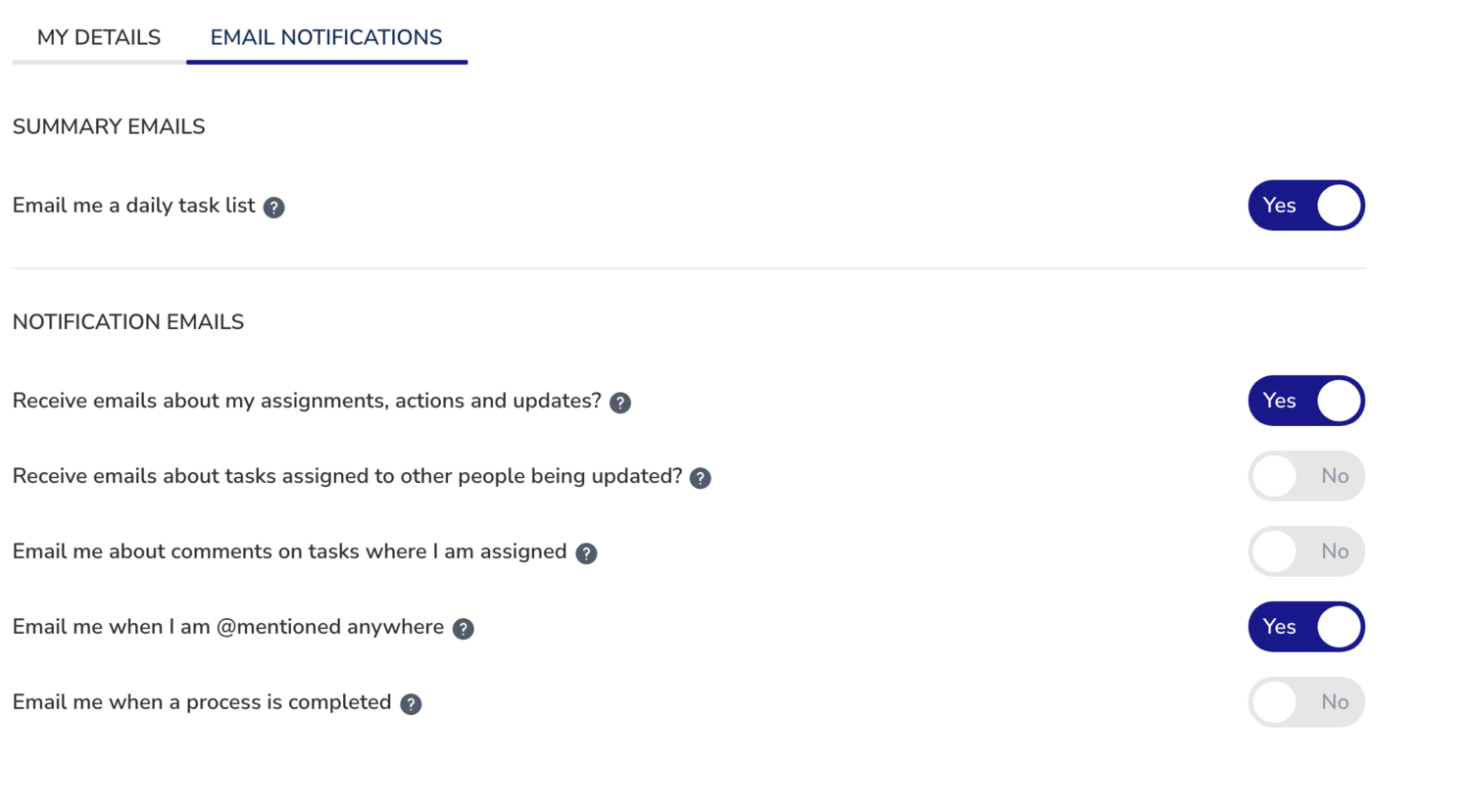
The original email notification checkboxes - each became a system-owned watch that can be turned off but not deleted
Static webhooks fire at a URL when something happens to a step or process. No owner. No frequency settings. Just configuration. Dynamic watches are personal. You watch something, pick your frequency, choose your target, and control it. Different mental models. Different systems.
The emit webhook action type
But we still needed a way to trigger webhooks from automations. The solution was a fifth action type:
Add Emit Webhook as the 5th automation action type. Works with any IF condition. Emits the full process payload consistent with existing webhooks. Stores webhook URL and optional alias name.
This wasn’t the same as subscription-based webhooks. Instead of subscribing to events, you define a rule:
If anything happens, then emit webhook.
A question came up about payload size. I clarified:
On 1 - I think the complete object. Emitting more is better than less.
The implementation details:
Webhook URL can be configured per action. System generates unique alias for identification. Webhook emits full process payload. Works with all existing IF conditions. Webhook includes automation alias in headers.
After testing on staging:
After merging to Staging, I tested this using API, by adding a new automated action type emit webhook for a new template, launched a new process, then confirmed the webhook was successfully sent when the automation condition were met.
This gave users granular control. Not just subscribing to event types, but defining exactly when webhooks should fire based on any condition the automation system supports. Was it perfect? No, but it was flexible enough. See our Open API documentation for integration details.
Guests and webhook targets
The watching system extended to guests, but with limits. A question came up during implementation:
Can a guest set notification_type equals webhook for himself? Let say a guest wants to watch a task and he is willing to be notified via webhook on task completion? In this case, the guest needs to provide a webhook URL.
The answer:
Yes, a guest can notify themselves via all the means possible including webhooks from the API side. From the client side, we will initially keep this to email to simplify things - but the API should support all targets.
The API supported all targets. The UI started with email only. Guests could use webhooks through API calls, but not through the interface.
The activity feed integration
Webhook emits needed to appear in activity feeds. The question was who triggered them:
Should webhook related activities be logged by member of the org - the auth user - or bot user of the organization? Currently webhook activities actor is auth user.
The answer:
Please switch it to bot user.
Webhooks fired by the system should be attributed to the system. The bot user represents automated actions that no human triggered directly.
The activity logging covered three types:
I am logging 3 types of webhook activity. When checklist is made public, webhook emits. When task is completed, webhook emits if we set it into the step of this specific task. When checklist is launched, webhook emits if we set webhook URL in checklist settings.
The watch alert email design
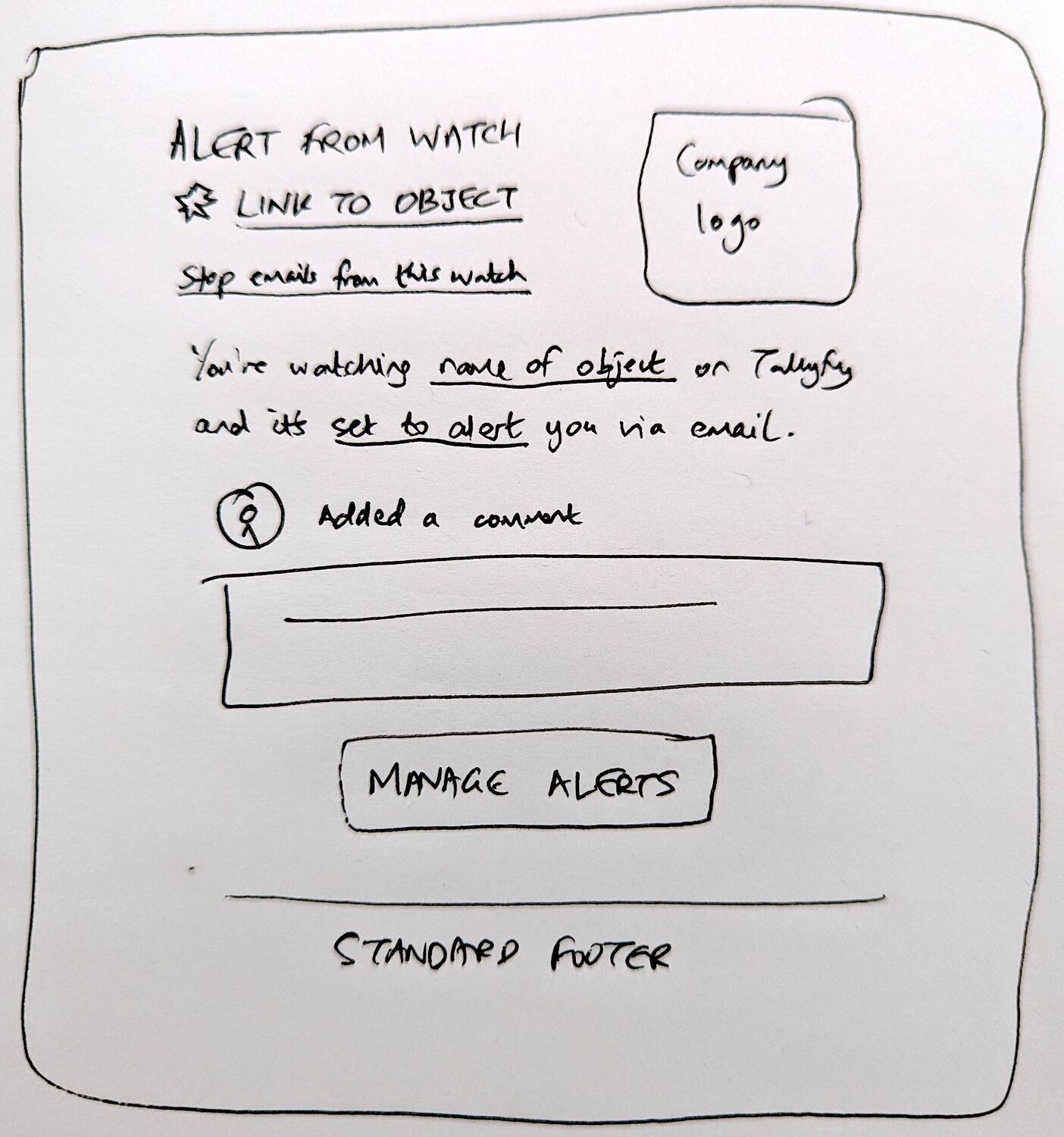
The watch alert email template sketch - one-click unsubscribe for specific watches, not global unsubscribe
Every notification channel needed the ability to turn off specific watches:
Since every watch is unique, the settings of on or off need to be assumed as controllable via one-click within emails. However, instead of using the word Unsubscribe from an email, the email design for all watches need to have the idea of Stop watching this to turn off that specific watch with one click. We do not want a global unsubscribe from all Tallyfy emails.
Stop watching this specific item. Not unsubscribe from everything.
The webhook flooding incident
The decision to avoid platform-level subscriptions proved prescient. We hit a real-world nightmare that exposed the dangers of uncontrolled webhook volume.
In discussions we’ve had at Tallyfy about integration patterns, this incident comes up repeatedly. A debt consolidation company with 220 employees had set up webhooks to push data to their system admin’s Monday integration via Zapier. They thought they were being clever. What happened next nearly broke everything.
From a bug report:
Webhook Flooding Without Batching - Each guest = separate webhook = scale exploit. Result: 10,000+ webhook calls in rapid succession.
A customer had set up a Zapier integration that triggered on guest additions. They ran a process with hundreds of guests. Each guest addition fired a separate webhook. Zapier received thousands of calls in seconds.
The fix required batching. Instead of firing immediately on each event, we had to:
- Queue webhook events for a short window
- Batch multiple events into single payloads
- Implement rate limiting per webhook URL
- Add exponential backoff for failed deliveries
This was exactly the kind of performance problem the original webhook subscriptions EPIC would’ve created at a much larger scale. Platform-level subscriptions across organizations would have multiplied this by orders of magnitude.
Well, sort of. The watching system’s object-level approach naturally limited webhook volume. You watch specific things. You get webhooks about those things. Not everything everywhere.
The coverage gap
One limitation surfaced later in the watching system. From a discussion about extending functionality:
The watching system currently provides limited coverage, only notifying watchers about completion events.
Users were keen to watch for more event types: assignments, comments, deadline changes. The initial MVP focused on completions because that was the most common use case. But the architecture supported expansion.
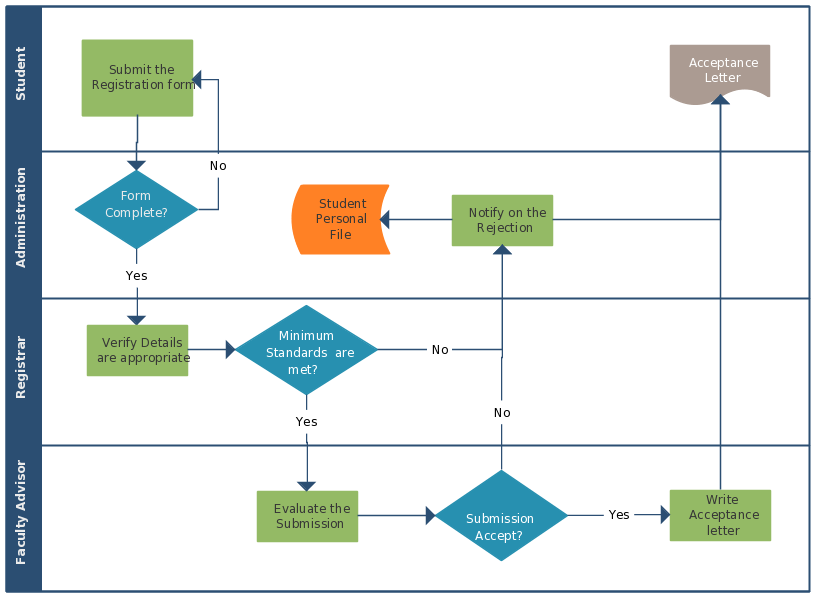
Cross-functional processes like this student registration workflow generate events in multiple lanes - each potentially triggering webhooks
The emit webhook automation action filled some gaps. If you needed a webhook on assignment change, you could create an automation rule. Not as clean as native watching support, but it worked.
What we left out
Organization-wide event subscriptions never shipped. The original EPIC imagined subscribing to all task completions across an org. We scoped it down to watching specific objects.
Chat integration was deferred:
Chat - the notification shoots out to a specific channel or person within Slack or MS Teams. You set this at the point of watching, but you must have your Slack or Teams already authenticated with us.
This required deeper integration work we weren’t ready for.
Webhook targets in the UI for guests stayed API-only. Guests could set webhook targets through API calls, but the interface defaulted to email.
Fine-grained event filtering within watches was cut:
We want watching to be a little conservative and not send too many watch alerts especially via email initially, but later we will tune that with a new watching state like Extremely Electric or similar if people want finer-grained notifications about things they are watching.
We started conservative. Let users ask for more granularity. Should we have shipped everything at once? Absolutely not.
Lambda/serverless execution stayed on the roadmap. We discussed running code in response to webhooks:
A mini-SDK is required for each extension type, along with our entire API/Swagger docs.
But building a runtime for customer code was a different project entirely.
The extensions marketplace was a grander vision. From a discussion on Jason Fried’s Basecamp, I suggested:
Instead of adding a ton of features, we could circle a line around the core platform and call everything else extensions.
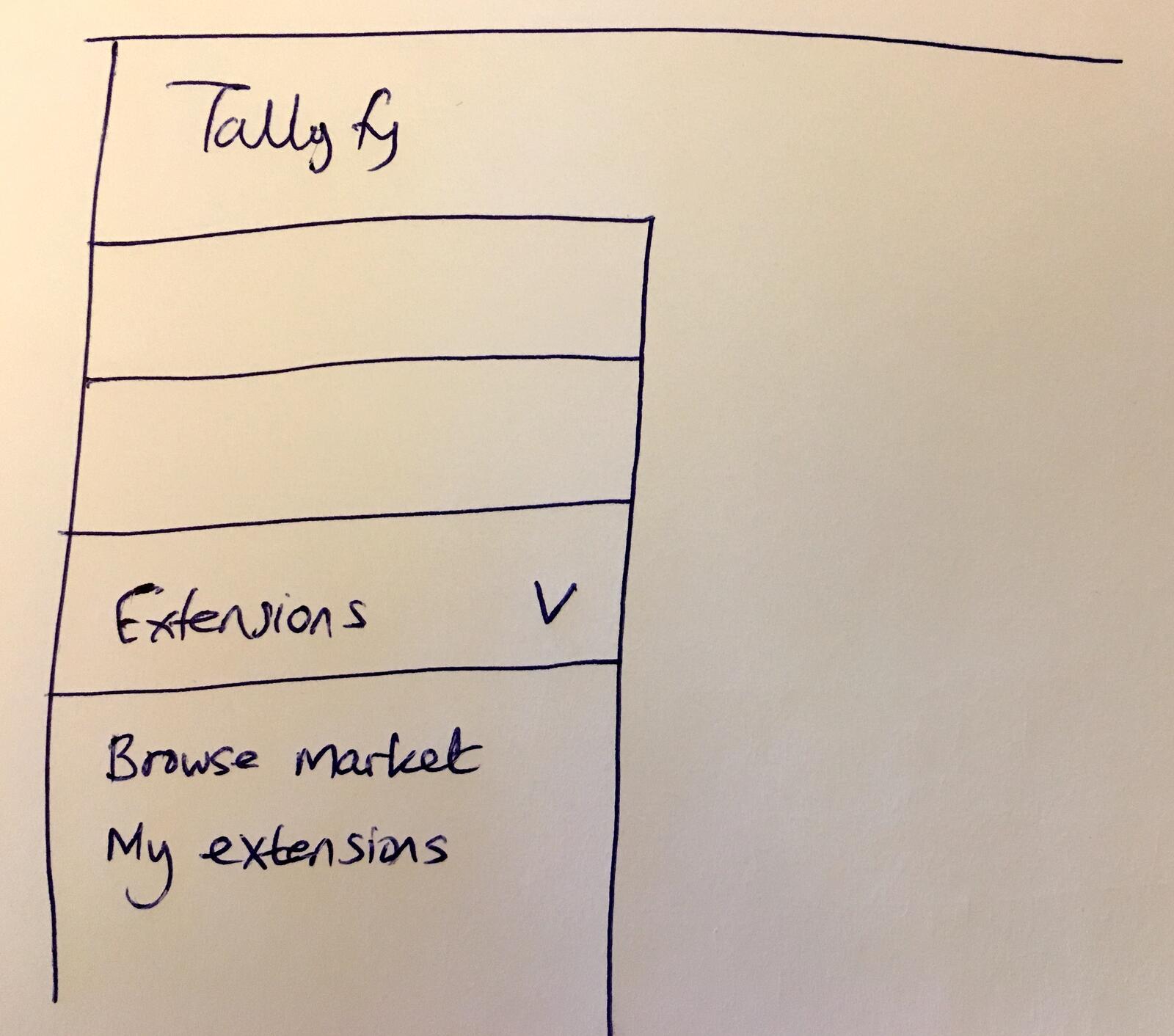
Early sketch of an extensions marketplace in the sidebar - Browse Market and My Extensions
Our CTO pointed out the relationship to webhooks:
Numbers 3, 4, and 5 are enabled by webhooks - really just a way of speaking about them from a marketing perspective.
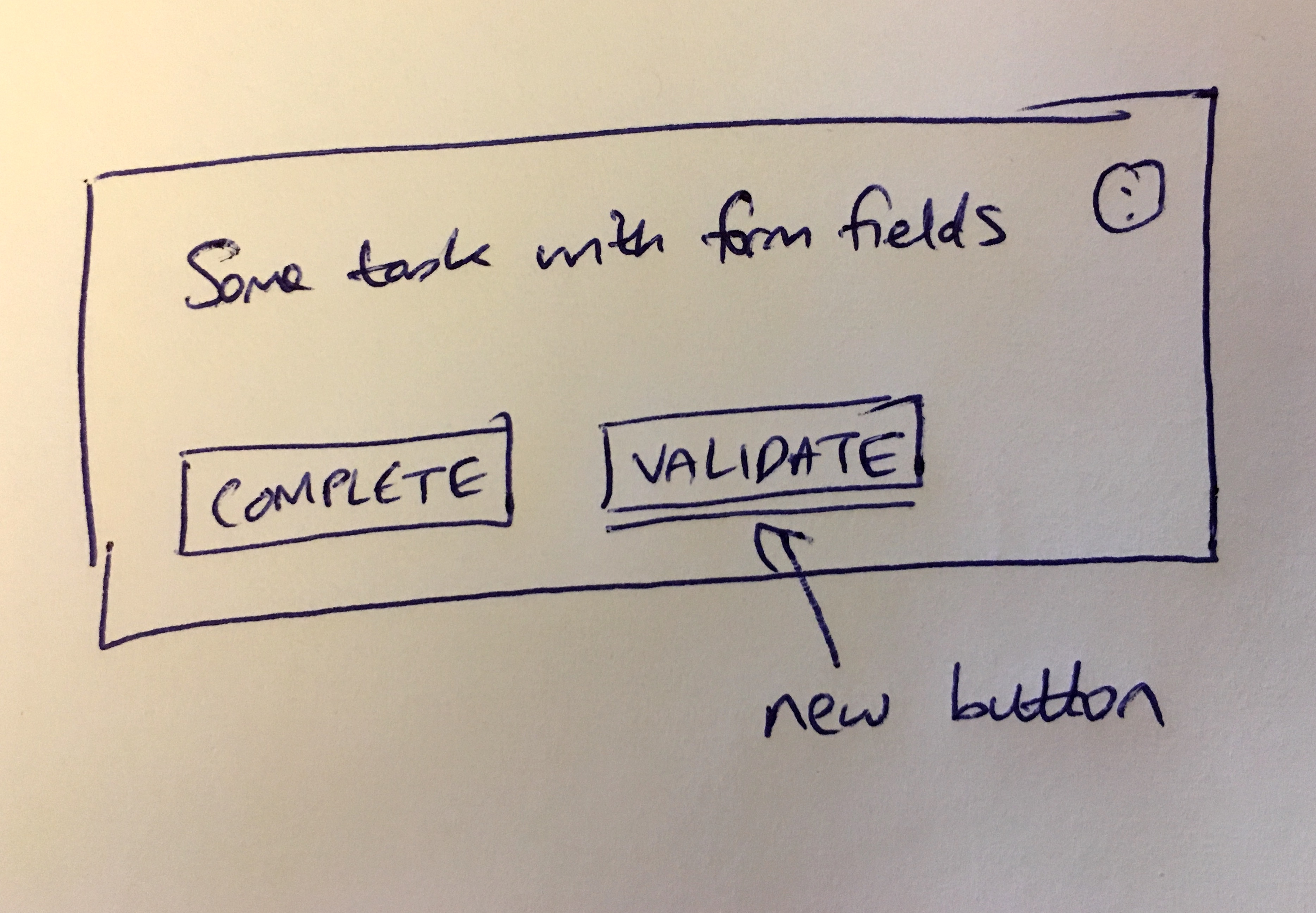
Task card extension concept - a VALIDATE button that would call an external service via webhook before allowing completion
Extensions would’ve been webhook consumers with UI integration. A validation service that blocks task completion until it returns success. A document generator that creates PDFs on process launch. A scoring engine that rates processes based on field values.
The infrastructure existed. The marketplace didn’t ship.
Merging two systems into one
Based on hundreds of implementations, we’ve observed that most integration failures come from volume, not complexity. Organizations underestimate how many events their workflows generate. Honestly, most don’t even think about it. A customer with 100 agents running 98 active workflows daily generates thousands of events. Without batching and rate limiting, any webhook integration becomes a liability. The webhook subscription EPIC represented a pattern we see often in software development: two teams, solving similar problems, with different abstractions. Webhook subscriptions thought about events and endpoints. Watching thought about objects and people. Both needed: a list of things to track, a trigger condition, a delivery target, and frequency controls. The difference was basically perspective, not functionality. When we merged them, watching became more powerful. Instead of being just a favorites replacement with email alerts, it became a general notification framework. Email was one target. Webhooks were another. Chat could be a third.
The emit webhook automation action covered the use case that pure watching couldn’t: triggering webhooks based on arbitrary conditions, not just object changes. If a dropdown field equals rejected, emit webhook. That needed the automation engine, not the watching system.
Together, they covered the full spectrum of webhook needs without building a separate subscription infrastructure that duplicated what watching already provided.
Related questions
How do I choose between watching webhooks and automation webhooks?
Use watching webhooks when you want to know about changes to specific objects - a particular process, task, or person. Use automation webhooks when you want to trigger based on conditions - if a field equals a value, if a deadline passes, if a task is rejected. Watching is about observing. Automation is about reacting to conditions.
Can I have multiple webhook targets for the same watch?
Currently, each watch has one target - email, webhook, or chat. If you need the same event to trigger multiple webhooks, create multiple watches on the same object with different webhook URLs. Each watch operates independently.
What payload does a webhook emit include?
The webhook emits the full process payload, consistent with existing webhooks. This includes the process state, all tasks, field values, and metadata. The automation webhook also includes a unique alias in headers for identification.
Do webhook targets respect the same frequency settings as email?
Yes. If you set a watch to Chilled with a webhook target, you get one webhook per day summarizing all changes. Electric sends immediately. Mindful aggregates every few hours. The frequency controls batch size, regardless of target.
Can guests receive webhooks for processes they’re watching?
Through the API, yes. A guest can set their watch target to webhook and provide a URL. Through the UI, guests currently see only email as an option. The API capability exists for integration scenarios where guests need programmatic notifications.
About the Author
Amit is the CEO of Tallyfy. He is a workflow expert and specializes in process automation and the next generation of business process management in the post-flowchart age. He has decades of consulting experience in task and workflow automation, continuous improvement (all the flavors) and AI-driven workflows for small and large companies. Amit did a Computer Science degree at the University of Bath and moved from the UK to St. Louis, MO in 2014. He loves watching American robins and their nesting behaviors!
Follow Amit on his website, LinkedIn, Facebook, Reddit, X (Twitter) or YouTube.

Automate your workflows with Tallyfy
Stop chasing status updates. Track and automate your processes in one place.