
When rejected work needs to loop back
The seven-year journey from customer request to elegant two-rule solution at Tallyfy. Why checkboxes beat flowcharts for handling complex approval rejections and re-work scenarios in workflow automation.
Rejection handling is critical for approval workflows. Here is how we approach approval management.
Approval Management Made Easy
Summary
- Workflow task rejection handling - this is our personal, candid experience building it at Tallyfy. Not theory. The boolean trap, the zero-training requirement, and how we designed rejection loops that don’t become infinite
- A simple-sounding request took seven years to ship - “Rule to re-open a task” was first requested in 2018 by our first paying customer and only shipped in production in 2025
- The elegant solution uses just two discrete rules - IF condition triggers reopen, and IF step reopened triggers cascade. No flowchart complexity needed
- Checkboxes beat flowcharts for re-work - Try drawing 8 steps with their own re-open rules on a flowchart and it becomes “virtually impossible to even look at”. See how Tallyfy handles automations
This reflects our experience at a specific point in time. Some details may have evolved since, and we’ve omitted certain private aspects that made the story equally interesting.
The seven year request
In February 2018, a tech-forward consulting client asked for something that sounded simple: a rule that could re-open a task when another task was rejected.
The user story was straightforward:
Step 1 - Upload draft (user A) Step 2 - Approve draft (Form field = YES/NO) (user B)
If answer in step 2 is ‘NO’ then re-open step 1
What followed was, honestly, seven years of internal debate, failed attempts, and eventual simplification that produced one of the most powerful features in the product.
The boolean trap
Most workflow tools treat task completion as binary. Done or not done. A checkbox. Is that enough for real work? No.
But real work is messier than that. When someone reviews a document and says “this needs changes,” that’s not the same as “incomplete.” It’s a deliberate rejection with specific feedback. The system should know the difference.
From our October 2016 product discussions, Pravina identified the core problem:
“Today Tallyfy only really has one action in a task - Mark as complete (or done and undone) via the check-mark.”
Our CTO framed the technical shift:
“This is, essentially, changing the state of a task from boolean to enumerated.”
From our internal tracking for Facebook Pixel profile data integration for user segmentation, the problem became clear:
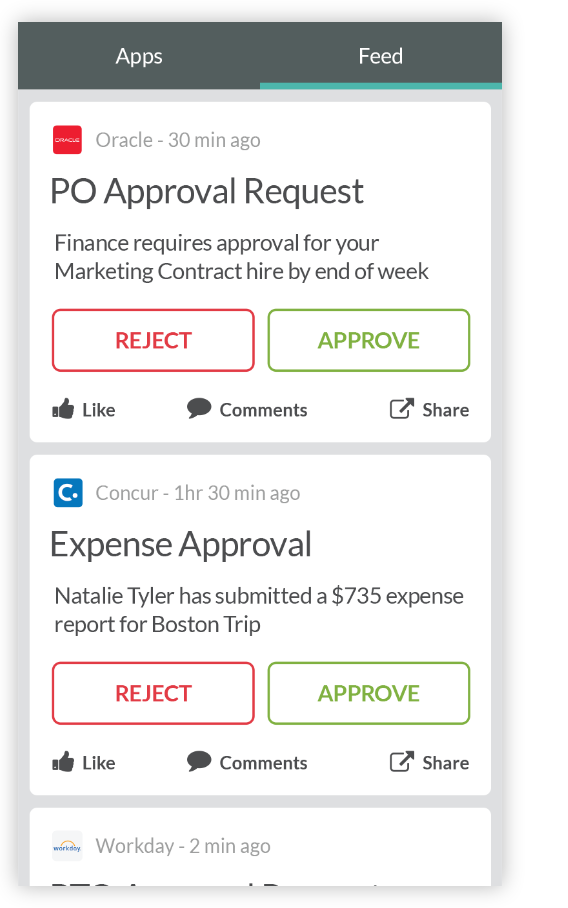
“Both approved and rejected approval tasks have status = completed, distinguished only by the is_approved boolean. The system knows the outcome but does not communicate it.”
The system knew whether something was approved or rejected. But to users watching the workflow, both looked the same: “completed.” That hidden distinction caused endless confusion about what had actually happened.
The problem nobody could solve cleanly
The engineering challenge wasn’t the re-opening itself. It was handling what happens after.
From our internal planning discussions in April 2018:
“5. Now, how exactly does step 2 (the approval step) get re-opened again? If it is by applying another rule like ‘If step 1 is completed then re-open this step’? - that is incredibly difficult for even me to think through, the average user can not be expected to do it.”
This captured the core problem. Re-work isn’t a one-time event. When someone rejects work, they expect multiple rounds of revision until it’s right. But how do you model “unknown number of cycles” in a rule system?
The early internal debates went in circles:
“Are you expecting the user to build out re-open rules for a set number of times when they actually do not know how many re-works it will take?”
The zero-training principle
We had a hard constraint. Whatever we built needed to work for guest users, external people invited into a workflow who had never seen Tallyfy before.
From our October 2016 discussions, Pravina stated it clearly:
“Whatever we come up with will need to be something a guest user can understand and action without any training.”
This ruled out icon-based interfaces. Icons require learning. Text doesn’t.
The proposed solution was deliberately simple:
“Change the big icons to links. A guest user will need zero training if it is this simple: Complete | Comment | Approve | Reject | Rework/Repeat”
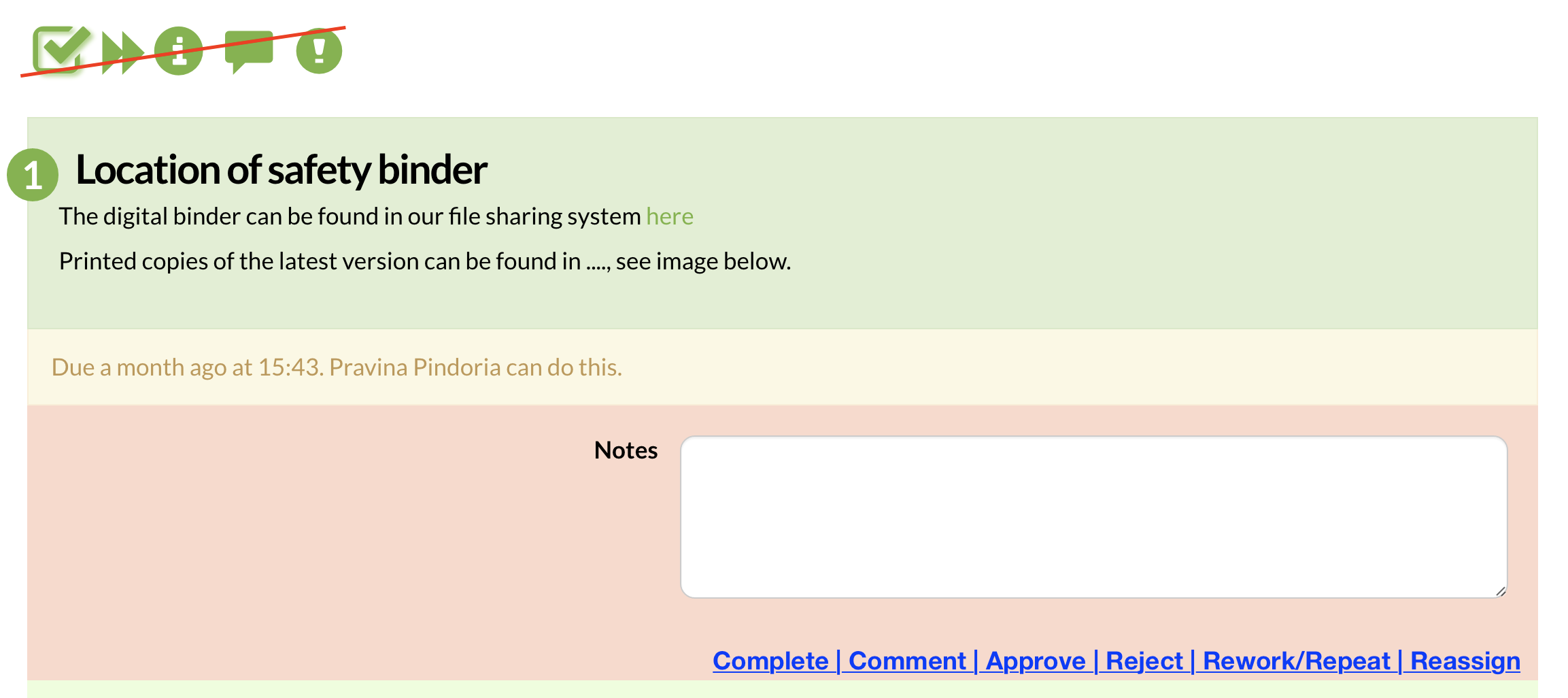
No ambiguous icons. Just words that mean what they do.
The breakthrough: rules fire every time
Turns out, the answer came from treating rules as continuous evaluations, not one-time triggers.
From our April 2018 discussions:
“A rule fires every time a condition is met. If the condition is met again, it will fire again. We don’t count how many times a rule fired - we simply design the condition it fires in very tight and predictable.”
One thing that keeps coming up when people ask about this: instead of trying to model cycles, you model conditions. The cycle emerges naturally from conditions being met repeatedly.
“They don’t need to know how many re-works. The number of re-works is not relevant to either of these 2 rules. They simply fire when that condition is met.”
The two-rule solution
The final design uses exactly two rule types working together:
Rule 1: Condition-triggered reopen
IF (capture value) is (whatever) - re-open (this/some step).
Rule 2: Cascade reopen
IF (this step is re-opened) then also re-open (set of steps)
The second rule handles the cascade problem. When step 1 gets re-opened because of a rejection in step 2, you might also need step 2 to re-open once step 1 is completed again. Instead of complex chaining logic:
“On the other side (this/some step) - we just have a dropdown where you tick all the steps you want to re-open (including this one)”

Why checkboxes beat flowcharts
The internal discussion crystallized why this approach works better than traditional flowcharts:
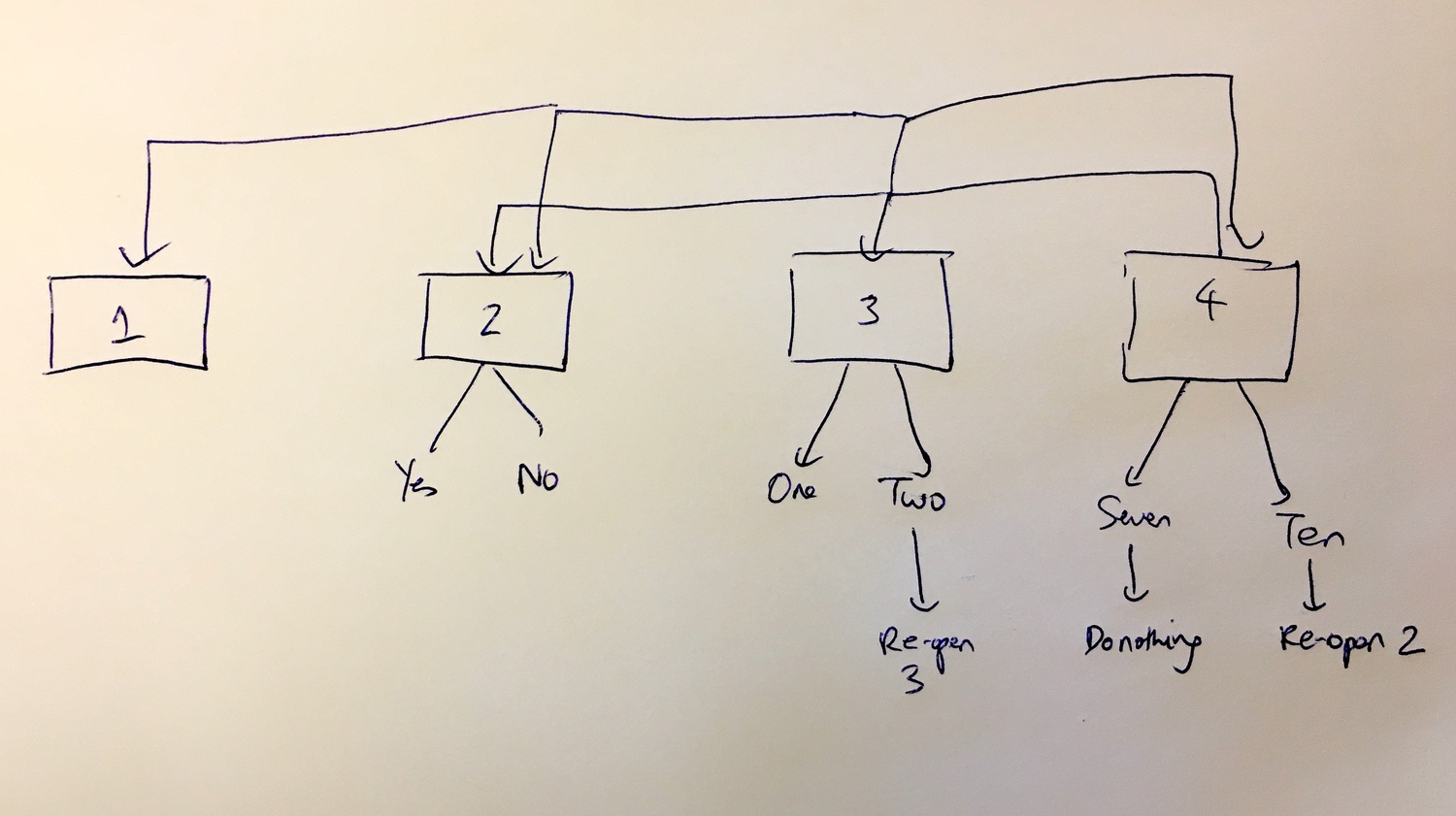
“In the diagram below there is 4 steps. Look at steps 3 and 4. For 3, a certain input ‘Two’ is going to re-open 3 steps. For 4, a certain input ‘Ten’ is going to re-open 2 steps. The lines indicate which steps are going to re-open.
In Tallyfy, it’s beautifully elegant - just add one rule on a step.
On a flowchart, the minute this expands to say 8 steps all with their own re-open rules, the flowchart becomes virtually impossible to even look at!”
This observation became central to how we think about workflow design at Tallyfy. Flowcharts force you to draw every possible path. Rules let you declare conditions and let the paths emerge. Way less headache.
Running Tallyfy taught us how concrete this gets in vendor review processes. A pharmaceutical company’s cybersecurity team runs 13-step vendor onboarding with multiple approval gates. If any reviewer requests additional documentation, steps 6 through 12 might need to re-open in various combinations. Drawing that as a flowchart creates a messy diagram that nobody can maintain. Two rules per step keeps it manageable.
“That makes us a lot more powerful and flexible than flowcharts and if visualized (before = your vomit-flowchart) and (after = a single beautiful rule) to a process analyst, this could be a ridiculously good selling point.”
Templates with built-in rejection loops
Handling rejection gracefully
The issue wasn’t just re-opening tasks. It was communicating why.
From our work on approval rejection task re-opening automation, the requirement emerged:
“If step is approval then upon rejection, set a nominated step to re-open if not already open. The use case is to handle rejection gracefully.”
The system needed to tell the person receiving the re-opened task what happened. We added automatic comments:
“A comment is left by bot on the re-opened task: This task was re-opened because the approval in TASKTITLE was rejected.”
No mystery. The person doing the rework knows exactly why they’re doing it again, and which approval triggered it.
The biggest lesson from our own journey is that this matters more than it seems to operations teams. When someone gets a task re-opened without context, the most common response is frustration followed by a Slack message asking what happened. That interruption costs both parties time. The automatic comment eliminates the confusion entirely.
The approval type evolution
Meanwhile, a parallel track was evolving the basic task types. From October 2016, Pravina outlined what customers needed:
“After speaking to many customers and reviewing many use cases, I believe these buttons also need to exist ‘out of the box’ at task level, rather than users having to make them via drop downs.
- Approve
- Reject
- Repeat (after a reject, suggest changes and do a step/flow again)”
Thomas, another team member, had a simpler preference:
“I like step consensus.”
And my perspective was different:
“Closing the loop on approval is likely the problem to solve. A concrete task to check a step and own it would be stronger.”
The debates were real. Nobody agreed on terminology. But we all agreed the boolean model wasn’t working.
Requiring rejection reasons
A subtle but important detail: what happens when someone clicks reject? Without context, the person being asked to redo work doesn’t know why.
From our 2023 GitHub discussions, the solution emerged:
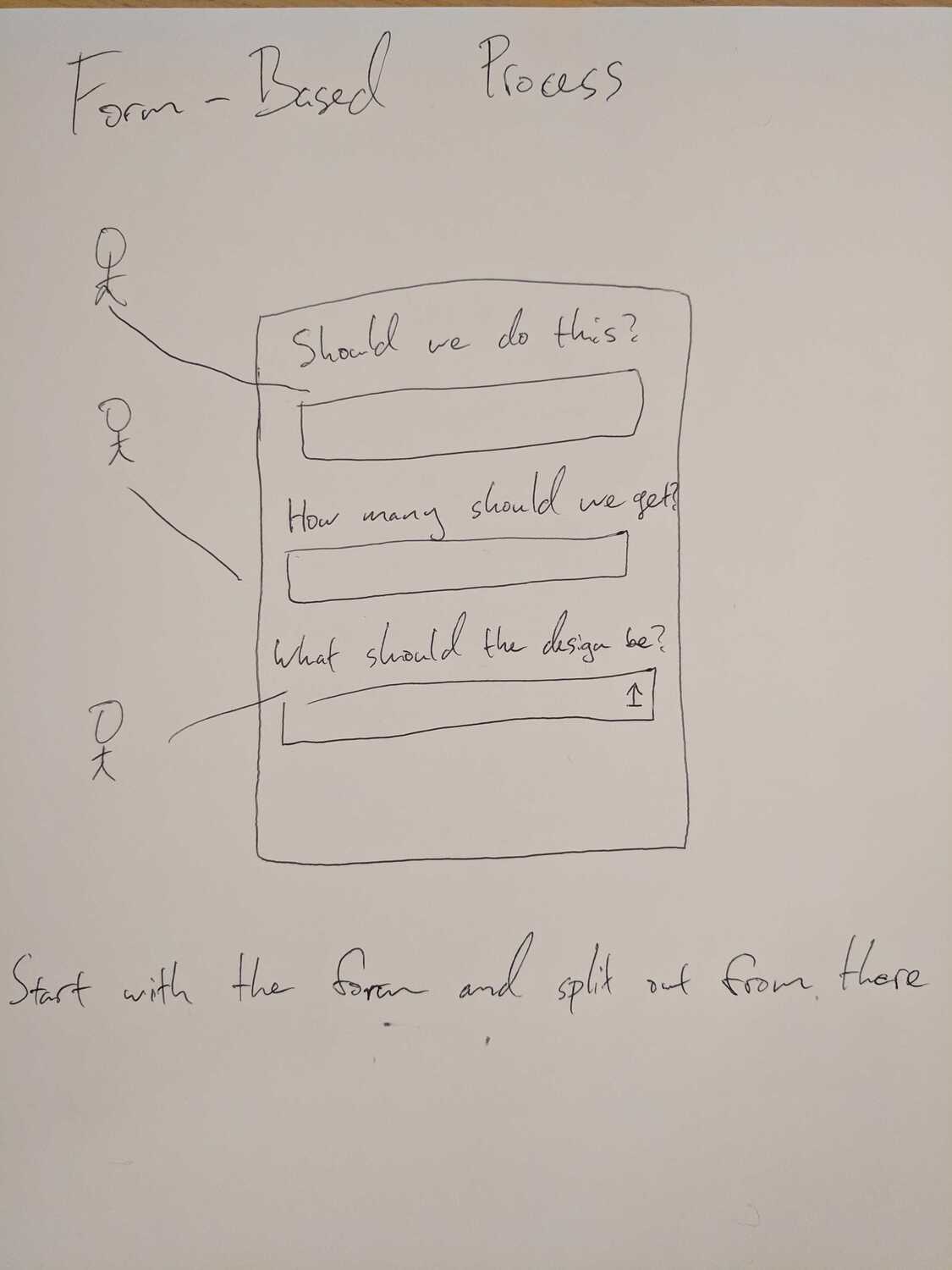
“What do you think if we handle it the same way as reopening a task? It’s fully handled by Client side: User clicks on Reject button. App shows a modal, with textarea and Reject submit button. When the user submits the form, App create a ‘Reject’ comment with user input. The textarea is required but can have a default value like ‘Task was rejected’.”
The elegant part: use existing commenting functionality rather than reinventing the wheel with a separate rejection reason system.
“By having it as a comment, members can continue the discussion on the task page.”
The shipped implementation
By October 2023, the feature finally shipped with the broader automation system:
“This is overall verified as fixed and it’s already live in PROD along with the implementation of our new Automation. We already have the condition of ‘is approved’ or ‘is rejected’ even before with our older rule system.
Note that the initial AC of this ticket as mentioned, the re-opening of a task is kind of only exclusive to the ‘is approved’ or ‘is rejected’ but with the latter and so the final design of the Automation, the REOPEN behavior has been added as one of the (4) THEN actions and so it is available to any task type moving forward.”
The REOPEN action became general purpose, not limited to approval tasks. See the full task management documentation for how tasks work in practice.
What we left out
Some ideas didn’t make the cut:
Automatic rework assignment - We considered automatically reassigning re-opened tasks to whoever did the original work, but sometimes you want a different person to handle the revision, so we kept assignment manual for flexibility. Rejection reason templates would speed up the process, but they’d also constrain it. Free-form comments let reviewers say exactly what needs fixing.
Maximum rejection count limits sounded sensible at first, but who decides the limit? Three rejections? Five? Ten? Every process is different, and we didn’t impose system limits. We trusted users to handle this with process design instead. Automatic rule reversal was another idea that came up early, making rules automatically reversible when conditions change, but this was rejected for being too unpredictable:
“The rule fires only once - the first time the task was marked as ‘COMPLETE’. The rule can not be reversed if a user clicks on ‘RE-OPEN’.”
Instead, explicit rules for each direction give users control over exactly what happens.
Chained rule execution - Rules executing rules was considered but rejected:
“We cannot chain rules - it will be even more complicated with chained rules. Each rule does one precise job, and if you want more than one rule - you are free to make them.”
Keeping rules discrete and predictable proved more valuable than powerful-but-complex chaining. Could chained rules have worked? Probably not.
The design principle
Looking back at seven years of iteration, one principle emerged:
“User decides first - what is going to re-open if (condition)? Then user decides that if some step will re-open, I need to also re-open (these other steps). Making that two decisions is okay.”
Two discrete decisions. Two discrete rules. Each rule doing one specific job.
Actually, “obvious” is generous. The solution that seemed “incredibly difficult to think through” became clear once we stopped trying to model cycles and started modeling conditions. The cycles take care of themselves. They always do.
About the Author
Amit is the CEO of Tallyfy. He is a workflow expert and specializes in process automation and the next generation of business process management in the post-flowchart age. He has decades of consulting experience in task and workflow automation, continuous improvement (all the flavors) and AI-driven workflows for small and large companies. Amit did a Computer Science degree at the University of Bath and moved from the UK to St. Louis, MO in 2014. He loves watching American robins and their nesting behaviors!
Follow Amit on his website, LinkedIn, Facebook, Reddit, X (Twitter) or YouTube.

Automate your workflows with Tallyfy
Stop chasing status updates. Track and automate your processes in one place.