
Public kickoff forms - why we require email addresses
The moment an anonymous visitor becomes a tracked participant at Tallyfy. How we designed public kickoff forms that let anyone launch a workflow, and why email validation transforms random submissions into real process runs.
Public forms that launch workflows transform anonymous submissions into tracked work. Here’s how we approach work intake.
Work Intake Made Easy
Summary
- Public kickoff forms enable anyone to launch a workflow - this is our personal, candid experience building it at Tallyfy. Not theory. How we designed forms that anonymous visitors can submit to start real, tracked processes
- Email is the identity gate - the moment an anonymous submission becomes a tracked workflow run is precisely when we capture a valid email address
- Progressive collection beats form abandonment - traditional forms have high abandonment rates because they demand everything upfront. Collect one field at a time
- The customer journey concept shapes the architecture - a process designed for public websites starts anonymous and transforms upon identification. See the kickoff forms documentation for implementation details
This reflects our experience at a specific point in time. Some details may have evolved since, and we have omitted certain private aspects that made the story equally interesting.
The fundamental problem with public forms
Everyone building workflow software eventually faces the same question. How do you let external people start a process without creating accounts, passwords, and all the friction that kills conversion?
Traditional web forms are dead ends. Someone fills out a form, clicks submit, and then… nothing. The form submission lands in an inbox somewhere. Maybe someone acts on it. Maybe it sits there for three days. The person who submitted has no idea what happens next.
We wanted something different. A public form that actually launches a workflow. Real tracking. Real status updates. Proper accountability.
But that creates an identity problem.
When does anonymous become identified?
In August 2017, we documented what would become the core architecture for public forms:
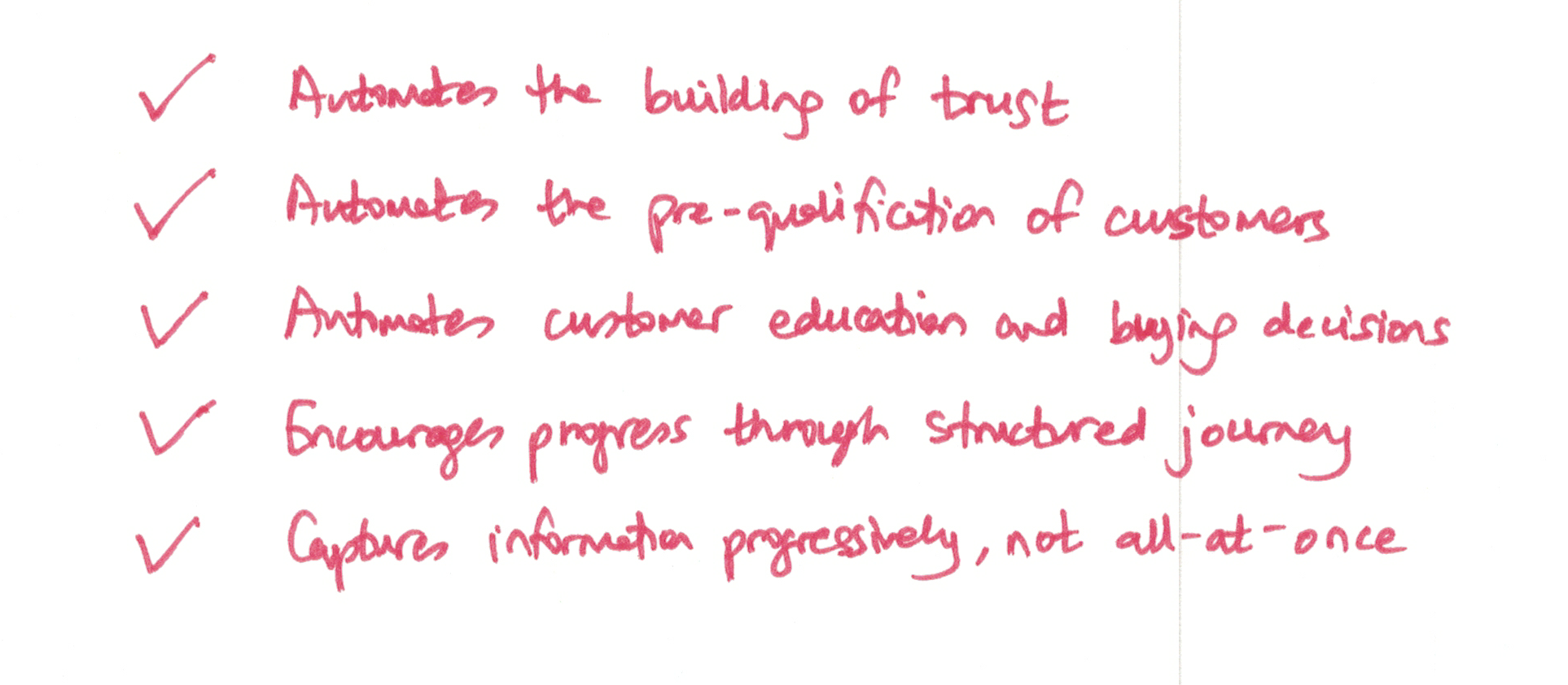
“A customer journey is a type of Tallyfy process that’s designed to run on a public website. Runs of a customer journey are done by an anonymous visitor, until that visitor is identified.”
The key phrase there is “until that visitor is identified.” An anonymous form submission is useless for workflow purposes. You can’t assign tasks to “anonymous.” You can’t send status updates to nobody.
We drew a clear line:
“When does a customer journey change into a run? When we get the anonymous visitors’ email address i.e. they are identified.”
That email address is basically everything. It transforms a random web form submission into a participant in a trackable process. It gives us someone to send magic links to. Someone to notify when their task is ready. Someone who can come back and check status.
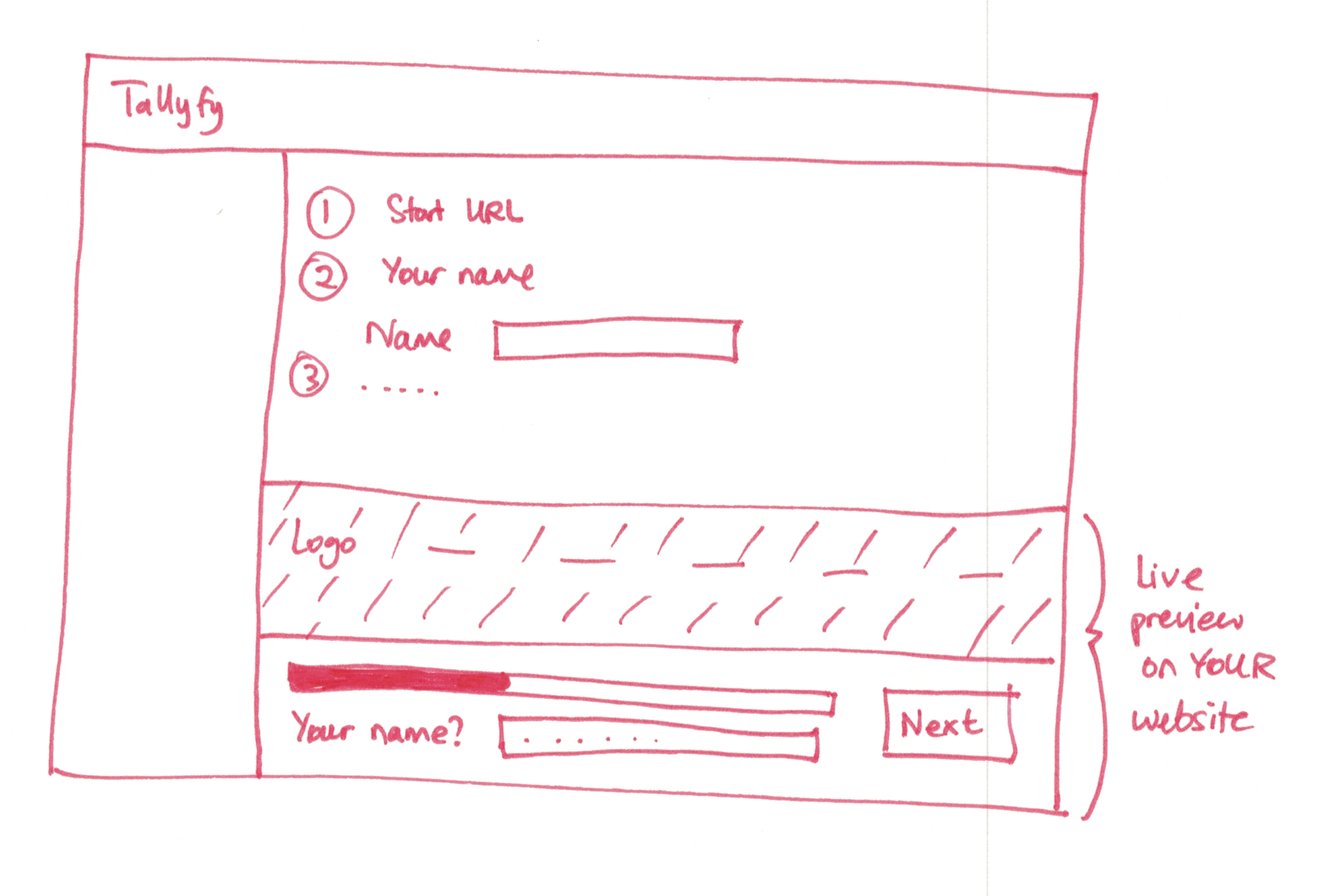
The progressive collection philosophy
Here is where we broke from conventional form design. Most forms present a painful wall of fields. Name. Email. Company. Phone. Address. Industry. Role. Budget. Timeline. Requirements.
By field eight, half your visitors have bounced.
Our internal discussions captured the philosophy:
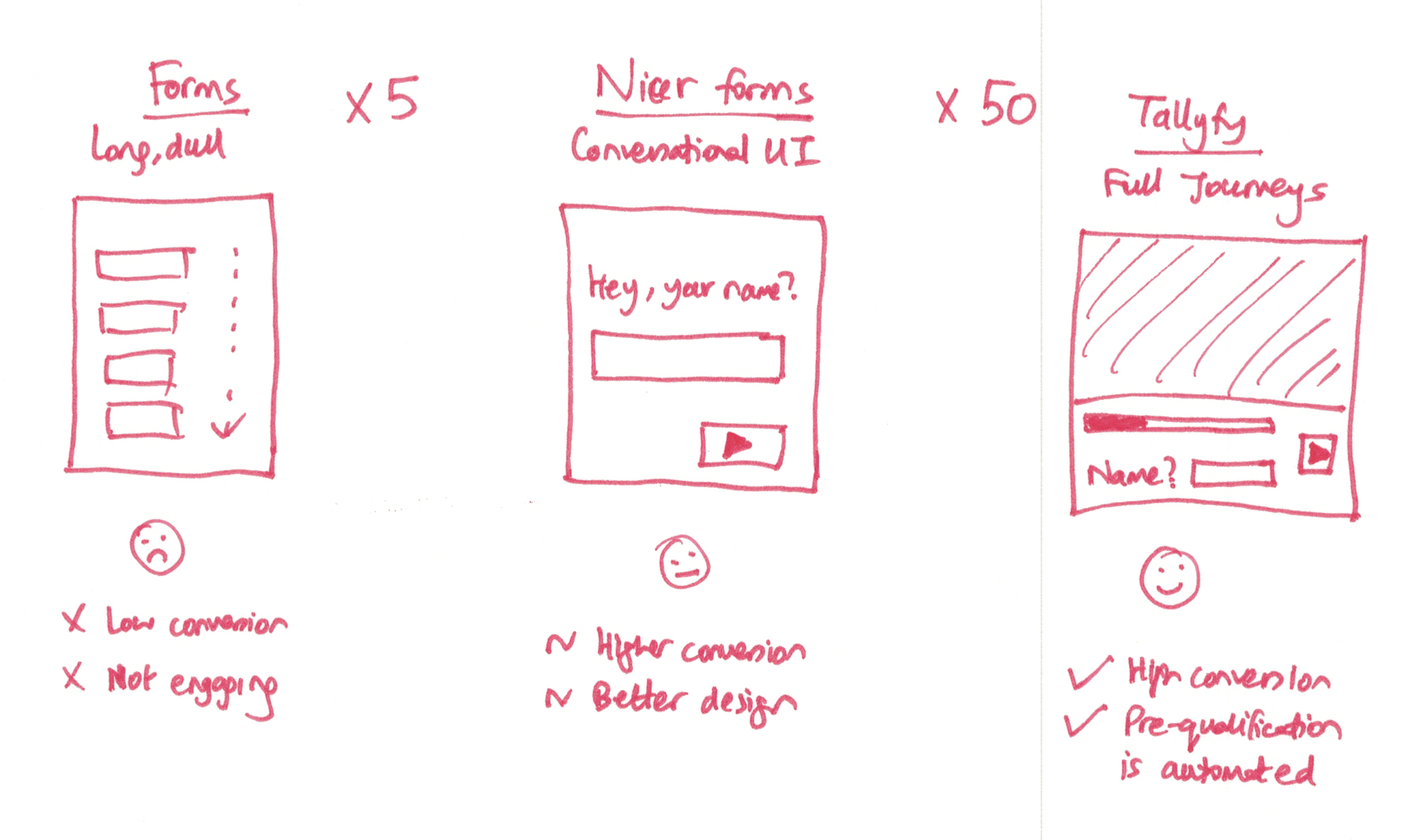
“We believe you should progressively collect information from your customers. Today, forms have a high abandonment rate.”
The solution was radical simplicity:
“Collect each field - one at a time”
Turns out, this sounds obvious in hindsight. It wasn’t obvious when everyone else was building elaborate multi-step wizards with progress bars. Our approach was simpler: ask for email first. Just email. Get the identity gate handled before anything else.
Why? Because if someone abandons after email capture, you can still follow up. You have a way to reach them. If they abandon before email, they’re gone forever.
Example public kickoff forms
These templates demonstrate how we designed forms for external visitors to start tracked workflows
Please complete this intake form to help us understand your web design project needs. This informati
Complete this form to request a commercial insurance quote. Please have your business registration d
Complete this form to initiate a customer refund request. Provide all transaction details and suppor
The email validation decision
Once we decided email was the critical field, we had to decide how strict to be about validation. We considered several approaches.
The first was trust-based. Accept any email, send a link, assume people want their process to work. Simple, but open to abuse.
The second was verification-based:
“You can optionally make someone validate their email address to proceed e.g. check your inbox for a secret code we sent you”
This added friction but solved the fake email problem. Someone submitting junk@fake.com would get stopped cold. They couldn’t proceed without access to that inbox.
We settled on optional verification. For low-stakes processes, trust works fine. For anything requiring security or compliance, enable verification. The form builder lets you choose.
The naming evolution
The feature went through several names before landing on “kickoff form.” Understanding the naming reveals how we thought about it.
First it was “pre-run captures” - technical and accurate, but confusing. Captures before a run? What run?
Then I proposed “Form Trigger”:
“At present, in both builder and start a run - we employ the concept of pre-run fields. These are effectively form fields that are outside of steps. I would like to rename the builder portion of that to Form Trigger - which is effectively a form that triggers at the very beginning of a process to kick things off.”
Our CTO pushed back:
“I’m not sure ‘Form Trigger’ is a much better name. But I do see where you’re going.”
We kept debating. The goal was always clear:
“Ultimately, we want to embed the form on the web, in the way that Wufoo does. This would enable public forms to be filled out and start a run.”
Thomas, our product designer at the time, suggested pausing:
“So hold on the re-naming for now? I can do an audit when we land on the name we want to use and update all the mockups in Zeplin.”
We eventually landed on “kickoff form” - the form that kicks off a process. Not perfect, but clear enough that users understood what it did.
Life doesn’t start when you see a form
One of the most important principles we documented was about the lifecycle:
“Life doesn’t start when you see a form… Life doesn’t end with a form submission”
Traditional forms treat submission as the end. Form completed. Thank you. Goodbye.
That’s backwards. For workflow purposes, form submission is the beginning. The kickoff. What happens after matters infinitely more than the form itself.
Running Tallyfy taught us with mission request workflows at international organizations, this distinction becomes critical. A field office submitting a travel request needs to know their supervisor has approved it, not just that the form went somewhere. Traditional forms leave everyone guessing. Process-connected forms create transparency from the moment of submission.
This shaped how we built the public kickoff experience. The thank you page doesn’t say “thanks, we’ll be in touch.” It says “here’s your process tracking link.” The submitter immediately becomes a participant with visibility into what happens next.
The spam protection layer
As we scaled public kickoff forms, we encountered the inevitable: abuse. Attackers discovered they could use public forms to generate email traffic through our infrastructure.
Our work on the client integrations page loading fix documented the problem:
“attackers can rotate IP’s, referrers, user-agents”
Simple IP blocking wouldn’t work. We needed something smarter.
The solution was Cloudflare Turnstile integration:
“We need to implement Cloudflare Turnstile for ‘real user’ checks on sensitive UI’s like user account creation, forgotten password, login, guest login, SSO login.”
Turnstile sits in front of public kickoff forms now. It’s invisible for legitimate users - no annoying CAPTCHA puzzles. But it blocks automated submissions effectively enough that the abuse dropped to manageable levels.
The public vs SaaS debate
Not everyone agreed on how public kickoff forms should work. Pravina raised a substantial objection:
“The solution you have described seems to be for a public website - Public website journey. However the Box lead is the post sign up process on a SaaS - SaaS onboarding journey. IMO these two are very different - especially in terms of the problem statement and competitors.”
Her concern was architectural:
“This is more challenging as the visitor may have started their journey on Quora, external blog-post, conference, word-of-mouth etc. How will you tailor their journey for so many channels? Will you force them to browse everything? Will you force the Tallyfy user to make hundreds of flow combinations?”
My response focused on the underlying mechanism:
“imo it is the same widget on a public website or a post-signup web app. The only difference is the identity of the person is known for post-signup and so the run has a lot more context/info.”
This debate shaped the final architecture. Public kickoff forms work identically whether the submitter is:
- A completely anonymous website visitor
- Someone who arrived from a specific marketing campaign
- A known contact receiving an invitation email
- An existing user starting a new process
The only variable is how much context the system has when the form is submitted.
The guest-to-member conversion question
Public kickoff forms serve two purposes. The obvious one is capturing information and starting processes. The less obvious one is finding potential customers.
From our work on the sticky gray bar in blueprint editor during scroll:
“When guests sample Tallyfy, do they feel sufficiently interested to actually sign up as members?”
Every public kickoff submission is a potential lead. Which is sort of the whole point. Someone who experiences a well-designed workflow might want that capability for their own organization.
We documented the theory in May 2017:
“The theory is that the trust level is much higher and the user is much more dedicated, having already played with the app.”
Someone who has submitted a form, tracked their process, received updates, and experienced the workflow has a fundamentally different relationship with the product than someone reading marketing copy.
Thomas suggested the conversion flow:
“I like the email only. Then confirm email. Create a password - then optional fname, lname, company name.”
This became the guest-to-member path. Email first. Always email first.
The run starter assignment problem
One subtle issue emerged during implementation. When a process launches via public kickoff, who owns the first task?
In a normal process, the person who clicks “launch” becomes the run starter. They might be assigned to initial tasks. That makes sense when an internal team member launches a workflow.
But what happens when an anonymous visitor submits a public form? Should they be assigned to internal approval steps?
We discovered a bug:
“Steps with assign_run_starter equals false incorrectly get assigned when process launched via public kickoff form”
The rules engine was treating public kickoff submitters the same as internal launch initiators. That created situations where external form submitters were assigned to internal-only tasks.
The fix required the system to become context-aware. When checking the assign_run_starter flag, the system now considers how the run was initiated. Public kickoff? The submitter only gets assigned to tasks explicitly marked for them. Internal launch? The starter might reasonably own initial steps.
What the submitter sees
We put significant thought into the public kickoff experience from the submitter’s perspective.
The old model: Fill form. See “thank you” message. Wait indefinitely. Check email obsessively. Wonder if anyone received anything.
The new model: Fill form. Immediately see a tracking page. Know exactly what happens next. Receive a magic link to return anytime.
The tracking page shows:
- Current status of the process
- Which step is active now
- Who is responsible for it
- What comes next
- Estimated completion
This transparency transforms the experience. The submitter isn’t shouting into a void. They’re participating in a visible, trackable process.
The live form preview
Early designs included a live preview feature that showed form submissions as they happened:
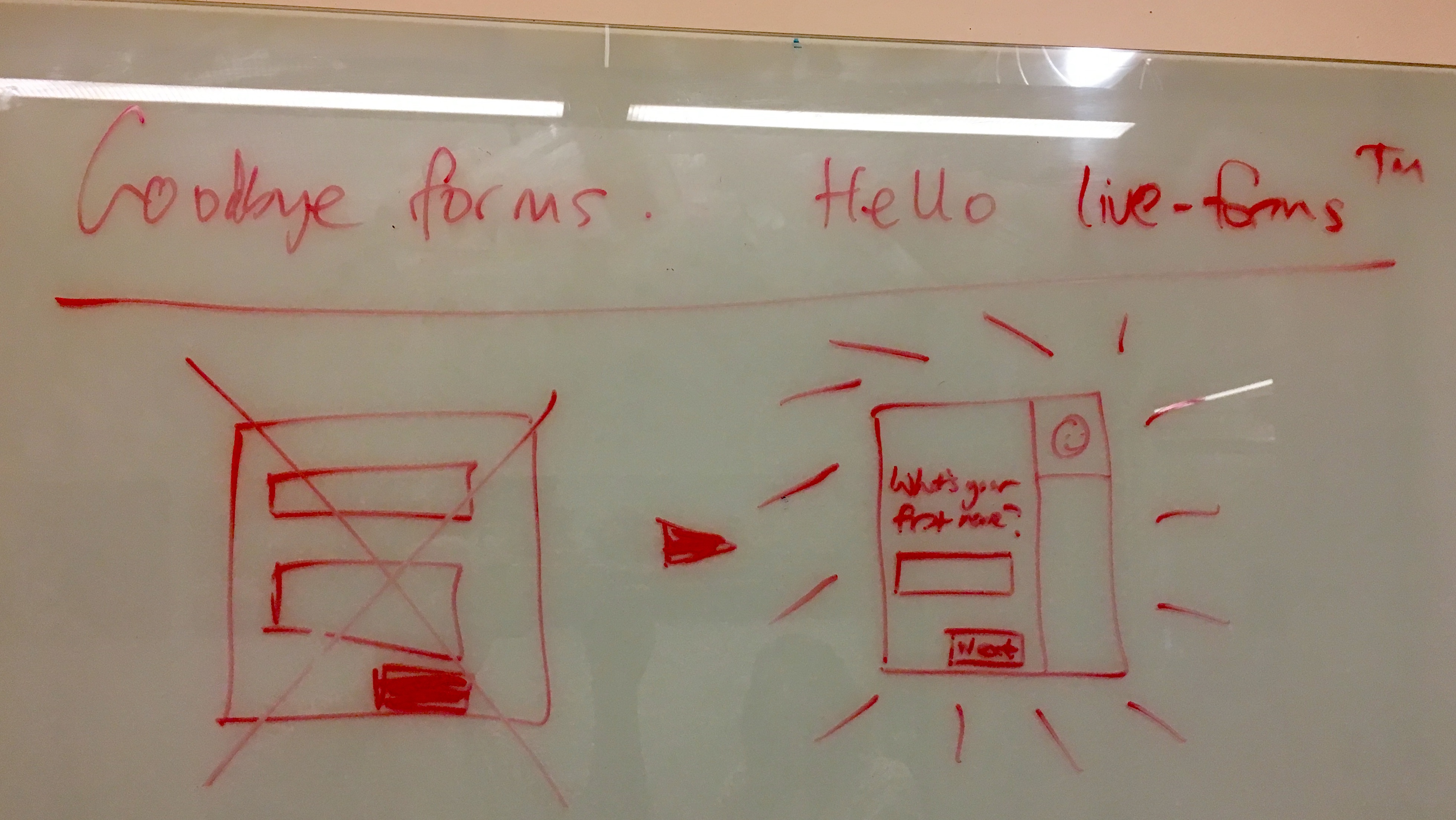
The idea was that process owners could watch submissions come in live, like a dashboard. We built a version of this, though it evolved into the standard run tracking views rather than a dedicated live feed.
Why email beats everything else
We considered alternative identity mechanisms. Phone numbers. Social login. Anonymous tokens with cookie-based persistence.
Could any of these replace email? Not really. Email won for several reasons.
Every time we onboard a new team, the same issue surfaces this validated repeatedly. Feedback we have received from consulting firms confirms this choice. One staffing company tested SMS-based identity for contractor onboarding. The abandonment rate was 3x higher than email. People guard their phone numbers more carefully than their email addresses, especially in professional contexts.
First, universality. Everyone has an email address. Not everyone has a phone number they want to share. Not everyone uses Google or Microsoft.
Second, durability. Email addresses persist across devices. Cookie-based identity breaks when someone switches browsers or clears storage.
Third, reachability. We can send magic links, status updates, and task notifications. Try doing that with an anonymous token.
Fourth, trust boundaries. Email ownership is already the standard trust assumption for password resets, account verification, and identity recovery. We aren’t inventing a new trust model. We’re extending an existing one.
The tradeoff is friction. Requiring email means some visitors won’t submit. Some leads will be lost. Actually, that’s a bit harsh. We accepted this tradeoff because leads without contact information aren’t actually leads.
The Wufoo and Typeform influence
In our discussions, we frequently referenced existing form tools:
“Ultimately, we want to embed the form on the web, in the way that Wufoo does.”
Kevin Hale’s Wufoo pioneered embeddable web forms. You could put a Wufoo form anywhere and submissions would flow to your account. Simple enough, but fundamentally disconnected from any workflow - your data sits in a silo with no next action attached.
Typeform popularized conversational forms with their one question at a time approach. Better completion rates than wall-of-fields designs, sure. But still a dead end after submission - the form ends and the submitter waits in the dark.
We saw these limitations clearly. Embeddability without workflow means forms that collect data going nowhere. Pretty UX without process integration means people fill out forms and then wonder what happened to their submission. We needed something different: the form submission becomes a process instance with real tracking and accountability, not just a row in someone’s inbox.
What we left out
Several ideas from early discussions were descoped:
Referrer-based customization - The original specification mentioned: “For the public website, each variable available in pre-run captures could be usable e.g. if REFERRER_SOURCE equals Quora then do this.” Automatically adjusting the workflow based on traffic source added complexity without proportional value.
Full anonymous tracking - Tracking website visitors through a journey before they identified themselves raised GDPR concerns and added significant infrastructure complexity. We drew the identity boundary at email capture.
One-click WordPress plugins - The vision included embeddable widgets that would run inside Matt Mullenweg’s WordPress with zero configuration. We settled on iframe embedding which works everywhere without platform-specific plugins.
Automatic field pre-population - Pre-filling forms based on UTM parameters or cookies. We kept forms stateless to avoid privacy issues.
Multi-page form wizards - Breaking long forms into multiple pages with progress indicators. We went simpler: just ask for less information. If you need a wizard, your form is too long.
Save and continue later - Letting submitters save partial progress and return. This required email capture before saving, which defeats the purpose of progressive collection. Either get the email and follow up, or accept the abandonment.
The philosophy underneath
Public kickoff forms reflect a specific philosophy about external-facing workflows.
The web is full of dead-end forms. Submit and pray. We wanted forms that actually do something. That create visibility. That start real processes with real accountability.
The email requirement isn’t arbitrary friction. It’s the precise moment when “random web submission” transforms into “tracked workflow participant.” Without that transformation, you don’t have a workflow. You have a suggestion box.
Every design decision flows from this: progressive collection (get email first, then everything else), immediate tracking (show status right after submission), magic link access (never make them create an account), and spam protection (keep the channel clean for real submissions).
The result is forms that feel different. Not because of fancy animations or clever UX tricks. Because what happens after you click submit is actually different. You become part of a process, not just a row in a spreadsheet.
Related: See our kickoff forms documentation for implementation details, and the process launching guide for the broader context of how workflows get started.
About the Author
Amit is the CEO of Tallyfy. He is a workflow expert and specializes in process automation and the next generation of business process management in the post-flowchart age. He has decades of consulting experience in task and workflow automation, continuous improvement (all the flavors) and AI-driven workflows for small and large companies. Amit did a Computer Science degree at the University of Bath and moved from the UK to St. Louis, MO in 2014. He loves watching American robins and their nesting behaviors!
Follow Amit on his website, LinkedIn, Facebook, Reddit, X (Twitter) or YouTube.

Automate your workflows with Tallyfy
Stop chasing status updates. Track and automate your processes in one place.