
When a guest forgets which email they used
The surprisingly tricky problem of email identity for external workflow participants. At Tallyfy, when someone clicks Forgot Guest Link, the system must resolve 4 possible identity states to determine if they are a guest, a member, or both across different organizations.
Summary
- Guest email identity in workflow software - this is our personal, candid experience building it at Tallyfy. Not theory. The complexity of managing external user identity, forgotten password flows, and the security challenges we actually faced
- Email identity is more complex than it appears - The same email address can be a member in one organization, a guest in another, and nonexistent in a third
- Guest links and password resets are fundamentally different flows - A guest needs their access link resent, a member needs to reset credentials, and dual-role users need both handled correctly
- Guests who no longer exist should not receive emails - If a guest email has been removed from all tasks, sending them a link is pointless and potentially confusing
Guest identity management is critical for client-facing workflows. Here is how we approach client onboarding.
Client Onboarding Made Easy
This reflects our experience at a specific point in time. Some details may have evolved since, and we have omitted certain private aspects that made the story equally interesting.
The core tension
In the guest access post, I wrote about how external participants should never need to create an account. They get a magic link, they click it, they do their task. No passwords, no account creation, no friction.
In discussions we have had about client-facing workflows, this friction-free approach matters enormously. A payroll processor onboarding new clients reduced their process from 14 days to 5 days partly because external contacts could complete their tasks without creating accounts. A property management company running 400+ active daily workflows relies on tenant-facing portals where guests never need credentials. The magic link is the authentication.
But what happens when someone loses that magic link?
The obvious answer is “send it again.” But the identity question isn’t obvious at all. When someone enters an email into a “forgot your link” form, the system has to answer several questions:
- Is this email a guest anywhere?
- Is this email a member anywhere?
- Is this email both a guest and a member in different organizations?
- If they are a guest in multiple organizations, which link do we send?
Getting these questions wrong creates painful problems for real users.
The “guests have no password” problem
Turns out, this one caught us early. A guest has no password. They authenticate via their magic link. So what happens when a guest accidentally goes to the regular password reset flow?
From one of our earliest discussions on this (while fixing a color display issue):
“A guest has no password. If a guest uses our UI for forgotten password, change the current error message to send an email to the guest with their guest link.”
The challenge deepened when we realized the multi-tenant complexity (while updating one-off task threads when deadlines change):
“Guest users may be associated with multiple organizations. Reset flow must handle guest’s organizational context.”
And then the security layer (while fixing Google font initialization load warnings):
“Guest emails stored in lowercase (per migration). Return same success message whether email found or not (prevent enumeration).”
That last one is honestly crucial. We deliberately don’t confirm whether an email exists in the system. An attacker probing the system shouldn’t be able to build a list of real user emails.
The original design debate
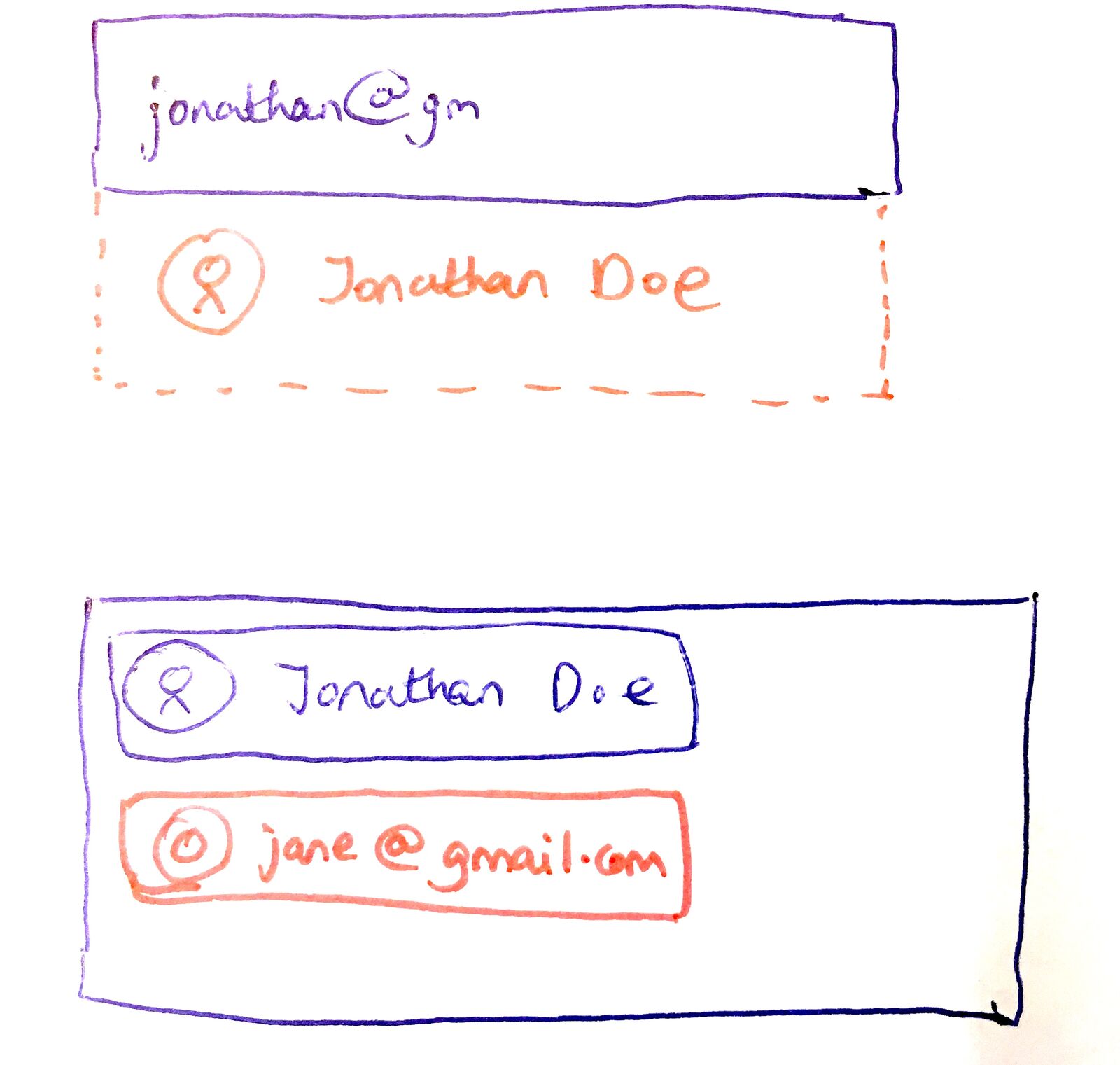
Back in June 2019, we mapped out the login and recovery flows. The original proposal outlined three distinct scenarios:
For a member with one organization: Login with email and password, redirect to tasks.
For a member with multiple organizations: Login, then choose which organization to enter.
For a guest: Use the “Forgot Guest Link?” option, enter email, receive the link.
Pravina challenged one aspect of this flow:
“We should not expect the guest to state they are a guest, they likely do not know that they are. They should just put in their email and we detect that they are a guest or member and show second screen for a password or ‘email has been sent to you.’”
This was spot on. A vendor who filled out a form for your company doesn’t think of themselves as a “guest” in your system. They think of themselves as someone who did something and now can’t find the link.
The guest-to-member conversion question
One thing we spent considerable time on was understanding whether guests who sample Tallyfy would convert to members. From a discussion about sticky gray bar in blueprint editor during scroll:
“When guests sample Tallyfy, do they feel sufficiently interested to actually sign up as members?”
This mattered for identity because we needed to handle the case where someone starts as a guest, then wants to become a member. The theory I noted in May 2017:
“The theory is that the trust level is much higher and the user is much more dedicated, having already played with the app.”
Thomas suggested the conversion flow in August 2018:
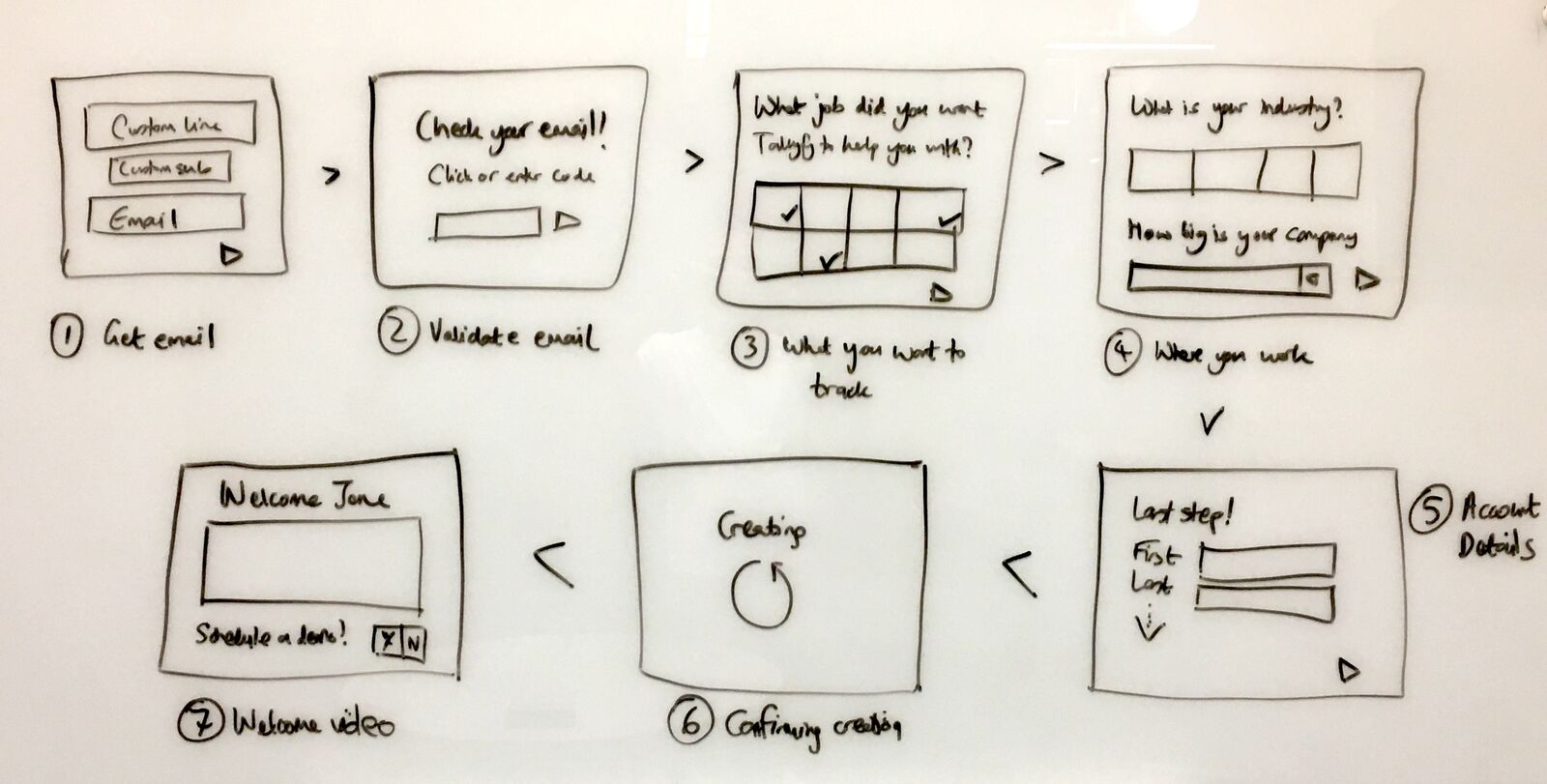
“I like the email only. Then confirm email. Create a password - then optional fname, lname, company name.”
The dual-role problem
Does every email map neatly to one identity? No.
The most interesting edge case emerged during implementation. What happens when the same email is both a member and a guest?
Consider this scenario:
- An employee is an employee at Company A (member)
- Company B invited an employee to review a document (guest)
- An employee forgets her password
- She goes to the password reset page
Should an employee receive a password reset link or a guest access link?
The wrong answer creates a silent failure. If we send her a guest link when she wanted to reset her password, she’s stuck. If we send her a password reset email when she’s trying to access her guest tasks at Company B, she’s also stuck.
Our developer documented the specific decision in November 2024:
“Only send guest link if user is ONLY a guest (not also a member). This prevents blocking password reset for users who have both guest and member access.”
The implementation logic:
If guest exists AND user is NOT a member:
    Send guest link
Else:
    Continue with normal password reset
The verification matrix
After deployment, our QA team mapped out every combination. Here is what the system does now:
“Forgot your guest link?” scenarios:
| Email status | Result |
|---|---|
| Invalid email (not a guest) | Returns “The selected email is invalid” |
| Email is a member but not a guest | Returns “The selected email is invalid” |
| Email is a pure guest | Sends guest link |
| Email is both member (Org A) and guest (Org B) | Sends guest link for Org B only |
“Forgot your password?” scenarios:
| Email status | Result |
|---|---|
| Invalid email (not a member) | Returns “The selected email is invalid” |
| Email is a valid member | Sends password reset link |
| Email is a pure guest | Returns “The selected email is invalid” |
| Email is both member (Org A) and guest (Org B) | Sends password reset link for Org A only |
The key insight: dual-role users can use both flows independently. The guest link flow handles their guest access. The password reset flow handles their member access. Neither blocks the other.
The ghost guest problem
In December 2024, QA discovered an edge case. A guest who had been removed from all tasks in all organizations could still request their guest link. The system would send an email saying essentially “you have no tasks.”
The feedback was direct:
“If a guest user no longer exists in any organization (meaning the user’s email has been removed from previously assigned tasks) and that user used the ‘Forgot Your Guest Link?’, it is still returning the ‘Please check your inbox’ message and then the email is sent. This is pointless. We should treat it as an invalid guest email user.”
This makes sense. A “guest” with no guest tasks isn’t really a guest anymore. Sending them an email that leads nowhere creates confusion.
The fix:
“If the guest user no longer exists in any organization, the system should immediately return ‘The selected email is invalid’ and not send an email.”
The subtle detail: a guest is considered to “exist” only if they are currently assigned to at least one task. Completed tasks where the guest was involved still count. But if every task assignment has been removed, the guest record effectively evaporates. Kind of brutal, but it makes sense.
What guests actually see
We put significant thought into the guest view itself. The principle: show only what is relevant to them. Based on hundreds of implementations, we have observed that guests participating in onboarding workflows - whether they are prospective members confirming entity information, vendors completing compliance questionnaires, or tenants submitting maintenance requests - need to see their specific tasks without being overwhelmed by the internal handoffs happening around them.
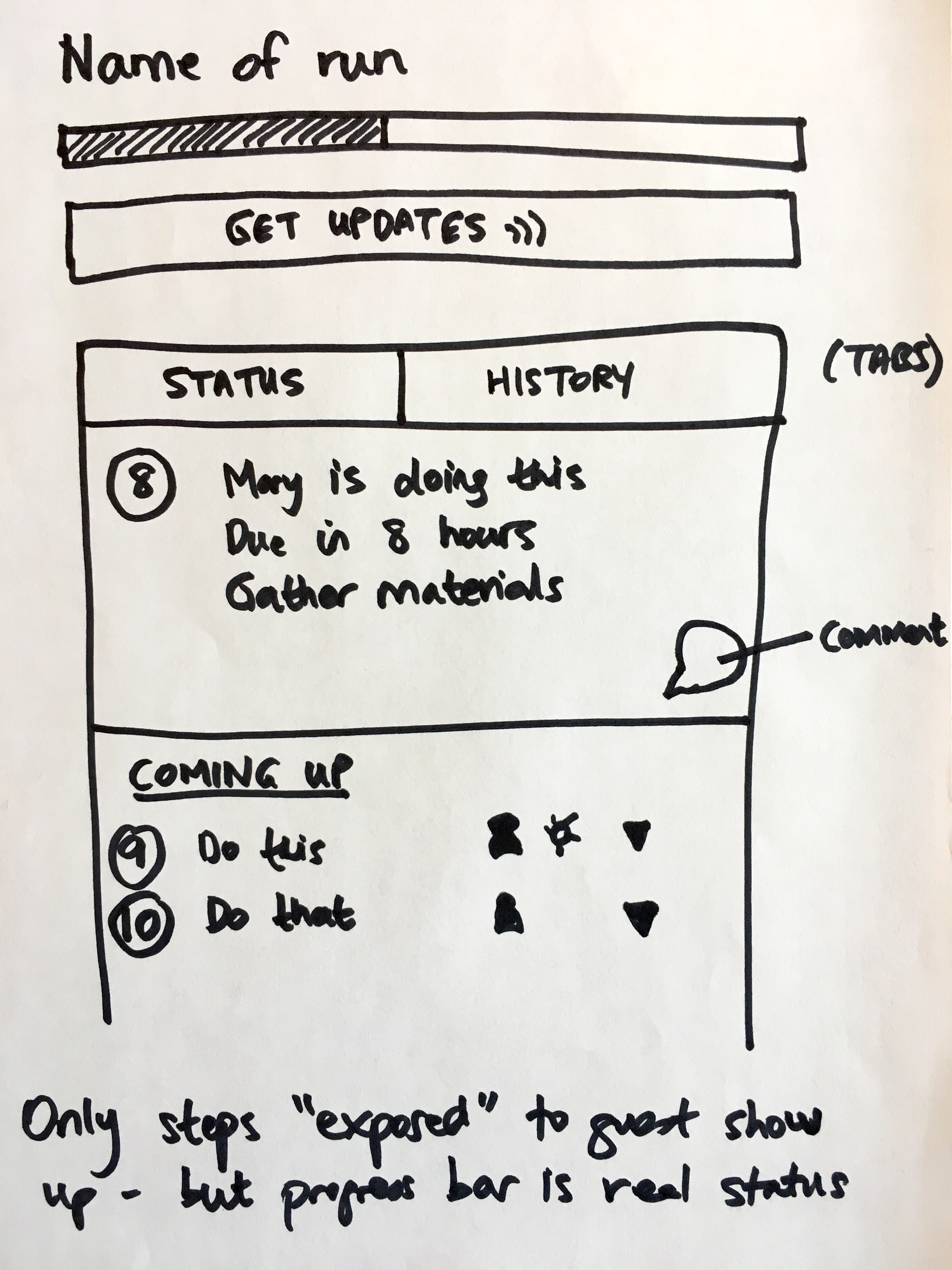
That annotation at the bottom is important. Guests see only the steps they are exposed to, but the progress bar shows real overall progress. This gives them context without overwhelming them with internal details.
Templates built for guest collaboration
Multi-organization guest links
Another edge case from the same discussion:
“If a guest user is involved in multiple organizations, when ‘Forgot Your Guest Link?’ is used, it will only send an email for the guest task link that corresponds to the most recent organization that the guest’s email interacted with.”
This was considered acceptable because once a guest logs in, they can switch between organizations:
“This is correct, but it is alright because we do offer Guests the ability to switch to other organizations like members do.”
The UX philosophy: get the guest logged in somewhere. Once they’re in, give them a clear way to find their other tasks.
Why we never expose which emails exist
Should the form confirm whether an email exists? Absolutely not.
One security consideration shaped all of these flows. We deliberately don’t confirm whether an email exists in the system.
The reasoning:
“I changed the above to not show this error and act as if the email was sent. The reason is so that hackers won’t use this form to keep checking for real members emails.”
This is called email enumeration protection. If the “forgot password” form returns different messages for valid vs invalid emails, an attacker can probe the system to build a list of real user emails. Which is basically Security 101.
The tradeoff: legitimate users who mistype their email will think the system worked when it didn’t. We accept this friction in exchange for not leaking information about which emails exist.
The guest email language philosophy
From a discussion about fixing a user preference issue, we established specific language rules for guest communications:
“Guest emails NEVER require login. All URLs: ?guest_code=[code]. Language: ‘No login required - just click to get started.’”
This matters. Every touchpoint reinforces that guests don’t need accounts. The cognitive load reduction is real.
The bot user identity problem
One unexpected complexity: we needed non-human identities too. From a discussion about adding Chinese (Simplified) language translation support:
“In order to set a foundation for a future where something is done for you by a bot - we need to have a separate, distinct user whose type (bot) can be used as an owner/attribution.”
Bot users complicate the identity model. When automated actions happen, who did them? The answer is a special bot user type that can be attributed as an owner but can’t log in through normal flows.
Preventing automated abuse
As we scaled, we had to add protection against automated attacks on our identity flows. From a discussion about client integrations page loading fix:
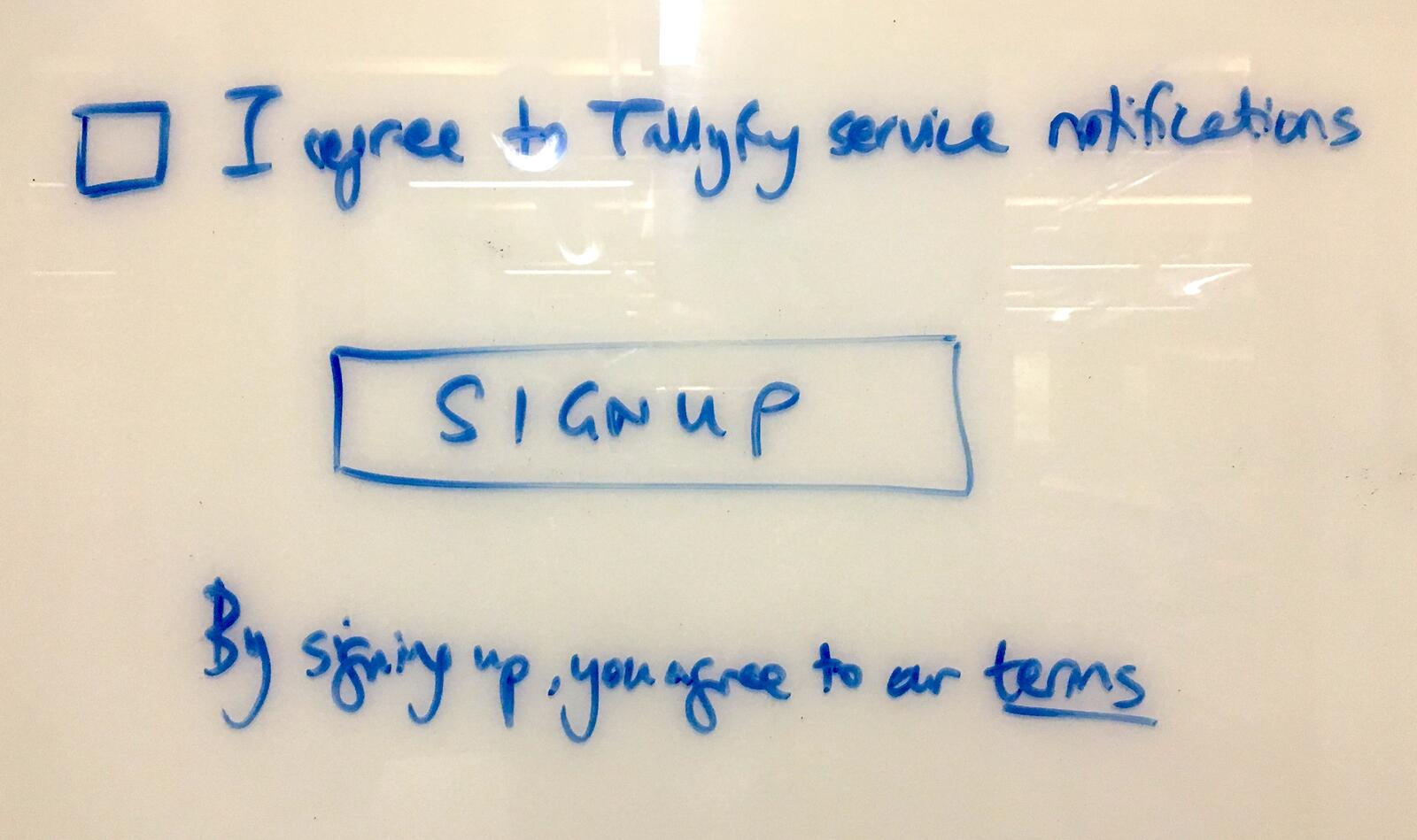
“We need to implement Cloudflare Turnstile for ‘real user’ checks on sensitive UI’s like user account creation, forgotten password, login, guest login, SSO login.”
Turnstile sits in front of all identity-sensitive endpoints. It’s less intrusive than Luis von Ahn’s original CAPTCHA but still provides protection against credential stuffing and enumeration attacks.
The customer journey concept
In August 2017, I wrote about where all this was heading:
“A customer journey is a type of Tallyfy process that’s designed to run on a public website. Upon identification of an anonymous visitor, a customer journey turns into a run.”
This is the conceptual extension of guest identity. An anonymous visitor becomes a guest when they provide an email. That guest can later become a member. The identity system needs to handle this entire progression smoothly.
The email templates
By late 2025, the guest email system included specific templates for identity recovery:
From the MJML email template migration:
“Guest emails emphasize ‘no login required’ - all links contain guest codes. Guest URLs include guest_code parameter.”
The template for forgotten guest links:
Subject: Your task link
Body intro: Here is the link to access your task.
Button text: View Task
No login required - click the button to get started.
This language matters. We explicitly tell guests they don’t need to log in. The link itself is their authentication.
How this connects to magic links
In the magic link implementation, I wrote about one-time authentication links. Guest links are a specific application of this pattern.
The difference is persistence. A magic link for a member expires after use. A guest link persists - the same link works every time the guest needs to access their tasks. When a guest says “I lost my link,” we aren’t generating a new one. We’re resending the same persistent access token.
This is why the “forgot guest link” flow is fundamentally different from password reset. Password reset creates new credentials. Guest link recovery just reminds someone of credentials that still exist.
What we left out
OAuth-based guest login - We considered letting guests authenticate via Google or Microsoft. The complexity wasn’t worth it. Guests don’t want to connect their work account to complete a one-off task.
Cloud identity services for guests - We evaluated using cloud identity services with unauthenticated identity pools for guests. Too much infrastructure for what is fundamentally a simple “email = access” model.
Auto-detect guest vs member at login - The proposal to have users enter only their email first, then auto-detect whether they’re a guest or member. We kept the explicit separation because it reduced edge case complexity.
Guest link rotation - The option to generate a new guest link when someone says they lost theirs, invalidating the old one. We kept persistent links because changing them would break any bookmarks or saved references.
Multi-organization link emails - Sending links for all organizations where a guest exists in a single email. We went with most-recent-organization plus the ability to switch, reducing email complexity.
Self-service guest deletion - Letting guests remove themselves from all organizations. We require organization members to manage guest access, keeping control with the inviting organization.
The philosophy underneath
The guest identity system reflects a broader philosophy about external collaboration.
To be fair, the edge cases above show it’s never quite that clean.
External participants shouldn’t need to think about accounts, passwords, or authentication schemes. They received a link. That link is their identity. If they lose it, we send it again. But “send it again” has to respect organizational boundaries. A guest in your workflow shouldn’t accidentally end up in someone else’s workflow because they share an email pattern. And someone who was a guest but is no longer shouldn’t receive links to nowhere. The complexity exists to keep the guest experience simple. They enter their email, they get their link, they do their task. Everything else is bookkeeping that happens invisibly. This connects to what I wrote in the guest access post: the same rules engine applies to guests. The identity recovery system is no different. Whether you’re a member recovering a password or a guest recovering a link, the system applies the same logic with the same rigor.
The only difference is what you see when you get there.
Related: See our guest documentation for how to set up guest access, and email integration guide for how email notifications work with guest workflows.
About the Author
Amit is the CEO of Tallyfy. He is a workflow expert and specializes in process automation and the next generation of business process management in the post-flowchart age. He has decades of consulting experience in task and workflow automation, continuous improvement (all the flavors) and AI-driven workflows for small and large companies. Amit did a Computer Science degree at the University of Bath and moved from the UK to St. Louis, MO in 2014. He loves watching American robins and their nesting behaviors!
Follow Amit on his website, LinkedIn, Facebook, Reddit, X (Twitter) or YouTube.

Automate your workflows with Tallyfy
Stop chasing status updates. Track and automate your processes in one place.