
Automated translation using Azure - scaling to 6 languages
When a large enterprise needed to translate English playbooks to save millions in translation costs, we built Azure Cognitive Services integration covering 838 translation keys across 7 languages. Here is what we learned.
Summary
This is our candid story of building multi-language support into Tallyfy. The enterprise request that kicked it off, the architectural debates about app language versus content language, and a bug where “NA” became “ON” that taught us to never translate when source equals target.
- Enterprise economics drove this - A large real estate company with 5000+ members needed to translate English playbooks. Professional translation at scale costs millions. Azure Cognitive Services costs pennies per thousand characters
- Two language systems, not one - App language controls the interface (buttons, menus). Content language controls user-generated text (templates, task descriptions). Conflating these creates confusion
- 838 translation keys per language - We shipped seven languages with over 5,800 individual translations. More than the six originally requested
- RTL was deferred intentionally - Arabic, Hebrew, and other right-to-left languages require a UI overhaul. Infrastructure is ready. Actual implementation is a future phase
This reflects our experience at a specific point in time. Some details may have evolved since, and we’ve omitted certain private aspects that made the story equally interesting.
The enterprise request that started it all
Multi-language support becomes essential for global organizations running standardized workflows. Here’s how we approach workflow management at scale.
Workflow Made Easy
The request came through clearly in our issue tracker:
“In order to save (what could be millions of dollars) in translation costs for their (English language) playbooks, a large real estate company with 5000+ members requested that we build a feature using state-of-the-art language translation API’s like Azure Cognitive Services.”
Millions of dollars. That number stuck with me.
We heard similar needs from other organizations. One prospect reached out saying they were considering Tallyfy for client onboarding specifically because we had a French version - their Director wanted to capture tribal knowledge so staff absences wouldn’t cripple operations. The language requirement wasn’t optional; it was core to adoption.
Honestly, this wasn’t a nice-to-have localization project. A massive organization was spending serious money on professional translators to convert their English process documentation into the languages their global workforce actually spoke. Every new playbook, every update, every revision - all through human translators charging per word.
The math is brutal at scale. A 50-step process with detailed instructions might have 10,000 words. Professional translation runs $0.10-0.25 per word depending on language pair. That’s $1,000-2,500 per template per language. Multiply by hundreds of templates across six target languages, and you understand where “millions” comes from.
Azure Cognitive Services charges around $10 per million characters. The economics difference is staggering. Not even close, really.
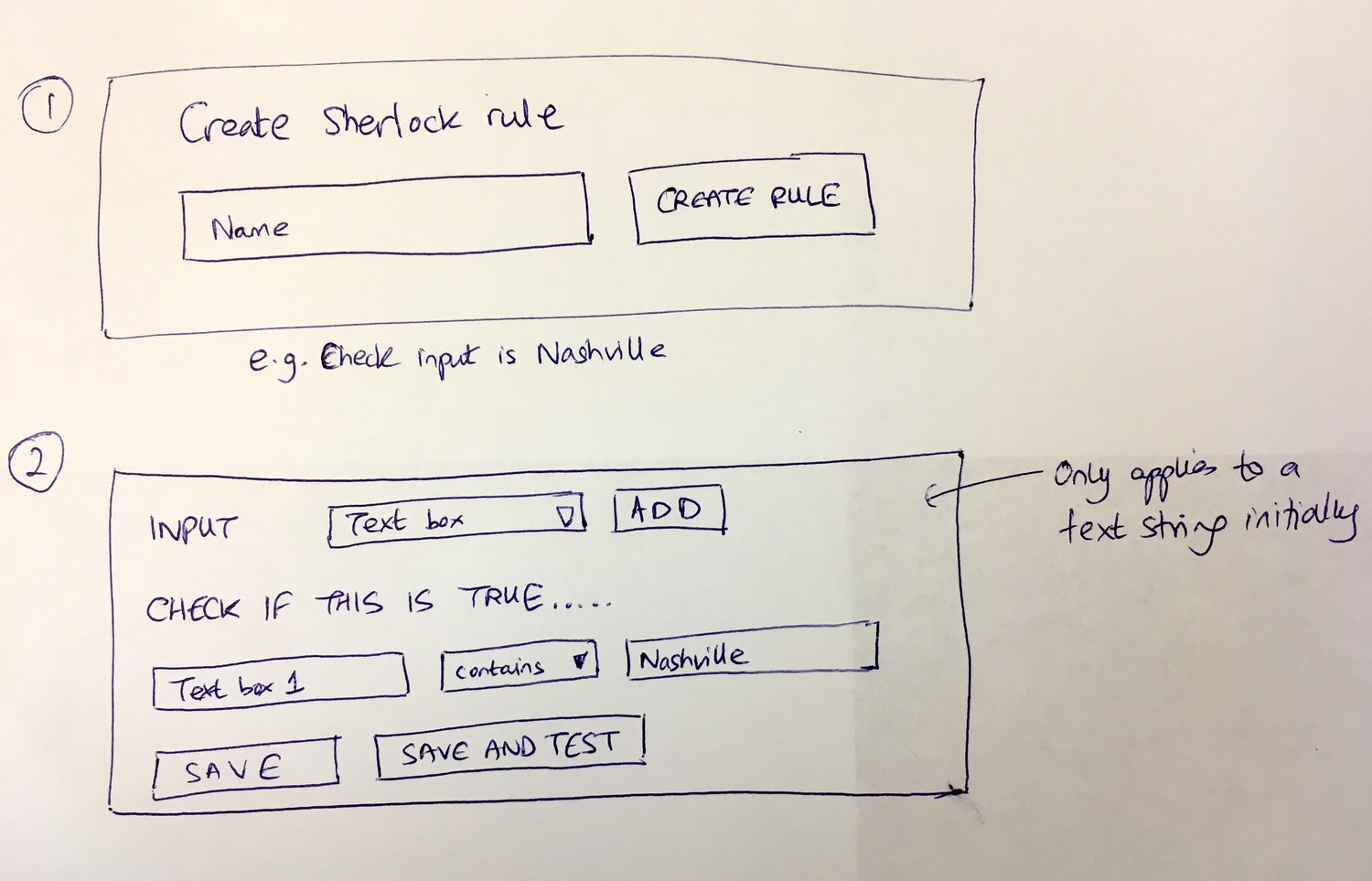 Our architectural planning sessions covered more than just translation - this whiteboard shows how we approached extensible systems that could handle language preferences alongside rules and automations.
The two-language problem
Early in the design process, we realized we were building two separate systems that happened to share the word “language.” The spec made this explicit:
“To clarify terms - we define the following preferences for languages: App language - the language/locale used in the client. Content language - the language of user-generated content.”
This distinction matters enormously.
App language controls what you see in the Tallyfy interface itself. Buttons say “Complete” or “Terminer” or “Abschliessen” depending on your setting. Menu items, labels, system messages - all translated statically as part of our codebase.
Content language controls user-generated text. Template names, step descriptions, form field labels, instructions - everything your organization creates inside Tallyfy. This is what the real estate company needed translated dynamically via Azure.
The thing is, confusing these two systems creates bizarre experiences. Imagine your interface in Japanese but your workflow content in German. Or worse, auto-detection flipping between languages mid-session based on which content you’re viewing.
We built them as separate, controllable preferences.
Browser detection was only the start
The initial implementation used browser locale detection. Simple enough - check the browser language setting, display the app in that language. But enterprise environments are messier:
“Whilst we would continue to set the default language using the browser (at first) - we would need to remove auto-detection of language via the browser locale after the app-language preference is first set.”
Here’s the problem with browser detection in corporate settings: IT departments configure browser defaults for the entire organization. An employee in Paris might have a browser set to English because their IT team is based in London. Browser detection tells us nothing about what language that specific person actually prefers.
So browser detection became a fallback, not a rule. First time you visit Tallyfy, we check your browser. After that, your explicit preference takes over. No more language switching based on which computer you happen to be using.
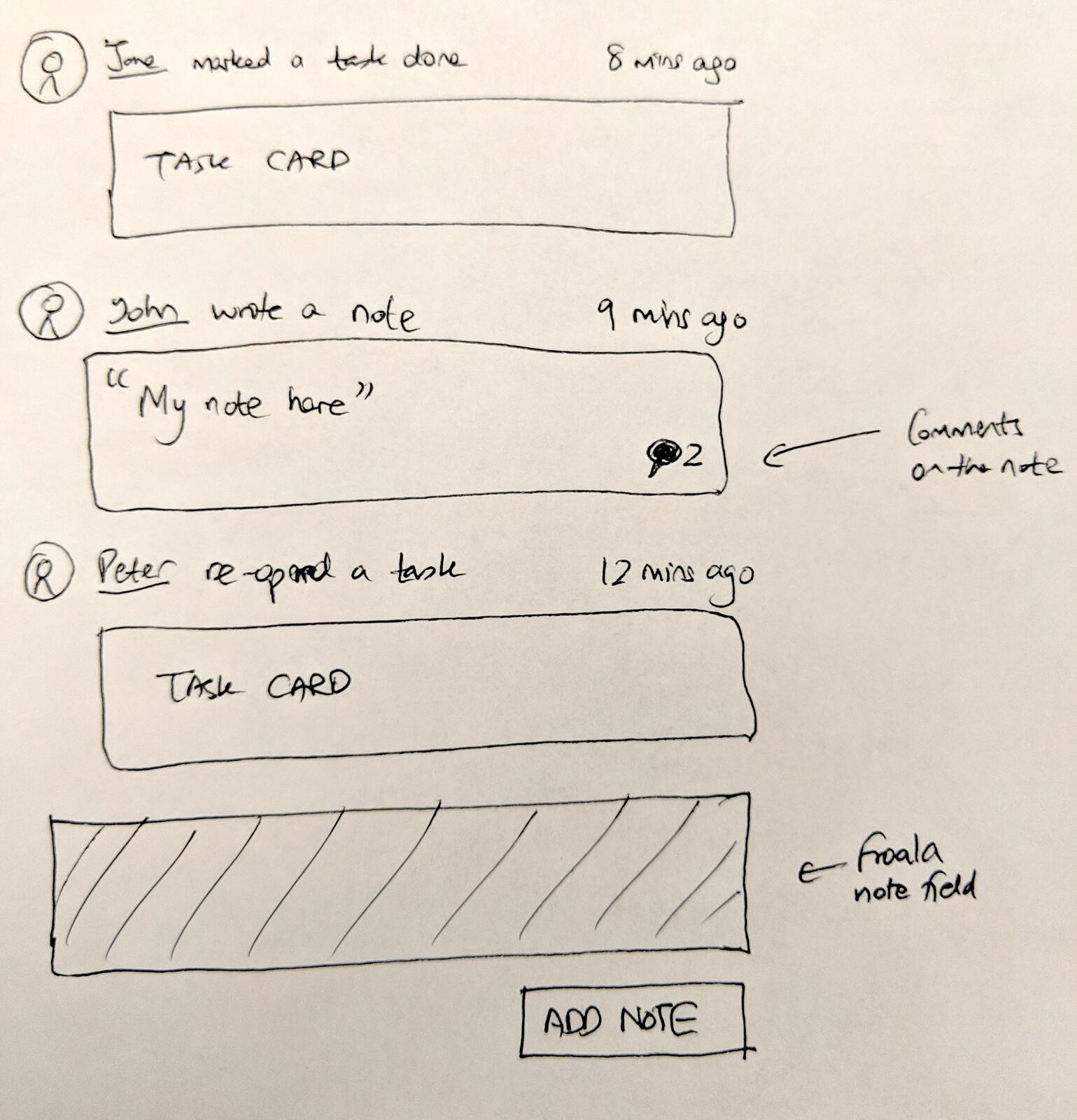 The activity feed had to display content in the correct language while keeping system labels consistent with the user’s app language preference - another example of the two-language separation.
User-level versus org-level debate
The pattern we keep running into is that language isn’t an org-level decision - it’s deeply personal. This one sparked real disagreement internally. Should language preference be set per user or per organization?
From an internal discussion:
“I’m thinking Spanish. Could you create a Spanish locale set of resources? I’ll get on it. Also - is a locale/translation at a user level or at an org level? I strongly recommend user-level.”
The recommendation was spot on. User-level won.
At Tallyfy, we have seen that an organization in Spain has employees who prefer Spanish. Obviously. But that same organization might have contractors in Brazil who prefer Portuguese, clients in France communicating in French, and a US-based executive team reading everything in English.
Forcing org-level language locks everyone into the same setting. It assumes homogeneity that doesn’t exist in global organizations.
User-level language respects individual preferences. Each person sees Tallyfy in their chosen language. The underlying content can be translated on demand into whatever language the viewer needs.
We also heard from organizations with white-labeling needs where different languages were part of the client portal experience. One company specifically asked about supporting different languages alongside branding customization for their guest view. The per-user language setting made this possible without forcing their entire organization into a single language.
This complexity comes at a cost - more preferences to manage, more edge cases to handle. Worth it.
The Azure integration architecture
We needed to store Azure credentials at the organization level. The spec was straightforward:
“New attribute to store Azure Cognitive Service credentials on organization level: key, resourceName, region.”
Each organization brings their own Azure subscription. They control their API keys, their usage quotas, their billing. Tallyfy orchestrates the translation requests but never pays for them directly.
This architecture has implications:
- Organizations can monitor their own translation costs in Azure directly
- If an organization hits rate limits, only their users are affected
- API keys stay under organizational control, not stored in our systems long-term
- Different regions can have credentials for Azure instances closer to their users
The organization settings page is where admins configure these credentials. Once set up, translation becomes available throughout the interface.
HTML in translation requests
A practical challenge emerged during implementation. Templates contain rich text - bold formatting, links, lists. Stripping HTML before translation and re-adding it after seemed fragile. Turns out Azure handles this better than expected:
“Document translation need a URL of the document - so, we will not using this method instead we will use text translation. I have tried to send a html elements as a text and it working fine.”
Azure’s text translation endpoint preserves HTML tags. Send <strong>Complete this task</strong> and you get back <strong>Terminez cette tache</strong> (or whatever the target language version is). Tags stay intact. Formatting survives.
This simplified our architecture considerably. No parsing HTML, translating text nodes individually, reassembling the document. Just send the whole chunk and trust Azure to handle the structure.
We did have to sanitize aggressively before sending anything to Azure. No point translating script injection attempts.
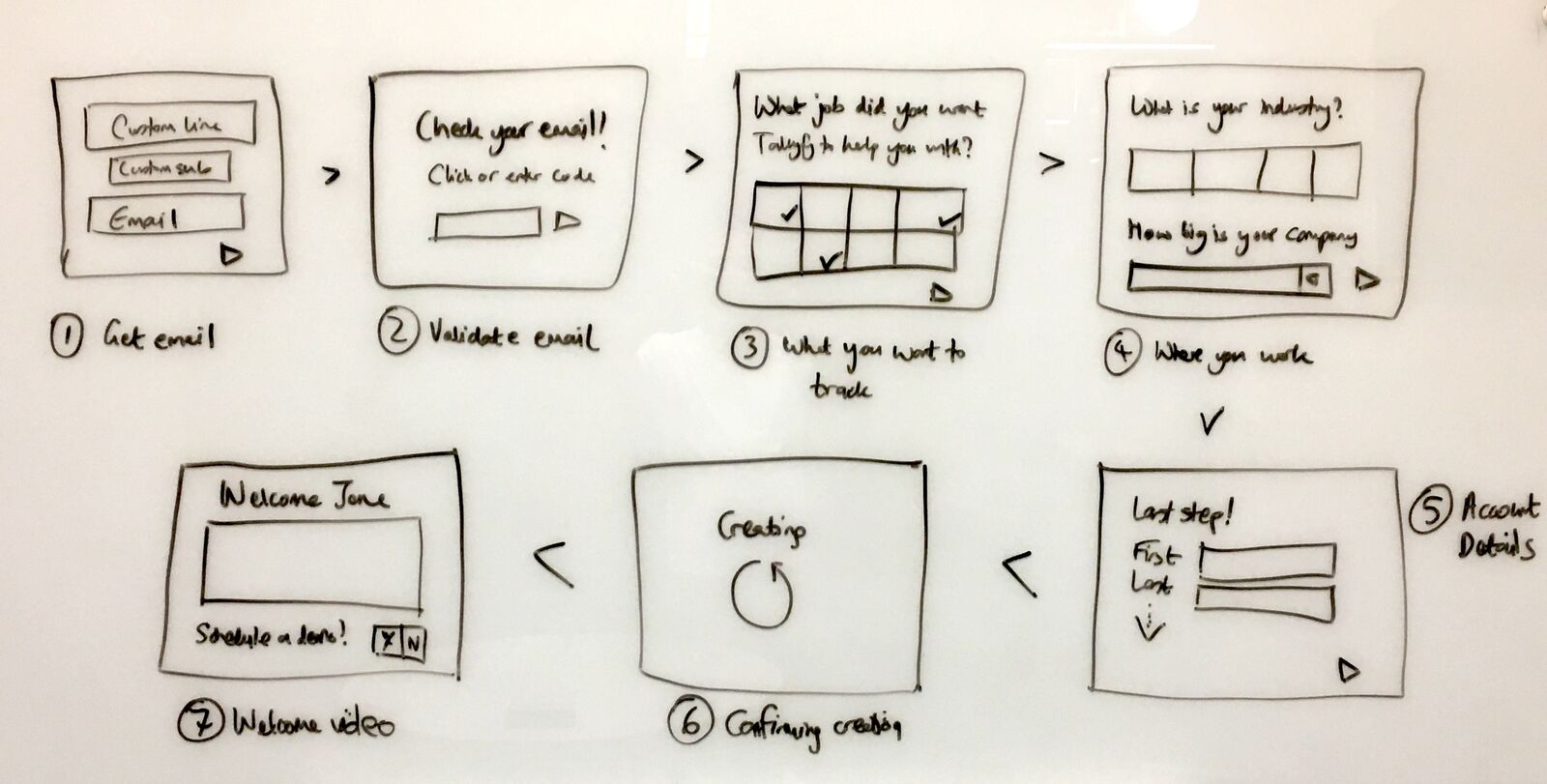 Validation logic had to understand that translated content might have different character patterns - email validation works the same regardless of surrounding language.
The real-time translation interface
The visual experience came together after several iterations. From the spec:
“Here’s how the translations would look like en -> fr. It will translate all visible text on read mode blueprint.”
The key phrase is “read mode.” We don’t translate while you’re editing. That would create chaos - your cursor position jumping as text changes length, undo history becoming incomprehensible, collaborative editing becoming impossible.
Instead, translation happens on demand when viewing. You open a template, click translate, and the viewer shows translated content. The original stays intact. Edits happen in the source language. Viewers see translated versions as needed.
This separation between authored content and displayed translation is fundamental. The source of truth remains untranslated. Translations are generated views, not stored data.
The languages we shipped
The implementation went beyond the original request:
“App Languages: German (de), English (en), Spanish (es), French (fr), Japanese (ja), Dutch (nl), Portuguese (pt), Portuguese Brazil (pt-br), Vietnamese (vi), Chinese (zh).”
Ten app languages. Each requiring complete coverage of the interface.
The completion metrics were satisfying:
“Localization for 7 languages has been successfully implemented (more than the 6 requested!). ~838 translation keys per language.”
838 translation keys. That’s 838 individual strings that needed translation for each language. Buttons, labels, error messages, tooltips, confirmation dialogs, empty states - everything a user might encounter in the interface.
Multiply 838 keys by 7 languages and you get 5,866 individual translations. All of which needed verification. Some automated, some manual review by native speakers.
This was for app language only. Content translation via Azure handles unlimited text on demand.
The bug that taught us about source equals target
One of the strangest bug reports landed in our tracker:
“Users experience unnecessary translation when source and target languages are the same, causing content corruption like ‘NA’ becoming ‘ON’ when translating English to English.”
Translating English to English should be a no-op. Why would anyone do that? Edge cases, that’s why.
User A creates a template in English. User B has their content language preference set to English and clicks translate (maybe by accident, maybe testing the feature). The system dutifully sends English text to Azure requesting English output.
Azure doesn’t just return the input unchanged. It runs the full translation pipeline, which includes normalization, tokenization, and neural processing. “NA” - perhaps meaning “not applicable” - gets interpreted by the model and comes back as “ON” because the neural network made a probabilistic guess about what it might mean in context.
The fix was obvious once we understood the problem: skip translation entirely when source and target languages match. No API call. No processing. Just show the original.
This cost us painful debugging hours that should have been spent on features. But it taught us something important about Azure: the translation API isn’t a passthrough. Even when language codes match, it still processes everything.
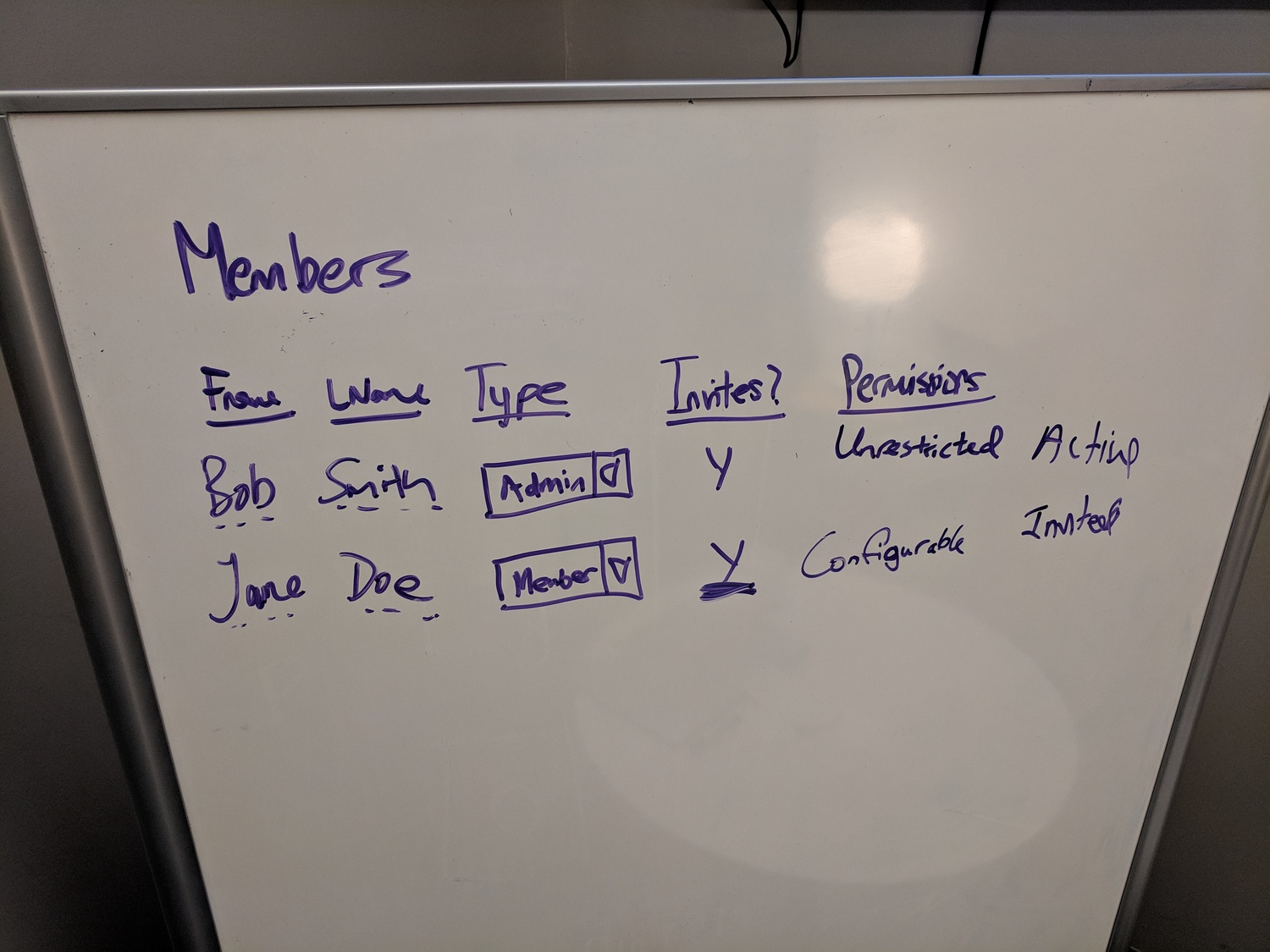 Language permissions needed to integrate with our broader member management system - who can set organizational language defaults, who can override their own preference.
The locale detection cascade
How do you decide which language to show for a specific piece of content? We built a priority system:
“Locale Detection Priority: 1. Recipient’s language_preference column. 2. Organization’s default_language column. 3. System default.”
Three tiers, checked in order.
Tier 1: User preference. If the user has set a language preference, respect it. Period. This is the highest signal - an explicit choice.
Tier 2: Organizational default. If the user has no preference, check what their organization has configured as the default. Many organizations will set this to their primary operating language.
Tier 3: System default. English. When all else fails, English. It’s the most widely understood language among our user base and the language all our content is originally authored in.
This cascade handles cold starts gracefully. New user, new organization, no preferences set? English until someone makes a choice. Long-time user with explicit Spanish preference in a French-default organization? Spanish.
From an internal discussion about this logic:
“Translation, by default, works using their browser settings. It can be forced, but it’s still based on javascript, cookies, & their browser.”
Browser settings feed into tier 1 (user preference) as an initial value. Once set, explicit preference overrides browser detection.
What we left out - RTL support
Right-to-left languages like Arabic, Hebrew, and Farsi require more than translation. The entire interface needs to mirror. Navigation on the right. Text flowing right-to-left. Icons potentially flipping. Padding and margins reversing.
We made a deliberate decision:
“Support menus in other languages and include RTL (right to left) support. I’m going to close this as it requires a total overhaul of our UI.”
And the current status from our completion documentation:
“RTL Languages: Infrastructure in place. Actual RTL templates: Future phase.”
The infrastructure exists. Our CSS supports directional overrides. Our component library has RTL-aware spacing utilities. Translation into Arabic via Azure works at the content level.
But actually shipping RTL means testing every screen, every component, every interaction in mirrored mode. That’s a substantial project - weeks of dedicated effort to do properly.
We shipped what we could ship well. Was that the right call? We think so. RTL remains a future phase rather than a half-finished current feature.
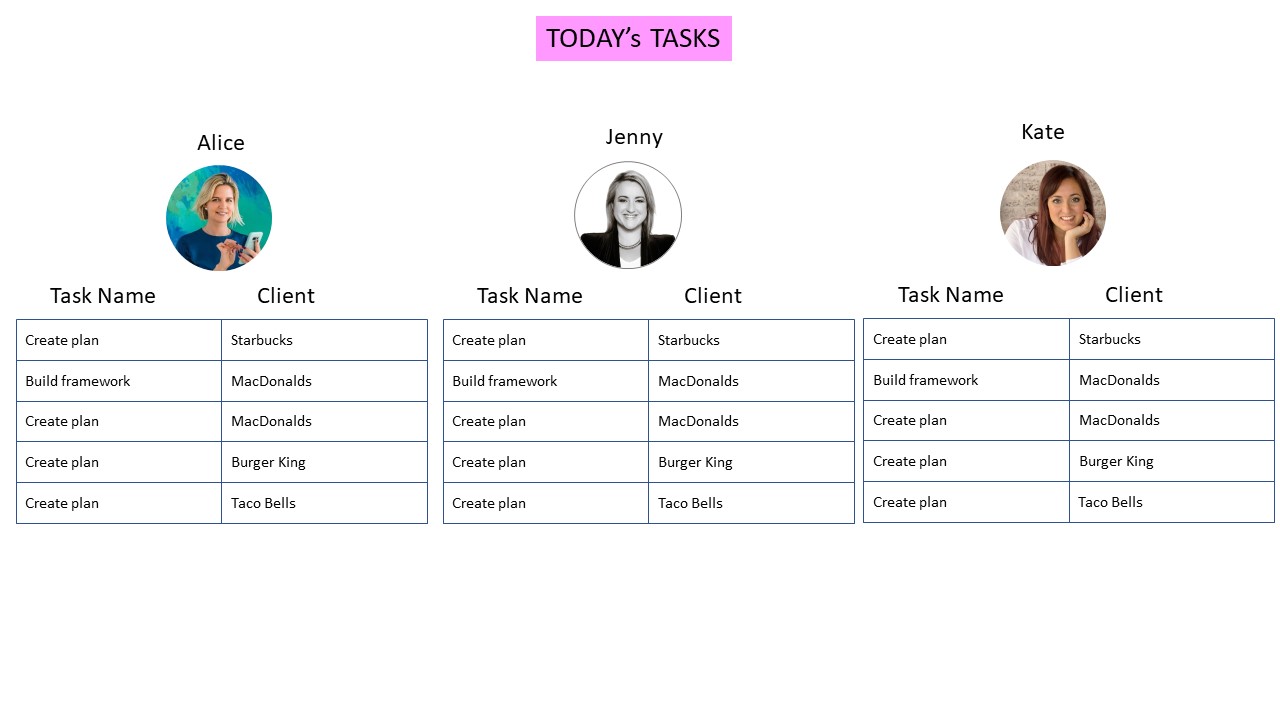 Task views needed to handle variable text lengths after translation - German and French typically expand 20-30% compared to English, requiring flexible layouts.
Translation performance considerations
Real-time translation has latency. Azure responds fast - typically under 200ms for moderate text volumes. But 200ms per visible element adds up when a template has 30 steps with descriptions, form fields, and instructions.
We batch translation requests. Instead of 30 API calls for 30 steps, one API call for all text. Azure handles arrays of strings efficiently, returning translations in the same order.
Caching helps too. Once translated, content stays in local cache for the session. Revisiting a template doesn’t re-translate. The cache keys on content hash plus target language - if the source content changes, cache invalidates and fresh translation happens.
We considered persistent caching (store translations in our database) but rejected it. Actually, that oversimplifies our reasoning a bit. Content changes frequently. Maintaining translation sync adds complexity. The source document is authoritative. Translations are ephemeral views generated on demand.
What the integration looks like in practice
For administrators configuring Azure integration, the process involves:
- Create an Azure Cognitive Services resource (Text Translation API)
- Copy the key, resource name, and region from Azure portal
- Enter these values in Tallyfy organization settings
- Test with a sample translation
Once configured, users see translation options throughout the interface. View a template, click translate, select target language. The translated view appears. Switch back to original any time.
The Azure translation integration documentation covers the step-by-step setup. The implementation details here are about why we built it this way, not how to use it.
The economics revisited
Back to that original enterprise request. Millions in translation costs.
Here’s what changed for them:
Before: Every process update required professional translation services. Turnaround measured in days or weeks. Budget approval needed for significant changes. Many updates simply didn’t get translated - too expensive, too slow.
After: Instant translation on demand. Update an English template, anyone can view it in their preferred language immediately. No procurement cycle. No translator scheduling. No budget justification for routine updates.
The quality tradeoff is real. Azure translation isn’t human-quality for technical or specialized content. Medical procedures, legal documents, compliance-critical workflows - these probably still need human review.
But for operational playbooks, internal processes, onboarding checklists? Machine translation is good enough. Does it match a human translator? No. One thing that keeps coming up when we talk to global teams is that “good enough instantly” beats “perfect in three weeks” for most business purposes.
What we would do differently
Earlier mobile testing. Translation expands text. English to German typically adds 20-30% length. French similar. We caught layout issues on desktop during development but mobile screens broke in ways we didn’t anticipate. Buttons truncating, descriptions overflowing, headers wrapping badly.
More language-specific QA would have helped too - we relied heavily on native speakers for spot-checking but didn’t have full test coverage per language, and some awkward phrasings shipped and got reported by users.
Clearer translation limits needed attention as well - Azure has character limits per request and we hit them with very large templates, where the error handling wasn’t graceful initially (just a failed translation with a generic error). Now we split large templates into chunks and translate iteratively.
We also should have considered offline mode earlier - what happens when Azure is down? Currently, translation fails silently and shows original content. That’s probably the right behavior. But we didn’t think it through until a user asked.
The maintenance reality
This feature requires ongoing attention:
- Azure API changes occasionally require updates
- New app features need translation keys added
- Translation quality complaints need investigation (is it our code or Azure’s model?)
- Usage monitoring to catch runaway costs
The seven-language app localization was a one-time cost (plus ongoing maintenance as features change). The Azure integration is evergreen - it keeps working as long as credentials stay valid and Azure’s API stays stable.
We haven’t regretted building it. The enterprise customer who requested it got what they needed. Other organizations adopted it without asking. The translation usage graphs show steady growth - people actually use this feature once they discover it.
For implementation details and usage guides, see the Azure translation documentation and related organization settings.
About the Author
Amit is the CEO of Tallyfy. He is a workflow expert and specializes in process automation and the next generation of business process management in the post-flowchart age. He has decades of consulting experience in task and workflow automation, continuous improvement (all the flavors) and AI-driven workflows for small and large companies. Amit did a Computer Science degree at the University of Bath and moved from the UK to St. Louis, MO in 2014. He loves watching American robins and their nesting behaviors!
Follow Amit on his website, LinkedIn, Facebook, Reddit, X (Twitter) or YouTube.

Automate your workflows with Tallyfy
Stop chasing status updates. Track and automate your processes in one place.