
Make.com does not fix your broken workflows
Make connects apps with drag-and-drop scenarios, but it does not manage the human side of work. Here is what Make does well, where it falls short, and why vibe coding is replacing middleware.
Make (formerly Integromat) is a visual automation platform that connects apps and moves data between them — without code. It’s good at that specific job. But connecting apps isn’t the same as managing workflows that involve real people, and that’s where the chaos starts.
Workflow Automation Software Made Easy & Simple
Summary
- Make connects thousands of apps with drag-and-drop scenarios — the average business uses 129 applications according to Okta, and Make turns complicated APIs into visual blocks so you don’t need a developer to wire Shopify to MailChimp or Slack to your CRM
- Three module types drive everything — Action Modules do things (send emails, create documents), Search Modules query data (find contacts named John), and Trigger Modules watch for events (new order placed, form submitted) and kick off your scenario
- Operation-based pricing adds up fast with complex scenarios — a 15-step scenario running 1,000 times costs 15,000 operations, not 1,000. Running Tallyfy taught us with workflow automation, teams don’t realize this until they’ve already built dozens of scenarios
- Middleware solves data movement, not people movement — Make can’t assign tasks, track deadlines, or tell you where a process is stuck. For that, you need workflow management that handles the human side
What Make actually does
Make is middleware. It takes data from one app and pushes it into another. The company calls itself “the glue of the internet” and that’s an honest description — glue connects things, but it doesn’t manage them.
The rebrand from Integromat happened in 2022. The name changed. The core idea didn’t.
Here’s how it works: every app has an API — a way for developers to read and write data. Make wraps those APIs in visual blocks called Modules, then lets you connect them in Scenarios using drag-and-drop. Once you set it up, the scenario runs 24/7 in the background.
A simple example
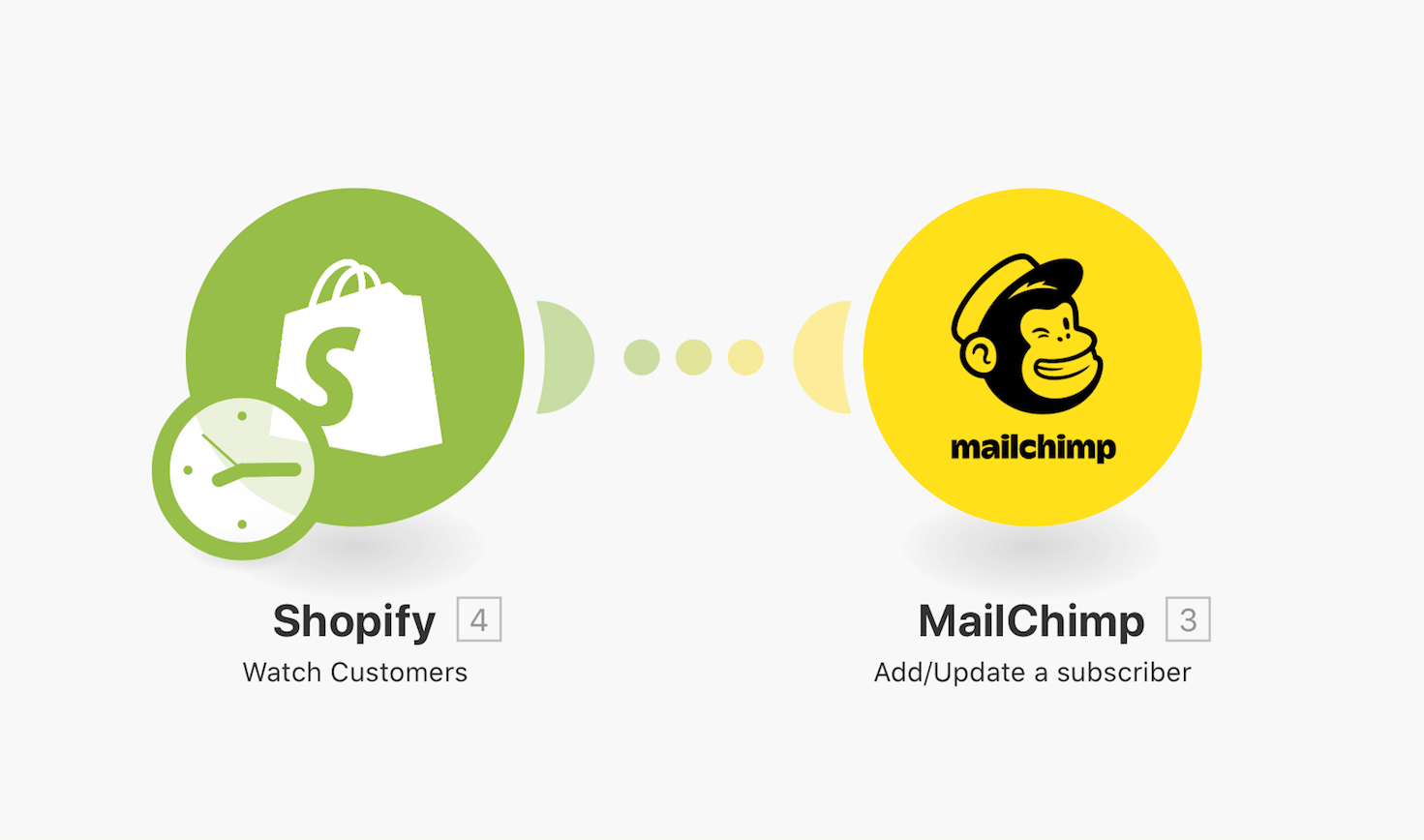
A Shopify module watches for new orders. When one comes in, a MailChimp module adds that person as a subscriber. Two blocks. One connection. Done.
A multi-stage example
Things get more interesting when you chain modules together. In this scenario, a social media manager automated content posting — each post lives in an Airtable, gets looped through with an Iterator, routed to the right social network based on filters, and then the Airtable row gets updated with the live link.
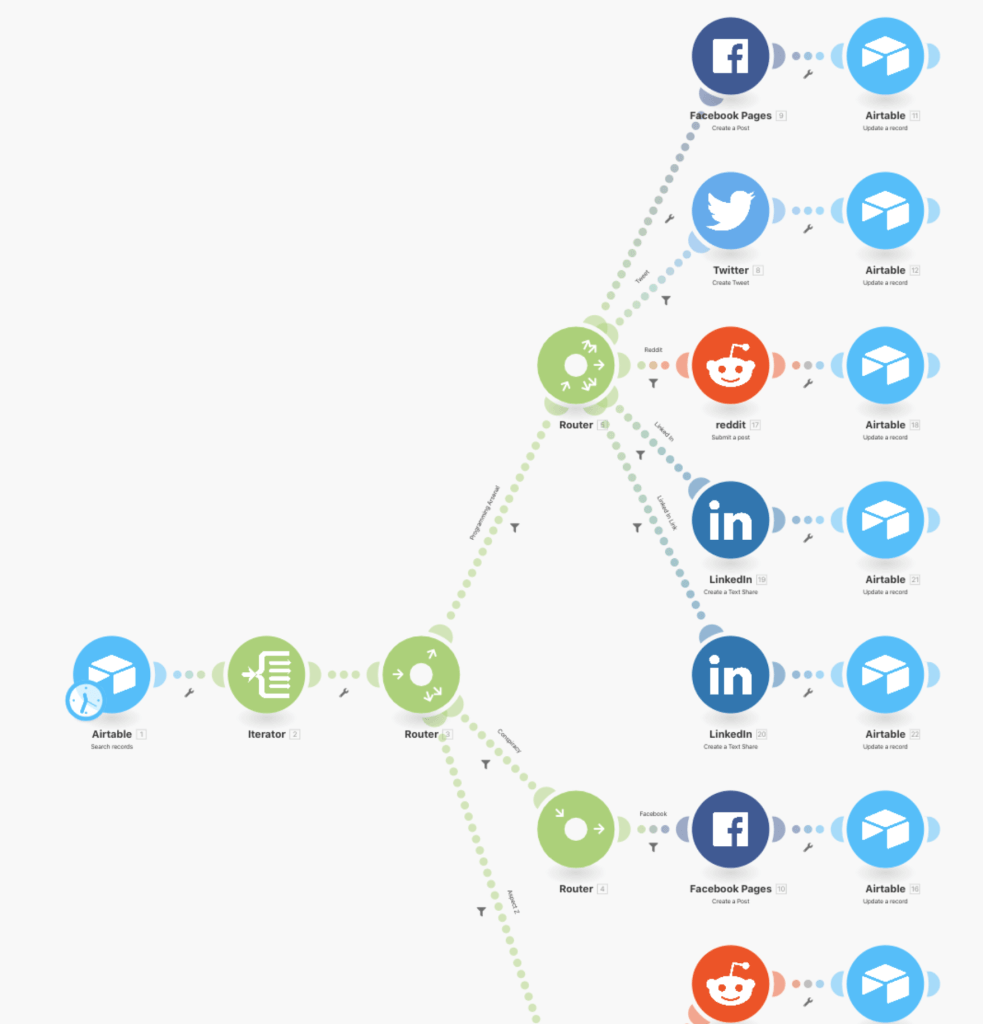
That’s genuinely useful. But notice what’s happening — it’s all data moving between apps. No human decisions. No approvals. No “wait for Sarah to review this before it goes live.” We’ve observed that operations teams hit this wall pretty quickly once they try to automate processes that involve people, not just data.
Key terms you need to know
Make’s jargon can feel overwhelming at first. Here’s a stripped-down glossary:
Modules are the building blocks — apps, services, and devices that input or output data. MailChimp, Google Sheets, Airtable, email — all modules. The three types that matter:
- Action Modules do something: send an email, post a Slack message, create a document
- Search Modules query data: find all contacts named John, pull invoices from last month
- Trigger Modules watch and react: when a new order comes in, when a form gets submitted, when a file appears in a folder
For basic two-app connections, that’s all you need. When you want to transform data or add logic, Make has more:
- Filters check conditions — only add someone to your VIP list if they spent over $150
- Routers split your workflow into different paths based on those conditions
- Convergers merge paths back together
- Aggregator Modules combine data from multiple sources — collect invoices, zip them, email to your accountant monthly
- Iterator Modules break a group of items into individual items and process each one
How to build your first automation
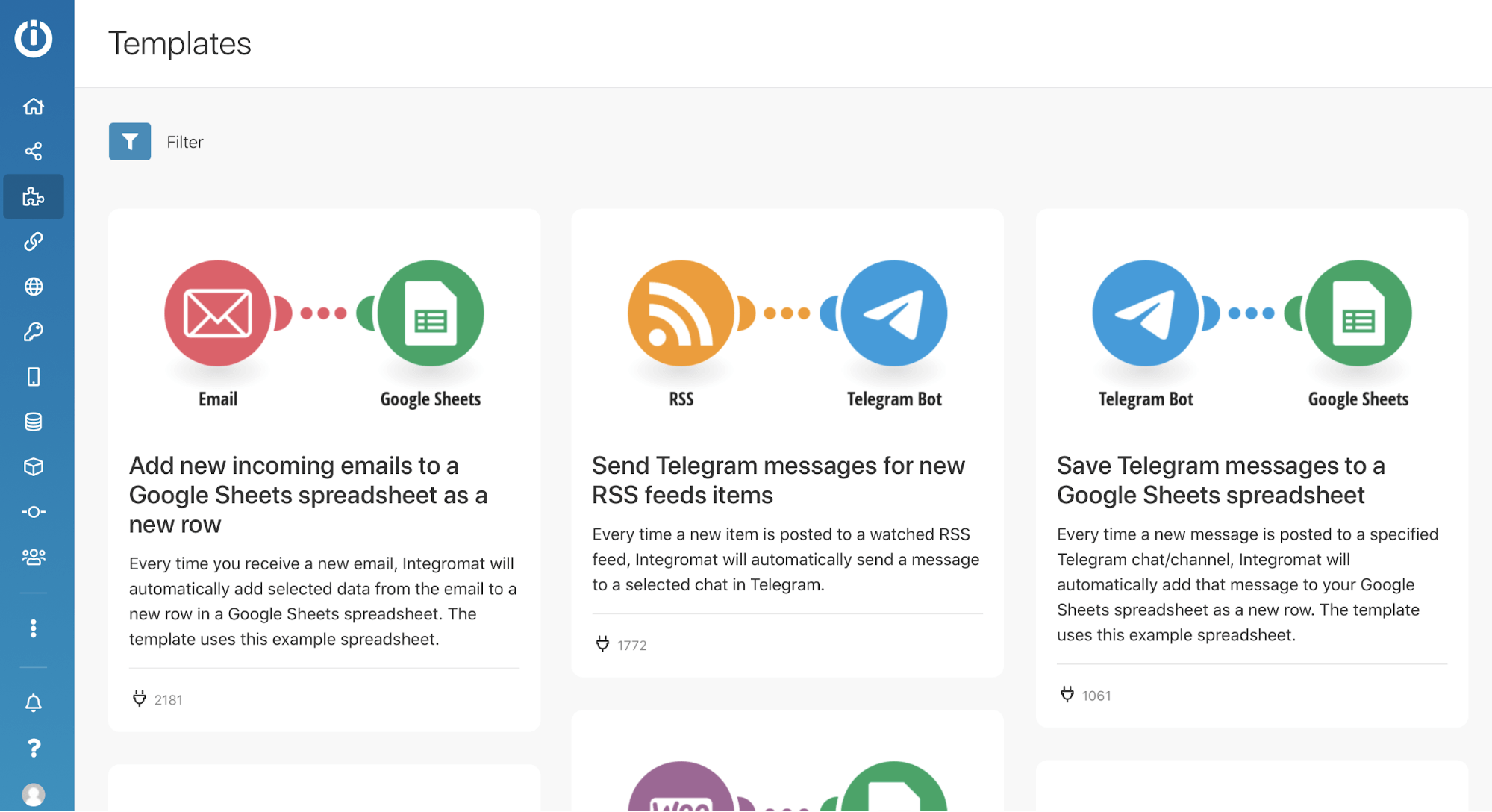
Honestly, getting started isn’t hard. Make offers hundreds of pre-built scenario templates.
- Sign up for a free Make account — no credit card required, all features included
- Sign up for the services you want to connect (Shopify, MailChimp, whatever)
- From the dashboard, go to templates and click “Create a new scenario from template”
- Use the filter to search for your specific apps
- The scenario appears in the visual editor — tweak it to fit your needs
Can’t find a template? Build from scratch:
- Click “Scenarios” in the sidebar, then “Create a new scenario”
- Pick your services
- Click the question mark on the blank canvas to add your first module — usually a trigger
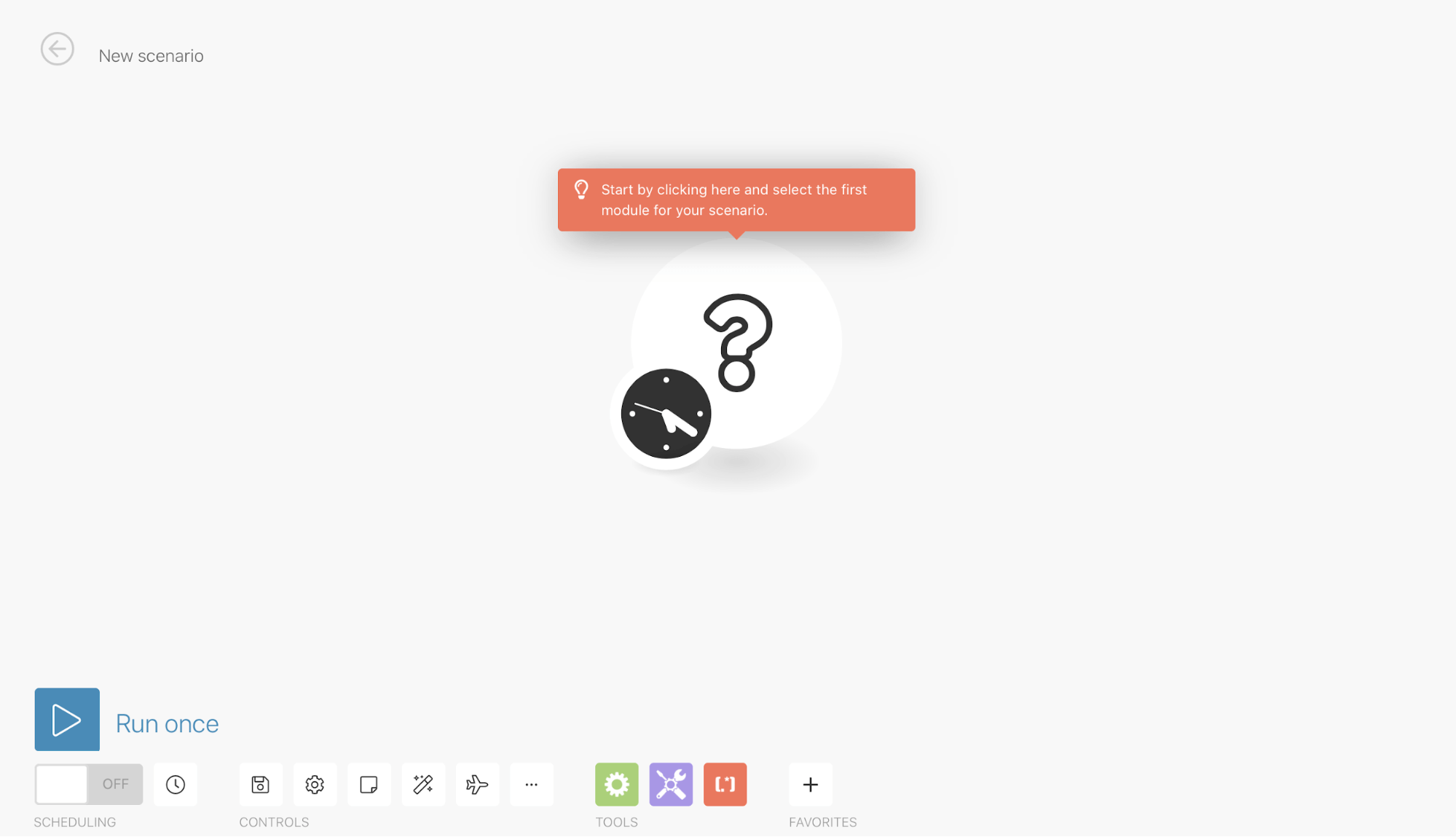
- Configure the module (every module has different options — just follow the prompts)
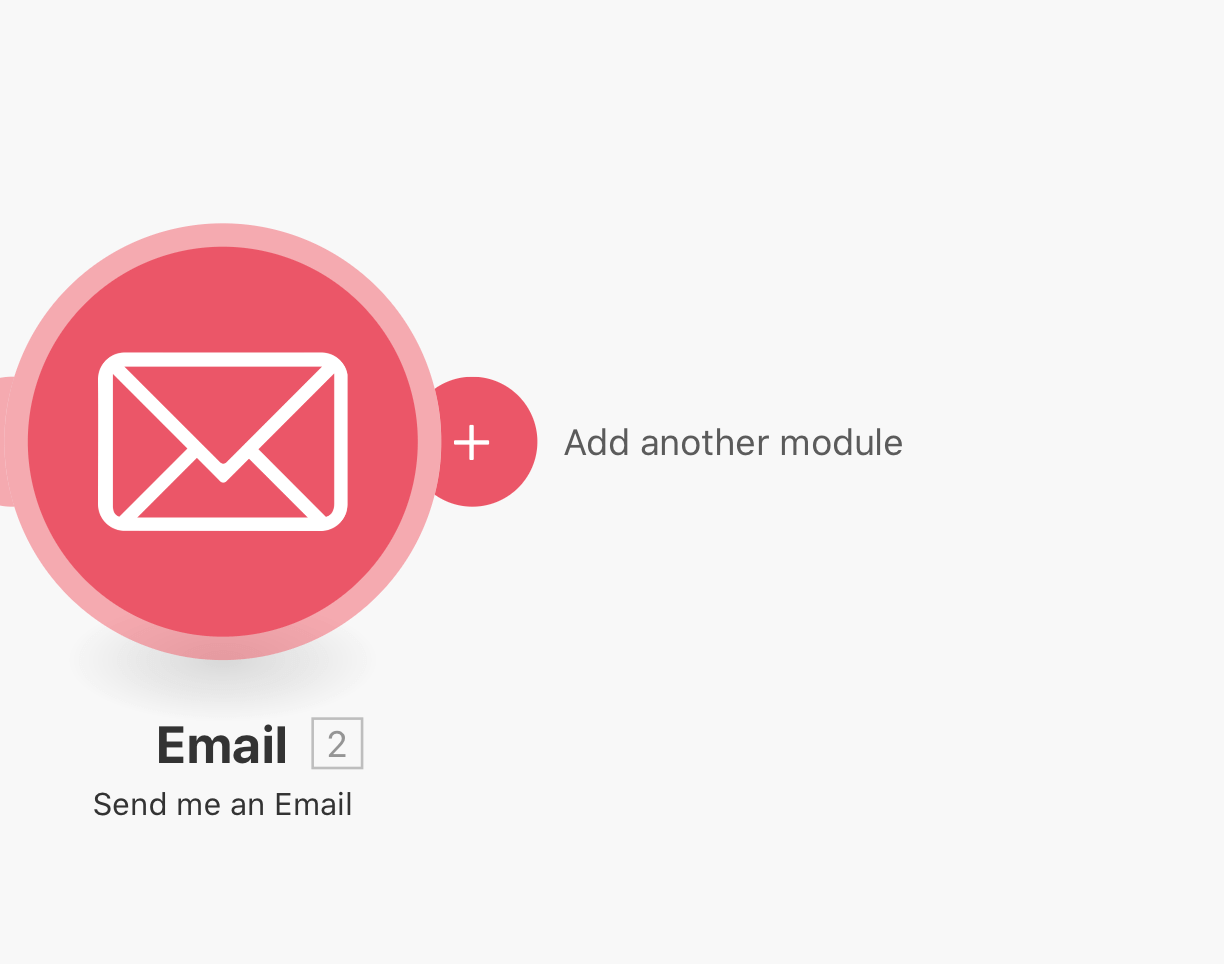
- Click the plus (+) to add the next module
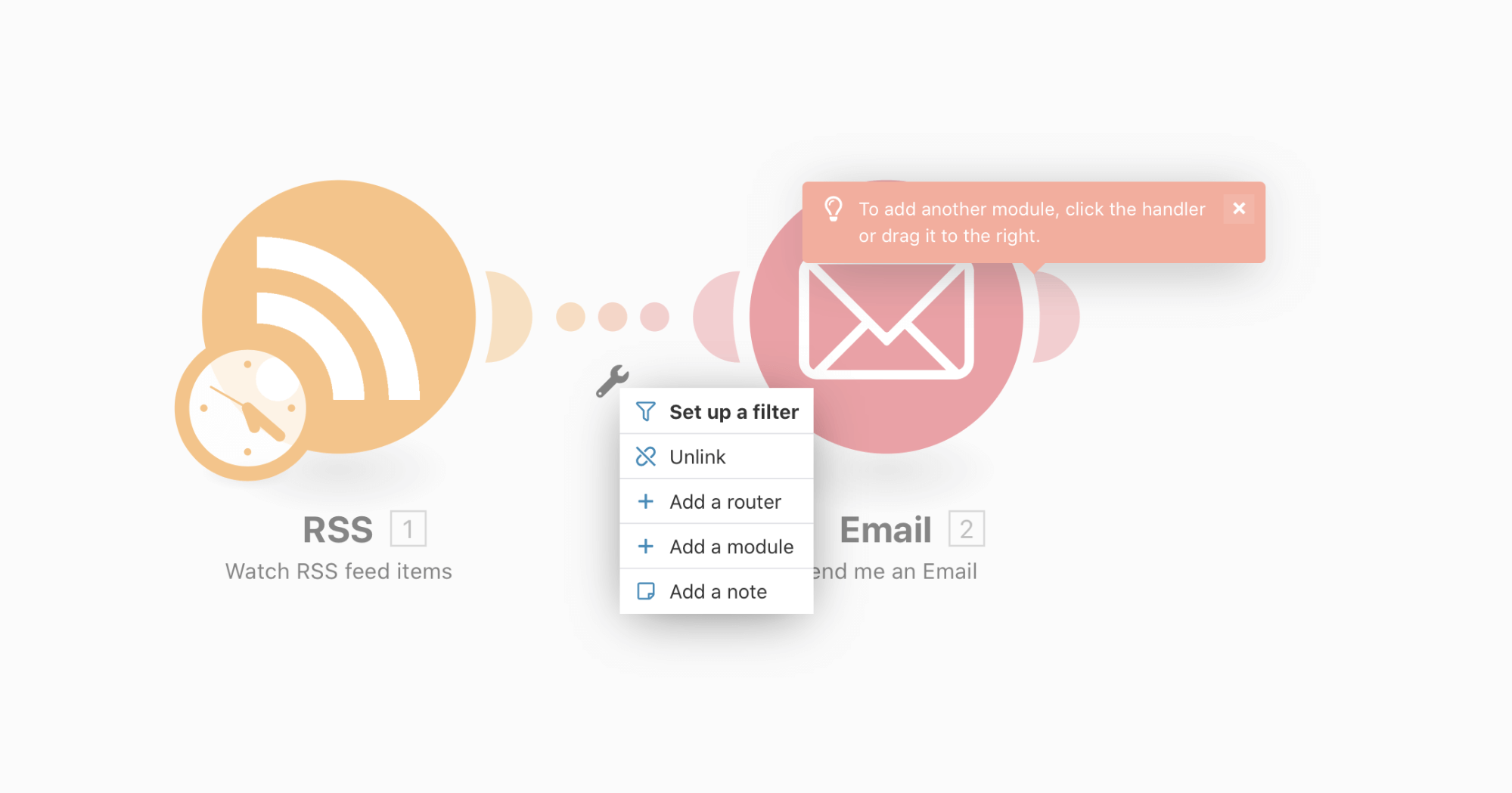
- Click the dotted line between modules to add filters, routers, or other logic
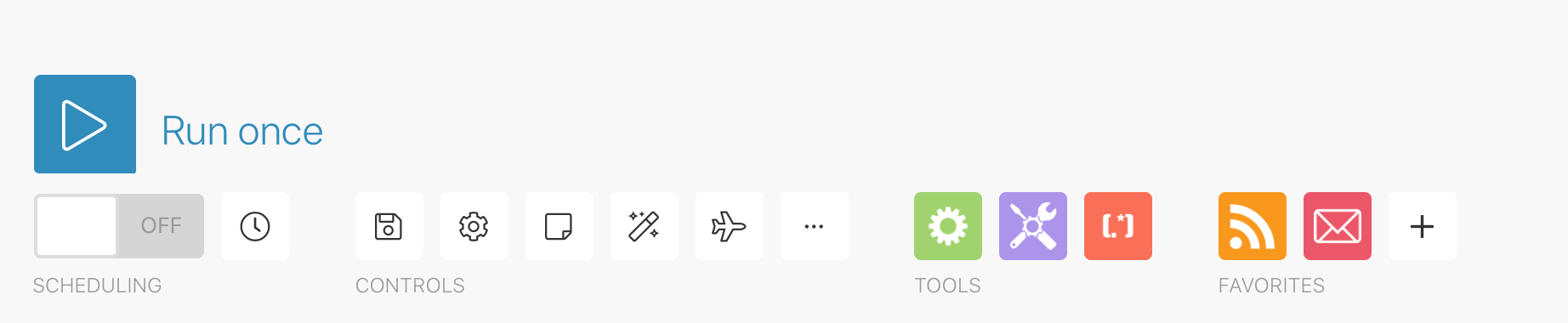
- Check the “tools” area for advanced processing — counters, delays, variables
- Drag modules to reorganize, or use the magic wand to auto-align
- Set scheduling in the bottom toolbar to run automatically
Why the pricing model is a trap
Are you hearing this at work? That's busywork
Enter between 1 and 150,000
Enter between 0.5 and 40
Enter between $10 and $1,000
Based on $30/hr x 4 hrs/wk
Your loss and waste is:
every week
What you are losing
Cash burned on busywork
per week in wasted wages
What you could have gained
160 extra hours could create:
per week in real and compounding value
Total cumulative impact over time (real cost + missed opportunities)
You are bleeding cash, annoying every employee and killing dreams.
It's a no-brainer
This is where it gets frustrating. Make charges per operation. Every single module that fires counts as one operation. So a 15-step scenario running 1,000 times doesn’t cost you 1,000 runs — it costs you 15,000 operations.
For simple two-step automations, who cares. For anything complex? The math gets ugly fast.
One thing that keeps coming up, we’ve heard from teams that built sophisticated AI agent workflows or multi-step data pipelines on Make, only to discover their operation counts exploding once they moved past basic integrations. One team told us they went from 5,000 to 75,000 operations in a month just by adding error handling and conditional logic to existing scenarios.
- 1,000 operations/month
- 15-min intervals
- 10,000 operations/month
- 1-min intervals
- 10,000 operations/month
- Priority execution
- 10,000 operations/month
- Team collaboration
n8n charges differently and it matters
If your team has developers, there’s a fundamental pricing problem with Make you should know about.
n8n charges per workflow execution. That same 15-step scenario running 1,000 times costs you 1,000 executions — not 15,000. Same work, but Make would charge you 15x more.
For simple automations, the difference is negligible. For complex AI agent workflows, data pipelines, or scenarios with many steps, the economics blow apart. n8n requires technical skill — it’s not for business users. But for developer teams doing serious automation, the pricing model alone can justify the learning curve. n8n also offers a free self-hosted option.
Make vs Zapier vs Power Automate vs IFTTT
Here’s a straight comparison. No spin.
Supported apps: Zapier leads with thousands. Make also supports thousands. IFTTT and Power Automate support hundreds.
Pricing: If your app is supported by Make, you’ll generally save money compared to Zapier. Make’s free tier gives you 1,000 operations with complex multi-step workflows. Zapier’s free tier limits you to 100 tasks across just 5 simple two-app workflows.
Support ratings: Make leads at 4.8/5 on Capterra. Zapier sits at 4.4/5. Both get consistently positive reviews.
Check out this comparison of middleware connectors for more context on how Tallyfy connects with these tools.
| IFTTT | Zapier | Microsoft Power Automate | Make | |
| Apps and Services Supported | Hundreds | Thousands | Hundreds | Thousands |
| Support Rating | 4.1/5 | 4.4/5 | Unrated | 4.8/5 |
| Features | ||||
| File Operations | Limited | Limited | Limited | Full file support, including manipulation and archiving |
| Yes | Yes | Yes | ||
| Text Parsing | Yes | Yes, with regular expression support | ||
| Data Storage | Yes | Yes | Yes | |
| Webhooks | Yes | Limited | Yes | |
| Respond to a Webhook | Yes | |||
| HTTP Requests | Yes | Yes | Yes | |
| SOAP Requests | Yes | Yes | ||
| Connect via OAuth2 | Yes | Yes | ||
| Workflows | ||||
| Connect 2 Services Directly | Yes | Yes | Yes | Yes |
| Multi-Step Connections | Only on Premium Plans | Yes | Yes | |
| Filters | Yes | Yes | ||
| Routers | Limited | Limited | Yes | |
| Aggregations | Only Digests | Yes | ||
| Automatic Error Handling | Yes | |||
| Scheduling | ||||
| Recurring Task Frequency | 60 minutes | 5 minutes | 1 minute | 1 minute |
| Limit Running to Hours | Yes | Yes |
Enterprise teams needing SCIM, SSO, SAML, or other enterprise features will need custom quotes from both Make and Zapier.
The real problem middleware can’t solve
Here’s what drives me crazy about the middleware conversation. Everyone talks about connecting apps like it’s the whole problem. It isn’t. Both Make and Zapier are excellent at moving data between applications, but they hit a wall when your process needs to manage people, not just data. Does your workflow need to assign tasks to specific individuals? Wait for human approvals? Track deadlines? Show everyone where a process stands? That’s not integration - that’s workflow management. Make can trigger a task notification, but it can’t manage who does it, when it’s due, or whether it actually gets completed. And this is the mess most teams live in — they’ve got data flowing between 15 apps while their actual work processes are held together by Slack messages and hope.
In our experience with workflow automation, the teams that get this right don’t choose between middleware and workflow tools. They use both — Make (or Zapier, or n8n) for data movement, and something like Tallyfy for the human side. We’ve seen teams connect Make scenarios to Tallyfy processes through our Make integration, combining background automation with structured people workflows.
But here’s a bigger question worth asking: why are you still dragging and dropping connectors in the first place?
Drag-and-drop middleware is already dying
Why are we still paying per-connection when AI can write the integration?
That’s not a prediction. It’s happening now. The entire model of visual connector marketplaces — browse hundreds of blocks, drag them onto a canvas, configure each one manually — is a relic of a world where writing integrations required code.
Vibe coding changes everything. Instead of dragging a Shopify block and a MailChimp block onto a canvas and wiring them together, you describe what you want in plain language: “When someone places an order, add them to my email list and create a task for the fulfillment team.” The AI writes the integration.
Why does this matter? Because middleware platforms like Make create brittle point-to-point connections. Every time an API changes, every time a vendor updates their module, your carefully built scenario can break without warning. We’ve observed that operations teams spend as much time maintaining their automations as they saved by building them in the first place.
At Tallyfy, our roadmap includes this exact approach — vibe coding for integrations. No connector marketplace. No drag-and-drop. Just describe the workflow you want, including which apps need to talk to each other, and AI handles the plumbing. The interesting part isn’t replacing Make’s visual builder. It’s eliminating the entire category of “integration configuration” as a human task.
Workflow templates for common automation scenarios
While Make handles data movement between apps, many teams also need structured workflows that track human tasks alongside automated steps. Here are some templates that complement your automation setup:
What Make does well
Credit where it’s due. Make is strong automation software with real strengths:
- Affordable: Generous free tier lets you experiment before committing to a paid plan
- Easy to use: No code needed for most scenarios. Their documentation is solid and support is responsive
- Time savings: Automating repetitive data movement genuinely saves hours each week
The benefits are real — for the specific problem Make solves. Just don’t confuse moving data between apps with managing actual work between people. Those are two fundamentally different problems, and solving one doesn’t solve the other.
You can connect Make and Tallyfy here to handle both sides — background data automation on Make, people-driven workflows on Tallyfy.
About the Author
Amit is the CEO of Tallyfy. He is a workflow expert and specializes in process automation and the next generation of business process management in the post-flowchart age. He has decades of consulting experience in task and workflow automation, continuous improvement (all the flavors) and AI-driven workflows for small and large companies. Amit did a Computer Science degree at the University of Bath and moved from the UK to St. Louis, MO in 2014. He loves watching American robins and their nesting behaviors!
Follow Amit on his website, LinkedIn, Facebook, Reddit, X (Twitter) or YouTube.

Automate your workflows with Tallyfy
Stop chasing status updates. Track and automate your processes in one place.