
SSO without the enterprise tax - building SAML 2.0 ourselves
Why Tallyfy built custom SAML 2.0 authentication instead of paying Okta or Auth0. The real cost of enterprise SSO, certificate management, SCIM provisioning for organizations with 5000-plus users, and a private key exposure vulnerability in API responses.
Enterprise authentication is essential for large-scale workflow deployments. Here is how we handle it.
Enterprise Workflow Made Easy
Summary
- The enterprise tax problem - This is our candid experience building SSO at Tallyfy. Not theory. Enterprise auth vendors charge thousands per year for what amounts to XML signature verification. We built it ourselves
- A major enterprise customer reaching out was the catalyst - when they asked about SAML support, we realized enterprise customers would always need it. Building custom meant control over the experience
- Ghost employees are a real problem - A large real estate company with 5000+ members was paying for licenses of employees who had left. SCIM auto-provisioning fixes this
- Security vulnerabilities happen - We had a critical issue where SAML private keys were exposed in API responses. The fix required careful refactoring across multiple components. See the authentication documentation for current implementation
This reflects our experience at a specific point in time. Some details may have evolved since, and we have omitted certain private aspects that made the story equally interesting.
The enterprise tax
Every workflow platform eventually faces the same conversation. A procurement department sends over their security requirements. Somewhere in the document, usually around page 47, is the SSO requirement.
“Must support SAML 2.0 or OpenID Connect for enterprise single sign-on.”
The conventional wisdom is to integrate with an enterprise auth provider. Okta, Eugenio Pace’s Auth0, OneLogin. They handle the complexity. You pay them a lot of money. Simple.
Except it’s not simple. These services charge per user per month. For a SaaS company trying to serve thousands of users, the math gets ugly fast. We call it the enterprise tax - the hidden cost of checking a compliance box.
The requirement became unavoidable when we started seeing RFPs from enterprise companies. A global tobacco company evaluating workflow tools sent us a detailed requirements document specifying “integration with Microsoft ADFS single sign-on” as mandatory. A pharmaceutical company needed SSO to meet their cybersecurity vendor assessment requirements. This wasn’t optional - it was table stakes for enterprise sales.
So we built it ourselves.
The enterprise requirement that started it all
The push came from an unexpected direction. In early discussions tracked in our GitHub repository, we noted:
“A major enterprise customer reached out asking about SAML support.”
They wanted to use Tallyfy internally and needed SAML. This wasn’t some hypothetical future requirement - it was a real customer with real needs.
Our CTO summarized the situation:
“From a backend perspective, it will simply require a new public endpoint that takes the email address.”
Simple in concept. The reality involved months of implementation, security reviews, and the kind of edge cases that only emerge when real enterprise IT departments start testing your integration.
The ghost employee problem
While building SSO, we discovered something that changed how we thought about identity management. One of our early enterprise discussions involved a large real estate company with over 5000 members.
The issue documented in our tracking system was blunt:
“A large real estate company with 5000+ members paying for licenses of employees who had left.”
The scale shocked us. Five thousand members. Who knows how many of those were ghost accounts - people who had resigned, been terminated, or transferred to different departments but whose Tallyfy access lingered? This is the dirty secret of per-seat SaaS pricing. When someone leaves a company, their access often lingers for months. IT has to remember to remove them. HR has to notify IT. Someone has to actually do the work. Multiply this by thousands of employees across dozens of SaaS products, and companies are bleeding money on ghost seats. The pattern we keep running into is that nobody owns the deprovisioning step - it falls through the cracks between HR, IT, and finance, and the vendor keeps billing quietly.
We heard this concern repeatedly in enterprise evaluations. A global telecommunications company evaluating Tallyfy explicitly asked about SCIM support during their security assessment - they had 10,000+ potential users and needed automatic provisioning to manage access at scale. Without SCIM, they would have been manually managing user access across their entire organization.
SCIM 2.0 fixes this. System for Cross-domain Identity Management automatically provisions and deprovisions users. When HR marks someone as terminated in the identity provider, that change propagates to every connected system.
We built SCIM support alongside SAML because SSO without automatic provisioning only solves half the problem.
The technical architecture
SAML 2.0 isn’t complicated in principle. It’s complicated in practice.
The flow:
- User clicks “Sign in with SSO”
- Tallyfy redirects to the customer’s identity provider
- User authenticates there
- Identity provider sends a signed assertion back
- Tallyfy verifies the signature and creates a session
The complexity hides in steps 4 and 5. That “signed assertion” is basically an XML document with cryptographic signatures. Verifying it requires:
- Parsing the XML without introducing injection vulnerabilities
- Validating the signature against the correct certificate
- Checking timestamp validity
- Extracting user attributes
- Handling all the ways different identity providers implement the spec differently
Our internal specification for organization-specific login captured the vision:
“Organization-specific login view for branded SSO experience.”
Each customer could have their own login URL, their own branding, their own identity provider configuration. The backend had to support all of this without becoming a maintenance nightmare.
Certificate management headaches
Certificates expire. This sounds obvious until you are the one getting support tickets at 2am because a customer’s SSO stopped working.
SAML relies on X.509 certificates. The identity provider signs assertions with their private key. We verify with their public certificate. When that certificate expires - typically annually - everything breaks.
We built certificate management into the admin interface. Customers can:
- Upload new certificates before old ones expire
- Have multiple active certificates during rotation periods
- See expiration warnings in advance
- Regenerate their own signing certificates
The regeneration feature proved important. From our specs:
“Certificate management and regeneration for SAML configurations.”
Some customers rotate certificates monthly for security. Others forget until things break. The system had to handle both gracefully.
The library upgrade that touched everything
In late 2024, we upgraded our SAML library to address security vulnerabilities. The GitHub issue documented the scope:
“SAML library upgrade impacting 16 files and 500+ lines of code.”
This wasn’t a simple dependency bump. The new version changed APIs, modified how assertions were parsed, and introduced stricter validation. We had to touch 16 different files and rewrite over 500 lines of code.
Why bother? Security patches. The older version had known vulnerabilities. Honestly, we could have stayed on it and hoped nobody exploited them, or we could do the work.
We did the work.
Custom connectors for unusual requirements
Not every enterprise fits the standard SAML flow. A major bank came to us with specific requirements that needed a custom approach.
From the issue tracker:
“Major bank required custom SAML connector for specific integration requirements.”
Financial institutions have their own security policies, often stricter than standard SAML implementations. Their identity provider had non-standard attribute mappings. They needed specific claim formats. Their security team wanted additional validation steps.
The internal discussion captured the complexity:
“Custom identity provider configurations require extended attribute mapping and validation rules beyond standard SAML assertions.”
Building custom connectors is expensive in engineering time. But saying “sorry, we can’t work with your existing infrastructure” means losing enterprise deals. We built the abstraction layer that lets us create customer-specific SAML implementations without forking the core codebase.
The security vulnerability nobody talks about
I debated whether to include this. We found a critical security issue in our own code. The kind that makes you want to quietly fix it and never mention it again.
But transparency matters. So here it goes.
We discovered that SAML private keys were being exposed in API responses. The issue summary:
“CRITICAL security vulnerability - SAML private key exposed in API responses.”
Private keys should never leave the server. Ever. They are used to sign outbound SAML requests and prove our identity to identity providers. If leaked, an attacker could impersonate our service.
Turns out, the bug was subtle. When serializing SSO configuration objects for the admin interface, we included all fields. The private key was just another field. Nobody thought to exclude it specifically.
The fix required:
- Identifying every API endpoint that returned SSO configuration
- Adding explicit field exclusions for sensitive data
- Writing tests to ensure private keys never appear in responses
- Reviewing similar serialization patterns throughout the codebase
We found it ourselves during a security audit. No customer data was compromised. But it taught us something important: security isn’t a feature you add. It’s a discipline you maintain.
The post-incident documentation was clear:
“Private keys must be explicitly excluded from all API serialization. Default behavior should be exclusion, not inclusion.”
I learned this the hard way at Tallyfy - default-include serialization is a ticking bomb. We updated our code review checklist after this. Every PR that touches authentication code now gets extra scrutiny.
Why we didn’t use Auth0
The obvious question: why not just use Auth0 or Okta or WorkOS?
We evaluated all of them. The math didn’t work.
Auth0 charges per monthly active user. For a workflow platform where external participants might authenticate once to complete a single task, those charges add up fast. A customer with 100 employees but 5000 external guests would pay for 5100 users.
Okta is even more expensive at the enterprise tier. And their pricing is opaque - you have to talk to sales to get real numbers, which is never a good sign.
Michael Grinich’s WorkOS looked promising but was early-stage when we needed the solution. Today it might be a reasonable option for teams starting fresh.
Building custom meant:
- Zero marginal cost per user
- Complete control over the user experience
- No vendor dependency for a critical security feature
- The ability to handle edge cases without waiting for vendor support
The tradeoff is maintenance burden. We own this code forever. Every SAML spec update, every new identity provider quirk, every security patch - that’s our problem now.
For Tallyfy, that tradeoff made sense. We have the engineering capacity. We needed the flexibility. And we really didn’t want to pay the enterprise tax.
The org settings connection
SSO configuration lives in organization settings. This was a deliberate choice. Organization admins - not Tallyfy support - should control their authentication.
The settings include:
- Identity provider metadata upload
- Attribute mapping configuration
- Certificate management
- SSO enforcement (require SSO for all users or allow password fallback)
- Domain verification (ensure users can only SSO from verified email domains)
Domain verification deserves special mention. Without it, anyone could configure an identity provider and claim to authenticate users from any domain. With it, you must prove you own the domain before SSO works.
We verify domains through DNS TXT records. Add a specific record, we check for it, domain verified. Simple but effective.
SCIM implementation details
SCIM deserves its own section because it solves a different problem than SSO.
SSO handles authentication - proving you are who you claim to be. SCIM handles provisioning - creating and managing user accounts automatically.
When a company connects SCIM:
- Their identity provider pushes user data to our SCIM endpoint
- New employees automatically get Tallyfy accounts
- Department changes update group memberships
- Terminated employees get deprovisioned immediately
The “immediately” part matters. Remember the ghost employee problem? SCIM eliminates it. The moment HR processes a termination, that user loses access to Tallyfy. No manual intervention required.
Our SCIM implementation supports:
- User create/update/delete operations
- Group management for role-based access
- Bulk operations for initial sync
- Patch operations for incremental changes
The hardest part was handling the “eventually consistent” nature of identity systems. When Okta pushes a change, it might take seconds or minutes to propagate. Our sync logic had to be idempotent - running the same operation twice should produce the same result. Sounds simple. It really isn’t.
From our SCIM specification:
“SCIM sync operations must be idempotent. Duplicate webhook deliveries should not create duplicate users or corrupt state.”
This sounds obvious. Implementing it required careful attention to database transactions and race conditions.
Login flow design
We put significant thought into the login experience for SSO users. The original sketches showed what we were trying to avoid:
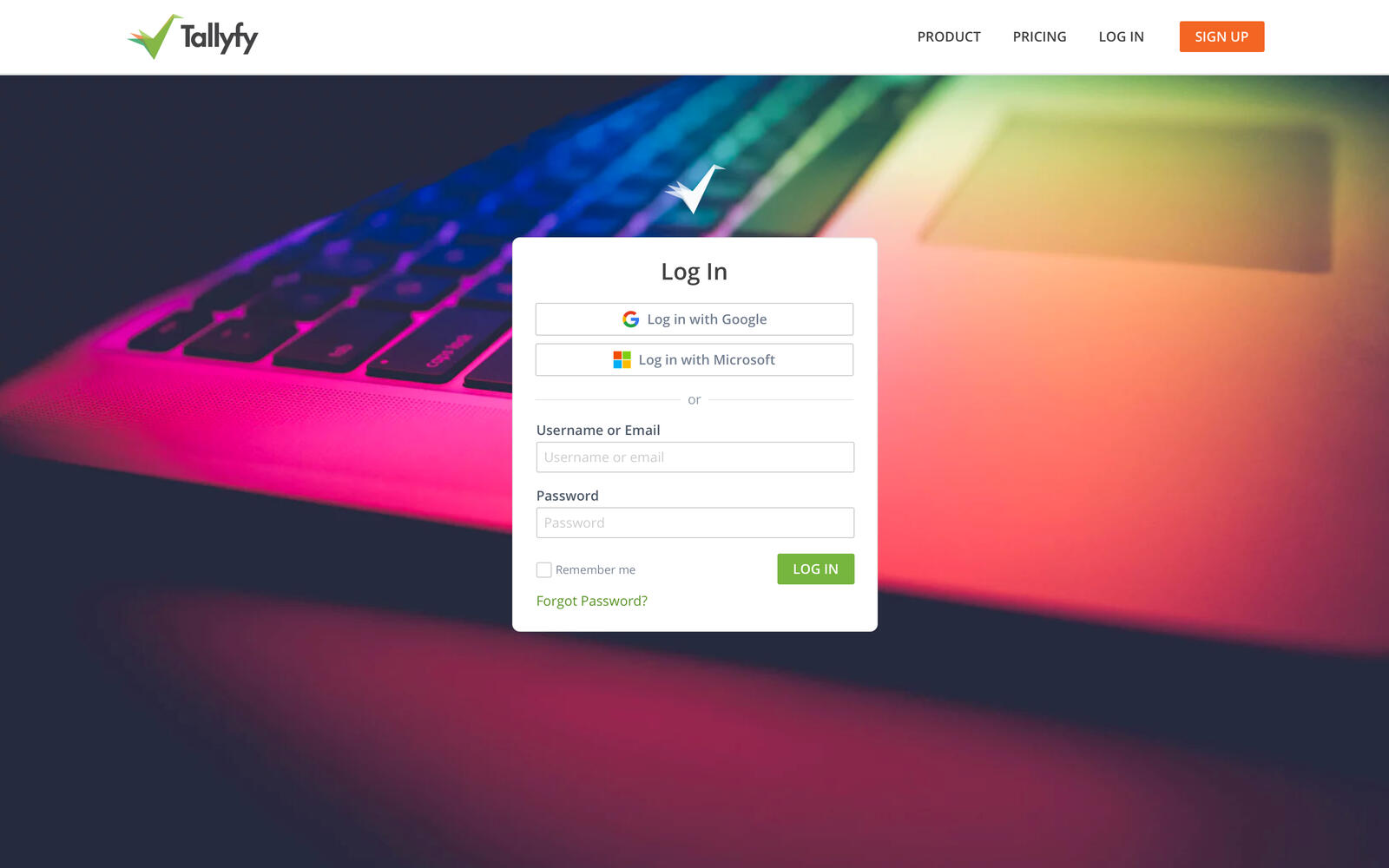
The challenge was detection. How do you know if a user should use SSO before they have authenticated?
The answer: email domain. User enters email, we check if that domain has SSO configured, then redirect appropriately. This is called “identifier-first” login and it’s now standard across enterprise software.
We also built organization-specific login URLs. Instead of going to the main login page, enterprise customers can bookmark go.tallyfy.com/login/acme-corp and go directly to their SSO flow. Their users never see our password fields.
The design specification emphasized this simplicity:
“SSO users should reach their identity provider in a single click. No intermediate screens, no password fields they cannot use anyway.”
That single-click requirement drove several technical decisions. No interstitial pages. No loading spinners. Just an immediate redirect. Is that overkill? Maybe. Enterprise IT cares.
The Cloudflare Turnstile layer
SSO endpoints are attack targets. Credential stuffing, enumeration attacks, denial of service. We needed protection without breaking legitimate flows.
From our security specification:
“We need to implement Cloudflare Turnstile for real user checks on sensitive UIs like user account creation, forgotten password, login, guest login, SSO login.”
Turnstile is Cloudflare’s CAPTCHA alternative. It runs in the background, assessing whether traffic looks human or bot-generated. Legitimate users rarely see any challenge. Bots get blocked.
We added Turnstile to:
- The SSO initiation endpoint
- Password reset flows
- Account creation
- Magic link generation
The SSO initiation endpoint was tricky. A redirect to an identity provider should be fast. Adding verification adds latency. We tuned the Turnstile settings to minimize friction while still catching automated attacks.
What we would do differently
Looking back at several years of SSO maintenance, a few things stand out:
Start with SCIM. We built SSO first, SCIM later. In hindsight, SCIM is more valuable for enterprise customers. Ghost employees cost them money every month. SSO is a convenience; SCIM is ROI.
Abstract the library earlier. When we upgraded SAML libraries, the change touched too many files. A better abstraction would have isolated the library-specific code, making upgrades less painful.
Build multi-IdP support from day one. Some enterprises have multiple identity providers - Okta for employees, Azure AD for contractors, something else for partners. Our initial architecture assumed one IdP per organization. Retrofitting multi-IdP support was painful.
Log more aggressively. SAML debugging is painful. The assertions are XML blobs with nested signatures. When something fails, you need detailed logs. We underinvested in logging initially and paid for it in support tickets.
The enterprise tax revisited
So was building SSO ourselves worth it?
The honest answer: probably.
We spent significant engineering time on initial implementation and ongoing maintenance. Actually, that understates it. If we had paid an auth provider, that time would have gone elsewhere.
But we also:
- Avoided per-user fees that would have eaten into margins
- Maintained complete control over the user experience
- Built expertise that helps us debug customer issues faster
- Created a competitive advantage (free SSO is rare in our market)
For a smaller company, the calculus might be different. If you have two engineers and need SSO yesterday, just pay Auth0. The enterprise tax is real, but so is the opportunity cost of building infrastructure instead of features.
For Tallyfy, building made sense. We had the team, we had the time horizon, and we really didn’t want to be dependent on a vendor for authentication.
The code is ours now. The maintenance is ours. The capability is ours.
That feels right.
For implementation details and current capabilities, see the SSO authentication documentation and organization settings guide.
About the Author
Amit is the CEO of Tallyfy. He is a workflow expert and specializes in process automation and the next generation of business process management in the post-flowchart age. He has decades of consulting experience in task and workflow automation, continuous improvement (all the flavors) and AI-driven workflows for small and large companies. Amit did a Computer Science degree at the University of Bath and moved from the UK to St. Louis, MO in 2014. He loves watching American robins and their nesting behaviors!
Follow Amit on his website, LinkedIn, Facebook, Reddit, X (Twitter) or YouTube.

Automate your workflows with Tallyfy
Stop chasing status updates. Track and automate your processes in one place.