
Summary
- Nintex is a suite, Tallyfy is a workflow tool, and choosing the subset is the whole migration - Nintex spans process mapping (Process Manager), workflow automation (Automation Cloud and K2), RPA, and document generation. Tallyfy runs sequential human work. You migrate the forms-and-approvals slice and leave the rest where it is.
- There is no clean universal export, because each Nintex product stores things differently - Process Manager exports a process as a BPMN file, PDF, or XPDL, but that is a map, not a running workflow. The automation products are tied to their runtime and to SharePoint, so this is a re-author, not a lift.
- Maps and approvals move well, RPA and DocGen do not move at all - a Nintex form plus an approval becomes a Tallyfy kick-off form plus an approval step, and a Process Manager map becomes a blueprint that actually runs. Robotic process automation and document generation have no equivalent.
- Expect a multi-week project, and start by naming which Nintex products you actually run - a few approval workflows move quickly, a SharePoint-and-K2-heavy estate takes longer. Book a 30-minute migration walkthrough and we’ll scope it honestly.
Moving from Nintex to Tallyfy means getting one thing straight first: Nintex isn’t one product, it’s a suite, and you only want a slice of it. Nintex sells process mapping, workflow automation, the old K2 platform, robotic process automation, and document generation, all under one brand. Tallyfy does one job: it runs your repeatable work as a sequence of steps that move themselves. So the migration isn’t really a data transfer. It’s a decision about which Nintex pieces are genuinely human workflow, followed by re-authoring just those.
That decision is the work. Get it right and the move stays calm. Get it wrong and you’ll try to recreate an RPA bot inside a checklist tool and wonder why it fights you every step. This is one of those picking workflow software migrations where naming the scope up front saves you more time than any export trick ever will.
Approval Management Made Easy
Why teams move off Nintex
Nintex earns real credit first. It’s a capable enterprise suite, and for organizations living inside SharePoint and Office it has automated a lot of genuinely painful work over the years. If your world is SharePoint lists and document-heavy approvals, Nintex was built for exactly that, and it shows.
What sends teams looking is usually a mix of three things. The SharePoint coupling that made setup easy now leaves them feeling stuck. Pricing has moved the wrong way. And the suite is quietly doing far more than the handful of workflows anyone actually touches.
Something we’ve learned watching teams leave a suite this big is that most of them only ever used a thin layer of it. They came for a few approval flows and a couple of forms. The RPA module, the document-generation templates, the deep SharePoint plumbing, all of that was either set up once by a consultant and left alone, or never switched on at all. So when they picture “migrating Nintex,” they picture hauling a mountain, when really they need to move a few well-worn paths.
What pulls them toward Tallyfy is focus. They want a tool anyone can run from a browser, without a SharePoint farm or a developer on call, where building and changing a process doesn’t wait on a specialist.
So what should actually come with you?
What Nintex export actually gives you
Here’s the straight read: what you can cleanly export from Nintex is the map, not the machine. Nintex Process Manager, the product formerly called Promapp, is the one with a real export. From a single process you can print or export it to PDF, XPS, or XPDL, and at the model level you can export to BPMN 2.0 or SVG. Nintex’s own docs note that a BPMN file carries the .bpmn or .xml extension, and that the purpose of the export is to move a process model into another process.
Read that carefully, because it’s the crux. Those exports describe how the work is meant to go. They’re documentation. They don’t carry a live, running workflow with its assignments, its approvals, and its history attached. You get the drawing of the engine, not the engine.
The automation side is harder. Workflows built in Nintex Automation Cloud or the K2 platform are bound to their runtime, their connectors, and very often to the SharePoint lists and forms sitting underneath them. No single button hands you a portable, rebuildable copy. So for the part of Nintex that actually executes work, this is a re-author migration: you read how a workflow behaves today and rebuild it as a Tallyfy blueprint, rather than importing a file. That sounds heavier than it is, because most of these workflows are simpler than their Nintex implementation makes them look.
How Nintex concepts map to Tallyfy
This is where the suite gets translated into one focused model. A few pieces map almost one to one. A couple don’t map at all, and naming those early is what keeps the project honest.
| Nintex concept | Tallyfy concept | Notes |
|---|---|---|
| Process Manager map (Promapp procedure) | Workflow template (blueprint) | The map becomes a blueprint that runs, not just a diagram |
| Automation Cloud or K2 workflow | Blueprint | Re-authored from behavior, not lifted from a file |
| Workflow action or task | Step | A human task becomes a task step |
| Nintex Form | Kick-off form or step form | Form questions become Tallyfy form fields |
| Approval action | Approval step | Approve or reject, with a record of who and when |
| Workflow variable | Form field | Data captured in fields, visible on the run |
| Assignee or participant | Assignee or group | A Nintex role maps to a Tallyfy group |
| SharePoint list binding | Form field or external reference | Tallyfy isn’t SharePoint-native; data lives in the run or a linked store |
| RPA botflow | Out of scope | Tallyfy runs human work, not screen-scraping bots |
| DocGen template | Out of scope | No document-assembly engine in Tallyfy |
Take a concrete one. Say you’ve got a new-starter system-access request that today runs as a Nintex form sitting on a SharePoint list, with a K2 approval workflow behind it deciding who signs off based on which systems were ticked. In Tallyfy that collapses into a single blueprint: a kick-off form captures the request and the systems needed, an approval that has to clear before provisioning starts routes to the right manager, and a final step records the IT provisioning. No SharePoint list, no separate form engine, no K2 runtime humming underneath. It runs in a browser, and every request shows the exact step it’s sitting on. The logic that felt like it needed a platform turns out to be four steps and one rule.
A realistic migration timeline
Plan the move in weeks, and spend the first one scoping instead of building.
Week one is an inventory, and for Nintex that means naming which products are actually in play. Which workflows live in Automation Cloud, which in K2, which are just Process Manager maps, and which lean on RPA or DocGen. That single list tells you what’s in scope (the human forms and approvals) and what stays behind or moves to a different tool.
Week two is for rebuilding: take your two or three busiest approval workflows and re-author them as Tallyfy blueprints, working from how they behave rather than from their Nintex configuration. Week three, run the rebuilt versions in parallel with Nintex on one team, so people can compare them without any risk. From week four onward, switch the workflows you’ve rebuilt and repeat the loop for the next batch. A SharePoint-and-K2-heavy estate stretches this out, because each SharePoint-coupled workflow needs its data home rethought, not just its steps copied across.
The forms part is usually quicker than people expect. A Nintex form becomes a form that kicks the work off, and because those fields drive the steps that follow, you tend to simplify as you go rather than port messy complexity over wholesale.
What breaks, and what Tallyfy won’t replace
Now the part worth being blunt about. Some of Nintex has no Tallyfy equivalent, and pretending otherwise would only set you up to fail later.
Nintex RPA is a different category entirely. It’s software robots driving screens and legacy systems, and Tallyfy doesn’t do that. If RPA is load-bearing for you, that capability stays in Nintex or moves to a dedicated RPA tool. DocGen, the engine that merges data into polished documents, has no match either, because document assembly simply isn’t what Tallyfy is built for. And the deep SharePoint and Office integration that makes Nintex feel native inside Microsoft’s stack isn’t something Tallyfy reproduces, since Tallyfy stays deliberately platform-independent and runs in any browser.
That’s the trade. You give up the bots, the merge-documents, and the SharePoint-native feel, and in return you get a workflow tool anyone can run and change without a specialist standing by. For teams whose real need is human approvals and repeatable processes rather than robots and generated paperwork, that trade is the whole point.
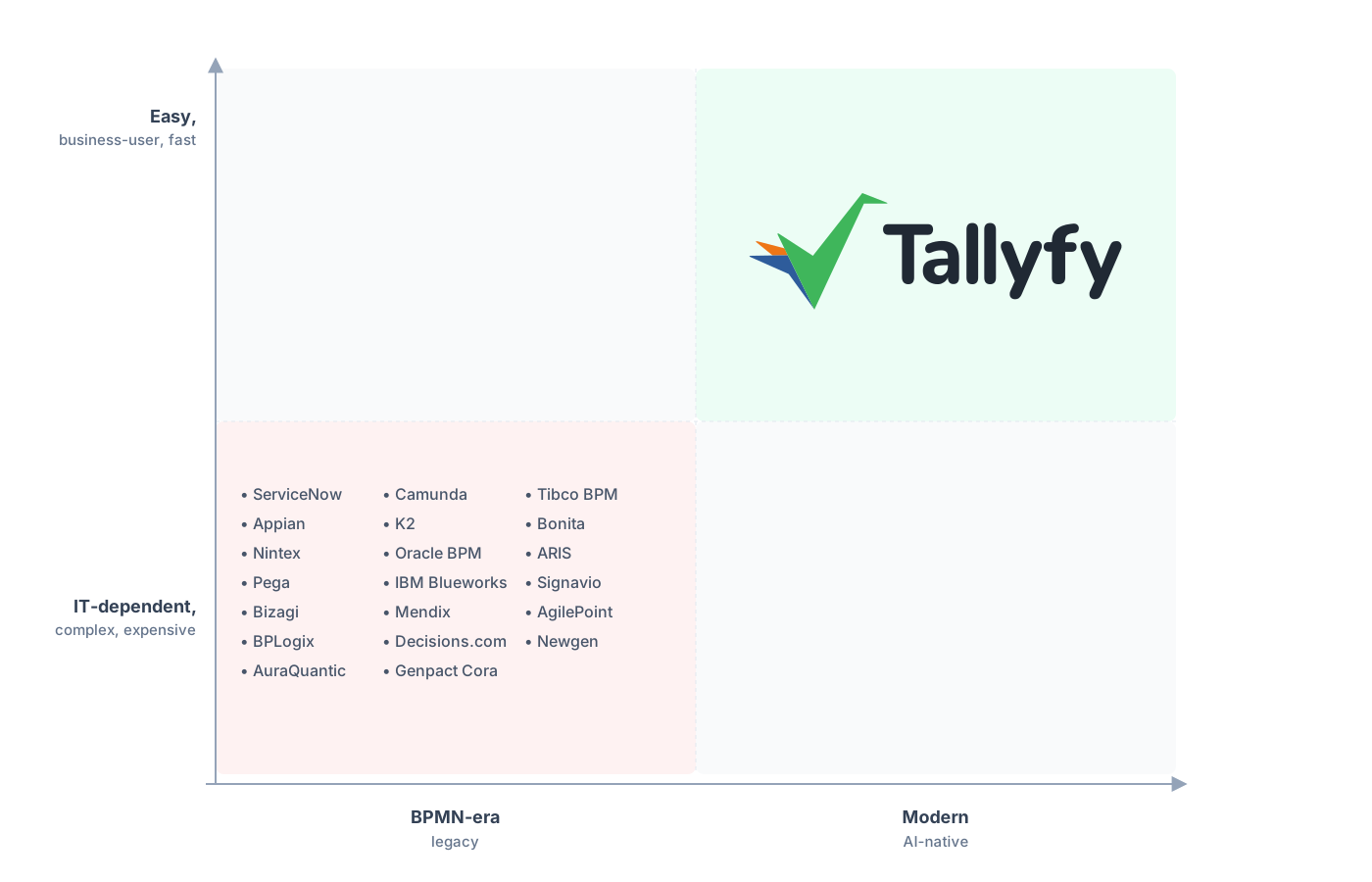
Legacy BPM ships as a six-month project. Tallyfy is a workflow you can stand up the same week.
There’s a bigger pattern under all this. Nintex sits in the low-code BPM category, the kind of platform that promises anyone can build automation but in practice leans on specialists and configuration. If that gap is why you’re leaving, it’s worth understanding the difference between no-code and low-code workflow tools before you commit to whatever comes next.
Common questions about migrating from Nintex
How long does a real migration from Nintex take?
Can I export my Nintex workflows, or just the diagrams?
What happens to my RPA bots and DocGen templates?
Does my approval logic carry over?
How does the pricing compare?
If you haven’t committed to the move yet, the Nintex alternative comparison lays out the case for leaving the suite; treat this as its build-it companion.
Planning it out? A short call is the right opening move. We’ll walk your product inventory, pin down which workflows are genuinely human forms and approvals, and name what stays in Nintex or moves elsewhere.
Book a 30-minute migration walkthrough and bring the workflows your team relies on most. Walking your real workflows for half an hour answers the fit question faster than any spec sheet.
