
Summary
- The loop is five moves - run the SOP, a Stop hook audits the run, it checks for drift, a human approves the fix, then it commits and syncs. Execution is what triggers the update, not a calendar.
- A Stop hook is the mechanism - Claude Code fires a Stop hook when a run ends, and the hook returns a single decision object that hands its verdict straight back into the session.
- Nothing lands unreviewed - the hook stages a proposed change as a diff and logs every verdict to JSONL, so a human signs off before the SOP changes for the whole team.
- Want the process itself to live somewhere runnable? Build a Tallyfy workflow from plain English
Most “AI updates your docs” tools point at the wrong artifact. They watch your codebase or your support tickets and refresh a wiki page on the side. That’s backwards. The document that goes stale fastest is the one people actually run, the SOP, and the moment it goes wrong is the moment someone runs it and a step fails in their hands.
So hook the update to the run itself. You write the SOP as a Markdown file that ends with an introspection step. When an agent finishes running it, a Claude Code Stop hook fires an auditor that compares what the SOP says against what actually happened. If a step drifted, the hook stages a corrected version, flags it, and waits. A human approves, and only then does the change commit and sync to the team. Let me show each piece, with the real hook I built to demo it.
Try the free SOP generator
By Tallyfy. Get a Word doc in ~15-20 seconds. No sign-up.
Tap a section to preview the steps, or download the full Word document below.
How the loop works
The loop has five moves and one rule: execution triggers the update, not a review date. You run the process. A Stop hook audits the run the instant it ends. The audit asks whether any step drifted from reality. If it did, the change goes to a human gate. On approval it commits and syncs, and the next run starts from the corrected version. Reject it, and the SOP stays exactly as it was.
What makes this different from every “self-updating docs” product is the trigger. Nobody schedules the audit. Nobody remembers to run it. The audit is welded to the end of the run, so the SOP gets a maintenance pass every single time it’s used, done with the full context of what just happened. This is the part AI actually changes about operations: the maintenance moves inside the work instead of sitting in a backlog nobody clears.
Write the SOP with an introspection step
Start with the SOP itself, as plain Markdown so both people and agents can read it. Numbered steps, an owner, a last-updated line, nothing fancy. The one addition that makes it self-updating is a final step, an introspection step, that tells whoever ran it to compare the doc against what actually happened and stage any correction for review. Writing it this way is also just writing a process for an agent, not only a human: every assumption spelled out, nothing left to memory.
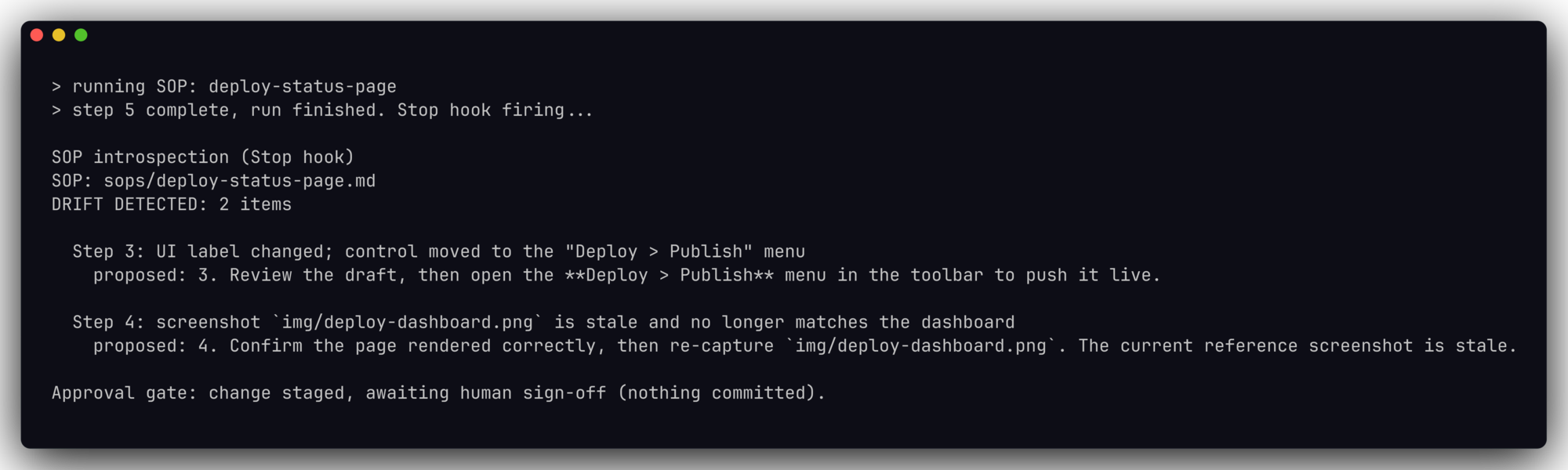
Here’s the tail of a real demo SOP for deploying a status page. Steps 3 and 4 carry the usual rot. Step 3 names a button that moved, and step 4 points at a screenshot that no longer matches the screen. The introspection step is what turns those two problems into staged fixes instead of quiet confusion on the next run.
3. Review the draft, then click the green **Publish** button in the top-right
   corner of the toolbar to push it live.
4. Confirm the page rendered correctly against the reference screenshot at
   `img/deploy-dashboard.png` (the dashboard should match this layout).
5. Post the published URL in the `#status-updates` channel and close the ticket.

## Introspection

After completing this run, compare each step against what actually happened.
If a screenshot is stale, a UI label changed, or a step no longer matches
reality, propose an updated step and flag it for review. Do not edit the SOP
silently. Stage the proposed change and wait for a human to approve it.
The load-bearing line is the last one: do not edit the SOP silently, stage the change and wait for a human. That single instruction is the whole difference between a self-updating SOP and a self-corrupting one, which is the argument of the companion piece on the human gate.
The stop hook that fires an auditor
A Claude Code Stop hook fires when the agent finishes a run. That’s the event you want, because it runs after the work, with the whole transcript there to inspect. Register it in settings, point it at a script, and the script becomes your auditor.
Why a hook and not an instruction, August 5, 2026. The obvious cheaper alternative is to write the introspection step into a CLAUDE.md file and hope it gets followed. Anthropic’s own memory documentation rules that out: those files are treated as context rather than enforced configuration, there is no guarantee of strict compliance especially for vague or conflicting instructions, and the doc names a PreToolUse hook as what you reach for to block an action regardless of what the model decides. A hook is code the runtime runs. An instruction is a request the model weighs against everything else it is holding. Which is why this loop hangs off the Stop event rather than off a well-worded reminder.
{
  "hooks": {
    "Stop": [
      { "hooks": [ { "type": "command", "command": "~/.claude/hooks/sop-introspect.sh" } ] }
    ]
  }
}
The auditor doesn’t have to be clever. It reads the SOP and a record of what the run observed, checks each step for drift, and if it finds any, it emits a single decision object where the reason carries the verdict back into the session. It stages the proposed change as a diff, logs the verdict to JSONL, and gets out of the way. Two guardrails keep it safe: a loop guard so a blocked session can’t get trapped retrying forever, and a fail-open default so a missing file or a broken dependency never crashes the run.
# loop guard: never block a session already in forced-continuation
[ "${STOP_HOOK_ACTIVE:-false}" = "true" ] && { echo "skipped (loop guard)"; exit 0; }

# fail open: missing inputs or jq must never crash the session
{ [ -f "$SOP" ] && [ -f "$OBS" ] && command -v jq >/dev/null; } || { echo "skipped (inputs unavailable)"; exit 0; }

# drift check: count observations the agent marked as not matching the SOP
DRIFT_COUNT="$(jq '[.observations[] | select(.matches_sop==false)] | length' "$OBS")"
[ "$DRIFT_COUNT" -eq 0 ] && { echo "No drift detected."; exit 0; }

REASON="$(build_verdict)"                       # header + per-step corrections + approval-gate line
printf '%s' "$DIFF" > runs/proposed-update.diff # stage the patch; never auto-applied

# the exact object a live Stop hook emits to gate the stop and feed the reason back
jq -n --arg reason "$REASON" '{decision:"block", reason:$reason}'

# append one line to the JSONL decision log, rotate past 1000 lines
printf '{"sop":"%s","drift":%s,"decision":"block"}\n' "$SOP" "$DRIFT_COUNT" >> "$LOG"
If you want the auditor to second-guess itself before it flags anything, the Chain-of-Verification method from Dhuliawala and colleagues is a clean fit: draft the finding, plan verification questions, answer them independently, then commit to a verdict. Run the hook for real and it looks like this at the end of a session:
Detecting drift and stale screenshots
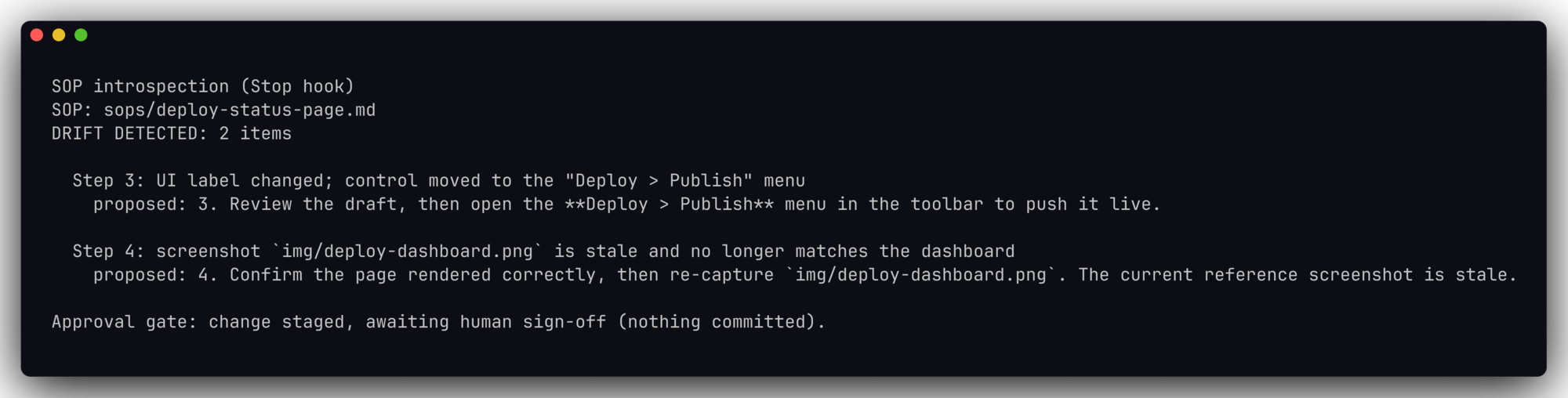
Drift comes in a few flavors, and the auditor’s job is to name the specific one. A label changed, and the button now hides under a menu. Or the screenshot went stale after a dashboard redesign. A step references a tool that got renamed, or a link that now 404s. How does an agent catch these when a human skims right past them? Because it just ran the thing and watched reality diverge from the words, one concrete checkable claim at a time.
One honest limitation, because I hit it myself. A naive hook that only scans typed text won’t notice files made by side tools, the fresh screenshot a skill wrote, the diagram a renderer produced through a positional command. I’ve watched an auditor flag a perfectly real, freshly-generated PNG as missing because it was created through a path the file-watcher didn’t cover. So the drift check has to look at what the run actually touched, not just what it typed. Get that wrong and your self-updating SOP will confidently “correct” things that were never broken, which is its own small nightmare.
Approve, version, and sync
The last three moves are where the discipline lives. The proposed change waits at an approval gate, and a person reads the diff and signs off or rejects it. On approval it commits to version control, so every SOP edit is a diff you can attribute and roll back the instant the machine gets it wrong. Then it syncs, and the whole team runs the corrected version next time. Keep the audit trail an AI agent needs and you can always prove who changed what.
The workflow is the guardrail.
This is the same reason you bind an agent to a defined workflow in the first place, instead of turning a free-roaming agent loose to edit your operations at will. If you want the thesis behind all of this, execution is the maintenance makes the full case. And if you want the runnable version without wiring hooks yourself, Tallyfy keeps the procedure and the doing in one executable object so a fix lands where the next person will run it. Pick one SOP, add the introspection step, wire the hook, and let your next ten runs do the maintenance you’ve been putting off.
