
Summary
- Moving off Monday.com is a paradigm change, not a copy-paste - Monday is a configurable Work OS with many views and thirty-plus column types. Tallyfy is one sequential flow. The work is deciding which boards are real repeatable processes and which are just flexible spreadsheets.
- The real export path is the API, not the Excel button - Monday’s GraphQL API reads items, column values, and updates. The board-to-Excel export is fine for a snapshot, but the API is how you pull a board completely.
- Boards map cleanly, columns are where the thought goes - a Board becomes a Tallyfy blueprint, Groups become phases, Items become process runs, and the thirty-plus column types collapse into form fields, with Mirror and Formula columns becoming read-only values.
- Budget five to six weeks and a column-type audit - rebuild your top three boards, parallel-run, then switch. Book a 30-minute migration walkthrough and we’ll give you a clear yes or no on whether it fits.
You came here because some of your work has outgrown Monday.com, and you want to know what moving to Tallyfy actually takes. Fair. The short answer is that the data comes across more easily than you fear, and the harder, more valuable part is deciding what to bring at all.
Monday calls itself a Work OS, and that label is the whole story of this migration. It’s built to be molded into almost anything: a CRM, a project tracker, a content calendar, a bug board. Tallyfy is the opposite kind of tool on purpose. It runs one process, the same way, every time.
So migrating isn’t about recreating your Monday boards pixel for pixel. It’s about pulling the genuinely repeatable processes out of that flexible canvas and giving them a fixed shape, which is the sorting decision underneath most workflow tools you could pick. If you’re weighing the move against staying, the Monday.com alternative comparison argues the case either way; this one walks you through the actual move.
Why teams move off Monday.com
First, some fairness to Monday. For a team that wants a flexible visual database, where every group runs its own board its own way, Monday is genuinely good at that. A migration guide that spends its time bashing the tool you’re on isn’t worth reading.
The pressure usually comes from two directions. Per-seat pricing is the first, and it adds up quickly once operations work pulls in contributors from every team, because everyone who touches the board needs a seat. The second is subtler and matters more.
Flexibility has a cost that shows up late. When every board can be anything, your “client onboarding” exists in five slightly different shapes across five teams, each with its own columns and its own half-finished automations. That’s fine for ad-hoc work. For a process that’s supposed to run identically every time, it’s the core problem, and it’s basically the same reason flexible tools struggle the moment work repeats, a pattern I dug into when comparing the best workflow software. You don’t want five versions of a process. You want one that everyone runs.
What Monday’s export actually gives you
Here’s the export reality, and it shapes the plan. Monday gives you two ways out. The board-level Excel export, from the board menu, is the quick option, and it’s fine for a point-in-time snapshot of a single board. The complete path is the Monday GraphQL API, which the docs describe plainly: the API is built with GraphQL, and queries perform the read operation that pulls items, their column values, and their updates from a board.
Why does the distinction matter?
Because the Excel snapshot flattens everything to a grid, while the API preserves the structure you’ll actually need when you decide what maps to what. For most migrations you don’t need to script against the API yourself. You need to know it exists, so that when a board has data you can’t lose, you have a complete export route rather than a flattened one.
The practical move is the same as with any tool: export the structure, keep the old Monday account read-only as your archive for a few months, and rebuild the processes fresh rather than trying to drag every historical update into the new system.
Workflow Made Easy
How Monday concepts map to Tallyfy
The good news is that the Tallyfy team maintains an explicit Monday object mapping, so you’re not guessing. The board-level concepts line up cleanly.
| In Monday.com | In Tallyfy | What actually changes |
|---|---|---|
| Account | Organization | Direct match |
| Workspace | (flattened) | Folds into the organization |
| Folder | Blueprint category / tag | Becomes organizing metadata |
| Board | Blueprint | Your reusable process definition |
| Item | Process (a run) | One live instance of the blueprint |
| Subitem | Checklist item | Simplified into a sub-step |
| Group | Step group / phase | The phases of the flow |
| Column value | Form field (capture) | Data captured at a step |
| Update | Comment | Carries over via the API |
| Subscriber | Follower / participant | Direct match |
| Recipe (automation) | Rule (IF-THEN) | Rebuilt by hand, not imported |
The part that needs real attention is columns. Monday documents more than thirty column types, and they don’t all have a one-to-one home. Most are easy: Text, Numbers, and Date map straight across to the matching field types. Status becomes a dropdown, though the color coding is lost. People becomes an assignee, with teams expanded into individuals.
Then there are the clunky ones, and you should know them before you start. A Timeline column splits into two date fields, a start and an end. Mirror columns, which pull a value from another board, have no flat equivalent, so they become a read-only text value plus a note about where it used to come from. Formula columns become the read-only result, not the live calculation, because the formula logic gets documented rather than executed. None of this is hard, but it’s the single decision that takes the most thought in the whole migration.

The view paradigm shifts too. Monday lets you see a board as a table, a Kanban, a timeline, a calendar, a chart, all at once. Tallyfy is one sequential flow with parallel branches where you need them. A Kanban column typically becomes a small group of steps, an entry, the work, and an exit. Your data crosses over fine. The many-views flexibility does not, and for a repeatable process that trade is worth making, because one canonical flow beats five drifting board layouts.
Use a client-onboarding board as the worked example. In Monday, that board is a grid: a Status column, a People column for the owner, a Date column, a Mirror column pulling the signed contract value off your sales board, and a Formula column flagging anything overdue. Migrate it and the grid becomes one onboarding blueprint. The Status stops being a column and becomes the step the run is sitting on. People becomes the assignee of each step. Date becomes a deadline. The Mirror value becomes a read-only field with a note saying where it used to come from, and the Formula becomes a documented rule. Same information, but instead of one wide row of columns, it’s a sequence of steps that each capture the right field at the right moment.
A realistic migration timeline
Nobody migrates a Work OS in a weekend, and anyone who says otherwise hasn’t done it. For a team with a few active processes, plan on five to six weeks, with one extra step that’s specific to Monday.
Week one is export plus a column-type audit. Pull your boards out and sort them by the only question that matters: does this work come back, or did it happen once? At the same time, walk each board’s columns and decide which Mirror, Formula, and Connect-board columns you can actually live without. The thing is, teams are usually surprised how many of their columns were holding data nobody acts on. That cleanup is a big part of the value of moving.
Week two means rebuilding your top three boards as Tallyfy blueprints. Three, not thirty. Choose the processes that hurt most when they break, and define them properly with owners, order, and the approval checkpoints that actually need to gate the work. The parallel-run week is next, on one or two teams, old board and new process side by side, so you find the gaps with a safety net under you.
Week four switches your power users over fully and makes the Monday board read-only. The last two weeks bring the remaining teams over and wind Monday down to an archive. The reason to go this slowly is the same reason the move is worth making at all: you’re not copying your boards, you’re turning their drifted, five-versions-of-everything reality into one clean process on the way through.
What breaks, and what Tallyfy won’t replace
Be ready for a few specific things. Recipe automations don’t transfer; the object mapping is explicit that they need manual recreation as Tallyfy automations. Mirror and Connect-board columns break, because cross-board references have no flat equivalent and become static values. Status colors and conditional formatting are lost. And your multiple concurrent views collapse into one process view, which is the point but still a real adjustment for a team used to flipping between Kanban and timeline.
Now the honest limitations, the section most vendors skip. Monday does things Tallyfy doesn’t.
Monday’s dashboards and widgets, the roll-up charts and number tiles that aggregate across boards, have no equivalent in Tallyfy, which is a process engine, not a configurable canvas. The whole Work OS flexibility, the ability to make a board into a CRM one week and a content calendar the next, is deliberately gone; Tallyfy is one sequential flow by design. And Monday’s Workload view, the resource-capacity planner, has no direct match. If those are central to how you operate, the right answer is to keep Monday for that flexible, dashboard-driven work and move only the repeatable processes into Tallyfy. Running both is normal.
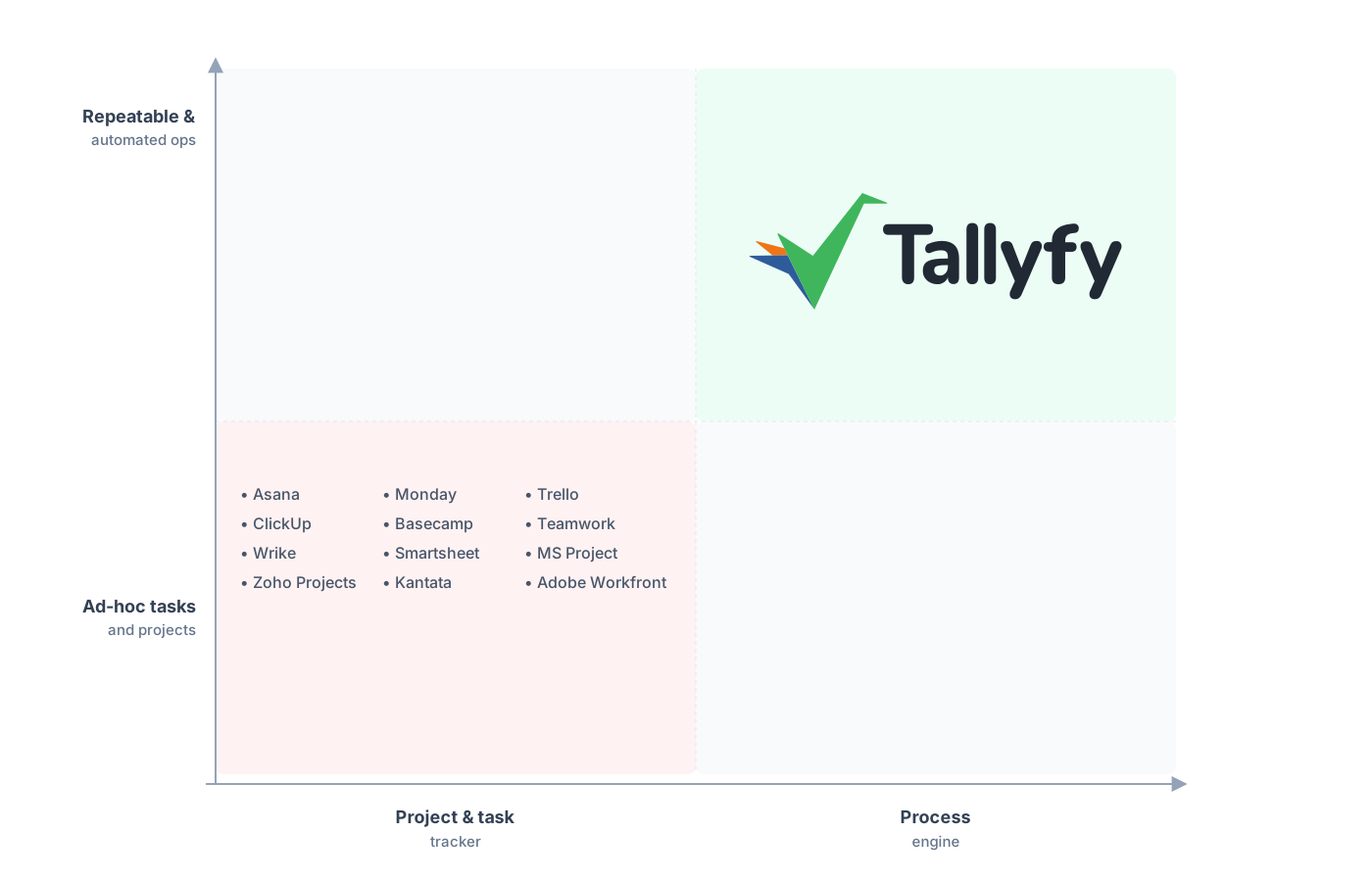
Repeatable and automated operations, not a configurable board canvas.
The counterintuitive part, the thing that surprises most teams moving off a Work OS, is that collapsing all those views into one flow makes the work easier to see, not harder. Instead of forty items scattered across a board with statuses you have to interpret, you get forty runs of one process in a single status board, each sitting on a named step. The flexibility you give up buys you a clarity you didn’t have.
Common questions about migrating from Monday.com
How long does a real migration from Monday.com take?
How do I export my Monday boards completely?
What happens to my thirty-plus column types?
Do my Monday automations (recipes) come across?
What if my team still needs Monday dashboards?
If you’re still in the deciding phase rather than ready to move, the Monday.com alternative comparison lines up what each tool is built for. This playbook is its how-to-move companion.
When the decision is made, get a short call on the calendar. We look at your busiest Monday boards and tell you which ones are repeatable processes worth migrating and which should stay on the board.
Book a 30-minute migration walkthrough and bring the two or three boards your team lives in. That’s the fastest way to see whether Tallyfy is the right home for them.
