
Summary
- The migration question isn’t how to export, it’s whether each sheet is a process or a spreadsheet - Smartsheet is grid-first, so a lot of “sheets” are really spreadsheets, and those shouldn’t move to a workflow tool at all. Only the sheets that drive a repeatable sequence of steps map cleanly.
- Smartsheet has built-in export, but formulas don’t survive it - you can export any sheet to Excel, Google Sheets, or PDF, but Smartsheet states formulas aren’t preserved, and groupings, summary rows, and attachments are excluded. The full structured path is the Smartsheet API.
- The concept map turns rows into the right object - a process-shaped sheet becomes a Tallyfy blueprint, a row that’s a task becomes a step, a row that’s a case becomes its own run, columns become form fields, and an update request becomes a real approval step.
- Plan for weeks, not a weekend - audit which sheets are actually workflows, rebuild your top three, parallel-run, then switch. Book a 30-minute migration walkthrough and we’ll level with you on whether it fits.
If you’re thinking about leaving Smartsheet, the first useful move has nothing to do with exporting. It’s sorting. Smartsheet is a grid, and a grid will happily hold two completely different kinds of work that look identical on screen.
Here’s the blunt version. A sheet where each row is a step in a sequence, and the whole thing repeats, is a process, and it maps onto Tallyfy cleanly. A sheet where each row is a record you look things up in, with formulas across cells, is a spreadsheet, and you should keep it in a spreadsheet. Most Smartsheet migrations come unstuck because someone tries to move the spreadsheets too. So the job starts with deciding which is which, the same instinct behind moving teams who are tired of tracking work in spreadsheets toward something that actually runs the process. That call sits underneath most workflow software moves.
Why teams move off Smartsheet
Smartsheet is a capable tool, full stop, and any migration guide that paints the thing you’re leaving as rubbish is no help to anyone. Smartsheet gives you spreadsheet power with project features bolted on: formulas, Gantt charts, cross-sheet references, automations, and a grid that anyone who knows Excel can pick up in an afternoon. For teams that genuinely think in rows and columns, that familiarity is the whole appeal.
The strain turns up in one spot. It turns up the moment a grid is asked to enforce a process rather than just record one.
Both reasons teams start looking trace back to that mismatch. The first is that a spreadsheet demands nothing. A row can sit half-finished with no owner, the next step can be skipped, and the sheet won’t object, because a grid records state, it doesn’t drive work forward.
Second, the workarounds multiply. To make a sheet behave like a workflow, you stack automations, conditional formatting, update requests, and helper columns until the whole setup is clunky and only its author understands it. For repeatable work, that scaffolding is the problem, not the solution.
What Smartsheet’s export actually gives you
First, the export, because its reality sets the whole plan. Smartsheet lets you export a sheet to Excel, Google Sheets, or PDF from the File menu, and the grid comes across as a grid. So the raw data of any sheet is easy to get out.
Then read the limits, because they tell you what a CSV-style export can’t carry. Smartsheet is direct that formulas aren’t preserved, because of the differences between Excel and Smartsheet formula syntax, and that groupings, summary rows, and attachments are excluded from the export. Comments land on a separate tab rather than next to the row they belong to. So you keep the values, not the logic that produced them and not the conversation around them.
Want the complete, structured pull? That’s the Smartsheet REST API, a REST API at version 2.0 that lets you programmatically access and manage sheets, rows, columns, and more. Few migrations actually script against it. You export the sheets you’ve decided are real processes, keep the old Smartsheet account read-only as your archive, and rebuild those processes fresh.
Business Process Management Made Easy
How Smartsheet concepts map to Tallyfy
This next part is where people brace, because one Smartsheet concept, the row, becomes two different Tallyfy objects depending on what the row really is. Get that distinction right and the rest takes care of itself.
| In Smartsheet | In Tallyfy | What actually changes |
|---|---|---|
| Workspace | Organization / category | Becomes organizing metadata |
| Sheet (process-shaped) | Blueprint | Your reusable process definition |
| Row that is a task | Step | A to-do row becomes a step in the flow |
| Row that is a record | Process (run) | A case row becomes its own running process |
| Column | Form field (capture) | Captures data at the right step |
| Smartsheet Form | Kick-off form | Intake moves to the start of the process |
| Update Request | Approval step | Becomes an explicit sign-off that blocks |
| Automation (workflow rule) | Rule (IF-THEN) | Rebuilt by hand, not imported |
| Cross-sheet formula | Read-only value | The calculation is documented, not run |
| Dashboard / Report | Live status view | Reporting is built in, not a separate object |
What changes is the shape: from a grid to a flow. In Smartsheet you scan a sheet top to bottom and read state across columns. In Tallyfy you follow a process step by step, and each run moves through it once. Your data makes it across. The free-form grid where you could type anything into any cell does not, and for a repeatable process that constraint is a feature, because it’s what stops rows from sitting half-done.

Picture contract renewals. In Smartsheet, that often lives as one big sheet: each row is a contract, with columns for the vendor, the renewal date, the owner, a status with colored balls, and an update request that pings the owner when a decision is due. It looks like a workflow, but it’s basically a record list with manual nudges stapled on. Done right, each contract row becomes its own running process, kicked off a set number of days before the renewal date, with steps for review, an approval step that actually blocks until someone decides to renew or cancel, and a clear view of every active renewal at once. The sheet was tracking the work. The blueprint runs it.
A realistic migration timeline
Anyone who pitches a one-weekend migration is skipping the hard part. A genuine move runs five to six weeks, and for Smartsheet that first week counts for more than the others.
The first week is all audit, and it decides the rest. Go sheet by sheet and put each into one of two piles: this is a process, or this is a spreadsheet. The test is simple. Does this sheet drive a sequence of steps that repeats, or does it hold records you read and calculate against? Only that first pile makes the move. Be honest here, because shoehorning a spreadsheet into a workflow tool helps nobody, and Smartsheet stays a perfectly good home for the genuine spreadsheets.
Rebuilding comes next: your top three process sheets, recreated as Tallyfy blueprints. Not thirty. Three. Go for the ones that hurt most when a row gets skipped, with real owners, a fixed sequence, and the approvals that actually block. Then run them side by side: have one or two teams work the new Tallyfy process beside the old sheet, so problems show up while the old one is still standing.
After that, cut your power users over completely and lock the old sheets to read-only, then use the last couple of weeks to bring everyone else across and keep Smartsheet only for the sheets that were always spreadsheets.
Why so deliberate?
Because the aim was never to rebuild your sheets in a new tool. It’s about isolating the handful that were always processes pretending to be grids, and letting them finally run that way.
What breaks, and what Tallyfy won’t replace
Let me spell out what goes wrong, because a couple of these snag every move. Cross-sheet references and INDEX/MATCH formulas have no equivalent in a workflow tool, so they either go static or break, and you document the logic in the step instead. Cell-level comments and proofing don’t migrate cleanly. Grid users expect to type into any cell and instead get a guided sequence, which is the paradigm shift and the retraining cost. And anything built on Control Center or Dynamic View is out of scope for a process migration.
Now the candid part, the section most guides skip. Smartsheet does several things Tallyfy doesn’t.
Smartsheet is a spreadsheet at heart, and Tallyfy is not. Formulas across cells, pivots, the grid math, the Gantt scheduling, and the resource views have no counterpart in a tool built to run one process properly. A mistake we watch teams make is trying to move the calculation-heavy sheets too, then feeling let down when the formulas don’t come along. They were never supposed to. If your team needs grid math, keep Smartsheet for the spreadsheet sheets and move only the workflow sheets across. Running both is normal: Smartsheet for the analysis and tracking grids, Tallyfy for the processes that have to run the same way every time.
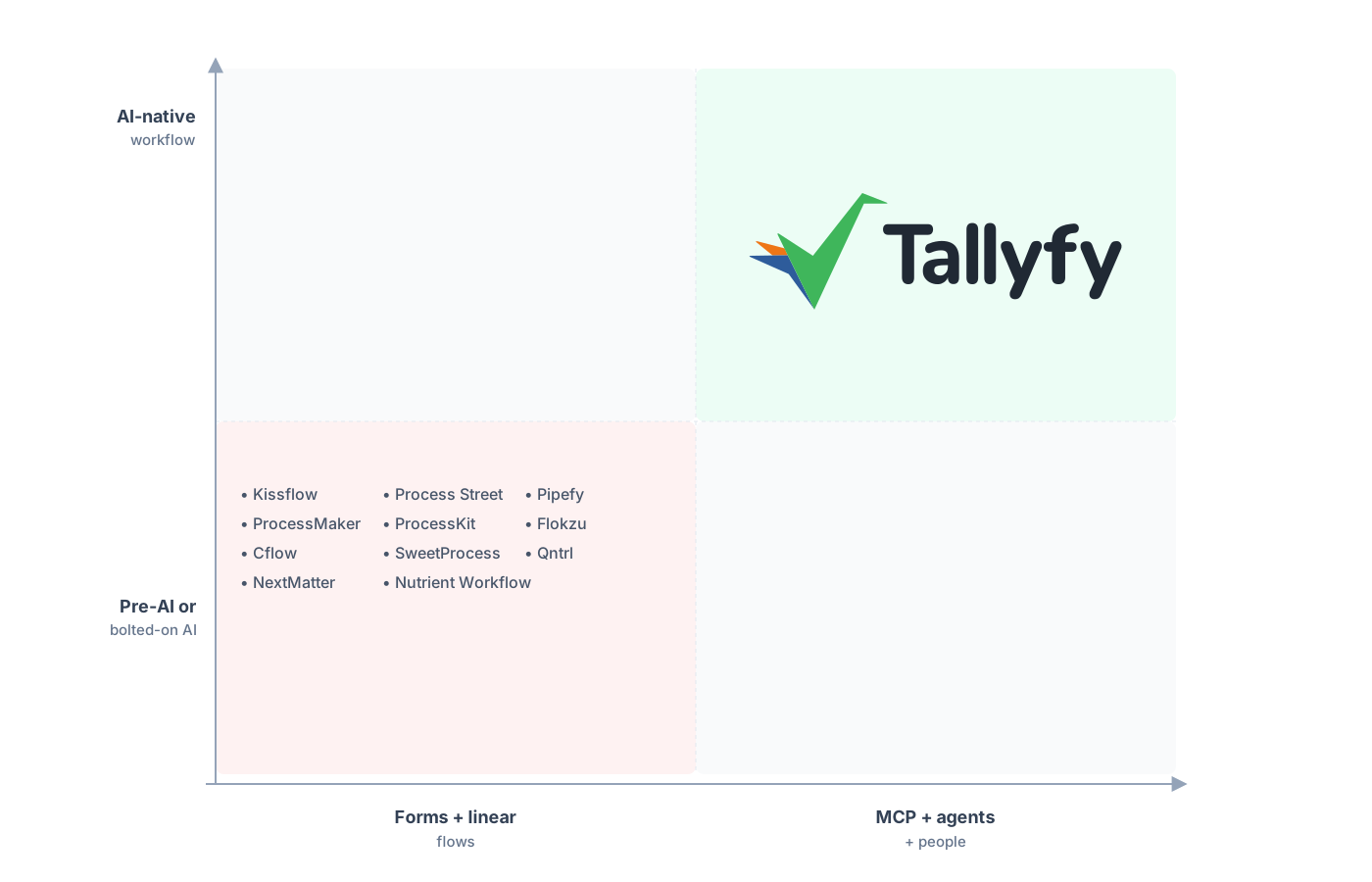
A workflow engine that runs the process, not a grid that records it.
Reporting is the thing teams expect to lose and keep. In Smartsheet you build a dashboard or a report as a separate object pointed at your sheets. The live status view is built into Tallyfy, so every run shows up sitting on a named step without you wiring up a reporting layer. The constraint that made you nervous, losing the free-form grid, is exactly what makes the status legible, and rebuilding automations as Tallyfy rules is quick work once the flow is nailed down.
Common questions about migrating from Smartsheet
How long does a real migration from Smartsheet take?
Can I export my Smartsheet formulas and attachments?
How do I know if a sheet should move at all?
What happens to my rows when they become Tallyfy objects?
How does the pricing compare?
Not ready to move, just comparing? Our Smartsheet alternative comparison is the side that weighs the grid against a flow that runs, and this is the how-to-do-it half.
When the move is real and not hypothetical, set up a short call. We look over your current Smartsheet setup and give you an honest read on which sheets are real processes worth migrating and which should stay as spreadsheets.
Book a 30-minute migration walkthrough and bring your two or three busiest sheets. A short look at the real ones tells you whether it’s a fit.
