
Summary
- A full ServiceNow migration is the wrong goal, and we’ll say so up front - ServiceNow is an ITSM platform with a CMDB, custom apps, and incident and change tooling. None of that belongs in Tallyfy. The move is narrow: the human approval and request workflows that never needed a platform.
- You can export the records, not the application - ServiceNow exports list and table data to Excel, CSV, or XML, and pulls records through its REST API. What stays behind is the platform logic. Business rules, client scripts, and ACLs are bound to the Now Platform.
- Tallyfy complements ServiceNow, it does not replace it - keep ServiceNow for ITSM, the CMDB, and your engineered apps. Move the lightweight cross-team approvals to a tool a business user can change without filing a ticket.
- Scope it to one workflow first, then run both side by side - pick a single request flow, rebuild it, parallel-run it. Book a 30-minute migration walkthrough and we’ll help you draw the line.
Migrating from ServiceNow to Tallyfy opens with a sentence most guides dodge: you probably shouldn’t move most of it. ServiceNow runs IT service management, a configuration database, and a stack of custom-built apps, and Tallyfy isn’t built to replace any of that. So this guide stays narrow on purpose. What it covers is the slice of ServiceNow that’s only human approvals and requests, the work that never needed an enterprise platform to begin with.
That slice is genuine, and bigger than most people assume. Access requests, simple service-catalog approvals, onboarding sign-offs, the small cross-team workflows that got built in ServiceNow because that’s where the license already was. Those move to Tallyfy cleanly. Anything with a CMDB lookup, an incident table, or a business rule behind it stays exactly where it is. Sorting one from the other is the whole job, and it’s the same kind of call you face in any serious comparing workflow software decision.
Customer Service Workflow Made Easy
Why teams move off ServiceNow
ServiceNow is a serious platform, and it’s worth being fair about that before talking about leaving any part of it. For IT service management at enterprise scale, it’s one of the strongest tools you can buy. Incident, problem, and change management, a configuration database that ties assets together, a development layer for custom apps. That’s a lot of capability, and the teams who need it really do need it.
The friction shows up at the edges. Someone in HR or facilities or procurement has a simple approval to run, and the only workflow tool in the building is ServiceNow. So the request gets built there too. Now a three-step sign-off lives inside a platform that needs a ServiceNow developer to change, sits behind a license priced for ITSM, and carries concepts built for a far heavier job.
One pattern we keep seeing with ServiceNow teams is how much lightweight work piles up in a system meant for heavy work. A new vendor needs approving. A contractor needs an account. That change request in the queue is really just a manager’s yes. None of it needs a CMDB. It needs a form, a couple of approvals, and someone able to edit the steps without raising a ticket.
So what’s the move actually for?
It’s to get the simple human workflows out from under the platform, so the people who own them can run and change them directly.
What you can actually export from ServiceNow
Here’s the part that decides how the move really works: ServiceNow lets you export your data, but not your platform. Those are different things, and the gap between them is basically the whole story.
The data side is straightforward. From any list you can export records to Excel, CSV, or XML through the context menu, and for anything bigger you can pull records through the REST API, a table at a time, filtered by query. Your request history, your approval records, your catalog data, all of it comes out in a format another tool can read.
The platform side doesn’t travel. Business rules, client scripts, ACLs, the Flow Designer logic that makes a catalog item route the way it does, all of that is written against the Now Platform and runs nowhere else. Configuration moves between ServiceNow instances as Update Sets in XML, not out to a different vendor. So when you “export” a ServiceNow workflow, you get the record of what happened plus a file of the fields. You don’t get the running workflow. That part gets rebuilt, and for a human approval that’s a short job, not a loss.
That sounds worse than it is, though. Turns out the records you export are the best reference you have for the rebuild. The field list tells you exactly what to capture on the kick-off form, the approval history shows you who signs off and in what order, and the catalog definition spells out the options a requester picks from. You’re recreating the workflow, but you aren’t guessing at it. The data you pulled is the spec, and a simple sign-off has a short one.
How ServiceNow concepts map to Tallyfy
For the human-workflow subset, the mapping is clean, because you’re only moving the parts that were always about people. The trick is keeping the orange parts out of it.

| ServiceNow element | Tallyfy concept | Notes |
|---|---|---|
| Flow Designer flow (human) | Blueprint | Only the human-approval flows |
| Catalog item / record producer | Kick-off form | How a request starts |
| Approval activity | Approval step | The manager sign-off |
| Assignment group | Group | Who picks up the task |
| Task (SCTASK) | Step | A single unit of work to do |
| Business rule / client script | Out of scope | Stays in ServiceNow |
| CMDB / configuration item | Out of scope | No home in Tallyfy |
| Incident / problem / change | Out of scope | ITSM stays where it runs |
A concrete example: a ServiceNow hardware request where an employee fills in a service-catalog item asking for a second monitor, the request routes to their manager for a cost sign-off, and once approved an assignment-group task tells IT to fulfil it. Rebuilt in Tallyfy, that becomes a blueprint where the intake form a requester fills in captures the same fields, an approval step routes to the manager, and a fulfilment step lands with the IT group. The shape is identical. The piece you leave behind is the CMDB link that ties the monitor to an asset record, because that’s ServiceNow’s job, not Tallyfy’s.
Now flip it. A change that touches the CMDB, runs a risk-assessment business rule, and updates a configuration item isn’t a migration candidate. There’s no human spine to cleanly lift out here, and the platform logic is the entire reason it exists. That one stays put.
A realistic migration timeline
Block out a few weeks. The first one goes to drawing the line, not building anything.
Week one is triage. Go through the workflows you run in ServiceNow and split them in two: the ones that are genuinely just human approvals and requests, and the ones wired into ITSM, the CMDB, or platform logic. That first list is what you actually migrate. The second list isn’t moving, and being strict about that line is what keeps the project small and honest.
Week two, rebuild one workflow. Pick a single high-volume request, an access request or a simple catalog approval, and build it as a Tallyfy blueprint from the exported field list. Don’t try to move ten at once. Get one right, with the form, the approvals, and the assignments behaving the way the real thing does.
After that, run the two side by side. Leave the ServiceNow version running while the rebuilt one takes real requests on a single team, so the people who own it can confirm it holds up before any switch. Because the scope is small and the human workflows are simple, this tends to move faster than a platform migration usually does. You’re not replacing ServiceNow. You’re lifting a few things out of it.
From week three on, it’s a steady roll-out rather than a flag-day switch. Once one team trusts the rebuilt workflow, new requests start in Tallyfy, the last ServiceNow runs finish on their own, and you retire that one catalog item. Then you take the next workflow off the triage list and do it again. Nothing forces a hard cutover, because you’re moving one human workflow at a time while the platform keeps running everything else.
What Tallyfy won’t replace
One line matters more than anything else here, so I’ll be blunt: Tallyfy is not an ITSM platform. It does not pretend to be one.
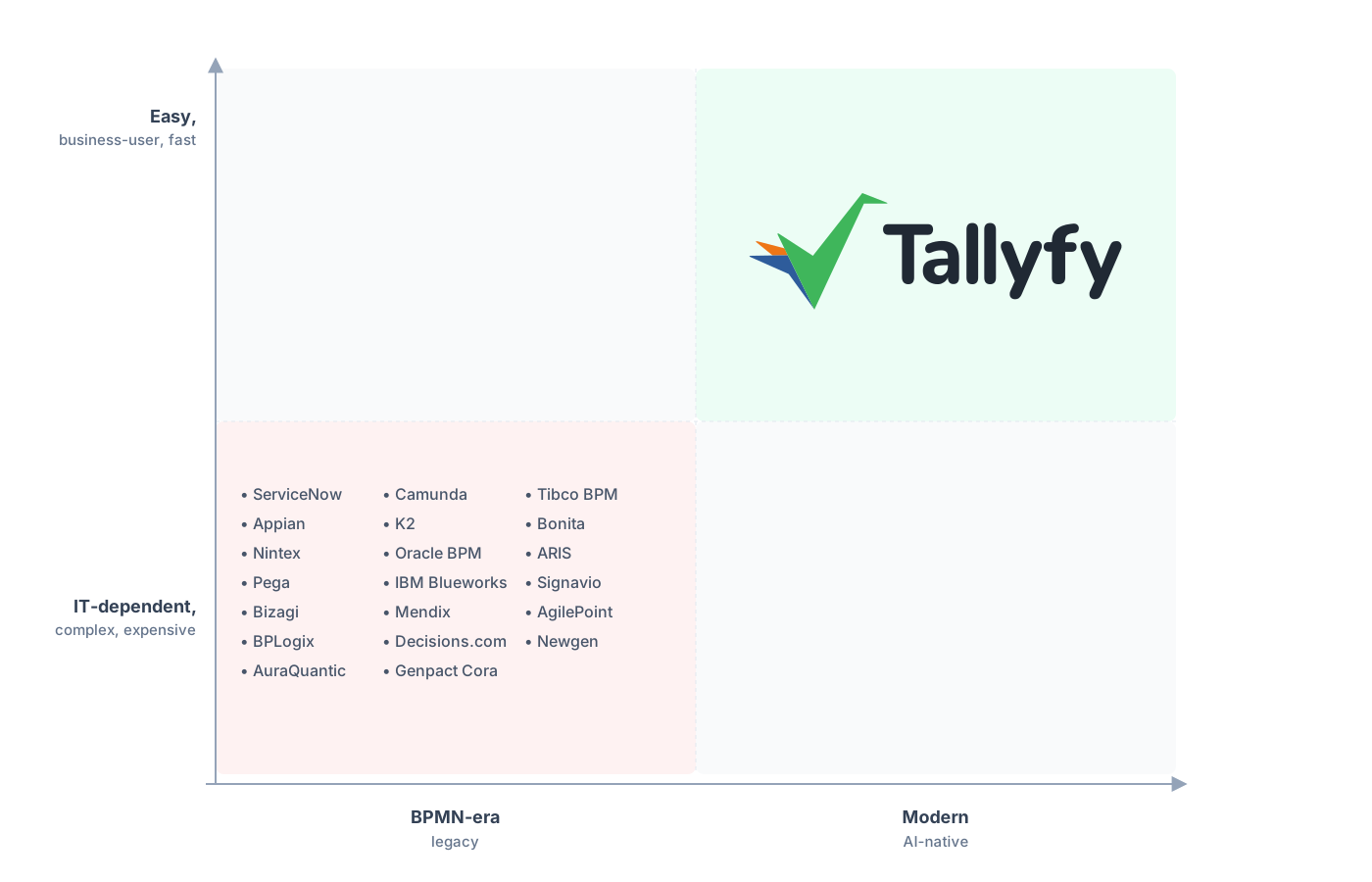
To enterprise platforms, every process is a developer artifact. Tallyfy hands it to the business team that actually runs it.
Tallyfy doesn’t do incident, problem, or change management. It has no CMDB, no asset database, no discovery, no MID server, none of the system-of-record machinery ServiceNow is built around. Nor will it run the integrations that tie ServiceNow into your network, or host the custom apps your team built on the Now Platform. Need those, and you need ServiceNow, so the right call is to keep it running. That’s the heart of IT service management, and it’s not what Tallyfy is for.
Tallyfy’s job is the human layer: forms, approvals, sequential steps, and rules a business user can change without writing a line of code. That’s why it sits alongside ServiceNow rather than competing with it. Run your IT service operation on ServiceNow. Run the cross-team approvals that never needed a platform on Tallyfy. Forcing one tool to do both jobs is how simple requests end up trapped inside clunky enterprise software, which is the very problem you set out to fix.
Common questions about migrating from ServiceNow
Can I move my whole ServiceNow setup to Tallyfy?
What can I actually export from ServiceNow?
Which ServiceNow workflows are good candidates to move?
How long does a scoped migration take?
How does the pricing compare?
Weighing it rather than ready to pull the trigger? The ServiceNow alternative comparison builds the case for pulling lightweight workflows out, criterion by criterion. This guide stays on execution.
When you want to draw the line for real, a short call gets you started. We’ll go through your workflows together, separate the human approvals from the platform-bound work, and confirm which map cleanly onto Tallyfy.
Book a 30-minute migration walkthrough and bring the requests your team runs by hand. Working through your real requests together is the fastest way to see where the line really sits.
