
Summary
- Most teams only used part of Rocketlane - Rocketlane is a full professional services automation suite, but plenty of teams bought it for one thing: a tracked client onboarding workflow with a portal the customer can see. That part moves to Tallyfy cleanly.
- The export is API-shaped, not one-click - Rocketlane has an API covering projects, tasks, phases, time entries, and custom fields, but there’s no bulk export button and no template export, so you pull objects through the API or rebuild the important ones by hand.
- Billing, resourcing, and utilization stay behind - Tallyfy runs the onboarding workflow and gives external contacts guest access, but it doesn’t do Rocketlane’s PSA financials: invoicing, revenue, capacity planning, or utilization reports. Teams that need those keep them where they are.
- Block out a few weeks and start with the split - decide which customers become guests and which become organizations first. Book a 30-minute migration walkthrough and we’ll tell you which half of Rocketlane should actually move.
Moving from Rocketlane to Tallyfy works best when you’re clear about which Rocketlane you’re actually leaving. Rocketlane is a professional services automation platform: it runs client projects, tracks billable time, plans who’s working on what, and bills for it. Most teams that come to us never touched most of that. They used the onboarding part, the project that walks a new customer from signed contract to live, with a portal the customer logs into to see progress and hand over what you need from them. That piece moves to Tallyfy well. The rest mostly doesn’t, and shouldn’t.
So the first move isn’t an export. It’s a decision about scope. Split your Rocketlane account in two before you touch anything: the onboarding workflow that has to run the same way every time, with owners and a record that each step happened, and the financial side, time and billing and resourcing and utilization, that exists to run a services business. The first half is what you’re migrating. The second half stays in Rocketlane or moves to a tool built for it.
Get that line right and the rest of this is straightforward. Botch it and you’ll either try to rebuild invoicing inside a workflow tool, which doesn’t fit, or leave the actual onboarding stuck where it is. That same scope question sits underneath picking a workflow platform in the first place.
Client Onboarding Made Easy
Why teams move onboarding off Rocketlane
Rocketlane is good at the job it was built for, and that’s worth saying before the gap. Professional services automation is software for running client work end to end: project management, time recording, billing, and resource utilization for billable staff. Rocketlane does all of that, and the customer portal is a nice touch. For a services firm that lives and dies by utilization and invoicing, it’s a genuinely good fit.
The mismatch shows up when a team only needs the onboarding slice. A pattern we see with onboarding teams is that they bought a whole PSA suite to get one repeatable process and a clean way to involve the customer, then spend their days ignoring the financial machinery they’re paying for. The onboarding works fine. Turns out it’s just riding on a platform priced and built for something much bigger.
When that gap gets obvious, usually at renewal, the question turns into whether the onboarding can live somewhere simpler. It can. The steps, the approvals, the guest access for the customer, the part that shapes a new client’s first impression of working with you, all of that is exactly what a process tool does. The billing and capacity planning are the part you were never really using.
What you can actually export from Rocketlane
Start with what comes out, because it sets the whole plan. Rocketlane has an API that covers the objects you’d want: projects, tasks, phases, time entries, custom fields, and the people on each project. What it doesn’t have is a one-click bulk export, or a way to pull your project templates out as data. There’s an import path into Rocketlane, but nothing equivalent coming the other way for templates.
So the export is API-shaped. You can script a pull of your live projects and their tasks if you’ve got the engineering time. More often, you read your handful of onboarding templates on screen and rebuild the ones worth keeping by hand. For most teams the second route is basically faster, because the number of templates that actually matter is small, and rebuilding them is the moment you fix the steps that quietly drifted out of date. Either way, the data isn’t the hard part. Deciding what’s worth carrying is.
How Rocketlane maps to Tallyfy
Once you’ve decided what’s moving, the mapping is clean, because Rocketlane and Tallyfy think about onboarding in similar shapes. A project template becomes a blueprint. Phases become step groups, and a phase’s entry and exit criteria become the conditions that gate them. Tasks become steps, and the type carries over: a task that needs sign-off becomes an approval, one with a hard deadline becomes an expiring step. A running project becomes a process. Custom fields become form fields.
The one real judgment call is the customer. In Rocketlane, the customer is a portal user. In Tallyfy, they become a guest who does their part without an account when it’s one or two contacts, or a full organization when more than about five people on their side need access. That single decision shapes most of the migration, which is why it’s the first thing to settle.
| In Rocketlane | In Tallyfy | What changes |
|---|---|---|
| Project template | Blueprint | A reusable plan becomes a runnable one |
| Phase | Step group | Entry and exit criteria become conditions |
| Task | Step, approval, or expiring | The task type sets how the step behaves |
| Project | Process | A plan on paper becomes a tracked run |
| Customer (portal) | Guest, or organization | Portal access becomes guest access |
| Internal user | Member | The people who run the work |
| Time entry | Comment on the step | Logged as “[Time: X hours]”, not a live timer |
| Automation | Rule | Triggers and actions carry across |
Take a real one. Say your Rocketlane onboarding for a new software customer runs in three phases, kickoff, data setup, and go-live, with a portal where the customer uploads their data and signs off at each stage. On the Tallyfy side, that turns into a blueprint with three step groups. The kickoff questions the customer answers become the kick-off form that starts the run. The data-setup tasks get owners on your side and a guest link on theirs, so the customer hands over what you need without logging into anything. Each phase sign-off becomes an approval gate that blocks the next step until it’s cleared. And instead of asking everyone to log into a portal and check, you see exactly where each onboarding stands without chasing a soul.

A realistic migration timeline
Block out a few weeks for the rebuild, and spend the first one deciding rather than building. Week one is the scope split and the customer-versus-organization call for each active account, plus an inventory of which onboarding tasks the customer actually touches, because those become your guest steps.
Over the next couple of weeks, rebuild the two or three onboarding flows you run most often as blueprints, starting with the one that costs you the most when it slips. Run one real customer through the new process end to end before you trust it, ideally a live onboarding rather than a dry run, so you find the rough edges with real stakes. Then move active implementations across in batches, and let the Rocketlane subscription lapse once the financial side is settled elsewhere.
Why not just lift everything across in a weekend?
Because the slow part isn’t the typing, it’s the judgment: which customers are guests, which templates still reflect how you actually onboard, and what to stop carrying. Rush that and you cobble together the same messy sprawl in a new tool, which helps nobody.
What stays in Rocketlane
This is the edge of what Tallyfy covers. It runs the onboarding workflow and gives your customer guest access, but it isn’t a PSA tool and doesn’t pretend to be. The financial and resourcing layer stays behind: invoicing and revenue, capacity and resource planning, utilization reports, and the branded client portal with your colors on it. Rocketlane’s API exposes invoices, resource allocations, and time-offs as first-class objects, which tells you how central the services-business machinery is to the product. Tallyfy has none of those concepts, on purpose.
A few specific things change shape rather than move. Time tracking has no native timer in Tallyfy, so a logged hour becomes a structured comment on the step instead of a billable entry. Gantt views don’t come across. Parallel phases turn into sequential steps with conditions. And the customer portal becomes guest access, which is close for getting work done but isn’t a standalone, fully branded client portal. None of that is a knock on either tool. It’s the line between a services-billing platform and a workflow engine, and knowing where that line falls is what keeps the move clear-eyed.
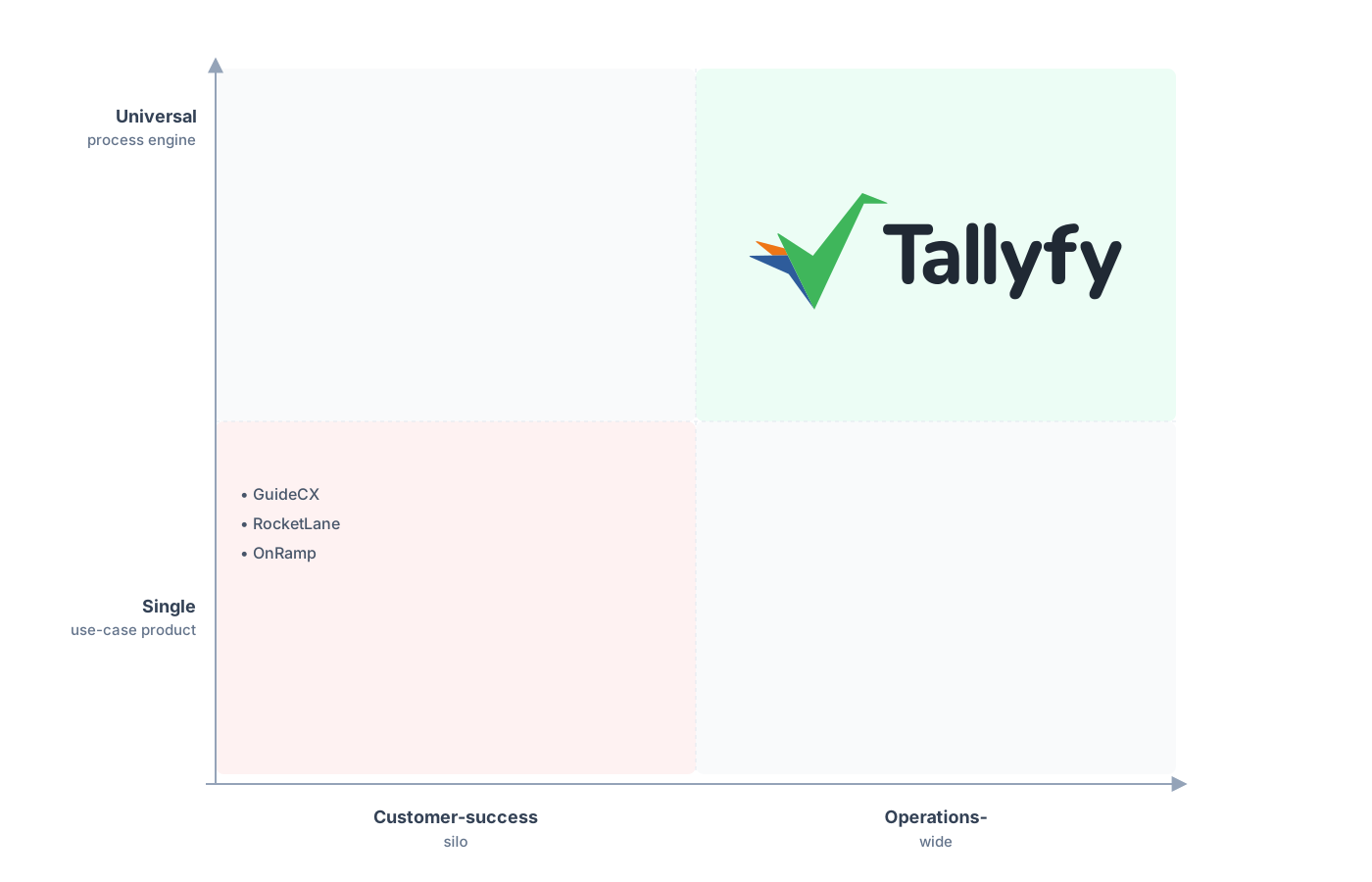
One platform for any process, not just one lane.
There’s a forward angle worth naming too. As teams hand more of their operations to AI, the thing that decides whether it helps is whether there’s a defined process for it to work inside. A tracked onboarding blueprint, with clear steps and owners, gives a model something to act on and check against. A project half-described in a portal gives it almost nothing to hold onto. Getting your onboarding into a real, running process isn’t only tidier for the team that does it today. It’s the groundwork for letting AI take the parts that don’t need a person.
Common questions about migrating from Rocketlane
Is moving from Rocketlane to Tallyfy a real migration or a rebuild?
Can I get my data out of Rocketlane?
What happens to billing, invoicing, and time tracking?
What about the customer portal?
Can I run both tools during the switch?
How does the pricing compare?
Still comparing the two rather than ready to move? Our Rocketlane alternative comparison walks through how the two compare on positioning, and this guide is the doing-it side of it. If the real issue is that onboarding feels different for every customer, keeping the client experience consistent gets at the same problem from the delivery side.
The fastest way to know if this fits is a short call: we go through one Rocketlane onboarding you run today and work out which parts should become a tracked Tallyfy process and which should stay in a PSA tool.
Book a 30-minute migration walkthrough and bring the onboarding that looks different every time it runs. That one will tell you most of what you need.
