
Summary
- Jotform builds forms; Tallyfy runs the process behind them - the move is mostly about deciding which of your forms are the front door to real work, and rebuilding those as processes rather than copying fields one for one.
- Jotform exports are generous - submissions download as Excel, CSV, or PDF straight from Jotform Tables, and the API hands you forms and submissions for anything programmatic. Pulling the data is the simple part.
- Payment is the line that stays put - Jotform collects money inside the form; Tallyfy doesn’t. Keep public payment forms in Jotform and let Tallyfy run the workflow they trigger, with the payment as an external step plus an approval.
- One form is about a week - the multi-page ones with payment and branching take longer. Book a 30-minute migration walkthrough and we’ll be honest about which forms belong in a workflow tool.
If you’re moving off Jotform, the first thing to get straight is what you’re actually moving. Jotform is a form builder, and a strong one. Tallyfy is a workflow tool that happens to start with a form. So the migration isn’t a like-for-like swap; it’s a promotion.
The forms that just collect an answer and email it to someone can keep being forms. The forms that kick off a chain of work, that is, a person has to do three more things after the submit, those are the ones that become Tallyfy processes. Sorting your forms into those two groups is genuinely most of the job, and it’s the same instinct behind settling on workflow software in the first place.
Why teams move off Jotform
Jotform does a lot, and I want to be fair about that before talking about why people leave. It builds forms fast, it has a huge widget library, and it takes payments right inside the form. For collecting structured information from the public, it’s hard to beat.
The wall people hit is the same one every form builder runs into. A form is a single event. Someone submits, the data lands, and Jotform’s part is finished. But the work usually isn’t. A new-vendor form gets filled in, and now someone has to verify the details, get a manager to approve, set up the account, and notify finance. Jotform can email those people, but it can’t run the steps, track who’s stuck, or stop the process when an approval is missing. The form was never the hard bit; the workflow was everything after it, and that part was a messy follow-up you had to cobble together across inboxes and spreadsheets.
There’s a cost angle too. Jotform meters on submissions per month, so the busier a form gets, the closer you are to a cap or an upgrade. When a form is the trigger for a process you run constantly, paying by submission volume turns out to feel like paying rent on the doorway instead of the house.
What Jotform’s export actually gives you
The export side is refreshingly dull, which is exactly what you want. From Jotform Tables you can download submissions as CSV, Excel, or PDF using Download All, and you can tick specific entries or filter first if you only want a slice. For a backup or a one-time pull, that covers it.
For anything programmatic, the Jotform API gives you both forms and submissions over REST. Worth knowing up front: the API has a daily request cap that scales with your plan, from a thousand calls a day on the entry tier up into the hundreds of thousands higher up, so a big historical pull is something you pace rather than fire all at once.
Form Building Made Easy
What the export won’t capture is the form’s design layer, the theme, the custom CSS, the widget behaviour. That’s fine, because you’re not rebuilding the form as a form. You’re reading the export to see which fields you collect and which logic you run, then rebuilding that as the opening step of a process. The submission data is basically the part that matters, and Jotform hands it over cleanly.
How Jotform concepts map to Tallyfy
Jotform happens to be one of the better-documented moves, because the Tallyfy team keeps an explicit object mapping for it. Most things have a clear home.
| In Jotform | In Tallyfy | What actually changes |
|---|---|---|
| Form | Blueprint | The form becomes a repeatable process |
| Submission | Process (a run) | Each submission is one live instance |
| Form fields | Kick-off form fields | Collected when the process starts |
| Page break | Process phase | Multi-page forms become phases |
| Conditional logic | Step conditions | Show/hide and skip logic becomes rules |
| Submit actions | Process triggers | What fires after submission |
| Payment field | External step + gate | Stays a Jotform/processor job, with a sign-off |
Most field types come straight across. Short text, email, phone, number, date, dropdown, and radio map one to one. A few shift shape: a checkbox group becomes a multi-select, a matrix becomes a rating grid, a signature stays a signature, an address splits into its component fields, and a file upload becomes an attachment with the usual size limits. Submit actions, the things Jotform fires after a submission, become process triggers, so an autoresponder email or a Google Sheet append turns into a step the workflow owns rather than a setting buried in the form. The interesting cases are the ones that change category. Your page breaks become phases in the process, so a three-page form turns into a three-phase workflow. Your conditional logic becomes rules, so if you need to turn each branch into a rule, a “yes” on one field can require an extra step or route the run to a different owner.

Say you run a vendor-onboarding form that also collects a setup fee. In Jotform, a vendor fills it in, pays, and you get a submission. Then a human takes over by hand. In Tallyfy, the same fields become the kick-off form for an onboarding blueprint: verify the vendor, approve the contract, set up the account, hand off to finance. The payment is the one piece that doesn’t move inside, and that’s deliberate. The form keeps collecting the fee (Jotform or your processor handles the money), and Tallyfy stores the reference and adds a payment-cleared approval before the work proceeds. On the concept map above, that’s the orange node off to the side: in the process, but handled outside it.
That payment example is the general rule in miniature. Move the workflow into Tallyfy, leave the money-handling where it already works, and connect them with a reference and a gate.
A realistic migration timeline
Most forms take a week, and the simple ones less. Where it stretches is the forms with payment, deep conditional logic, or a dozen pages, because there’s more to re-express. Anybody who promises a one-click import is picturing a toy form, or hasn’t actually done it.
Begin with an export and a sort. Pull your submissions for the record, then look at each form and ask whether it ends at submit or starts something. The contact forms stay forms. The intake, onboarding, and request forms are your migration list. Take the busiest one and map its fields to kick-off fields, turn its page breaks into phases, and rebuild its conditional logic as rules. Add the steps that always came after the submission, the approvals and handoffs that used to be tribal knowledge.
Run one real submission through end to end before you trust it. The first one is slow going; by the third you’re moving quickly. And don’t try to move everything in a weekend.
Why move one form at a time?
Because you’re not here to rebuild Jotform inside Tallyfy. The point is to turn forms that dead-ended into processes that finish themselves, and that rethink earns the extra care. Do it in a rush and you just rebuild the same scattered follow-up in a shinier tool.
What breaks, and what Tallyfy won’t replace
A handful of things stay behind, and you should know them going in. Calculation widgets go static or become a manual step instead of live math. Custom widgets and embedded HTML don’t transfer. Themes and CSS are gone, which for an internal process is no loss. And if you run HIPAA-regulated forms, the compliance settings get reconfigured in Tallyfy rather than carried over, so plan that with care.
Here’s where Tallyfy stops and Jotform keeps going. Three things, really: built-in payment collection, the library of hundreds of widgets, and the form-builder design polish. Tallyfy is a workflow tool with forms, not a standalone form-and-payment builder. So a public-facing order form that takes a credit card, a slick registration page, a form that leans on a niche widget, those have a good reason to stay in Jotform. Move the forms whose value is the work they kick off, and keep the ones whose value is the public-facing capture itself. The two tools sitting side by side is a perfectly sane setup: Jotform collecting at the edge, Tallyfy running the process behind it.
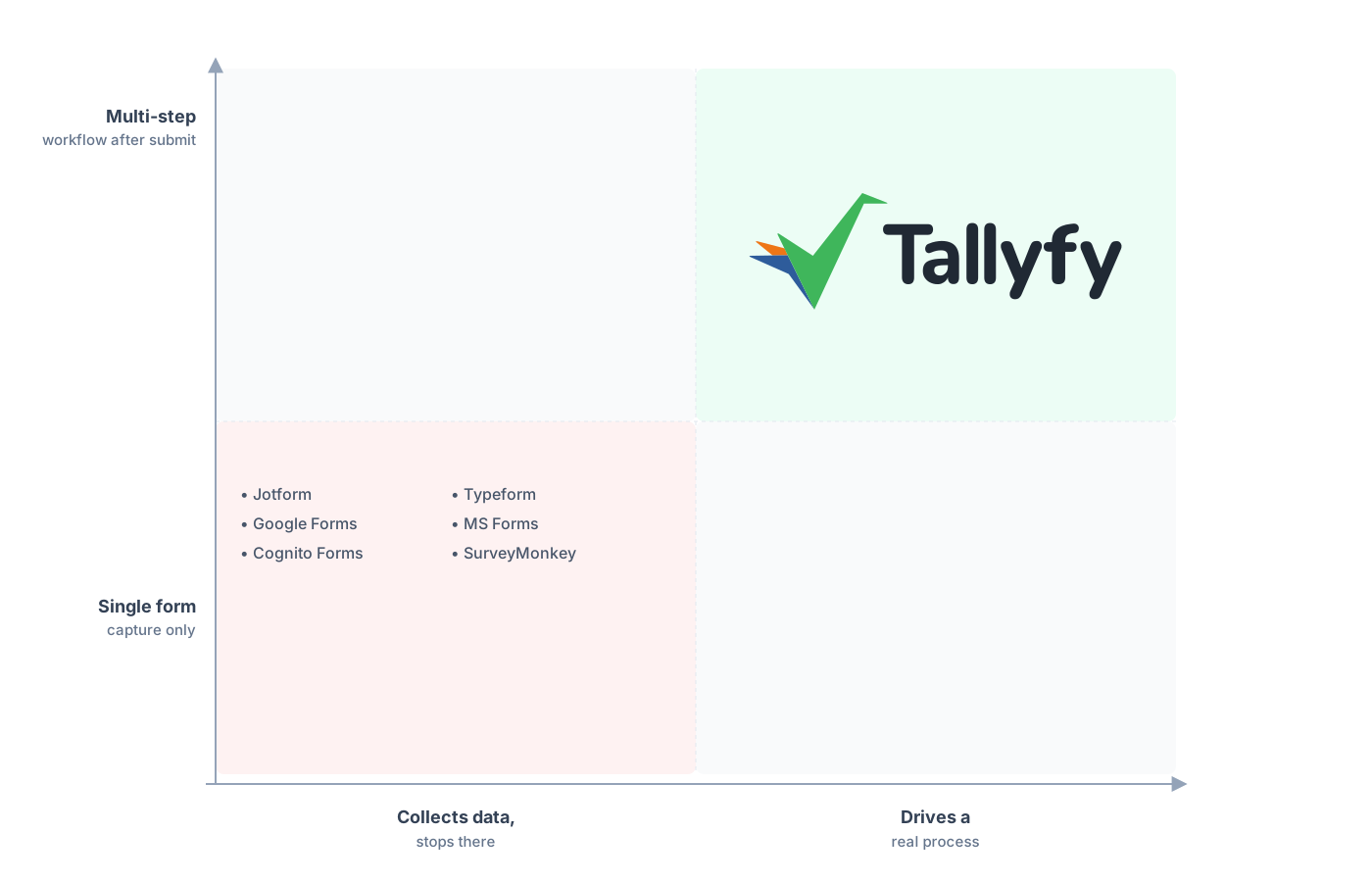
Real work after the submit, not just a single capture.
Something we notice when teams move off a form tool is how quickly the question changes from “where did the data go” to “where is this work right now.” A pile of Jotform submissions tells you what came in. The same submissions running as Tallyfy processes tell you what’s done, what’s waiting, and who’s holding it up. For forms that start real work, that shift from a data record to a live picture of the work is the whole reason to make the move. AI only sharpens the point, since a defined process is something a model can actually help run instead of guess at.
Common questions about migrating from Jotform
How long does it take to move a form from Jotform to Tallyfy?
How do I get my data out of Jotform?
What happens to my Jotform payment fields?
Do my conditional logic and page breaks carry over?
How does the pricing compare?
Still comparing rather than committed? Our Jotform alternative comparison weighs the two head to head, and this walkthrough is what you reach for once the call is made. If you’re coming from a checklist-style tool rather than a pure form builder, moving off Process Street hits a lot of the same beats.
Want to plan the real thing? Book a short call and we’ll take your busiest form apart together, then tell you straight whether it belongs in a workflow tool or should stay a Jotform.
Book a 30-minute migration walkthrough and bring the form that drags your team into the most hand-holding after each submit. You’ll know quickly whether it’s a fit.
