
Summary
- This is the easiest migration in the whole category - Process Street and Tallyfy are both checklist-and-workflow tools at heart, so you’re swapping tools, not changing how you think about work. A workflow becomes a blueprint, a checklist run becomes a process, and a stop task becomes an approval. Almost nothing has to be rethought.
- Export is barely the story - Process Street exports your workflow-run data to CSV with every task, form field, assignee, and status, but because the models line up, the migration is mostly rebuilding templates that look nearly identical on the other side.
- One feature is the real planning item: Data Sets - Process Street’s Data Sets are a lightweight relational store, and Tallyfy has no direct equivalent. If your workflows lean on them, that piece needs an external home, and it’s the part worth scoping before you start.
- Plan for one to three weeks for a small team - rebuild your active workflows, recreate the conditional logic, then switch. Book a 30-minute migration walkthrough and we’ll map your setup honestly.
If you’re moving from Process Street to Tallyfy, here’s the good news up front: this is the smoothest move in the category. Most migrations in this space ask you to translate one model into a completely different one, a Kanban board into a sequence, a database into a process, a wiki page into steps. This one doesn’t.
Process Street and Tallyfy grew from the same idea. Both treat a repeatable process as a template made of steps, both run instances of that template, and both capture data in form fields along the way. So the work isn’t translation, it’s a rebuild where the shapes already match, and that shared model is what makes this one of the cleaner workflow software switches you can make.
Why teams move off Process Street
Process Street is a good tool, and since the models are so close, I won’t pretend you’re escaping something broken. It does recurring checklists well, conditional logic is solid, and for a lot of teams it was the first thing that made their SOPs actually run. Credit where it’s due.
So why move at all?
Usually it’s about direction rather than a missing feature. Teams looking at Tallyfy tend to want an AI-native foundation, a live status view across every running process, or simply a different pricing and ownership fit as they scale. The pricing math in particular is worth comparing carefully rather than assuming, and our comparison page handles that side by side.
Low Code BPM Made Easy
The point is that this isn’t an exodus driven by frustration with the core model. It’s teams who like running their work as checklists and workflows, and who’ve decided another tool fits where they’re headed. That makes the migration calmer than most, because you’re not also trying to unlearn a way of working at the same time.
What Process Street export actually gives you
Export matters less here than in any other migration, but it’s still worth knowing. Process Street lets you export your workflow-run data to CSV, either from the Reports area with full column control or straight from a workflow’s menu. That CSV covers “all active, completed or archived workflow runs, detailing every task, form field, assignee, and status,” and one small thing to remember is that the dates come out in UTC, so you adjust for your timezone afterward.
You can also print or export individual workflows and runs as PDFs, which is handy for archiving but not for migrating. Process Street has an API as well, though for a move like this you rarely need it.
Here’s why export is a side note rather than the main event. In a database or wiki migration, the export format is the whole ballgame, because you’re fighting to preserve relationships or structure that the target tool handles differently. Here, the structure already matches. Your workflows are already steps in order, your stop tasks are already gates, your form fields are already captures. The CSV is useful for record-keeping and for auditing what you have, but the actual migration is rebuilding templates whose shape you already understand, not wrestling data into a foreign model.
How Process Street concepts map to Tallyfy
This is the part that’s reassuring rather than worrying, because the mapping is close to one for one. We’ve gone through it carefully, and most concepts have a direct counterpart with the same job.
| In Process Street | In Tallyfy | What actually changes |
|---|---|---|
| Organization | Organization | Nothing, same idea |
| Folder | Tags / categories | Organizing method differs slightly |
| Workflow | Blueprint | Same concept, same shape |
| Task template | Step | Direct |
| Form field | Form field (capture) | Direct |
| Stop task | Approval step | A blocking gate, renamed |
| Conditional logic | Rules (IF-THEN) | Rebuilt by hand, same concept |
| Role | Group | Direct |
| Checklist / run | Process (run) | Direct |
| Form response | Field value | Direct |
| Data Set | External storage | No equivalent, the one real gap |
Look down that “what actually changes” column and notice how much of it says direct or same. We don’t often get to say this about a migration, but the honest version is that most of your Process Street setup basically arrives on the Tallyfy side looking like itself. The field types line up too: text, long text, number, date, and dropdown map straight across, multiple-choice becomes a checklist, member-select becomes an assignee, and a formula field comes across as a static value because the calculation logic is documented rather than executed.

Take content publishing as an example. Plenty of teams run this in Process Street as a recurring checklist: draft the piece, edit it, run the SEO check, get a stop task before it goes live so an editor signs off, then publish. Rebuild it in Tallyfy and you get nearly the same thing, a blueprint with those steps in order and the stop task recast as an approval step that blocks publishing until the editor approves. Before and after, it looks almost identical, which is the whole reason this migration is a no-brainer. The checklist ran the publishing. The blueprint runs it the same way.
A realistic migration timeline
Because the models align, this is the fastest migration in the set. A small team with a handful of workflows can realistically move in one to three weeks. That’s not a sales number, it’s a consequence of not having to redesign anything.
Week one, rebuild your active workflows as Tallyfy blueprints. Since the structure carries over, this is mostly recreating steps, form fields, and stop tasks that you already have defined, not inventing them. Start with the workflows you run most, get them right, and you’ll find the pattern repeats quickly across the rest.
Week two is the genuine work: conditional logic and the awkward bits. Your Process Street conditional logic gets rebuilt as Tallyfy rules, which is the same idea expressed differently, so it needs recreating and testing rather than translating blindly. Dynamic due dates become fixed deadlines, and any automations or integrations get reconnected on the Tallyfy side. If you lean on Data Sets, this is the week to sort out where that data lives instead.
Week three is the parallel run and switch. Run one or two teams on Tallyfy alongside Process Street, confirm the rules behave, then move everyone over and set the old account read-only. For a heavier org, with lots of conditional logic and real Data Set dependence, give yourself longer and scope the Data Sets first. The model match speeds up everything except the parts that were always going to need thought.
What breaks, and what Tallyfy won’t replace
Let me be specific, because even the easy migration has edges. That said, conditional logic doesn’t copy across, it gets rebuilt as rules and tested. Dynamic due dates become static deadlines. Automations and integrations are reconnected, not migrated. And approval chains plus workflow versioning don’t map exactly one to one, so they’re worth reviewing as you rebuild rather than assuming they carry.
Now the part worth pausing on. There’s one feature where Tallyfy genuinely doesn’t match Process Street, and it’s the thing to scope before you commit.
Data Sets. Process Street’s Data Sets are a lightweight relational data store you can reference from your workflows, and Tallyfy has no direct equivalent, so that data needs an external home and a way to feed it in. If your workflows lean heavily on Data Sets, that’s the part of the migration that needs a real plan, and it’s worth being honest with yourself about how central they are before you start. The same goes for some of Process Street’s public form-embedding patterns. Outside those, though, the tools are close enough that manufacturing more limitations would just be dishonest, so I won’t.
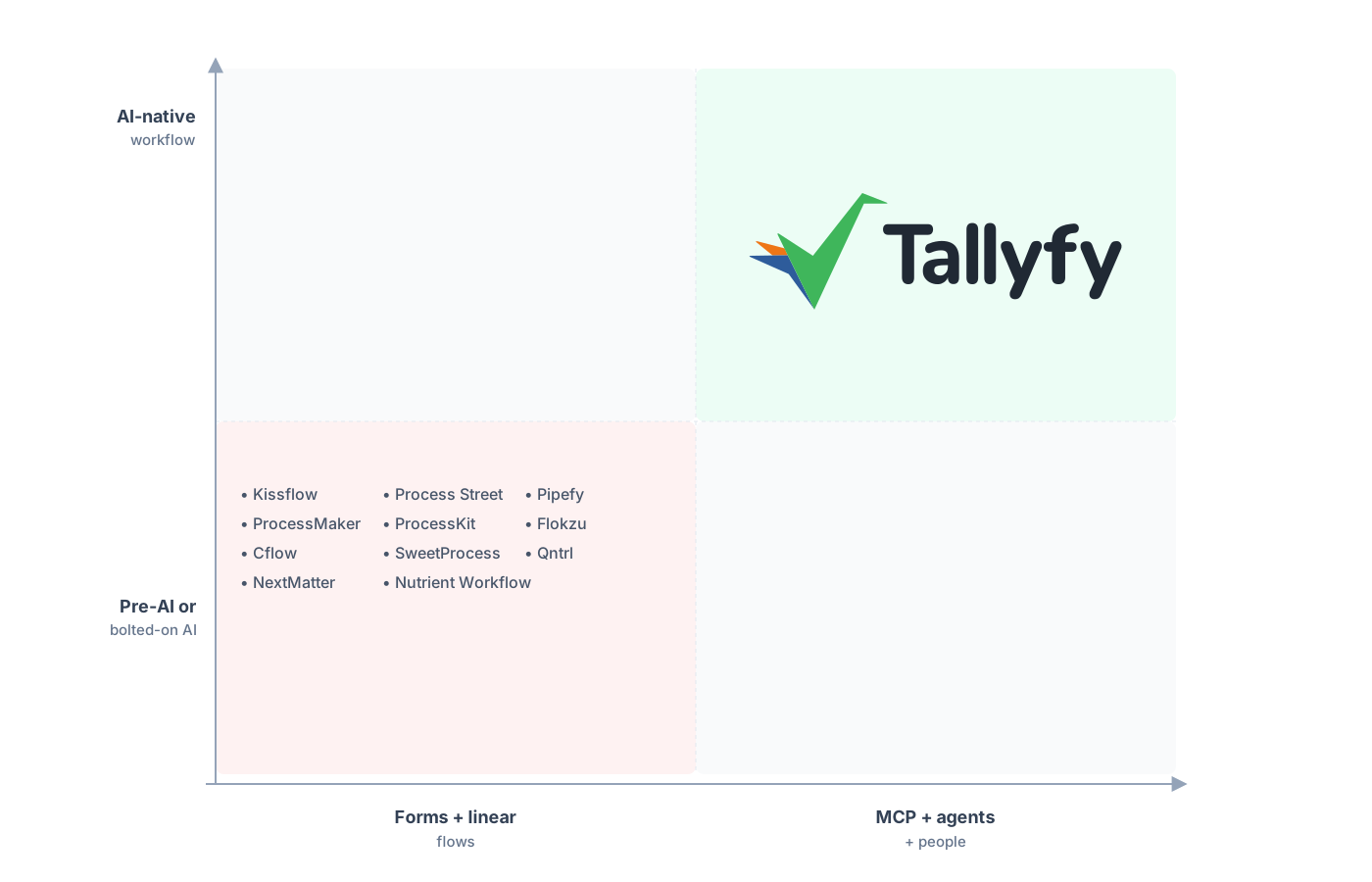
The same checklist model, built AI-native rather than bolted on.
The piece teams are happiest to find is that the conditional logic, once rebuilt as Tallyfy rules, tends to be cleaner than the original, because rebuilding forces you to question rules that accumulated over the years. And since both tools already think in checklists and workflows, the comparison worth your time is less about whether the model fits and more about the details, which is exactly what workflow checklists versus static ones gets at. The model was never the question here. The fit is.
Common questions about migrating from Process Street
How long does a migration from Process Street take?
Why is this migration easier than others?
What happens to my Data Sets?
Does my conditional logic carry over automatically?
How does the pricing compare?
Torn between the two and not ready to move yet? See our Process Street alternative comparison for the full positioning case. Think of this guide as the practical half of that pair.
When it’s time to plan the real move, a short call is the fastest first step: we look at your Process Street workflows, confirm how cleanly they map, and flag whether Data Sets are going to need their own plan.
Book a 30-minute migration walkthrough and bring the handful of workflows you run most. Half an hour on those tells you fast whether it’s a fit.
