
Summary
- The data is the trivial part, the rethink is the work - Google Forms holds a form and a pile of responses. Tallyfy runs a process that a form kicks off. Most of your effort goes into deciding which forms are actually the start of some work, not into moving questions across.
- Three clean ways out - responses download as a CSV, link straight into a Google Sheet, and the Forms API hands you both the form structure and the responses. Getting the data out is the easy half.
- Keep Google Forms for the quick free surveys it nails - it’s free, instant, and everywhere. Move the intake forms that should trigger real work; leave the one-off polls and RSVPs where they are.
- A Google Form is a couple of days, not a week - they’re usually simple, so the rebuild is fast. Book a 30-minute migration walkthrough and we’ll point you at the forms actually worth moving.
If you’re moving off Google Forms, start by being honest about which forms are actually the start of some work. That’s the whole game. The export is genuinely easy here, easier than almost any tool you could be leaving, so the data isn’t your problem. Your problem is that a Google Forms response lands in a spreadsheet and stops, and you want the ones that should start something to actually start it. It’s the same instinct that pushes people toward sorting through workflow software in the first place.
So before you export a single response, split your forms into two piles. One pile is the quick stuff: feedback polls, event RSVPs, a poll about the office party, surveys that end the moment someone submits. The other pile is intake: equipment requests, new-vendor sign-ups, anything where a person then has to go do three more things. Only the second pile belongs in Tallyfy. Get that split right and the rest is mechanical.
Why teams move off Google Forms
Google Forms is great, and I’ll say that flat out, because a migration guide that rubbishes the tool you’re leaving is no use to anyone. It’s free inside Workspace, it takes thirty seconds to spin up, and everyone already knows how to use it. For collecting a quick answer from a group of people, nothing beats it on friction.
The trouble starts when the form is the front door to actual work. Someone reports a broken laptop through a form, the row drops into a sheet, and then what? A human has to spot it, copy the details into a ticket, ping the right person, and chase the fix by hand. The form did its one job and handed you a dead end. Google Forms can email you that a response came in, but it can’t run the steps, show you what’s stuck, or stop the process when an approval is missing.
There’s a second, quieter problem, and it’s specific to how cheap and easy Google Forms is. Because anyone can make one in a minute, they multiply. Every team spins up its own intake form, the responses scatter across a dozen orphaned spreadsheets, and nobody owns the work that’s supposed to follow. The very frictionlessness that makes Google Forms lovely for a quick poll turns out to be what pushes your real intake into a sprawl you cobble together by hand with no tracking behind it.
Digital Form Management Made Easy
What Google Forms’s export actually gives you
The export is the dull part, which is exactly what you want from it. Google Forms gives you responses three ways. You can download responses as a CSV from the Responses tab, and from the same place you can send responses into a linked Google Sheet with “View in Sheets,” where they land in a tidy table automatically. For anything programmatic, the Google Forms API reads both the form’s content and its responses, so the questions, sections, and submitted answers are all reachable in code rather than locked in a screenshot.
That last point matters more for the audit than for the rebuild. The CSV is the flat view, one row per response, fine for a quick look or a backup. The API keeps the structure, which question maps to which answer and how the form is organized, which is what you want when you’re rebuilding the form rather than just reading it.
One real gotcha is worth flagging before you start. File-upload questions don’t hand you the files. The answers come through as links to Google Drive, where the uploads actually live, so when you move them you’re carrying references rather than the documents themselves, and you have to sort out who can still open them. Plan for that early, because access permissions are easy to miss until someone clicks a dead link.
What you won’t carry across is the look of the thing: the header image, the theme, the question order if you shuffled it, the response charts. None of that is data, so none of it exports. You’re pulling out the skeleton, which questions you ask and what branches off them, and that skeleton is all you need to rebuild the form as the opening step of a process.
How Google Forms concepts map to Tallyfy
This is the part people brace for, and it’s gentler than expected once you stop thinking of the form as the whole thing.
| In Google Forms | In Tallyfy | What actually changes |
|---|---|---|
| Form | Blueprint | The form becomes a repeatable process |
| Section | Process phase | A page of questions becomes a stage of work |
| Question | Kick-off form field | Captured up front when the process starts |
| Section jump | Rule (IF-THEN) | Rebuilt as a conditional, not imported |
| Quiz score | Validation + field | Scoring is re-expressed as a check and a value |
| File upload | Attachment (Drive) | A Drive reference, not the file itself |
| Response | Process (a run) | Each submission is one live instance |
The shift in your head is that a Google Form is one screen and a Tallyfy process is the work that follows it. Your questions become the kick-off form that starts the work. Your “go to section based on answer” logic becomes rules, so if you want to rebuild the section jumps as rules, an answer of “hardware” routes the run to IT and “software” sends it somewhere else. The response stops being row 47 in a sheet and becomes a tracked run that someone owns. Quiz scoring, if you used it, splits into two pieces: the right-answer check becomes a validation rule, and the score itself becomes a field on the run.

Take an equipment request as the example, since that’s a form almost every company has hiding in a Google Drive somewhere. Today a new hire fills in a Google Form to ask for a laptop, a monitor, and access to a couple of systems. The response lands in a sheet, and someone in IT has to notice it, work out what’s needed, get a manager to sign off on the pricier items, order the gear, and set up the accounts. All of that lives in heads and inboxes.
In Tallyfy, those same questions are the kick-off form for a provisioning blueprint. The moment someone submits, a run starts: a manager-approval step fires for anything above a threshold, IT gets a task to order and set up, and the new hire can see where their request actually is. A section jump that asked extra questions for contractors becomes a rule that adds a step. Same questions, but the form now opens a process instead of filling a row. How big the form is decides the rebuild: a short one becomes a single kick-off and a couple of follow-on steps, while a long branched one becomes a multi-phase process that mirrors the sections you already had.
A realistic migration timeline
A Google Form is a couple of days, not a week, and most of that time is thinking rather than typing. These forms are usually simple, so the rebuild itself is basically quick. Anyone promising a one-click import is either picturing a trivial form or hasn’t actually tried it with branching.
Start by exporting and sorting. Pull your responses for the record, then look at each form and ask the one question that matters: does this end at submit, or does it start something? The polls and RSVPs stay as forms. The intake, requests, and sign-ups are your migration list. Take the busiest one, map its questions to kick-off fields one for one, rebuild the section jumps as rules, and add the steps that always came after the submission, the approvals and handoffs that used to live in someone’s memory.
Then run one real submission through end to end and watch where it sticks. The first form teaches you the pattern, and the second goes faster because you already know the moves.
So why move something that’s free?
Because free is exactly why your intake sprawled in the first place, and a free dead end is still a dead end. Moving the forms that start real work turns a response nobody owns into a process someone does, and that’s worth two afternoons.
What breaks, and what Tallyfy won’t replace
A few things stay where they are, and you should know them going in. Themes and header images don’t transfer, which for an internal process is no loss at all. Quiz auto-grading becomes a validation check plus a score field rather than instant marking. Section jumps get rebuilt by hand as rules, which is quick but real work. The response summary charts don’t come across either, because you’re trading a static chart for a live view of work in motion. And those file uploads, as covered above, arrive as Drive links you’ll need to keep accessible.
Here’s the honest trade, and it’s the reason to keep both tools rather than rip one out. Google Forms is free, instant, and frictionless, and for a quick one-off survey with no follow-up that’s the whole point. A feedback poll, an event RSVP, a “what should we order for lunch” form: keep those in Google Forms. It’s the right tool and Tallyfy isn’t trying to be it. Tallyfy is a paid workflow platform, and it pays its way on the forms whose value is the work that happens after submit, not on the survey itself. Plenty of teams run both on purpose, with Google Forms out front for the quick stuff and Tallyfy behind it for the intake that starts real work.
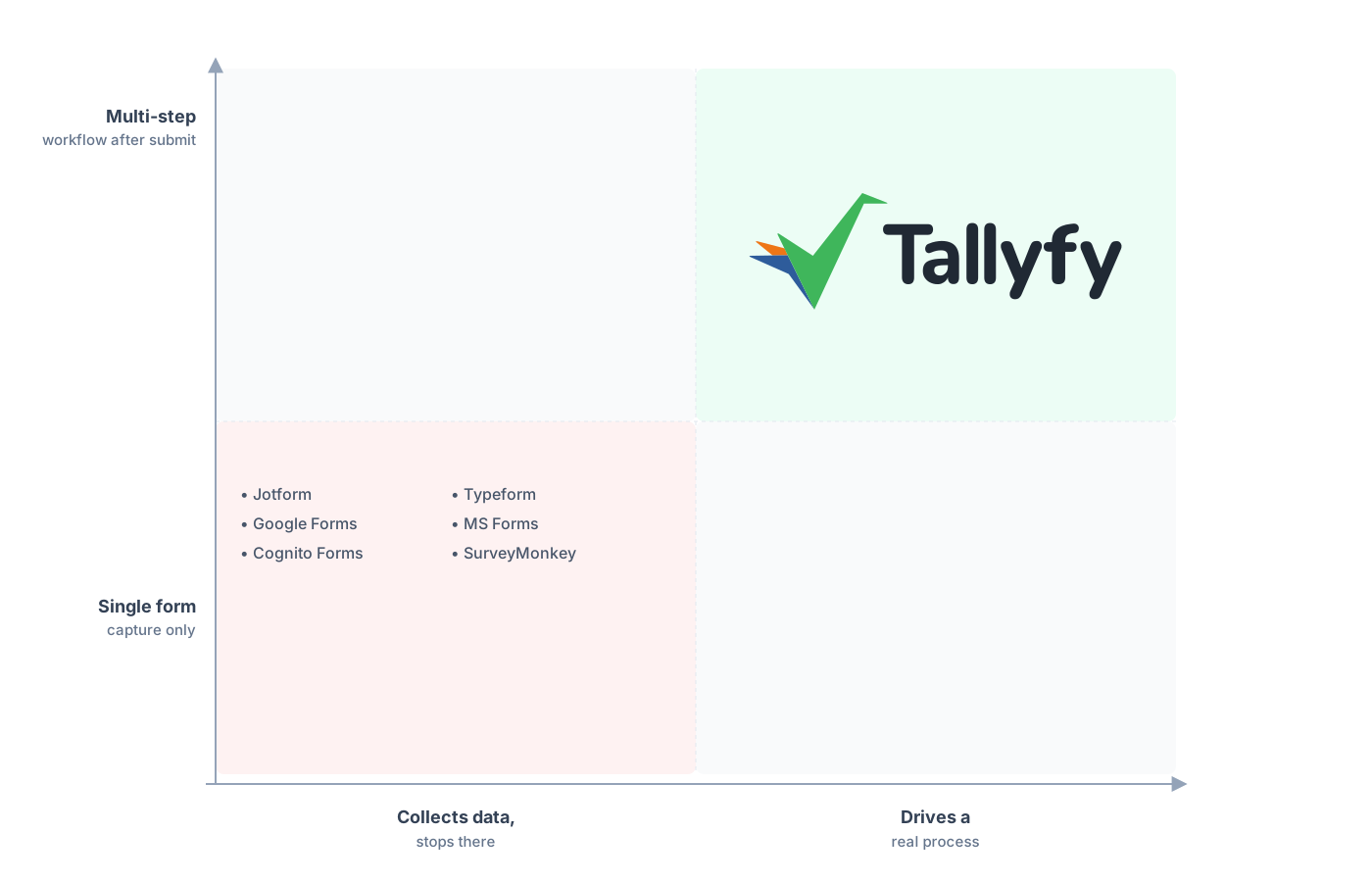
A multi-step workflow after submit, not a single capture.
One thing we hear a lot when teams leave a form tool is a worry about losing the overview. With Google Forms you had a sheet, a flat record of who answered what. Once those same submissions run as Tallyfy processes, you stop staring at rows and start seeing which requests are mid-flight, which are stuck, and on whose desk. You swap a list of answers for a live picture of work, and for intake forms that swap is the upgrade you were really after.
There’s a forward-looking angle here too. As AI starts taking on real work, it has to operate inside a defined process with clear steps and owners, and a tracked Tallyfy process gives it that structure where a Google Form response sitting in a sheet gives it nothing to act on.
Common questions about migrating from Google Forms
How long does it take to move a form from Google Forms to Tallyfy?
How do I get my data out of Google Forms?
What happens to my file-upload questions?
Should I move my surveys to Tallyfy too?
How does the pricing compare?
If you’re still comparing rather than ready to move, our Google Forms alternative comparison lays out why teams make the jump, and everything below is how you actually make it. If your forms are really paper forms in disguise, getting paper forms into a workflow hits the same theme, and if you’re coming from a heavier form builder, moving off Jotform runs into a lot of the same questions.
When you’re ready to plan it for real, the quickest way in is thirty minutes on a call: we sit down with your busiest form and tell you straight whether it belongs in Tallyfy or should stay a Google Form.
Book a 30-minute migration walkthrough and bring the one form that creates the most manual follow-up. That’s the clearest way to tell if this fits.
