
Summary
- Leaving Trello is a Kanban-to-sequential rethink, not a data problem - Trello is parallel columns you drag cards through, and Tallyfy is one ordered flow. The work is turning each list into a real sequence of steps with an approval that can actually stop things.
- Trello’s export is generous, especially the JSON - every plan, including Free, exports a board to JSON with the 1000 most recent actions, comments included. CSV is Premium-only and leaves comments out.
- The mapping is tidy once you accept the shape change - a Board turns into a Tallyfy blueprint, each List becomes a short Entry-Work-Exit sequence, Cards become tasks, and Butler rules get rebuilt as Tallyfy rules.
- Plan for weeks, not an afternoon - a small board can move in a week or two, a busy team with Butler automation takes four to six. Book a 30-minute migration walkthrough and we’ll tell you straight whether it’s a fit.
Most teams reach this page at the same moment: Trello stopped being enough. The board that was perfect for a few people tracking a few tasks has turned into the place where work gets stuck, because dragging a card between columns is the only thing keeping the process moving. You want something that runs on its own. Good. Let’s talk about what moving actually involves.
Here’s the real story before anything else. Migrating from Trello to Tallyfy isn’t really about the data. Trello’s export is genuinely good. It’s basically about a shape change: your parallel Kanban board becomes one sequential flow, and that rethink is the whole job. It’s the same call behind most workflow-tool decisions, and it’s exactly why teams that outgrow a board start shopping for a real workflow tool.
Why teams move off Trello
Let me start by being fair to Trello. For a small team that wants a visual board to see who’s doing what, Trello is genuinely lovely. It’s fast, it’s simple, and the drag-a-card model is easy enough that nobody needs training. A guide that just rips the tool you’re leaving has nothing useful to say.
The pressure shows up when the work outgrows the board.
Trello is a picture of your process, not an engine that runs it. Nothing makes a card wait for an approval. Nothing stops someone moving a card to Done before the actual work is finished. And there’s no structured place where the data a step needs gets captured.
For a few tasks among a few people, none of that matters. For a process that has to run identically every time, with sign-offs that can’t be skipped and information that has to land somewhere reliable, the board’s lightness becomes a painful problem. Moving a card was the only enforcement Trello had, and that’s not enough once the stakes go up.
What Trello’s export actually gives you
Trello’s export is unusually generous, and that’s what shapes the plan. Every board member, on every Trello plan including Free, can export a board to JSON. That JSON is the complete machine-readable version: cards, lists, checklists, and the 1000 most recent actions on the board, which includes the comments.
Then there’s the catch worth knowing before you start. CSV export is gated to Premium Workspaces, and the CSV deliberately leaves comments out, because, as Trello’s own docs put it, spreadsheets aren’t built for the many-to-one shape of comments. So if you want comments in a readable form, JSON is the route, not CSV. And if you’d rather pull the board programmatically, the Trello REST API reads boards, lists, cards, checklists, and actions directly.
For most moves you don’t need any of that machinery. You export the board to JSON as your archive, you keep the old Trello workspace read-only for a few months, and you rebuild the process fresh. The export is there as a safety net, not as the thing you import wholesale.
Checklists Made Easy
How Trello concepts map to Tallyfy
The mapping is where people expect trouble, and the board-level concepts line up cleanly, because the Tallyfy team maintains an explicit object mapping. The card-level stuff is easy. Lists are where the thinking happens.
| In Trello | In Tallyfy | What actually changes |
|---|---|---|
| Workspace (Team) | Organization | Direct match |
| Board | Blueprint | Your reusable process definition |
| List (column) | A short step sequence | Each list becomes Entry, Work, Exit |
| Card | Task / step | The unit of work |
| Checklist | Sub-tasks / checklist | Items inside a step |
| Label | Tag | Card categorization carries over |
| Due date | Due date | Direct match |
| Member | Assignee | Direct match |
| Butler rule | Rule (IF-THEN) | Rebuilt by hand, not imported |
| Custom Field Power-Up | Form field (capture) | Becomes captured data on a step |
The defining shift is Kanban to sequential, and it’s worth slowing down on. In Trello, a list is a column, and you drag cards into it and out the other side. In Tallyfy, that same list becomes a short sequence of steps: an entry where the item arrives, the work itself, and an exit that checks it’s done before the next phase starts. That exit is usually an approval gate, the thing Trello never had, which means the process can refuse to move forward instead of just hoping nobody jumps the gun.

Walk through a content board, since that’s a classic Trello use. Say you run an editorial board with lists for Ideas, Drafting, Review, and Published, and each article is a card you drag rightward as it progresses. Migrate it and the board becomes one content-production blueprint.
The Ideas list becomes the kickoff that captures the brief. Drafting becomes a writing step with the brief attached as a form field. The Review list, which on the board was just a column you hoped people checked, becomes a real approval step that the editor has to sign before the piece can move. Published becomes the final step. Same pipeline, but now the process insists on the review instead of trusting a card’s position to mean something.
The one honest cost of that shift: a board with five lists doesn’t become five steps. It becomes something closer to thirteen, because each list expands into its entry, work, and exit. The data is small. The rethink is the whole game.
A realistic migration timeline
Trello can be the fastest Tier 1 migration there is, but only for the simple cases. A small board with a handful of lists and no automation can genuinely move in a week or two. A busy team with several boards and a stack of Butler rules should plan on four to six weeks.
Week one is the export and the audit. Pull your boards to JSON and sort them with one question: does this work come back, or did it happen once? The boards that are real recurring processes, the onboarding, the content pipeline, the support intake, those are your candidates. The boards that are just a shared to-do list can stay a shared to-do list somewhere lighter. Be honest about which is which.
Week two, rebuild your top two or three boards as Tallyfy blueprints. This is where the Kanban-to-sequential work happens: each list becomes its entry, work, and exit steps, and you decide which exits are real approvals. Then a parallel run on one team, new process beside the old board, so you find the gaps with a safety net underneath.
Week four onward, switch your power users over, make the Trello board read-only, and bring the rest of the team across.
Why not just rebuild the columns one for one and call it done?
Because the columns were never the process. They were a place to put cards. Turning them into a real sequence with real gates is the entire reason you’re moving, and it’s worth the extra weeks.
What breaks, and what Tallyfy won’t replace
Here’s what actually trips teams up. The Kanban-to-sequential rethink is the big one, and it’s a training cost more than a technical one: people who “just drag cards” have to learn a process that moves itself. Butler rules don’t transfer; they get rebuilt in Tallyfy’s rules engine, which usually takes less time than you’d think but is real work. Card positioning, the visual order within a list that some teams use as informal priority, is meaningless after the conversion, so any meaning it carried has to become an actual field. And Power-Up-specific data tied to third-party add-ons is generally lost unless that Power-Up maps to a native Tallyfy feature.
Time for the part most migration write-ups skip. There are things Trello does that Tallyfy does not, and they matter.
Trello’s whole appeal is lightweight visual simplicity. A board you can set up in two minutes and understand at a glance is a real thing, and Tallyfy is more structured by design. What finally clicks for most teams making this move is that the board was a picture of the work, not the work itself, and a sticky note can’t insist on an approval. That said, that structure is exactly the weight a team that genuinely just wants a sticky-note board may not want. If your use is three columns and twenty cards and you like dragging them, Trello is the right tool and you should keep it. Tallyfy earns its place when the process is serious enough that “hope someone moved the card” stops being acceptable. There’s no free-form board canvas in Tallyfy, and that’s deliberate.
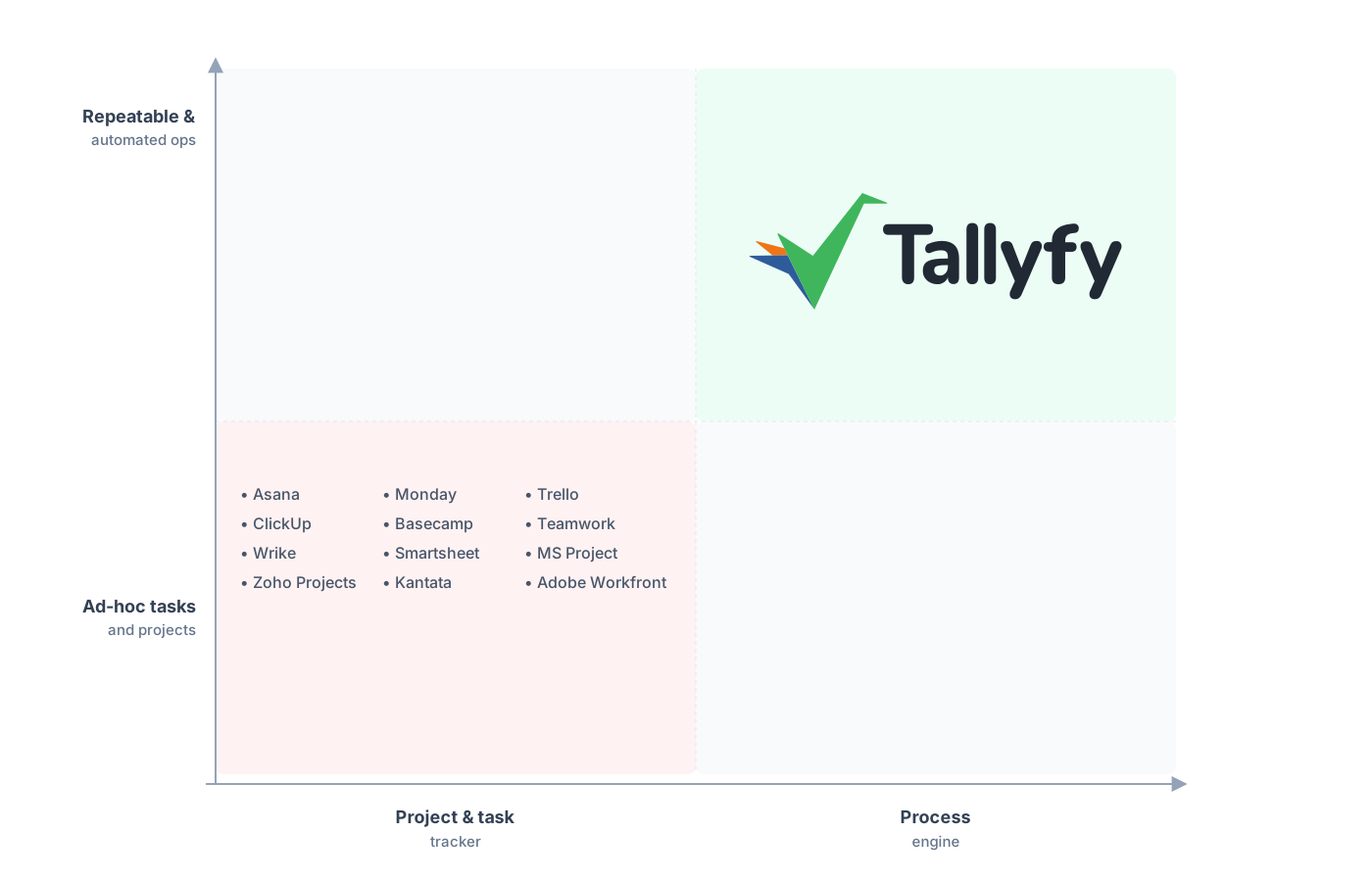
Repeatable and automated operations, not a drag-the-card board.
The fear going in is that you lose the at-a-glance view. You don’t. On a Trello board you see cards in columns. In Tallyfy you get every run of the process in one real-time status view, each sitting on a named step, so instead of reading a board’s geometry you just see which two runs are stuck and where. You trade the picture for something that actually tells you the truth.
Common questions about migrating from Trello
How long does a real migration from Trello take?
Can I export my Trello comments and attachments?
Why does a five-list board become so many steps?
What happens to my Butler automations?
How does the pricing compare?
If you’re still deciding rather than ready to move, our Trello alternative comparison is the read that stacks the board against the workflow. This piece is the practical moving companion.
When moving stops being hypothetical, a short call is the place to begin. We look at your busiest Trello boards and level with you about which ones are real processes worth migrating and which should stay a simple board.
Book a 30-minute migration walkthrough and bring the two or three boards you actually run your week on. You’ll know inside the call whether it fits.
