
Summary
- This is a complement, not a migration - n8n is legit developer-grade automation, and the smart move is usually to keep it. What it doesn’t do is track people: approvals, hand-offs, and accountability. That’s the gap Tallyfy fills.
- n8n exports clean JSON, but it’s an n8n definition - unlike most middleware, n8n hands you a fully portable workflow file. It still doesn’t import into Tallyfy, so the JSON is a spec you read to find where a human waits, not a file you convert.
- Let n8n trigger Tallyfy by webhook - n8n keeps doing the system-to-system automation it’s good at. When a flow reaches a point that needs a person, it fires a webhook that starts a Tallyfy process, and control returns when the human’s done.
- Find the human waits, put those in Tallyfy - look for the n8n nodes where the flow really pauses on a person; move only those. Book a 30-minute walkthrough and we’ll map the hand-offs with you.
If you’re running n8n, you probably don’t need to move off it. You need to add the thing it was never built to be. n8n is developer-grade automation: a node graph, often self-hosted, that connects APIs and reshapes data with real control. It sits in integration middleware (predates the AI era; modern alternatives skip the connector layer), and it’s the most defensible tool in that bucket by a distance. None of what follows is a knock on it. The gap is narrow and specific. n8n runs the machine-to-machine work beautifully, but it has no native surface for the moments a human has to approve, review, or decide, and no clean place for a non-technical teammate to see where their task stands.
So the question isn’t which tool wins. It’s where the boundary sits. Keeping that boundary clear, the system work on one side and the people work on the other, is the same judgement you bring to any sizing up workflow software decision. Get it right and the two tools make each other better. Get it wrong and you end up asking n8n to babysit humans, which it politely refuses to do.
Workflow Automation Software Made Easy & Simple
Where n8n stops and people start
n8n is built for systems talking to systems. Point it at an API, a database, or a queue, and it’ll move and reshape data all day without complaint. That’s the job it’s great at, and AI has only made it more useful, because n8n can now run AI agents with real guardrails inside those same flows, which is exactly the right instinct: keep agents inside a defined process rather than letting them roam.
Something teams underestimate is how often an n8n workflow is secretly waiting on a person. A node pauses for an approval that lives in someone’s inbox. A branch can’t move until a manager replies. Somewhere a flow writes a row and then, off-screen, expects a human to check it. n8n can fire the notification, but it can’t hold the task, show who’s late, or give a non-technical teammate a place to do their part. There’s no task list for people, because n8n was never meant to be one.
Picture the shape of it. A new-vendor flow in n8n pulls the signup, checks a few fields, and posts to a finance channel for approval before it creates the account. The check is automated. The approval is a human reading a message and replying “yes” somewhere, which n8n then has to interpret. If finance is slow, the flow either times out or sits there forever, a painful blind spot where nobody can tell at a glance which vendors are stuck and which sailed through. The decision was always human. It was just trapped in a place that can’t track decisions, chase the right approver, or show a business user where things stand.
That’s not a flaw to fix in n8n. It’s a layer to add next to it.
What you can export from n8n
This is the one corner of the middleware world where the export is genuinely clean.
n8n is open-source and self-hostable, and it exports a workflow as a JSON file straight from the three-dots menu, then imports the same file back the same way. Unlike a Zapier Zap or a Make Blueprint, an n8n workflow is portable JSON you fully own, and that genuinely matters for backups, versioning, and moving flows between your own instances.
So can’t you just import it into Tallyfy?
No, and for the same reason as every other tool in this series: it’s an n8n definition, written in n8n’s node format, not Tallyfy’s. The JSON describes nodes and connections, not human steps and approvals. What it’s good for here is reading. Open the export, find the nodes where the flow waits on a person, and that’s your shortlist of what becomes a Tallyfy process. Turns out the portability is real. It just points sideways into another n8n, not up into a tool that runs people-work.
It helps to know what’s actually in that file, because it tells you what the read is for. The JSON lists every node, its parameters, and the wiring between them, the literal circuit of the flow. It doesn’t carry runtime state, the history of past runs, or any people, because there were never any people in it to carry. So when you open it to plan the move, you’re reading a circuit diagram, not a record of work. The human steps you’re about to build in Tallyfy aren’t hiding in the JSON. They’re the things the JSON quietly assumed someone would handle off to the side.
How the hand-off actually works
This is where n8n parts ways with the rest of this series: you don’t pick one tool, you wire them together.

n8n keeps running the automation. When a flow hits a point that needs a person, it calls Tallyfy with a webhook, which kicks off a process. The human does their step, approves or rejects, and Tallyfy can fire a webhook back into n8n to carry on. The machine work and the people work each live where they belong, and the webhook is the seam between them. If your hand-offs are AI-driven, that same seam runs through the Tallyfy MCP server, where an agent reaches the human layer on purpose instead of guessing.
Make it real. Say you run a nightly n8n pipeline that pulls records from three sources, cleans them, and loads them into a warehouse. Most nights it just runs. But when a batch fails a quality check, someone has to look at the rejects, decide what to fix, and sign off before the load continues. Today that sign-off happens in a Slack thread, and the pipeline either stalls or barrels ahead while everyone assumes someone else looked.
Add Tallyfy and the failed batch fires a webhook that opens a QA-review process: the reject summary lands on the right person, a human sign-off the automation can wait on gates the reload, and the whole thing is logged. n8n still does every bit of the data work. Tallyfy holds the one moment a human was always in the loop.
A light way to add the human layer
You can do this in a week or two, and most of it is looking, not building.
Start by listing the n8n workflows where a person is genuinely in the loop. Not the ones that notify someone for information, the ones that actually pause until a human acts. There are usually fewer than you’d guess, a handful out of dozens. Those are your candidates.
For each, build the human slice as a small Tallyfy process: a kick-off triggered by the webhook, the steps a person works, the approval that gates what comes next. Then add one HTTP-request node on the n8n side to call Tallyfy at the hand-off point, and, if you want the loop closed, one more to listen for Tallyfy’s callback. That’s basically the whole integration. No rip-out, no flag day, no re-platforming.
The n8n side stays tiny on purpose. At the point the old flow used to ping a human, you drop in an HTTP Request node that posts to Tallyfy and starts the process, passing along whatever context the person needs to act. Then the flow either stops there, if the rest is genuinely human, or it pauses on a Webhook node that waits for Tallyfy to call back once the step is approved. Two nodes, both standard, no custom code. The heavy lifting moves to Tallyfy, where holding a task and chasing the right person is the entire job.
Leave everything else in n8n exactly as it is. The pure automation keeps running on the same schedule it always did. You’ve added a human layer, not replaced an automation one.
What Tallyfy won’t replace
Let’s be blunt about the boundary, because the whole point of this guide is that you keep n8n: Tallyfy does not replace n8n’s automation engine, and you shouldn’t want it to.
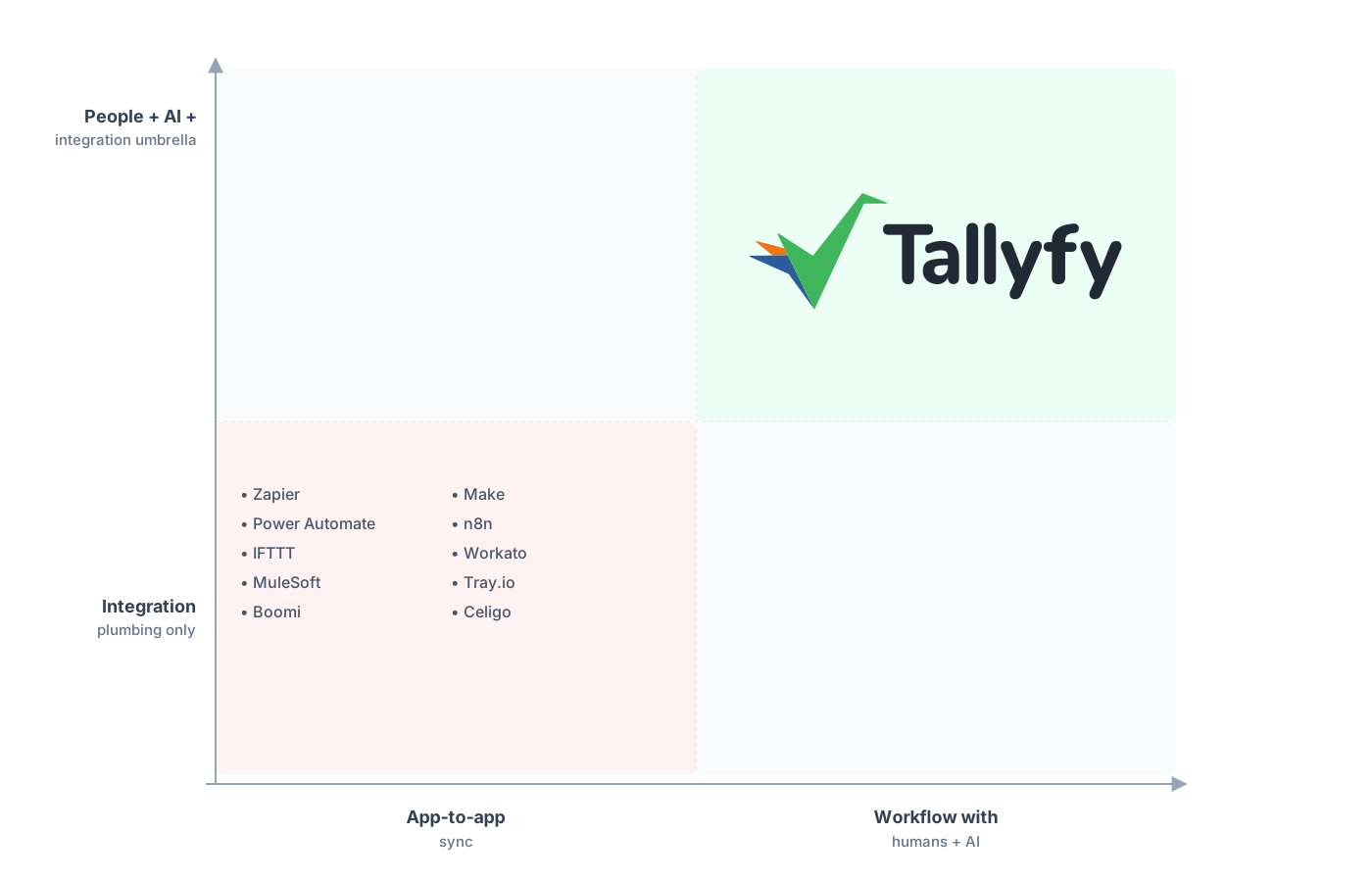
n8n moves and transforms the data. Tallyfy runs the people who act on it.
Tallyfy doesn’t run node graphs, transform payloads, poll APIs on a schedule, or self-host on your own infrastructure. If you’ve built real engineering automation in n8n, that work stays in n8n, full stop. Trying to rebuild a data pipeline as a human checklist would be as silly as running approvals through a cron job.
What Tallyfy adds is the human-workflow layer n8n was never meant to carry: forms, approvals, ordered steps, and a status view a business user reads without ever opening the editor. The two aren’t competitors, they’re neighbors. n8n moves and transforms the data, Tallyfy runs the people who act on it, and a webhook ties them together. That’s the honest shape of it, and it’s why the right answer here is usually “both,” not “switch.”
Common questions about adding Tallyfy alongside n8n
Do I have to choose between n8n and Tallyfy?
Can I import my n8n workflows into Tallyfy?
How does n8n hand off to Tallyfy?
Isn't n8n enough now that it has AI and human-in-the-loop nodes?
How does the pricing compare?
If you’re still mapping the boundary rather than ready to wire it up, our alternatives overview shows where Tallyfy fits among the tools teams run it beside. This guide is the build side of that: how to add the human layer without disturbing the automation you’ve already built.
When you’re ready, a short call is the most useful start: we look at your n8n workflows together, find the handful that pause on a person, and sketch the webhook hand-off.
Book a 30-minute walkthrough and bring the n8n flows that stall whenever a human has to weigh in. Those are the ones worth a human layer.
