
Summary
- Most of Confluence should stay where it is - it is a wiki, and wikis are good at reference docs, meeting notes, and specs. The pages worth moving are the how-to, SOP, and runbook pages that describe a procedure someone is supposed to follow. Those are processes trapped in prose.
- There is no clean import, because a page is words and a process is steps - Confluence exports a space or page to PDF, HTML, XML, Word, or CSV, but every one of those is a document. None of them is a runnable workflow. The move is structured re-authoring, helped by AI, not a data transfer.
- The concept map turns a procedure page into a template - a how-to page becomes a Tallyfy blueprint, its numbered instructions become real steps, a sign-off becomes an approval that blocks, and the pages that are genuine reference material stay in Confluence.
- Plan for re-authoring weeks, not an import weekend - find which pages are procedures, rebuild the top few as templates, then link back from the docs that stay. Book a 30-minute migration walkthrough and we’ll give you a straight read on which pages are worth moving.
Leaving Confluence looks like an export problem. It isn’t. The hard part is admitting that a lot of what lives in Confluence was never meant to leave, and a small slice of it was never really a document in the first place.
That small slice is the how-to pages. The onboarding checklist somebody wrote two years ago. An incident runbook nobody opens mid-incident. That “how we close the books” page everyone half-remembers. These read like documentation, but they’re actually procedures, and a procedure that lives as a page has a quiet problem: it describes the work without ever running it. Sorting those pages out from the genuine reference material is the real first step, and that sorting instinct sits underneath most workflow software moves.
SOP Management Made Easy
Why teams move off Confluence
Confluence is good at its actual job, and I’ll start there, because pretending otherwise would be silly. As a wiki it’s hard to beat: linked pages, version history, team spaces, a place where everything written down can be found again. For reference knowledge, that’s exactly the right shape.
The trouble starts when a page is asked to be a process. A how-to page can list every step in order, and it still can’t make anyone do them. There’s no owner, no due date, no record of who’s on step three and who skipped it. Reading a page and completing a task are not the same act, and Confluence only ever offered the first one.
Then there’s the rot. A procedure changes, the page doesn’t get updated, and now the SOP is quietly broken. Or it does get updated, and nobody re-reads it, so you get a messy split where half the team runs the old version from memory. A stale page that everyone trusts is worse than no page at all, which is most of why nobody follows the SOP in the first place. That’s the gap teams eventually feel: the wiki tells you how the work is supposed to go, but it has no way to make the work actually go that way.
What Confluence export actually gives you
Begin with the export, because it’s the whole reason this migration looks different from the others. Confluence lets you export a page or blog post as a Word document or a PDF, and a space admin can export a whole space, or selected pages, to PDF, CSV, HTML, or XML. So getting the content out is easy enough.
Now look at what each format is for, because it tells you something. The XML export “works best if you need to import the space into a Confluence Data Center instance.” The CSV is “best if you want to import a space into another Confluence Cloud instance.” The HTML is for turning a space into a static website. Every option moves your documentation from one place that stores documents to another place that stores documents. Not one of them produces a process that runs.
There’s a Confluence REST API too, which reads pages, spaces, blog posts, and attachments programmatically. It’s genuinely useful, but it gives you the same thing in a tidier package: the words on the page. So the honest framing is this. You can extract every procedure page perfectly, and you’ll still be holding prose. The migration isn’t a transfer. It’s a re-authoring, where each procedure page gets rebuilt as a set of steps that can actually be assigned, tracked, and finished.
How Confluence concepts map to Tallyfy
This is where the mental model has to shift, because Confluence and Tallyfy don’t share objects the way two project tools do. One stores documents. The other runs processes. Here’s how a procedure page lands on the Tallyfy side.
| In Confluence | In Tallyfy | What actually changes |
|---|---|---|
| Space | Organization / category | Becomes organizing metadata |
| How-to / SOP page | Blueprint | A prose procedure becomes a runnable template |
| Numbered steps on the page | Steps | Each instruction becomes a real, ownable step |
| Page template | Blueprint template | A reusable doc becomes a reusable process |
| Task list / checkbox macro | Step or sub-step | A checkbox becomes a tracked step |
| A required sign-off | Approval step | A line of text becomes a gate that blocks |
| Attachment | File field | Files attach at the right step |
| Macros (Jira, properties) | No direct equivalent | Dynamic content has no process analog |
| Reference / wiki page | Stays in Confluence | A document is not a Tallyfy object |
The shift is from a page you read to a flow that runs. In Confluence the structure is prose, and following it depends entirely on someone reading carefully and remembering. In Tallyfy the structure is the process itself, so the next step shows up for the right person whether or not anyone reread the doc. The words survive the move, recast as steps. What you gain is enforcement, which a page could never give you.

Take a real example: an incident runbook. A lot of teams keep one in Confluence: a page titled something like “Production incident response,” with a numbered list of who to page, how to declare severity, when to open a status update, and a checklist for the post-mortem. It’s a careful page. It’s also basically useless at 2am if the on-call engineer doesn’t open it, and there’s no way to know whether the post-mortem step ever happened.
Rebuild it as a Tallyfy blueprint and the same runbook becomes a running process that kicks off the moment an incident is declared, assigns the comms step to a real person, and holds an approval step so the incident can’t be closed until someone confirms the post-mortem is done. The page described the response. The blueprint runs it.
A realistic migration timeline
This timeline looks different from a database migration, because you’re authoring, not importing. Anyone who tells you it’s a weekend copy-paste hasn’t tried it.
Week one is triage, and it carries the whole project. Go page by page through your procedure spaces and sort each into one of two piles: this is a procedure someone is meant to execute, or this is reference material someone reads. The test is simple. Does this page describe a sequence of steps that repeats and that someone has to actually do, or does it hold knowledge people look up? Only the first pile moves. Be ruthless, because the instinct to drag the whole wiki across is exactly what sinks these migrations.
Weeks two through four are re-authoring, not data entry. Take your top few procedure pages, the ones where a missed step actually costs you, and rebuild them as Tallyfy blueprints with owners, order, and the approvals that matter. This is where AI assistance pays off: you can hand the page text over and get a first-draft template back, then shape it. Three solid procedures running beats thirty pages copied badly.
From week four on, you connect the two worlds. The reference pages that stay in Confluence get a link to the Tallyfy process they relate to, so the doc and the running process point at each other. The part teams underestimate is how much of this is judgment rather than typing, deciding what a procedure really requires once it has to run instead of just being read.
So why go this slowly?
Because the goal was never to copy your wiki into a new tool. It’s to find the handful of pages that were always procedures, and let them finally run as processes instead of gathering dust.
What breaks, and what Tallyfy won’t replace
Let me name what doesn’t come across, because every Confluence move hits some of these. Turns out there’s no automated import, so each procedure is rebuilt by hand or with AI help. Macros, the Jira embeds, page-properties reports, and dynamic-content blocks have no process equivalent and simply don’t translate. And page hierarchy is not process structure: a neat tree of nested pages tells you nothing about what runs first, so the order gets redefined as you rebuild.
Now for the part most migration guides quietly avoid. There’s a big thing Confluence does that Tallyfy does not, and you should hear it plainly.
Tallyfy is not a wiki. The knowledge base, the linked reference docs, the meeting notes, the place your team writes things down and reads them later, have no equivalent in a tool built to run one process well. This is the cleanest “we don’t replace this” we have, so I’ll be blunt about it: do not try to move your knowledge base into Tallyfy. Keep Confluence, or any wiki, for the reference documentation. Move only the procedures that have to be executed and tracked. Running both is the right answer for most teams, Confluence for what you read, Tallyfy for what you do, and the process documentation for a given workflow can live in either place as long as the executable version is the one people actually run.
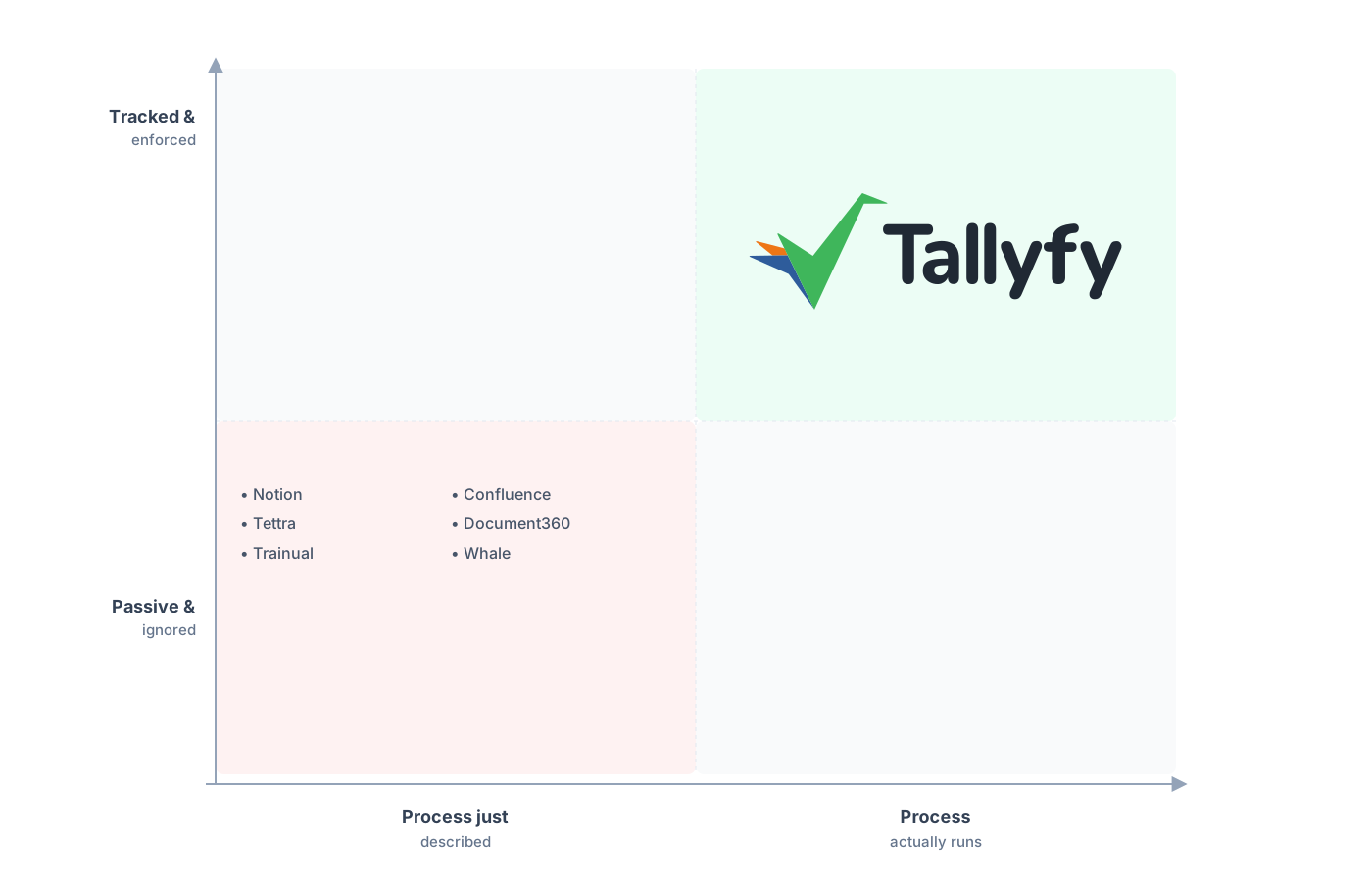
Procedures that run, not pages that gather dust.
What teams brace to lose, and keep, is visibility. In Confluence you have no idea who’s followed a procedure, so you wire up a spreadsheet or just ask around. In Tallyfy the live status view is built in, so every run of a procedure shows up sitting on a named step, no reporting layer required. The constraint you were nervous about, giving up the free-form page, is exactly what makes the status legible, and the conditional bits of a runbook turn into Tallyfy rules once the flow is clear. The piece that genuinely gets better is the procedure itself, because writing it as steps forces the decisions a page always let you skip.
Common questions about migrating from Confluence
How long does a real migration from Confluence take?
Can I just export my Confluence pages and import them into Tallyfy?
Should every Confluence page move to Tallyfy?
What about the wiki, the docs, and the meeting notes?
How does the pricing compare?
Still sizing it up rather than ready to move? Our Confluence alternative comparison sets a wiki against a tool that runs the procedure, and this guide is the build-it counterpart.
Once the move is more than an idea, get a short call booked. We go through your Confluence spaces and give you a candid read on which pages are procedures worth rebuilding and which should stay as docs.
Book a 30-minute migration walkthrough and bring the two or three pages that hurt most. An hour on those answers the fit question.
