
Summary
- Leaving Asana isn’t really an export problem, it’s a shape change - Asana is a flexible, multi-view project tool, and Tallyfy is one sequential workflow that repeats. Most of the migration work is deciding which of your projects are actually repeatable processes.
- Asana’s CSV export is honest but lossy - it gives you Task ID, name, assignee, due date, tags, and notes, but the comment history and file attachments are not columns. The complete export path is the developer API, not the CSV.
- The mapping is clean and direct - a Project becomes a Tallyfy blueprint, Sections become step groups, Tasks become steps, and Milestones become approval gates that actually block.
- Budget a few weeks, not a weekend - export, audit, rebuild your top three processes, parallel-run, then switch. Book a 30-minute migration walkthrough and we’ll tell you flat out whether it’s worth doing.
By the time you’re reading this, you’ve probably already decided Asana isn’t the right home for some of your work, and now you want to know what moving actually involves. Good. Let’s skip the sales pitch and get to the real mechanics, because the thing nobody warns you about is that pulling the data out barely matters.
The blunt answer comes first. Migrating from Asana to Tallyfy is basically not a data problem. It’s a sorting problem. You have to walk through your Asana projects and decide which ones are genuinely repeatable processes, the work that comes back every week with the same steps, and which ones are one-off projects that should stay in a project tool. That single decision drives the entire migration, and it’s the same decision underneath most workflow tooling choices.
Why teams move off Asana
Asana is a good project tool. That’s worth stating outright, because a migration guide built to make whatever you’re leaving look broken is useless to a reader. Asana is excellent at planning a launch, tracking a campaign, mapping a quarter of work onto a timeline.
The friction is specific, though. It bites when teams try to run their repeatable operations inside it, and the two most common reasons people start looking elsewhere both trace back to that.
The first is per-seat cost across a whole company. Asana prices by member, and operations work pulls in people from every department, so the bill climbs fast once you want everyone who touches a process to be in the tool. The second problem: flexibility quietly becomes a liability. Every team builds its boards a little differently, so the same onboarding process exists in four shapes across four teams, and nobody can say which version is current. Turns out that when the work is genuinely a recurring process, that drift is the problem, and no amount of extra views fixes it. This is exactly the project versus process mismatch that breaks most flexible tools the moment work starts repeating.
What Asana’s export actually gives you
Begin with the export, because what it carries and what it drops sets the whole plan. Asana lets you export any project from the project Actions menu with Export to CSV. That CSV includes a defined set of columns: Task ID, Creation Date, Completion Date, Last Modified Date, Name, Assignee, Due Date, Tags, Notes, Project Name, and Parent Task for subtasks.
Read that list again and notice what’s missing. The comment threads, the back-and-forth on each task, are not a column. Neither are file attachments. So the CSV preserves the skeleton of your work, the tasks and who owned them and when they were due, but not the conversation that happened around it.
If you need the conversation and the attachments too, the path is the Asana developer API, a REST API that lets apps extract data about the full Work Graph rather than the flattened CSV view. That matters for the audit, not usually for the rebuild. In practice almost nobody re-imports years of comment history into a new tool. You export the structure, you keep the old Asana account read-only for a few months as your archive, and you rebuild the processes fresh. Knowing that early saves you from over-engineering the move.
Work Management Made Easy
How Asana concepts map to Tallyfy
This is the part teams second-guess, and it lands more cleanly than you’d expect, because the Tallyfy team maintains an explicit object mapping. Every Asana concept has a home.
| In Asana | In Tallyfy | What actually changes |
|---|---|---|
| Workspace / Organization | Organization | Direct match |
| Team | Group | Direct match |
| Project (the template) | Blueprint | Your reusable process definition |
| Project (running) | Process (a run) | One live instance of the blueprint |
| Section | Step group | Logical grouping inside the flow |
| Task | Step | The unit of work |
| Subtask | Checklist item | Simplified into a sub-step |
| Milestone | Approval step | Becomes a gate that can actually block |
| Custom field | Form field (capture) | Captures data at the right step |
| Rule | Rule (IF-THEN) | Rebuilt by hand, not imported |
| Assignee | Assignee | Direct match |
| Comment | Comment | Carries over only if you pull it via the API |
The biggest mental shift here is the view paradigm. Asana lets you look at the same project as a list, a board, a timeline, or a calendar. Tallyfy is one sequential flow, with parallel branches where you genuinely need them. A list view maps over almost directly. A board view takes more thought: each Kanban column usually becomes a small group of steps, an entry, the work itself, and an exit. The underlying data all comes through intact. The view flexibility does not, and for repeatable work that’s a feature, because one canonical flow is the whole point.

Take client onboarding, since that’s the process most teams move first. In Asana, onboarding a client is usually a project someone duplicated from a template: collect documents, set up the account, schedule the kickoff, send the welcome pack. By the fortieth client you have forty near-identical projects, each drifted slightly from the last.
In Tallyfy, that becomes a single onboarding blueprint. Each new client kicks off one run of it. The steps are fixed, the document-collection step has a form field attached so the information lands in a known place, and the kickoff approval can’t be skipped. Same work, one source of truth instead of forty look-alikes.
A realistic migration timeline
Anyone selling you a one-weekend migration is just selling. A real move for a team with a handful of active processes runs about five to six weeks, and the bulk of that is decisions, not data entry.
Week one covers export and audit. Pull your projects out of Asana and sort them with one question: does this work come back, or did it happen once? The launch was a one-off. The client onboarding, the content review, the vendor setup, those come back, and those are your migration candidates. Be ruthless here. You do not want to rebuild fifty dead projects.
Week two rebuilds your top three processes as Tallyfy blueprints. Three processes. Not thirty. Take the ones that hurt most when they go wrong, define them properly, with owners and order and the approvals that matter. Week three runs in parallel: pick one or two teams and have them run the new Tallyfy process alongside the old Asana board, so you catch the gaps while the safety net is still there.
Week four is when your power users switch over fully and the Asana version goes read-only. The final two weeks bring the rest of the teams across and wind Asana down to an archive.
Why take it this slowly?
The point isn’t to recreate Asana in a new tool. It’s to turn the messy, drifted versions of your processes into clean ones on the way through, and that’s worth doing slowly.
What breaks, and what Tallyfy won’t replace
Let’s name what actually goes wrong, because every migration hits a few of these. Rules don’t transfer one to one; Asana automations have to be rebuilt as Tallyfy’s IF-THEN rules, which is usually quick but is real work. Asana users say as much on Asana’s own forum, where one put the export bluntly: when you go to JSON or CSV, the rules don’t carry over. Task dependencies survive as information, not as hard blockers, so if you relied on dependency chains to enforce order, you re-express that as sequence and approvals. Board projects force the Kanban-to-sequential rethink, which is a training cost more than a technical one. And the CSV drops your comment history, so anything you truly need to keep, you pull via the API first.
Now the part most guides quietly skip, the honest one. There are things Asana does that Tallyfy does not.
Asana has real Gantt and timeline depth, drag-to-reschedule dependency chains across a project plan. Tallyfy has a sequential timeline view, but it is not a project-planning Gantt and it isn’t trying to be. Asana’s portfolios and its workload and capacity views, the resource-management layer, have no direct equivalent in Tallyfy. If those capabilities are central to how you run, keep Asana for that planning work and move only the repeatable operations across. Plenty of teams run both: Asana for the one-off projects, Tallyfy for the processes that repeat. Picking the right tool for each shape beats forcing one tool to do both.
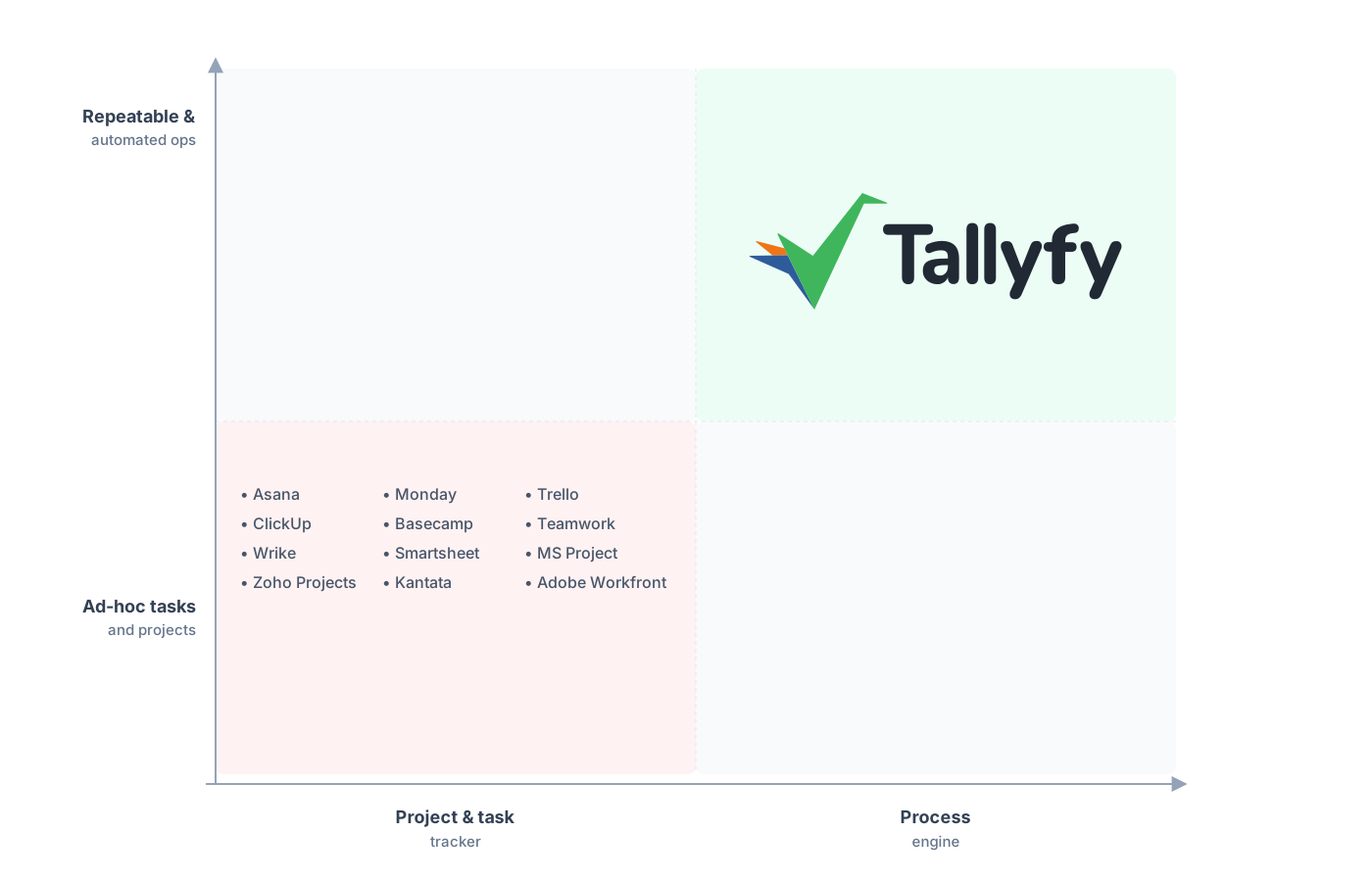
Repeatable and automated operations, not ad-hoc tasks.
A question we get from operations leads more than almost any other is whether they’ll lose the visibility they had in Asana. The answer is usually the opposite. In Asana, forty onboardings live in forty separate projects. In Tallyfy, those same forty runs show up in one live status board, so you can see at a glance which two are stuck and on which step. The visibility gets sharper, not blurrier, once the work runs as one defined process instead of forty copies.
Common questions about migrating from Asana
How long does a real migration from Asana take?
Can I bring my Asana comments and attachments across?
What happens to my Asana automation rules?
What if some of my team is still using Asana after I switch?
How does the pricing compare?
If you’re still deciding rather than ready to move, our Asana alternative comparison is where you settle whether to switch at all. This guide is the move-it-across half.
When you’re ready to actually move, start with a short call. We’ll look at your Asana setup and give you a frank read on which processes are worth migrating and which should stay put.
Book a 30-minute migration walkthrough and bring your two or three messiest Asana projects. That’s the fastest way to find out if this is a fit.
